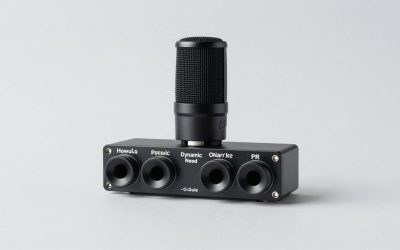
The real choice between a dynamic microphone and a condenser microphone for game streaming is not simply “which sounds better?” It is which one fits the way your home actually works. A microphone sits in the same room as keyboards, PC fans, air conditioners, roommates, children, pets, laundry cycles, and hard floors that reflect sound. It also has to fit on a desk already crowded with a monitor, controller dock, charging cables, and perhaps a boom arm.
Dynamic microphones are usually the more forgiving option for a lively, imperfect room. They favor close-up speech and tend to pick up less of the surrounding space. Condenser microphones can deliver more detail and a brighter, more open vocal sound, but that sensitivity can make a bedroom studio sound like a bedroom studio unless the room is relatively quiet and treated.
Our top picks
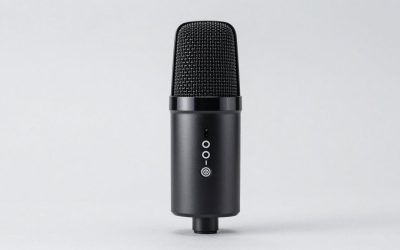
 FIFINE AmpliGame AM8 USB/XLR Dynamic Microphone for
- [Natural Audio Clarity] Operated with frequency response of…
- [XLR Connection Upgrade-Ability] To use XLR connection, connect…
- [USB Connection with Handy Mute] Skip the hassle…
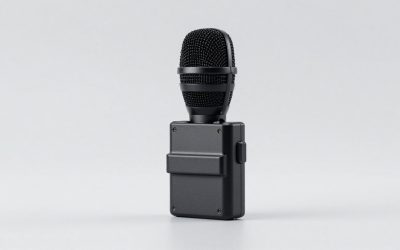
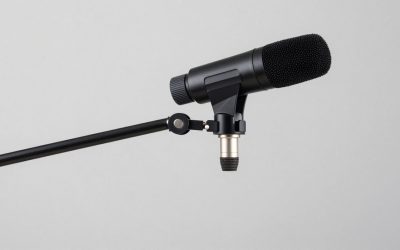
 Shure SM58 Pro XLR Dynamic Vocal Microphone
- A finely tuned frequency response with subtle midrange…
- The microphone of choice for artists and performers…
- A uniform cardioid pickup pattern focuses tightly on…
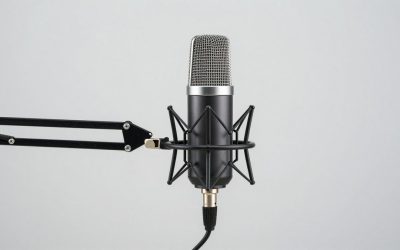
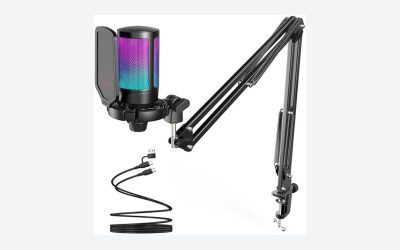
 TONOR Gaming Microphone Set with Boom Arm
- Clear Sound: Equipped premium chips and core, coupled…
- Vibrant RGB lighting: 4 RGB modes to choose…
- Brightness Control: Adjust the brightness of the RGB…
| Product | Key specs | |
|---|---|---|
| FIFINE AmpliGame AM8 USB/XLR Dynamic Microphone for | [Natural Audio Clarity] Operated with frequency response of… [XLR Connection Upgrade-Ability] To use XLR connection, connect… [USB Connection with Handy Mute] Skip the hassle… | Check price |
| Shure SM58 Pro XLR Dynamic Vocal Microphone | A finely tuned frequency response with subtle midrange… The microphone of choice for artists and performers… A uniform cardioid pickup pattern focuses tightly on… | Check price |
| TONOR Gaming Microphone Set with Boom Arm | Clear Sound: Equipped premium chips and core, coupled… Vibrant RGB lighting: 4 RGB modes to choose… Brightness Control: Adjust the brightness of the RGB… | Check price |
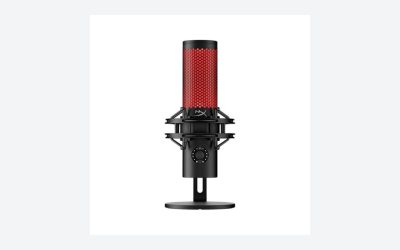
 FIFINE AmpliGame A6T USB Gaming Microphone Kit FIFINE AmpliGame A6T USB Gaming Microphone Kit | [Right Out-of-the-Box] The plug-and-play gaming microphone set doesn't… [Cool Lighting Design] Two-tone automatic gradient RGB makes… [Easier Function Use] Setting touch-mute button on the… | Check price |
As an Amazon Associate we earn from qualifying purchases at no extra cost to you.
For game streamers in 2026, the best choice is often dictated by noise level, desk layout, and how close you are willing to keep the microphone to your mouth—not by the microphone’s price alone.
Quick Verdict
Choose a dynamic microphone if you stream in a small apartment, share your home, use mechanical keyboards, have pets or children nearby, or want a practical setup with minimal acoustic treatment. Place it about 2 to 4 inches from your mouth on a boom arm, and it will generally prioritize your voice over the room.
Choose a condenser microphone for game streaming if your room is quiet, your PC is well-positioned, and you want a more detailed, immediate vocal character from a microphone positioned roughly 6 to 10 inches away. It is especially appealing for creators who also record voiceovers, softer commentary, tutorials, or music-adjacent content.
At the affordable end, a USB/XLR dynamic option such as the $56.99 FIFINE AmpliGame AM8 can make sense for someone building a flexible gaming setup. A condenser kit such as the $49.99 FIFINE AmpliGame A6T or the $29.99 TONOR TC310+ set may be attractive when a stand, controls, and visual features matter as much as the microphone itself. For streamers who already own an audio interface and want a familiar XLR vocal mic, the $109 Shure SM58 is a durable dynamic benchmark.
Side by Side
| Buying Factor | Dynamic Microphone | Condenser Microphone |
|---|---|---|
| Comfort while streaming | Works best close to your mouth, usually 2 to 4 inches away; a boom arm is highly helpful. | Allows a little more distance, often 6 to 10 inches, but needs more careful placement. |
| Room-noise control | Usually better for keyboards, fans, nearby conversation, and general household noise. | More likely to capture room reflections, clicks, hum, and background activity. |
| Durability | Typically robust; many are designed to tolerate regular transport and accidental bumps. | More delicate internally and better suited to a stable desk or dedicated recording area. |
| Typical price range | About $50 to $200 for common USB, USB/XLR, or entry XLR streaming models. | About $25 to $180 for common USB and entry-level XLR streaming models. |
| Maintenance | Usually limited to wiping the exterior, replacing a windscreen, and checking cables. | Needs the same basic care, plus greater attention to dust, moisture, and shock. |
| Space needed | A boom arm may extend 24 to 32 inches across the desk, but keeps the mic off the work surface. | A desk stand can occupy a footprint around 5 to 8 inches wide; a boom arm is still useful. |
| Look in a gaming room | Often has a broadcast, podcast, or stage-inspired appearance. | Often looks more studio-like; many USB models add RGB lighting and touch controls. |
| Resale potential | Established XLR models generally hold value better when kept clean and functional. | Lower-cost USB models tend to depreciate faster as features and lighting styles change. |
| Best for | Shared homes, untreated rooms, loud gaming desks, and conversational streaming. | Quiet rooms, controlled setups, detailed voice work, and creators who want more air in their sound. |
Where Dynamic Microphone Wins
A dynamic microphone wins when your home is not acoustically controlled. Most game-streaming rooms are not. Bedrooms and multipurpose offices commonly have parallel walls, laminate flooring, bare windows, and large monitors that bounce sound back toward the microphone. Add a desktop PC with fans, a mechanical keyboard, and an open door, and a highly sensitive microphone can hear more of the room than you intended.
Because a dynamic mic is generally less sensitive, it rewards close positioning. That is a major advantage for a streamer who talks over gameplay, reacts loudly, or uses push-to-talk only occasionally. The closer mic technique increases the level of your voice relative to the sound around you. You may still need to set gain carefully and use software noise suppression, but you are starting with a more manageable signal.
Dynamics also suit active desks. If you frequently move your chair, type hard, adjust a controller, or bump the desk during competitive play, a sturdy dynamic mic on a shock-mounted boom arm can be a reassuring choice. Many dynamic models are built for live vocal use, where handling and regular setup changes are expected.
There is a practical budget advantage, too. A USB/XLR dynamic microphone can let you begin with a USB connection and later move to an interface without replacing the microphone. That upgrade path is useful when you want to spread purchases over time. With a basic boom arm priced around $20 to $60, a windscreen for about $5 to $15, and a USB/XLR microphone around $50 to $150, a tidy, apartment-friendly setup can remain below $200.
Where Condenser Microphone for Game Streaming Wins
A condenser microphone for game streaming wins in a quieter and more intentional room. Its higher sensitivity can capture vocal nuances that some streamers enjoy: softer speech, breathier delivery, a sense of clarity, and a more present sound without needing to keep the microphone directly in front of the lips. This can feel more comfortable for creators who dislike having a large microphone close to their face or inside their camera frame.
Condenser mics also make sense when streaming is only one part of your content routine. If you record tutorials, narration, unboxings, casual voiceovers, or short-form videos at the same desk, the extra detail can be appealing. A USB condenser with a gain dial, mute control, and a simple stand is easy to connect directly to a PC and can reduce the number of separate components you need.
Style is another legitimate factor. A condenser microphone with RGB lighting can complement a gaming room’s visual setup, especially when it appears on camera. That is why kits with boom arms or illuminated bodies remain popular: they offer a finished-looking desk quickly. Still, appearance should not override placement. A bright microphone on a desk stand can pick up keyboard vibration and desk taps unless it is isolated with a shock mount or moved onto an arm.
The tradeoff is that a condenser requires more room discipline. Turn the microphone away from your PC tower when possible. Keep it out of the direct path of HVAC vents. Add a rug, curtains, a fabric chair, or a bookcase to reduce hard reflections. These home changes do not create a professional studio, but they can make a noticeable difference without covering the walls in foam panels.
Cost Over 5 Years
The microphone itself is only part of the five-year cost. A realistic entry-level dynamic setup might include a $56.99 microphone, a $30 boom arm, a $10 windscreen, and perhaps a $15 replacement cable or mount over time. That totals roughly $97 to $125 if USB is sufficient. If you later add a basic audio interface, expect approximately $70 to $170 more, depending on features.
A condenser setup can start lower. A $29.99 kit with a stand or arm may be enough for a beginner, while a $49.99 USB condenser kit leaves room for better accessories. Add a $20 to $60 boom arm, a $10 pop filter, and possibly a $20 shock mount, and a five-year total often lands around $60 to $150. If you move to an XLR condenser, you will also need an interface that supplies 48-volt phantom power; that can raise the total substantially.
Replacement risk matters. Dynamic microphones often have a lower long-term cost in homes where equipment gets moved, stored, or occasionally knocked over. Condensers are not fragile decorations, but they benefit from gentler handling and a stable location. In either category, a $25 to $60 boom arm may protect your investment better than a cheap desk stand, since it reduces desk vibration and keeps the microphone away from spills.
Which One for Your Home
Small apartment
Choose a dynamic microphone. In a compact apartment, there may be traffic outside, neighbors through shared walls, a refrigerator cycling nearby, or a gaming station only a few feet from the bed. A close-positioned dynamic mic is the less stressful solution. Mount it on the side of the desk so the arm can swing away when you are done streaming.
Family with kids or pets
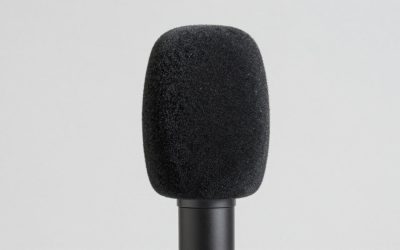
Choose a dynamic microphone, especially if you stream during active household hours. No microphone can completely erase barking, footsteps, or voices in the next room, but a dynamic model gives you more control by focusing your technique on close speech. Use a foam windscreen and keep the microphone slightly off to one side of your mouth to reduce plosives.
Rental
Either can work, but the dynamic is usually the safer default. Renters often cannot permanently alter walls or create a dedicated studio. A dynamic mic relies less on acoustic treatment, while temporary improvements such as area rugs, curtains, and freestanding shelves can make the setup even better. If your rental is quiet and carpeted, a condenser can be a good choice for softer, more detailed delivery.
Long-term home
Choose based on the room you can dedicate. A dynamic microphone remains excellent in an open office, game room, or shared space. A condenser becomes more compelling if you have a quieter office with soft furnishings, a door that closes, and enough room to position your PC farther from the mic. For a long-term setup, buying a microphone with both USB and XLR can be especially practical because it allows gradual upgrades without forcing an immediate investment in an interface.
FAQ
Is a dynamic microphone better than a condenser microphone for game streaming?
For most homes, yes. A dynamic microphone is usually the better default because it is less likely to emphasize keyboard noise, PC fans, and room echo. A condenser can sound excellent, but it benefits more from a quiet room and thoughtful placement.
Do I need an audio interface for a dynamic microphone?
Not always. USB dynamic microphones connect directly to a computer. Traditional XLR dynamic microphones, including the Shure SM58, need an audio interface or mixer with an XLR input. Make sure the interface provides enough clean gain for the microphone you choose.
Does a condenser microphone need phantom power?
An XLR condenser microphone usually needs 48-volt phantom power from an interface or mixer. A USB condenser receives power through its USB connection, so it does not require a separate phantom-power setting.
Should the microphone be on a desk stand or boom arm?
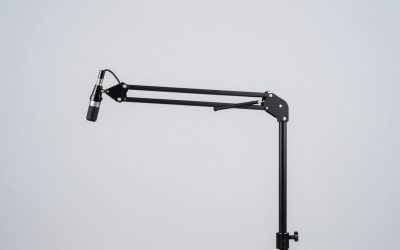
A boom arm is usually the better choice for gaming. It frees desk space, places the microphone closer to your mouth, and reduces vibration from typing and controller movement. Look for an arm with roughly 24 to 32 inches of reach and confirm that your desk edge is thick enough for its clamp before buying.