Key takeaways
- A specification-based HyperX QuadCast 2 review covering USB connectivity, stereo audio, removable shock mount, desk fit and monitoring unknowns.
What's inside
- A streaming microphone with some important specification gaps
- Listed specifications at a glance
- Pickup: stereo is not a complete description
- USB connectivity and the questions behind platform support
- Controls and monitoring deserve separate checks
- Planning the desk and mount arrangement
- Verdict: a candidate worth verifying, not assuming
- A streaming microphone with some important specification gaps
- Listed specifications at a glance
- Pickup: stereo is not a complete description
- USB connectivity and the questions behind platform support
- Controls and monitoring deserve separate checks
- Planning the desk and mount arrangement
- Verdict: a candidate worth verifying, not assuming
This review analyzes published product information. We have not performed hands-on testing of this unit.
As an Amazon Associate, we earn from qualifying purchases.
A streaming microphone with some important specification gaps
The HyperX QuadCast 2 is listed as a wired USB microphone for gaming, streaming and podcasting, with USB-C connectivity, on-board controls, LED lighting and a removable shock mount. Those features address several practical parts of a streaming setup: connecting the microphone, reaching its controls and accommodating a different mounting arrangement. They do not, by themselves, establish how clearly it will capture speech or how effectively it will reject a keyboard.
This review evaluates the QuadCast 2 from the supplied retailer specifications, not hands-on testing. The strongest buying case is its stated combination of USB connectivity and mounting flexibility. The main reservation is the limited audio detail: the evidence identifies stereo sound and a frequency range, but leaves pickup patterns, monitoring facilities and the functions of the controls unspecified. For a live-streaming microphone, those omissions matter.
Listed specifications at a glance
| Specification | Supplied listing detail |
|---|---|
| Model | HyperX QuadCast 2 |
| Connection | Wired USB; USB-C identified in the title |
| Named platforms | PC, Mac, PS5 and PS4 |
| Sound mode | Stereo |
| Frequency response limits | 20 Hz to 20 kHz |
| Cable length | 9.84 feet |
| Controls and lighting | On-board controls and LED lighting |
| Mounting feature | Removable shock mount |
| Listed dimensions | 7.17 × 5.31 × 9.5 inches |
| Listed weight | Approximately 0.74 pounds |
Pickup: stereo is not a complete description
The listing identifies stereo as the sound mode. That is useful information about the stated audio configuration, but it is not a substitute for a polar-pattern specification. The supplied evidence does not establish which pickup patterns are available, whether they are selectable or how the microphone responds to sounds arriving from behind or beside it. It would therefore be premature to recommend it specifically for isolating one speaker from surrounding desk noise.
For a solo gaming stream, the practical question is whether your voice can remain prominent over keys, mouse clicks, fans and other people in the room. The supplied specifications cannot answer that. Nor do they establish that stereo is the best configuration for your intended stream. Before choosing this model for a shared or noisy space, confirm its pickup options and how those options fit your microphone placement.
The stated 20 Hz–20 kHz frequency limits also need careful interpretation. They describe a claimed range, not a measured response curve or a guarantee of natural-sounding vocals. There is no tolerance, sensitivity or self-noise figure in the supplied facts. Those endpoints alone cannot tell you whether speech will sound balanced, whether low-frequency desk noise will be prominent or how much processing your voice may need.
USB connectivity and the questions behind platform support
The title identifies USB-C and names PC, Mac, PS5 and PS4. That makes the QuadCast 2 a relevant candidate for users considering those platforms, while the wired connection avoids making wireless capability part of the buying decision. Treat the named platforms as listing claims rather than confirmation of every software, operating-system or console-audio workflow.
The evidence does not specify the host-end cable connector, required adapters or platform-specific setup steps. A USB-C label alone should not be read as a complete description of the cable and port arrangement. Check those details against the ports you actually have, especially if your desk routes peripherals through a hub or your console is positioned away from the microphone.
The listed 9.84-foot cable length gives you a concrete figure for planning that route. Measure the path around the desk rather than only the straight-line distance to the computer. Allowing room for repositioning can help keep the cable from dictating where the microphone sits, although the supplied data does not establish cable-management hardware or the exact cable contents.
Controls and monitoring deserve separate checks
On-board controls are advertised, which is a potentially useful feature for a streamer who wants adjustments within reach. However, the listing does not identify what those controls operate. Do not assume a particular mute action, gain adjustment or headphone-level function from that phrase alone. Their usefulness during a broadcast depends on the actual functions and how easily you can access them in your chosen position.
Monitoring is a separate unresolved issue. The supplied evidence does not confirm a headphone output, direct monitoring or monitoring latency. If hearing your own microphone is central to your workflow, verify the available listening path before buying. A microphone connection and a monitoring connection solve different needs; one should not be inferred from the other.
LED lighting is also named, but its brightness, customization and status-indicator behavior are not described. It is an advertised visual feature, not enough evidence to promise a particular control or feedback system.
Planning the desk and mount arrangement
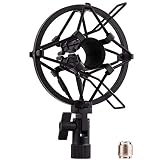
The removable shock mount is the clearest mounting-related feature in the listing. Removability may be useful when planning a different support arrangement, but it does not establish compatibility with any particular boom arm. Thread size, adapters and mounting requirements are absent. Likewise, the presence of a shock mount is not measured evidence of how much desk vibration it reduces.
Use the listed dimensions as an initial space-planning reference, with one caveat: the evidence does not clarify the measurement orientation or whether every mounting component is included. The approximately 0.74-pound listed weight is also insufficient on its own to certify an arm match. Confirm the assembled load and attachment requirements; our microphone shock mount guide can help frame that selection.
Verdict: a candidate worth verifying, not assuming
The QuadCast 2 merits consideration for its advertised USB-C connection, named computer and console support, on-board controls and removable shock mount. Its suitability for your stream depends on details this listing leaves open. Confirm pickup patterns, monitoring, control functions and mounting compatibility before committing—particularly if noise rejection or self-monitoring is a priority.
Sources: HyperX QuadCast 2 retailer listing. Specifications and advertised features above come from the supplied listing evidence.
Check the exact product and current offer on Amazon