Key takeaways
- For pure gaming, spend on cache and clock speed rather than chasing the highest core count.
- Buy the platform, not just the chip: check socket longevity so you can upgrade the CPU later without a new board.
- If you play at 1440p or 4K, a mid-range CPU paired with a strong GPU gives better value than an expensive chip.
- Budget for cooling on any unlocked or high-wattage processor so it can sustain its rated boost clocks.
What's inside
- Watch: How to Choose a Gaming CPU (2026 Guide) — Video Review
- Cores, Threads, and What Games Actually Use
- Clock Speed and Cache: The Frame-Rate Duo
- Matching the CPU to Your GPU and Resolution
- Platform Costs: Socket, Motherboard, and Memory
- Cooling and Power Draw
- Tips
- Related Guides
- Frequently Asked Questions
- Conclusion
- Related Articles
- Related Guides
The processor is the quiet workhorse of a gaming rig. While the graphics card usually gets the spotlight, the CPU decides how many frames your system can feed to that GPU, how smoothly background tasks run while you play, and whether your build still feels fast three or four years from now. Choosing the wrong chip can bottleneck an otherwise powerful machine, so it pays to understand what actually matters before you spend the money.
- Watch: How to Choose a Gaming CPU (2026 Guide) — Video Review
- Cores, Threads, and What Games Actually Use
- Clock Speed and Cache: The Frame-Rate Duo
- Matching the CPU to Your GPU and Resolution
- Platform Costs: Socket, Motherboard, and Memory
- Cooling and Power Draw
- Tips
- Related Guides
- Frequently Asked Questions
- Conclusion
- Related Articles
- Related Guides
In this 2026 guide you will learn how to read core counts and clock speeds, why cache size matters so much for games, how to match a CPU to your graphics card and resolution, and how to weigh AMD against Intel for your budget. By the end you will be able to pick a processor with confidence instead of guessing from a spec sheet.
As an Amazon Associate we earn from qualifying purchases at no extra cost to you. Product prices and availability are accurate as of the date shown and are subject to change.








⚡ Save on Your Next PC — Amazon Prime
Prime members get fast free shipping on the systems above, plus early access to Prime Day & Black Friday PC deals. New members get a 30-day free trial.
Watch: How to Choose a Gaming CPU (2026 Guide) — Video Review
Cores, Threads, and What Games Actually Use
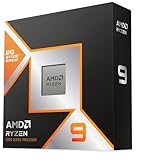
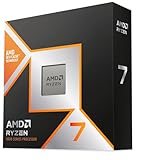
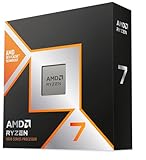
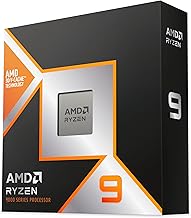
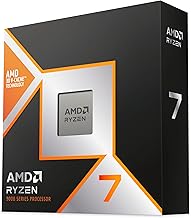
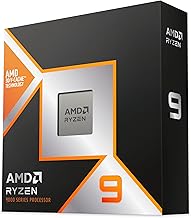
Modern games rarely use more than six to eight cores efficiently, which is why a well-tuned 6-core or 8-core chip like the AMD Ryzen 5 9600X or Ryzen 7 9800X3D often outperforms a cheaper 16-core part in pure gaming. Extra cores help most if you also stream, edit video, or run many browser tabs and background apps while playing. If gaming is your main task, prioritize per-core speed and cache over raw core count; if you multitask heavily, a higher-core chip such as the Ryzen 9 9950X3D earns its keep.
Clock Speed and Cache: The Frame-Rate Duo
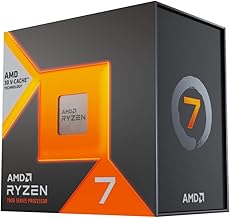
Clock speed (measured in GHz) tells you how fast each core runs, and higher boost clocks translate directly into more frames in CPU-limited games. Just as important is L3 cache, the small pool of ultra-fast memory that keeps game data close to the cores. AMD’s X3D chips, like the Ryzen 7 7800X3D and 9800X3D, stack extra cache specifically to boost gaming, which is why they punch above their clock speeds. When two chips have similar clocks, the one with more cache almost always wins in games.
Matching the CPU to Your GPU and Resolution
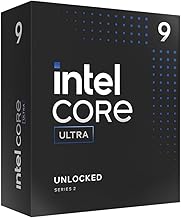
Your ideal CPU depends heavily on the graphics card and resolution you play at. At 1080p the CPU does more of the work, so a fast chip matters most there. At 1440p and especially 4K the GPU becomes the limiting factor and even a mid-range processor keeps up. A sensible rule: pair a budget chip like the Ryzen 5 5500 with an entry GPU, a Ryzen 5 9600X or Intel Core i7-14700K with a mainstream card, and reserve top-tier parts like the Core Ultra 7 270K or 9800X3D for high-refresh 1440p and beyond.
Platform Costs: Socket, Motherboard, and Memory
A CPU never lives alone. AMD’s AM5 platform uses DDR5 memory and offers a long upgrade runway, meaning a board bought today may accept future chips. Intel’s newer Core Ultra parts also use DDR5 but sit on a different socket. Factor the motherboard and RAM into your total budget, and check whether a chip includes a cooler; the Ryzen 5 5500 ships with a Wraith Stealth cooler, while most high-performance chips like the 9800X3D and i7-14700KF need a cooler purchased separately.
Cooling and Power Draw
Faster chips generate more heat and pull more power. A modest 65W processor runs happily on a good air cooler, but unlocked K-series Intel chips and high-end Ryzen parts benefit from a strong tower cooler or a 240mm liquid cooler to hold their boost clocks. Always confirm your power supply has enough headroom and that your case has decent airflow, because a thermally throttled CPU quietly loses the very performance you paid for.
Tips
- For pure gaming, spend on cache and clock speed rather than chasing the highest core count.
- Buy the platform, not just the chip: check socket longevity so you can upgrade the CPU later without a new board.
- If you play at 1440p or 4K, a mid-range CPU paired with a strong GPU gives better value than an expensive chip.
- Budget for cooling on any unlocked or high-wattage processor so it can sustain its rated boost clocks.
Frequently Asked Questions
Do I need an 8-core CPU for gaming in 2026?
Not strictly. A fast 6-core chip like the Ryzen 5 9600X handles almost every current game smoothly. An 8-core part becomes worthwhile if you stream, record, or run demanding background apps while playing.
Are AMD’s X3D chips really better for games?
In most titles, yes. The extra stacked L3 cache on chips like the 7800X3D and 9800X3D reduces memory bottlenecks, which often yields higher and more consistent frame rates than clock speed alone would suggest.
Should I match my CPU to my resolution?
Yes. At 1080p the CPU matters most, so a fast chip pays off. At 4K the GPU does the heavy lifting, so you can save money on the processor and put it toward the graphics card instead.
Is Intel or AMD better right now?
Both are competitive. AMD’s X3D line leads in raw gaming and platform longevity, while Intel’s Core i7 and Core Ultra parts offer strong all-round performance for mixed workloads. Choose based on your budget, workload, and the deals available.
Conclusion
The best gaming CPU is the one balanced to your GPU, resolution, and budget rather than the one with the biggest number on the box. Favor strong single-core speed and generous cache for gaming, add cores only if you multitask, and always leave room in your budget for a capable cooler and a platform you can upgrade later. Get that balance right and your processor will keep frames flowing smoothly for years.