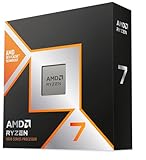
Key takeaways
- Core count: The 9950X3D brings 16 cores and 32 threads across two CCDs; the 9800X3D is a single 8-core, 16-thread die.
- Cache layout: The 9800X3D has 96MB of L3 available to all eight cores. The 9950X3D has 128MB total, but only one CCD carries the stacked cache — games must be scheduled onto it to see the benefit.
- Clock speeds: The 9950X3D’s non-cache CCD boosts significantly higher, which helps in lightly threaded and frequency-sensitive workloads. The 9800X3D trades peak clocks for consistency.
- Power and cooling: 170W TDP versus 120W. The 9950X3D realistically wants a 360mm AIO or a premium dual-tower air cooler under sustained load; the 9800X3D is comfortable on a good mid-range air cooler.
- Productivity performance: In Blender, Handbrake, Premiere exports and multi-core compiles, expect the 9950X3D to finish jobs in roughly half the time.
- Scheduling complexity: The 9800X3D is plug-and-play. The 9950X3D relies on AMD’s chipset driver and Windows Game Bar to park the non-cache cores during gaming — normally invisible, occasionally in need of a nudge.
Two years on from the launch of Zen 5, AMD’s 3D V-Cache lineup has settled into a clear two-tier split, and in 2026 the decision most enthusiast builders face comes down to a single question: do you need cores, or do you just need frames? The Ryzen 9 9950X3D is the flagship — 16 cores, 32 threads, and a stacked cache die bolted onto one of its two core complexes. The Ryzen 7 9800X3D is the specialist — 8 cores, 16 threads, and the same second-generation V-Cache technology in a cheaper, cooler, simpler package that has spent two years as the default recommendation for pure gaming rigs.
The choice matters more now than it did at launch. GPUs at the top of the stack have gotten fast enough that CPU bottlenecks show up even at 1440p in competitive titles, while creator workloads — 4K editing, Blender renders, local AI inference, large codebase compiles — have quietly become mainstream for a lot of people who also game. Below is a direct comparison of both chips, plus the alternatives worth knowing about before you commit to an AM5 build.
Our top picks
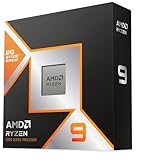
 AMD Ryzen 9 9950X3D 16-Core Processor
- AMD Ryzen 9 9950X3D Gaming and Content Creation…
- Max
- Form Factor: Desktops , Boxed Processor
 AMD Ryzen™ 9 9950X 16-Core
- The best for creators meets the best for…
- 16 Cores and 32 processing threads, based on…
- 5.7 GHz Max Boost, unlocked for overclocking, 80…
| Product | Key specs | |
|---|---|---|
| AMD Ryzen 9 9950X3D 16-Core Processor | AMD Ryzen 9 9950X3D Gaming and Content Creation… Max Form Factor: Desktops , Boxed Processor | Check price |
| AMD Ryzen™ 9 9950X 16-Core | The best for creators meets the best for… 16 Cores and 32 processing threads, based on… 5.7 GHz Max Boost, unlocked for overclocking, 80… | Check price |
 AMD Ryzen™ 9 9950X3D2 Dual Edition AMD Ryzen™ 9 9950X3D2 Dual Edition | AMD Ryzen 9 9950X3D2 Dual Edition | Check price |
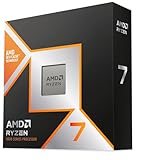
 AMD RYZEN 7 9800X3D 8-Core AMD RYZEN 7 9800X3D 8-Core | The world’s fastest gaming processor, built on AMD… 8 cores and 16 threads, delivering +~16% IPC… 96MB L3 cache with better thermal performance vs | Check price |
 AMD Ryzen 9 9950X3D Processor with Gigabyte AMD Ryzen 9 9950X3D Processor with Gigabyte | AMD Ryzen 9 9950X3D Desktop Processor, 16-Core, 32-Thread,… For the state-of-the-art Socket AM5 platform, can support… GIGABYTE X870E AORUS Elite Motherboard, AMD Socket AM5,… | Check price |
 Micro Center AMD Ryzen 9 9950X3D Processor Micro Center AMD Ryzen 9 9950X3D Processor | AMD Ryzen 9 9950X3D Desktop Processor, 16-Core, 32-Thread,… For the state-of-the-art Socket AM5 platform, can support… P WiFi Motherboard, ATX Form Factor, Socket AM5,… | Check price |
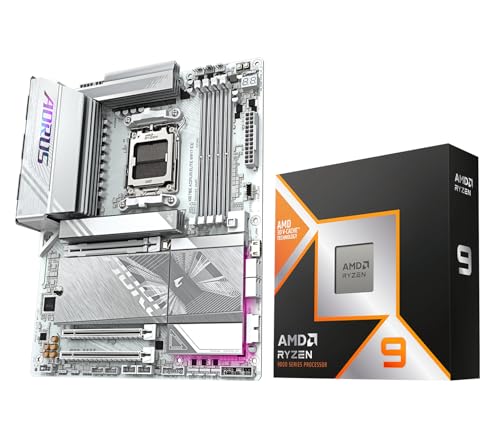 AMD 9950X3D Processor with GIGABYTE X870E AORUS AMD 9950X3D Processor with GIGABYTE X870E AORUS | AMD Ryzen 9 9950X3D Desktop Processor, 16-Core, 32-Thread,… For the state-of-the-art Socket AM5 platform, can support… GIGABYTE X870E AORUS Elite WIFI7 ICE Motherboard, ATX… | Check price |
 AMD Ryzen 9 9900X3D 12-Core Processor AMD Ryzen 9 9900X3D 12-Core Processor | AMD Ryzen 9 9900X3D Gaming and Content Creation… | Check price |
As an Amazon Associate we earn from qualifying purchases at no extra cost to you.
⚡ Save on Your Next PC — Amazon Prime
Prime members get fast free shipping on the systems above, plus early access to Prime Day & Black Friday PC deals. New members get a 30-day free trial.
Watch: Ryzen 9 9950X3D vs 9800X3D: 2026 Showdown — Video Review
Quick Verdict
If gaming is 90% of what your PC does, the Ryzen 7 9800X3D remains the smarter buy: it delivers within a few percent of the flagship’s frame rates for substantially less money, runs cooler, and is easier to cool and feed. If you render, stream, compile, or run heavy multitasking alongside gaming, the Ryzen 9 9950X3D is worth the premium — it roughly doubles the multi-threaded throughput while giving up essentially nothing in games.
Key Differences
- Core count: The 9950X3D brings 16 cores and 32 threads across two CCDs; the 9800X3D is a single 8-core, 16-thread die.
- Cache layout: The 9800X3D has 96MB of L3 available to all eight cores. The 9950X3D has 128MB total, but only one CCD carries the stacked cache — games must be scheduled onto it to see the benefit.
- Clock speeds: The 9950X3D’s non-cache CCD boosts significantly higher, which helps in lightly threaded and frequency-sensitive workloads. The 9800X3D trades peak clocks for consistency.
- Power and cooling: 170W TDP versus 120W. The 9950X3D realistically wants a 360mm AIO or a premium dual-tower air cooler under sustained load; the 9800X3D is comfortable on a good mid-range air cooler.
- Productivity performance: In Blender, Handbrake, Premiere exports and multi-core compiles, expect the 9950X3D to finish jobs in roughly half the time.
- Scheduling complexity: The 9800X3D is plug-and-play. The 9950X3D relies on AMD’s chipset driver and Windows Game Bar to park the non-cache cores during gaming — normally invisible, occasionally in need of a nudge.
AMD Ryzen 9 9950X3D
The 9950X3D is the closest thing AMD has to a do-everything desktop chip. In games it sits shoulder-to-shoulder with the 9800X3D — sometimes a fraction behind, sometimes marginally ahead in titles that reward both large cache and high clocks, such as heavily modded simulation games and CPU-bound strategy titles. What separates it is everything that happens outside the game: it can encode a stream, keep Chrome and Discord alive, and run a background render without your frame rate collapsing.
The trade-offs are real, though. You’re paying a substantial premium over the 9800X3D for gaming parity, and the higher power ceiling means a stronger cooler and a more capable VRM. That last point is where bundles like the Ryzen 9 9950X3D with Gigabyte X870E AORUS Elite or the Micro Center 9950X3D with MSI PRO X870E-P combo make sense — both pair the chip with a board that has the power delivery, Wi-Fi 7, PCIe 5.0 and Gen5 M.2 support to match, removing the guesswork from platform selection.
AMD Ryzen 7 9800X3D
The 9800X3D earned its reputation honestly. By relocating the cache die beneath the cores rather than on top, AMD fixed the thermal and overclocking limitations of earlier X3D parts, producing a fully unlocked chip that gaming benchmarks have struggled to dethrone. For 1080p and 1440p high-refresh gaming with a top-tier GPU, it is still the reference point everything else is measured against.
It’s also the easier build. Lower power draw means a smaller cooler, a less expensive B850 or X870 board, and a quieter system overall — and every dollar saved can go toward the GPU, which will do far more for your frame rates than a core-count upgrade will. Its ceiling is multi-threaded work: if you routinely run 30-minute exports or long compiles, eight cores will feel limiting in a way it never does in games.
Which Should You Buy?
- For pure high-refresh gaming: pick the 9800X3D and put the savings into your graphics card.
- For streaming, editing, or 3D work alongside gaming: pick the 9950X3D — the extra eight cores pay for themselves in time saved.
- For productivity only, no gaming: consider the standard Ryzen 9 9950X, which offers the same 16 cores without paying for cache you won’t use.
- For a hassle-free flagship build: a Micro Center CPU and motherboard combo guarantees a properly matched X870E board, BIOS support and connectivity out of the box.
- For maximum V-Cache across all cores: watch the 9950X3D2 Dual Edition, which addresses the single-cache-CCD limitation directly.
Frequently Asked Questions
Is the 9950X3D actually faster than the 9800X3D in games?
Only marginally, and not universally. Across a broad benchmark suite the two land within a few percent of each other, with individual titles favoring one or the other. Buy the 9950X3D for its cores, not for frames.
Do I need to configure anything for the 9950X3D to game properly?
Install AMD’s latest chipset driver, keep Xbox Game Bar enabled, and update your BIOS. That’s usually enough for Windows to park the non-cache cores automatically. Launchers that aren’t recognized as games can occasionally need manual affinity settings.
What is the 9950X3D2 Dual Edition?
It’s AMD’s answer to the flagship’s biggest asymmetry — stacked cache on both core complexes instead of one, eliminating the scheduling dependency. If dual-CCD cache matters to your workload, it’s worth comparing before you buy.
Will these CPUs work in my existing AM5 board?
Yes, provided your 600- or 800-series board has a current BIOS. AMD has committed to AM5 well beyond 2027, so either chip is a safe long-term platform investment.
Final Verdict
The Ryzen 7 9800X3D is still the best value in gaming CPUs and the right pick for most players, while the Ryzen 9 9950X3D is the chip to buy when your PC has a second job — and if you’d rather skip the compatibility research entirely, a matched CPU-and-motherboard combo is the cleanest route to a flagship AM5 build.