Key takeaways
- Core architecture: Intel splits its 24 cores into 8 performance cores and 16 efficiency cores with 24 threads total, while Ryzen 9 uses 16 uniform cores with SMT for 32 threads — simpler scheduling, but fewer physical cores.
- Gaming cache: AMD’s X3D models stack extra L3 cache directly onto the die, which is worth double-digit frame-rate gains in cache-sensitive games. Intel counters with 36MB of Smart Cache and higher clocks rather than stacked cache.
- Socket longevity: AM5 has supported multiple CPU generations and continues to receive new parts. LGA 1851 is a newer, shorter-lived socket, so a future drop-in upgrade is less certain.
- Power and heat: Arrow Lake is dramatically more efficient than Intel’s previous flagships and runs cooler under mixed loads; Ryzen 9 X-series parts push high boost voltages and reward a strong 240mm–360mm AIO.
- Integrated graphics and media: Intel’s Arc-based iGPU plus Quick Sync is a real advantage for streamers, troubleshooting, and hardware-accelerated encoding. Ryzen 9’s iGPU is display-out only in practice.
- Buying options: Intel’s ecosystem includes ready-made Ultra 9 285K motherboard bundles with boards like the TUF Gaming Z890-Plus WiFi or MAG Z890 Tomahawk WiFi, which usually undercut buying the parts separately.
What's inside
Two chips sit at the top of most gaming build lists in 2026, and they wear very different badges. On one side is Intel’s Core Ultra 9 285K, the 24-core flagship of the Arrow Lake generation, built on the LGA 1851 socket and paired with Z890 motherboards. On the other is AMD’s Ryzen 9 family — chiefly the 9950X3D and 9950X — 16-core parts on the long-running AM5 platform, with the X3D variants carrying AMD’s second-generation 3D V-Cache. Both are premium, both are fast, and both will comfortably feed a current-generation GPU. They simply get there by different routes.
That difference matters more in 2026 than it did a few years ago. Graphics cards have outrun 1080p entirely, so the CPU now decides whether you hold 200+ FPS in competitive shooters or watch your frame times wobble in simulation-heavy titles. At the same time, more gamers are also streaming, editing, compiling, or running local AI models on the same machine — workloads where core counts, memory bandwidth, and power draw all start to matter. Choosing between these two families is less about raw benchmark supremacy and more about matching a chip to how you actually use your PC.
As an Amazon Associate we earn from qualifying purchases at no extra cost to you. Product prices and availability are accurate as of the date shown and are subject to change.



⚡ Save on Your Next PC — Amazon Prime
Prime members get fast free shipping on the systems above, plus early access to Prime Day & Black Friday PC deals. New members get a 30-day free trial.
Watch: Intel Core Ultra 9 vs Ryzen 9: 2026 Battle — Video Review
Quick Verdict
If your priority is the highest, most consistent frame rates in games — especially CPU-bound titles like strategy, sim, and MMO games — a Ryzen 9 with 3D V-Cache remains the safer buy, and AM5 gives you a longer upgrade runway. If you want a genuine all-rounder that chews through rendering, encoding, and heavily multithreaded productivity work while still gaming at a very high level, the Core Ultra 9 285K (or the cooler-running 65W Core Ultra 9 285) is the more versatile chip, and Intel’s bundle pricing often makes the total platform cost the lower of the two.
Key Differences
- Core architecture: Intel splits its 24 cores into 8 performance cores and 16 efficiency cores with 24 threads total, while Ryzen 9 uses 16 uniform cores with SMT for 32 threads — simpler scheduling, but fewer physical cores.
- Gaming cache: AMD’s X3D models stack extra L3 cache directly onto the die, which is worth double-digit frame-rate gains in cache-sensitive games. Intel counters with 36MB of Smart Cache and higher clocks rather than stacked cache.
- Socket longevity: AM5 has supported multiple CPU generations and continues to receive new parts. LGA 1851 is a newer, shorter-lived socket, so a future drop-in upgrade is less certain.
- Power and heat: Arrow Lake is dramatically more efficient than Intel’s previous flagships and runs cooler under mixed loads; Ryzen 9 X-series parts push high boost voltages and reward a strong 240mm–360mm AIO.
- Integrated graphics and media: Intel’s Arc-based iGPU plus Quick Sync is a real advantage for streamers, troubleshooting, and hardware-accelerated encoding. Ryzen 9’s iGPU is display-out only in practice.
- Buying options: Intel’s ecosystem includes ready-made Ultra 9 285K motherboard bundles with boards like the TUF Gaming Z890-Plus WiFi or MAG Z890 Tomahawk WiFi, which usually undercut buying the parts separately.
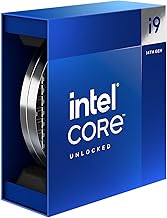
Intel Core Ultra 9 285K
The Core Ultra 9 285K is a 24-core chip — 8 P-cores plus 16 E-cores — boosting to 5.7 GHz on the FCLGA1851 socket with DDR5 support and a built-in NPU for on-device AI tasks. In practice it behaves like a workstation processor that happens to game very well: video exports, Blender renders, code compiles, and multi-app streaming setups all benefit from having 16 efficiency cores soaking up background work while the P-cores stay dedicated to your game.
Its weak spot is the CPU-bound gaming scenario, where the lack of stacked cache leaves it a step behind AMD’s X3D parts at 1080p. Move to 1440p or 4K with a high-end GPU and that gap narrows sharply. Two variants are worth knowing: the Ultra 9 285, a 65W base-power version with the same 24 cores and 5.6 GHz boost for compact or quiet builds, and the Ultra 7 270K Plus, which keeps the 24-core layout at 5.5 GHz for less money.
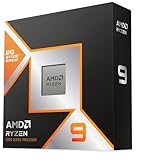
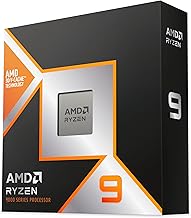
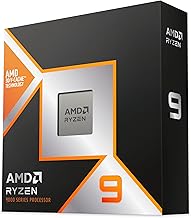
AMD Ryzen 9
Ryzen 9 has spent this generation as the default recommendation for people who care about frame rates above all else. The 9950X3D combines 16 Zen 5 cores with 3D V-Cache, delivering class-leading 1% lows in the exact titles that punish weaker CPUs — large-scale strategy, flight and racing sims, and heavily modded open-world games. The non-X3D 9950X trades that cache for slightly higher all-core clocks and a lower price.
The platform argument is just as important. AM5 boards are mature, BIOS support is stable, and AMD has kept the socket alive across multiple launches, so a CPU-only upgrade in two or three years is a realistic plan. The trade-offs are heat under sustained all-core loads, a weaker integrated GPU, and productivity performance that, while excellent, doesn’t always match Intel’s higher core count in encoding and rendering.
Which Should You Buy?
- For competitive and CPU-bound gaming: pick a Ryzen 9 X3D — the cache advantage shows up exactly where frame pacing matters most.
- For gaming plus content creation: pick the Core Ultra 9 285K; 24 cores and Quick Sync make it the better one-machine solution.
- For the best value build: pick an Ultra 9 285K bundle with a Z890 board — a single purchase that removes compatibility guesswork.
- For small-form-factor or quiet builds: pick the 65W Ultra 9 285, which delivers the same core count with far less thermal load.
- For the longest upgrade path: pick AM5 and Ryzen 9, since the socket is likely to accept at least one more CPU generation.
Frequently Asked Questions
Is the Core Ultra 9 285K good for gaming?
Yes. It comfortably drives high-end GPUs at 1440p and 4K, and only falls meaningfully behind X3D parts in CPU-limited scenarios at lower resolutions.
Do I need a new motherboard for the Ultra 9 285K?
Yes — it uses the LGA 1851 socket and requires a Z890-class board, which is why the CPU and motherboard bundles are often the most cost-effective route.
How many threads does the Ultra 9 285K have?
24 cores and 24 threads. Intel dropped Hyper-Threading this generation, offsetting it with 16 efficiency cores rather than SMT.
Is a Ryzen 9 worth the extra cost over a Ryzen 7?
For gaming alone, usually not. The extra cores pay off in rendering, compiling, and multitasking rather than raw frame rates.
Final Verdict
Buy a Ryzen 9 X3D if games are the whole point and you want the strongest frame-time consistency available, plus the reassurance of a socket with a future. Buy the Intel Core Ultra 9 285K if you want one machine that games near the top of the charts and still finishes a render or an export faster than anything in its price class — particularly if a Z890 bundle brings the platform cost down. Neither choice is wrong; the right one depends on what your PC does when you’re not gaming.