Key takeaways
- Learn when a gaming soundbar needs 4K passthrough and how 4K60, 4K120, VRR, HDR, HDCP, ARC, and eARC affect the signal path.
You need 4K passthrough only when the game source sends video through the soundbar before it reaches the display. If the console or PC connects directly to the TV or monitor and the display returns audio over ARC or eARC, the soundbar does not pass the game video at all.
“4K passthrough” describes one video route; ARC and eARC describe an audio-return route. Neither phrase alone guarantees 4K at 120 Hz, variable refresh rate (VRR), every HDR format, or HDCP-protected playback.
Our top picks
 Assistrust Sound Bar for Smart TV
- 【𝐈𝐦𝐩𝐚𝐜𝐭𝐟𝐮𝐥 𝐕𝐨𝐥𝐮𝐦𝐞 𝐁𝐨𝐨𝐬𝐭】: Elevate faint sounds to vibrant…
- 【𝐄𝐩𝐢𝐜 𝐂𝐢𝐧𝐞𝐦𝐚 𝐀𝐮𝐝𝐢𝐨】: Powered by 4 high-performance drivers,…
- 【𝐓𝐚𝐢𝐥𝐨𝐫𝐞𝐝 𝐒𝐨𝐮𝐧𝐝】: Fine-tune your listening experience with 3…
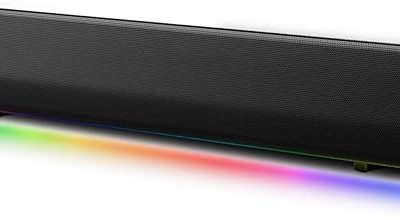
 Creative Sound Blaster GS3 Compact RGB Gaming
- The soundbar offers multiple advanced RGB lighting presets,…
- Enjoy acoustic power of up to 24W peak…
- Step into an immersive soundstage with pronounced bass…
 JBL Bar 300MK2-5.0 Channel All-in-one soundbar with
- 450W max output power and punchy bass without…
- Dolby Atmos: Hear a plane soar overhead
- MultiBeam 3.0: Wherever you're sitting, you'll be in…
| Product | Key specs | |
|---|---|---|
| Assistrust Sound Bar for Smart TV | 【𝐈𝐦𝐩𝐚𝐜𝐭𝐟𝐮𝐥 𝐕𝐨𝐥𝐮𝐦𝐞 𝐁𝐨𝐨𝐬𝐭】: Elevate faint sounds to vibrant… 【𝐄𝐩𝐢𝐜 𝐂𝐢𝐧𝐞𝐦𝐚 𝐀𝐮𝐝𝐢𝐨】: Powered by 4 high-performance drivers,… 【𝐓𝐚𝐢𝐥𝐨𝐫𝐞𝐝 𝐒𝐨𝐮𝐧𝐝】: Fine-tune your listening experience with 3… | Check price |
| Creative Sound Blaster GS3 Compact RGB Gaming | The soundbar offers multiple advanced RGB lighting presets,… Enjoy acoustic power of up to 24W peak… Step into an immersive soundstage with pronounced bass… | Check price |
| JBL Bar 300MK2-5.0 Channel All-in-one soundbar with | 450W max output power and punchy bass without… Dolby Atmos: Hear a plane soar overhead MultiBeam 3.0: Wherever you're sitting, you'll be in… | Check price |
 LG S70TY 3.1.1-Channel QNED TV Matching Soundbar LG S70TY 3.1.1-Channel QNED TV Matching Soundbar | Perfectly Matches LG QNED Series TV - While… Make Home Entertainment Stylish - This is a… WOW Orchestra - Create the perfect harmony using… | Check price |
 Saiyin Sound Bar with Subwoofer Saiyin Sound Bar with Subwoofer | 【Enjoy Deep Bass from Dedicated Subwoofer】The deep rich… 【Multifunctional LED Indicator&Soft Light】Unlike other sound bars, The… 【3 Equalizer Modes】You can adjust soundbar to three… | Check price |
 BESTISAN 2.1ch Sound Bar with Built-in Subwoofer BESTISAN 2.1ch Sound Bar with Built-in Subwoofer | Immerse Yourself in 2.1 Sound: Elevate your entertainment… Sound Tailored to Your Content: Our advanced DSP… Engineered for Simplicity: Unified Control & Multiple Connections:… | Check price |
 Razer Leviathan V2 Razer Leviathan V2 | Multi-Driver PC Soundbar & Subwoofer: Packed with 2… THX Spatial Audio: Advanced 7.1 surround sound delivers… Compact Desktop Form Factor: Fits perfectly beneath a… | Check price |
 MZEIBO Sound Bar MZEIBO Sound Bar | 【Powerful 50W Audio Output】 50W output delivers rich,… 【Multiple Connection Options】 Connect seamlessly to TVs, laptops,… 【Compact 17-Inch Design】 Sleek, compact design fits neatly… | Check price |
As an Amazon Associate we earn from qualifying purchases at no extra cost to you.
First choose the signal path
| Signal path | Video route | Audio route | Does the soundbar need video passthrough? |
|---|---|---|---|
| Source through soundbar | Console/PC → soundbar HDMI input → soundbar HDMI output → display | Soundbar extracts audio from the incoming signal | Yes |
| Source direct to display | Console/PC → display HDMI input | Display → soundbar over ARC/eARC | No |
| PC to USB soundbar | PC → monitor for video | PC → soundbar over USB | No |
The direct-to-display route keeps the soundbar out of the video chain. It requires a compatible audio-return connection and suitable display settings. Our ARC versus eARC guide explains that setup.
The through-soundbar route can help when a display lacks HDMI inputs. Every link must support the requested mode: source, both cables, soundbar input/output, and display port.
“4K passthrough” is not a complete specification
4K describes pixel resolution, but a gaming signal contains more variables. Check the complete format rather than stopping at a 4K logo.
| Feature to verify | Why it matters | Evidence to find |
|---|---|---|
| 4K60 or 4K120 | Refresh rate changes the required link capability | Exact resolution and refresh rate in the manual for the specific input/output ports |
| VRR | Synchronizes display refresh with changing frame delivery | Explicit VRR pass-through support, not only generic HDMI wording |
| HDR formats | HDR metadata and signal format must survive the chain | Named HDR formats and supported combinations at the target refresh rate |
| Color format and bit depth | Higher-quality modes can increase bandwidth | Port capability table or tested signal-format list |
| HDCP | Protected video requires a successful content-protection handshake | HDCP version/support for the relevant ports and source |
| Cable class and length | A marginal cable can fail at higher data rates | Certified cable label appropriate to the target signal |
HDMI Licensing Administrator says Ultra High Speed HDMI Cable applies to systems up to 48 Gbps and supports formats including 4K120. Its cable guide describes Premium High Speed HDMI Cable as certified for 4K60 and HDR within an 18 Gbps class. Use the certified cable category required by the whole setup, and scan the certification label where available (official HDMI cable guide).
Cable capability does not upgrade a port. An Ultra High Speed cable cannot make a 4K60-only soundbar pass 4K120.
4K120 and VRR require end-to-end support
VRR allows a game source to vary frame delivery rather than remain locked to one static refresh rate. HDMI Licensing Administrator explains that VRR is intended to reduce or eliminate lag, judder, and frame tearing (official VRR overview). If a soundbar sits in the video path, its ports and processing must pass VRR at the intended resolution.
Do not infer support from an HDMI version number alone. Read each manual’s per-port capability table. Ports can have different limits, while firmware and settings can affect which formats devices advertise.
PlayStation’s official PS5 video guide tells users to inspect connected-device information for resolution, VRR, and HDR, and notes that 120 Hz requires a supporting display and game (PlayStation 5 4K guide).
HDR and HDCP are separate checks
HDR support is not one yes-or-no capability. A chain may pass one HDR mode at 4K60 yet fail another format or a higher refresh rate. HDMI’s official description says Dynamic HDR can vary image parameters scene by scene or frame by frame (Dynamic HDR overview). Verify the exact HDR format your source and display use, then confirm the soundbar passes it at the chosen resolution and refresh rate.
HDCP is content protection carried over compatible digital links. A failed handshake can produce a black screen or restrict protected playback even when an unprotected game menu appears normally. Digital Content Protection publishes separate HDCP specifications for HDMI implementations (official HDCP specifications). Check the soundbar’s documentation for the required HDCP level rather than treating ordinary 4K output as proof.
ARC and eARC do not pass console video
ARC sends audio from a display back to an audio device over the HDMI connection. eARC is the enhanced version. HDMI Licensing Administrator says eARC supports high-bitrate formats, including uncompressed multichannel audio, and returns audio originating from display apps or connected source devices to a soundbar or receiver (official eARC overview).
In a console → TV → soundbar arrangement, the TV handles the console’s 4K video. The TV then returns audio. A soundbar can therefore be useful for a 4K120 setup without offering 4K120 video passthrough. The important questions become whether the display accepts the video mode, whether its ARC/eARC implementation returns the desired audio format, and whether the soundbar decodes that format.
ARC may suit stereo or supported compressed surround. eARC has more capacity but does not guarantee that a TV passes every source format. Review both manuals and our PS5 and Xbox soundbar guide.
A practical buying decision
Choose a soundbar with verified 4K passthrough when:
- You must connect the console or PC to the soundbar’s HDMI input.
- The display has too few suitable gaming inputs.
- The soundbar manual explicitly lists your complete target mode, including refresh rate, VRR, HDR, and HDCP.
- You can use the certified cables required on both sides of the soundbar.
Prefer direct-to-display video plus ARC/eARC when:
- The TV has an available high-capability gaming input.
- Preserving 4K120, VRR, or a specific HDR format is more important than routing video through the bar.
- The display can return the audio format you need.
- You want easier fault isolation.
For a PC monitor without ARC/eARC, connect video directly to the monitor and send audio separately over USB, analog, optical, or another input supported by both the PC and soundbar. Our PC soundbar connection guide covers those routes.
Test the installed chain
- Update firmware on the source, display, and soundbar before troubleshooting.
- Enable the enhanced or high-bandwidth mode for the exact display port if the manual requires it.
- Start with the target resolution and 60 Hz. Confirm stable video and audio.
- Enable HDR, then 120 Hz, then VRR one at a time. This isolates the feature that breaks the chain.
- Inspect the console or GPU’s reported connected-device capabilities.
- Test protected streaming content separately from games to expose an HDCP problem.
- If the signal drops, connect the source directly to the display with the same source cable. If that works, test the second cable and soundbar path individually.
Frequently asked questions
Does every 4K soundbar pass 4K120?
No. “4K” may refer to 4K60 or another limited combination. Require an explicit 4K120 statement for the specific ports and verify VRR, HDR, color format, and HDCP separately.
Is eARC the same as HDMI passthrough?
No. eARC returns audio from the display to the soundbar. Passthrough carries source video through the soundbar to the display.
Can a soundbar block VRR?
Yes, if it is in the video path and does not pass the requested VRR mode. Connecting the source directly to a compatible display removes the soundbar from that video path.
Do I need two high-bandwidth cables for passthrough?
The through-soundbar route has two HDMI links, so both cables must support the target signal: source to soundbar and soundbar to display.
What is the safest compatibility claim?
Claim only the exact signal combination documented for each port. Then verify it in the installed chain. A model name, HDMI version, or “gaming” label is not enough to promise blanket compatibility.
AI-generated editorial illustration of a generic soundbar; not a photograph of the products discussed.