Key takeaways
- Choose a console soundbar by checking HDMI passthrough, eARC, PCM, Dolby formats, latency, port count, room size, and the safest connection path.
The best soundbar for PS5 and Xbox Series X is the one that preserves the video modes your television and console support while delivering the audio layout you can actually place. A premium bar becomes a poor gaming purchase if its HDMI input caps 4K at 60 Hz, if an older television cannot return multichannel audio, or if the subwoofer overwhelms a small desk. Decide on the connection path first, then compare channels, bass, and spatial formats.
The safest default connection
For most modern televisions, connect PS5 and Xbox Series X directly to full-bandwidth TV inputs, then send audio from the television’s eARC port to the soundbar. This keeps the soundbar out of the high-bandwidth video path. It also lets TV apps share the audio system.
Our top picks
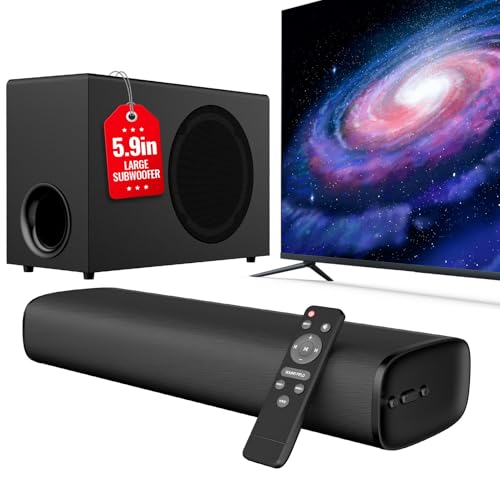 vibeadio Upgraded 110W Sound Bar for TV
- 110W Room-Filling Sound & 5.9" Bigger Subwoofer: Experience…
- Latest Bluetooth 5.4 & One-Cable ARC: Equipped with…
- 3 Optimized EQ Modes: Movie, Music, News: Fine-tune…
 Bose TV Speaker
- Designed with simplicity in mind, the Bose TV…
- WIDE, NATURAL SOUND: 2 angled full-range drivers deliver…
- This sound bar for smart tv is designed…
 Redragon GS560 RGB Desktop Soundbar
- Rich Sounds & Look - The first Redragon…
- Lightshow Projection - What's better than play your…
- Bounce to Daylight - Easy to place it…
| Product | Key specs | |
|---|---|---|
| vibeadio Upgraded 110W Sound Bar for TV | 110W Room-Filling Sound & 5.9" Bigger Subwoofer: Experience… Latest Bluetooth 5.4 & One-Cable ARC: Equipped with… 3 Optimized EQ Modes: Movie, Music, News: Fine-tune… | Check price |
| Bose TV Speaker | Designed with simplicity in mind, the Bose TV… WIDE, NATURAL SOUND: 2 angled full-range drivers deliver… This sound bar for smart tv is designed… | Check price |
| Redragon GS560 RGB Desktop Soundbar | Rich Sounds & Look - The first Redragon… Lightshow Projection - What's better than play your… Bounce to Daylight - Easy to place it… | Check price |
 Creative Sound Blaster GS3 Compact RGB Gaming Creative Sound Blaster GS3 Compact RGB Gaming | The soundbar offers multiple advanced RGB lighting presets,… Enjoy acoustic power of up to 24W peak… Step into an immersive soundstage with pronounced bass… | Check price |
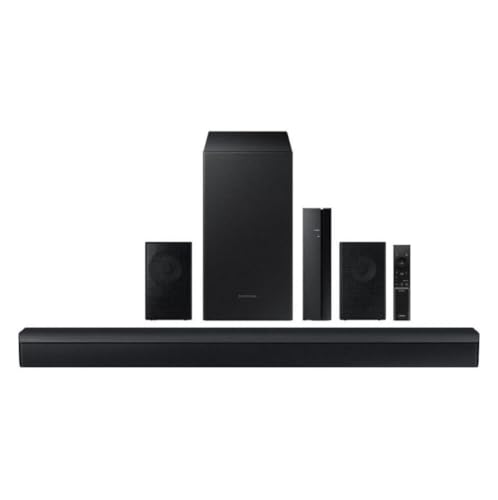 Samsung B-Series 4.1.CH Soundbar & Rear Speakers Samsung B-Series 4.1.CH Soundbar & Rear Speakers | Subwoofer Included - Get that big boom with… Game Mode - Optimize your gaming experience with… Rear Speaker Kit Included - Nothing beats good… | Check price |
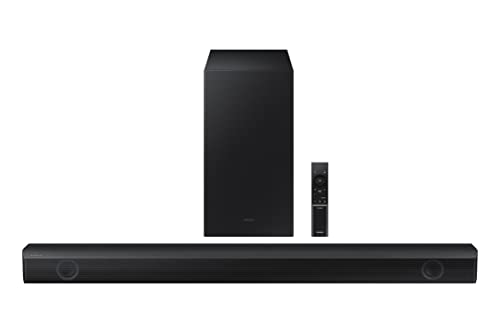 Samsung HW-B550/ZA 2.1ch Soundbar with Dolby Audio Samsung HW-B550/ZA 2.1ch Soundbar with Dolby Audio | Dolby Audio / DTS Virtual:X: Enjoy your favorites… Feel the rumble of distant thunder as your… Experience the intensity of action movies or the… | Check price |
As an Amazon Associate we earn from qualifying purchases at no extra cost to you.
This arrangement works only if the television passes the chosen audio format and its eARC settings are correct. HDMI.org explains that eARC supports higher-bandwidth audio and device-control use cases, but actual codec support remains product-specific. Read both manuals and check the exact television firmware.
Console-to-soundbar-to-TV passthrough is reasonable when the bar explicitly passes every needed video feature: 4K 120 Hz, HDR, and VRR where applicable. Do not infer this from “4K passthrough.” Many older bars pass 4K 60 Hz but not current gaming combinations.
eARC and ARC are not interchangeable
ARC can return compressed surround and stereo PCM in common implementations, while eARC provides more bandwidth and a more robust path for formats such as multichannel PCM, subject to device support. A soundbar may still work over ARC, but the format choice can be narrower.
If the television has eARC, connect the soundbar to the input labeled eARC/ARC and enable the feature in both devices. Set digital audio output to passthrough or an appropriate bitstream mode only when the complete chain supports it. “Auto” is not always transparent; verify with the soundbar’s information display or app.
CEC controls power and volume across HDMI, but manufacturers use different brand names. CEC is convenient, not essential to audio fidelity. If power loops or unwanted input switching occur, test with CEC disabled before replacing cables.
PS5 audio choices
PS5 can output audio for television, AV amplifier, and soundbar-style arrangements. Sony’s official PS5 audio output guide documents the menus. Choose the device type and channel arrangement that match the physical system, not the largest selectable number.
Linear PCM avoids an extra encode/decode stage and is a strong option when eARC carries the required channels. Dolby or DTS bitstream can be useful when ARC bandwidth or device compatibility favors compressed formats. Available options and media-app behavior can change with system software, so consult current PlayStation documentation.
PS5’s 3D Audio processing and a soundbar’s virtual surround can both alter spatial presentation. Stacking multiple virtualization layers may sound diffuse. Establish a neutral baseline, then compare one spatial system at a time with level matched as closely as practical.
Xbox Series X audio choices
Xbox provides stereo uncompressed, multichannel uncompressed, and supported bitstream formats based on the detected device chain. Microsoft’s Xbox audio setup documentation explains speaker output choices and troubleshooting.
Dolby Atmos for home theater requires compatible equipment and configuration. DTS:X availability also depends on the chain. A logo on the soundbar does not prove the television passes that format from external HDMI inputs. Use the Xbox audio testing screen and the bar’s status information to verify.
If lip sync changes between games and streaming apps, determine whether the television is decoding and re-encoding audio. Passthrough may reduce processing, but some televisions apply different delay controls per format. Change one setting at a time.
Preserve 4K 120 Hz and VRR
Console audio shopping can accidentally become a video bottleneck. PS5 and Series X support 4K at 120 Hz in compatible games, and both can use VRR under supported conditions. If a soundbar sits between console and TV, every HDMI stage must pass the mode.
Check the soundbar manual for the exact port. Terms such as 8K, 4K, gaming, and HDMI 2.1 are insufficient without a feature table. HDMI Licensing Administrator’s gaming feature overview explains why VRR and ALLM are distinct capabilities.
Direct-to-TV video plus eARC audio is usually the cleanest answer when the bar’s passthrough is uncertain. If the television has too few full-bandwidth ports, consider port allocation before buying a soundbar. An external switch introduces another compatibility point and should explicitly support the intended modes.
Choose channels from the room
A compact 2.0 or 2.1 soundbar improves clarity and bass over thin television speakers without requiring rear speakers. A 3.1 bar adds a physical center channel, often useful for dialogue. Systems marketed as 5.1 or greater may include wireless surrounds; they need appropriate side or rear placement to justify the extra channels.
Atmos-branded bars range from virtualized designs to systems with upward-firing drivers and physical surrounds. Reflected height effects depend on ceiling height, shape, and material. Dolby’s speaker setup guidance illustrates intended layouts. A vaulted or absorptive ceiling may reduce reflected-height performance.
Do not buy rear speakers if the room forces them directly beside one listener or blocks walkways. A well-placed 3.1 system can be more coherent than a nominally larger layout installed incorrectly.
Soundbar categories that make sense
Recommended products
As an Amazon Associate, we may earn from qualifying purchases.
- Surround-system option: ULTIMEA 5.1.2-Channel Dolby Atmos Sound Bar
- All-in-one eARC option: OXS S5 3.1.2-Channel HDMI eARC Sound Bar
- Compact all-in-one bar: bedrooms, desks, and secondary televisions; prioritize clear dialogue, USB or optical fallback, and sensible width.
- Bar plus subwoofer: action games and living rooms; check nighttime mode and subwoofer gain control.
- 3.1 bar: dialogue-focused mixed use with a physical center channel.
- Atmos bar with up-firing drivers: regular ceilings and seating where reflected height can work.
- Bar with wireless surrounds: rooms that permit correct side/rear placement and power outlets.
The site’s best gaming soundbar guide focuses on desk-size products; console buyers should not assume a desktop USB bar supports television eARC.
Latency and lip synchronization
Audio delay becomes visible when dialogue follows mouth movement or a gunshot sounds after the action. Bluetooth is a common source of extra delay and inconsistent codec negotiation, so HDMI eARC, optical, or another wired path is preferable for console gaming.
Video processing can also create apparent audio mismatch. Game Mode reduces television video delay; this may expose an audio path that remains heavily buffered. First enable the intended Game Mode, then adjust audio delay. Some controls only add delay and cannot advance late audio.
Our soundbar input-lag guide provides an isolation sequence. Test console directly to TV, TV speakers, then eARC soundbar. This separates video, TV processing, and external-audio stages.
Placement and bass management
Center the bar below the television, near the furniture’s front edge, with drivers and remote receiver unobstructed. Keep upward-firing drivers clear of shelves. Follow manufacturer ventilation distances and use rated hardware for wall mounting.
Start the subwoofer near the front wall rather than inside a cabinet. A corner increases output but can make a narrow bass range excessive. Move it gradually and reduce gain until bass supports rather than masks dialogue. The gaming soundbar placement guide covers desktop reflections, subwoofer positioning, and microphone conflicts.
Apartment users should prioritize controllable bass, night mode, and dialogue enhancement. A large subwoofer at low master volume can still transmit structure-borne energy through floors and walls.
Connection fallback options
Optical audio can be useful for an older TV, but it does not provide eARC bandwidth and cannot carry every modern format. Analog input is broadly compatible but usually stereo and more susceptible to noise. USB support is often designed for PCs, not consoles; check explicit console compatibility.
Bluetooth is convenient for music from a phone, not the preferred primary console path. Wireless does not mean cable-free because the soundbar and subwoofer still need power.
Setup and verification checklist
- Update console, television, and soundbar firmware.
- Connect both consoles directly to their required TV inputs.
- Connect TV eARC to soundbar eARC with an appropriate HDMI cable.
- Enable enhanced input mode, Game Mode, eARC, and the correct digital-audio output.
- Select a console audio format supported by the whole chain.
- Confirm 4K 120 Hz, HDR, and VRR remain available.
- Verify the received audio format using the bar’s display or app.
- Test synchronization with both a game and a streaming app.
If a step fails, simplify to console-to-TV with TV speakers. Add eARC next, then additional devices. Avoid factory resets until the failing stage is known and settings are recorded.
Common mistakes
Do not route the console through a bar that only promises generic 4K passthrough. Do not select 7.1 output for a physical 2.1 system and assume virtualization creates missing channels accurately. Do not use Bluetooth for rhythm or competitive gaming when a wired path is available. Do not place an Atmos bar under a solid shelf.
Most importantly, do not buy for format badges alone. A stable 3.1 eARC system with clear dialogue and correct video passthrough is often more useful than an ambitious channel count in an unsuitable room.
Final recommendation
Connect PS5 and Xbox Series X directly to the television and return audio through eARC unless the soundbar explicitly passes every required gaming mode. Choose a channel layout the room can support, favor wired audio for synchronization, and verify the received format. The best console soundbar protects video compatibility first and improves immersion second.
Sources
- PlayStation: Change PS5 audio output
- Xbox Support: Choosing speaker audio output
- HDMI.org: Enhanced Audio Return Channel
- HDMI.org: Gaming features
- Dolby: Speaker setup guides