Key takeaways
- Compare a soundbar and gaming headset for positional cues, comfort, microphones, bass, privacy, latency, shared play, and long sessions.
A gaming headset is usually the practical choice for private listening, integrated voice chat, and consistent left-right cues that move with your head. A soundbar is better for shared play, an open listening experience, and avoiding heat or pressure during long sessions. Neither wins every category. Many players benefit from using a soundbar for relaxed games and a headset for competitive matches or late-night sessions.
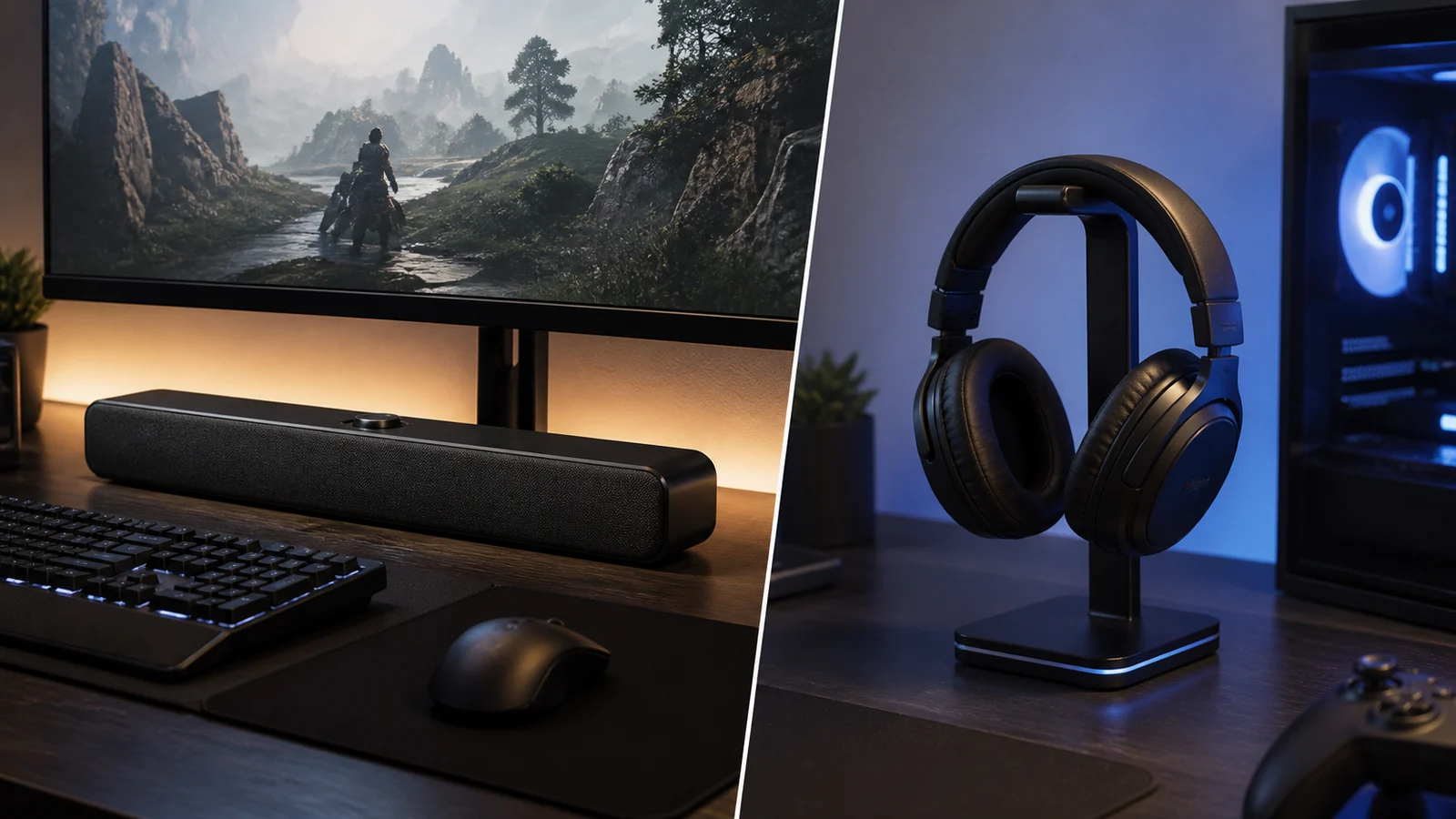
This comparison concerns form factor and system behavior. It does not claim detailed research of every model. Driver design, tuning, wireless implementation, fit, and room acoustics can make individual products perform very differently.
Our top picks


 JBL Quantum 100M2 Wired Gaming Headset
- From the faintest footsteps to the loudest explosion,…
- Rally your squad without repeating yourself
- Marathon sessions hit different in these over-ear headphones—lightweight…


As an Amazon Associate we earn from qualifying purchases at no extra cost to you.
Quick decision table
| Priority | Usually the stronger fit |
|---|---|
| Voice chat in one device | Gaming headset |
| Private late-night play | Gaming headset |
| Isolation from room noise | Closed-back headset |
| Shared couch play | Soundbar |
| No head pressure or ear heat | Soundbar |
| Consistent audio when moving around | Soundbar |
| Desk with limited side space | Soundbar |
| Competitive focus | Often headset, subject to game and fit |
| Cinematic room-filling presentation | Soundbar, especially with a subwoofer |
The table is a starting point, not a quality ranking. A well-fitted, neutral headset may outperform a poorly positioned bar for cues, while a carefully installed soundbar may be more enjoyable than an uncomfortable premium headset.
Positional audio and competitive cues
Headphones place left and right drivers close to the ears. Their channel relationship remains consistent as you turn your head or shift in a chair. That consistency can make subtle directional comparisons easier, especially when the game has a competent headphone mix or binaural rendering.
A soundbar creates a soundstage in the room. Its physical width limits direct stereo separation, while wall reflections and digital processing can expand the apparent field. The result depends on seating position and room symmetry. A centered listener may hear useful left-center-right movement; someone well off-axis may not.
Virtual surround is not automatically more accurate. A headset application, console, game, television, and soundbar may each offer spatial processing. Use one renderer at a time. Multiple layers can blur localization or change tone. Compare clean stereo, the game’s headphone option, and one spatial mode using the same scenes and volume.
For esports, consistency often matters more than spectacle. Headsets also reduce the influence of room reflections and external noise. Still, game audio design, volume, hearing, and concentration affect performance; no headset guarantees better results.
Comfort over long sessions
A soundbar touches nothing. That is its clearest comfort advantage. There are no clamp forces, hot ear pads, glasses pressure, cable rubbing, or battery weight. Players sensitive to heat or headaches may prefer open-room audio even when a headset offers stronger isolation.
Headset comfort is personal. Weight alone does not determine it. Headband shape, pad depth, clamp force, material, ear size, glasses, and weight distribution all contribute. A breathable fabric can feel cooler than synthetic leather but usually isolates less. An open-back headset may reduce heat and create a more spacious presentation, although it leaks sound and blocks little external noise.
Take listening breaks and use moderate volume with either system. Headphones can produce high sound pressure close to the ear without disturbing anyone nearby. The absence of room-filling sound is not evidence that the listening level is safe.
Voice chat and microphones
Most gaming headsets put a microphone close to the mouth. This improves the ratio of voice to room noise and makes setup straightforward. Boom position still matters: keep it near the mouth but out of the direct breath stream, then set gain so normal speech is clear without clipping.
A soundbar rarely replaces a close microphone. A laptop, controller, webcam, or desktop mic can capture keyboard noise, room echo, and sound from the bar. Echo cancellation may help, but aggressive suppression can damage voice quality and does not eliminate every feedback path.
For soundbar play with frequent chat, use a directional desktop mic placed close to the speaker, reduce bar volume, and enable push-to-talk when practical. A separate earbud or one-ear chat solution may be simpler for couch setups. Check platform compatibility because console microphone routing varies.
Privacy, isolation, and household impact
A closed-back headset keeps more game audio near the player and reduces outside distractions. It is the considerate default when other people are sleeping, working, or watching something nearby. It also avoids transmitting subwoofer energy through walls and floors.
A soundbar lets you hear doorbells, family members, and environmental alarms more naturally. That can be a safety and convenience advantage, but everyone in the room hears the game. Night mode and dynamic-range compression reduce loud peaks, although bass can remain structurally intrusive even at modest volume.
Neither setup provides total isolation. Headsets leak to varying degrees, and active noise cancellation may reduce steady low-frequency noise without blocking voices or sudden alerts. Choose according to the actual household, not a marketing label.
Latency and connection choices
A wired analog or USB headset commonly offers a simple low-delay route. A dedicated 2.4 GHz wireless headset can also feel responsive, but implementation varies. Bluetooth adds codec negotiation and buffering, so it should not be assumed equivalent to a gaming-specific wireless link.
Soundbar delay depends on the route. USB, analog, optical, HDMI passthrough, and TV ARC/eARC each introduce different devices and processing stages. Television motion processing, audio conversion, virtual surround, and wireless subwoofer behavior can contribute to perceived mismatch.
If timing is wrong, test stereo PCM with optional processing disabled. The soundbar input lag guide provides a controlled troubleshooting sequence. Do not infer latency solely from connector or codec names; end-to-end behavior is what matters.
Bass and cinematic impact
A soundbar with a capable subwoofer can move more air and create physical low-frequency impact that a headset cannot reproduce in the room. This can make engines, weather, music, and explosions feel larger. Room placement also causes peaks and nulls, so more subwoofer output is not necessarily more accurate.
Headsets deliver bass directly and can sound powerful at low room volume. They do not create the same body sensation, but they avoid disturbing neighbors. Excessive headset bass may mask dialogue and positional details just as excessive room bass does.
For either system, begin with neutral EQ. Lower bass when cues become muddy. Do not raise treble aggressively to compensate; that may increase fatigue without restoring masked information.
Desk space and installation
A compact bar occupies one horizontal zone beneath the display and can simplify cables. Confirm that it does not block the screen, monitor controls, remote sensor, or mouse area. The gaming soundbar placement guide covers clearances and alignment.
A headset needs little active desk area but benefits from a stand or safe storage location. Wireless models require a receiver and charging routine. Wired cables can catch on armrests or controller sticks unless routed deliberately.
A television setup favors a soundbar when several people watch or play together. A desk setup favors a headset when the player frequently joins chat, shares a room, or cannot position speakers symmetrically.
Cost and ownership
Compare the complete system. A soundbar may need a subwoofer, wall brackets, suitable HDMI cable, or separate microphone. A headset may need replacement pads, a USB sound card, charging cable, or proprietary wireless receiver.
Battery-powered headsets introduce battery aging. Check whether they work while charging, accept a standard cable, and retain basic audio without vendor software. Soundbars avoid wearable batteries but may depend on firmware, remotes, apps, or HDMI-CEC behavior.
Repairability varies. Replaceable pads, detachable cables, standard mounts, and accessible controls can matter more than decorative features. Review warranty and replacement-part availability before purchase.
Choose a soundbar if…
Recommended products
As an Amazon Associate, we may earn from qualifying purchases.
- Open-room PC soundbar option: Razer Leviathan V2 X PC Soundbar
- Private chat and competitive headset option: Sony INZONE H3 Wired Gaming Headset
- You play mainly single-player or couch games.
- Audio needs to serve more than one listener.
- You dislike wearing equipment for long periods.
- You want one centered device beneath a TV or monitor.
- Voice chat is occasional or handled by a separate microphone.
- You value room-filling sound over private isolation.
Start with the best gaming soundbar shortlist, then confirm exact inputs and dimensions.
Choose a headset if…
- You play competitively and value repeatable headphone cues.
- Voice chat is central to every session.
- Other people need quiet.
- External room noise makes speakers difficult to hear.
- You move between systems and want a portable audio device.
- Your desk or room cannot support useful speaker placement.
Fit should be treated as a requirement, not a bonus. Buy from a retailer with a reasonable return policy when possible, because measurements cannot predict individual comfort.
A useful hybrid setup
The most flexible arrangement uses both. Keep a soundbar as the default Windows or TV output for browsing, music, and relaxed play. Switch to a headset for multiplayer chat, focused competitive sessions, or quiet hours.
Make device switching deliberate. In Windows, select the endpoint under Settings > System > Sound and verify the game has followed it. Consoles may automatically route audio when a headset connects; review the platform’s output-to-headphones setting. Avoid leaving a live desktop microphone next to an active soundbar.
Match volume before comparing. Headsets often sound more detailed simply because they are louder and closer. Evaluate dialogue, direction, comfort after an hour, connection reliability, and household impact—not only the first dramatic scene.
FAQ
Is a soundbar good enough for competitive gaming?
It can provide clear audio, but a centered bar has less physical separation than correctly placed speakers and less listener-independent consistency than headphones. If competitive localization is the priority, compare it directly with a comfortable headset in your games.
Can I use a headset microphone while game audio plays through a soundbar?
Many PCs and consoles allow separate input and output devices. The open ear cups or microphone may still capture the soundbar. Lower speaker volume, position the mic closely, and test with teammates before a match.
Are wireless headsets always slower?
No. Dedicated gaming wireless systems can be designed for low latency, while Bluetooth behavior varies. Product-specific end-to-end measurements are more useful than assuming all wireless links are alike.
Bottom line
Choose a headset for privacy, integrated chat, isolation, and consistent head-relative cues. Choose a soundbar for shared listening, physical comfort, and an open cinematic presentation. If budget and space permit, they complement rather than replace each other: the bar handles everyday and couch play, while the headset handles communication and quiet or competitive sessions.
Primary sources
- Microsoft Support: Turn on spatial sound in Windows
- Dolby Professional: Dolby Atmos documentation for gaming
- Microsoft Support: Fix sound or audio problems in Windows