Our Top Picks
Moving from 1080p to 1440p sounds like a small step, but it asks the graphics card to draw roughly 78 percent more pixels every frame. That is why a tower that felt generous on a full-HD monitor can suddenly feel short of breath on a sharper panel, and why the memory on the video card becomes a much more important line on the spec sheet. A 1440p buyer is really choosing between three things: how much card, how much video memory, and how much of the rest of the machine will keep up.
This guide sorts seven prebuilt towers by those questions rather than by brand loyalty. Some titles carry an RTX 5070, some an RTX 5060 Ti with 8GB, one an RTX 5060 and one a Radeon RX 9070 XT. Each review sticks to what the listing states, flags the places where the title stays silent, and points to the shopper it fits. Use it as a 2026 shortlist, then confirm the missing details on the product pages before you order.
Quick Picks

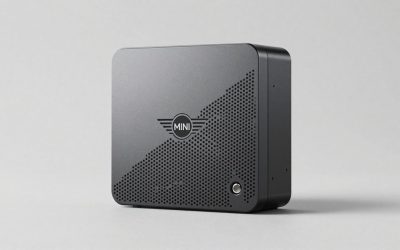
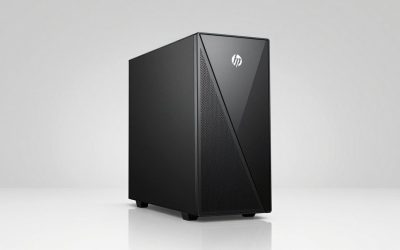
msi Codex Z2 Gaming Desktop, AMD R7-8700F, RTX 5070, 32GB DDR5, 2TB SSD | NVIDIA GeForce RTX 5070, USB Type-C, VR-Ready, Windows 11 Home. Model A8NVP-436US
One of the consumer electronics options compared in this guide.
View on Amazon
KOTIN Gaming PC Desktop, Ryzen 7 8700F, RTX 5060 Ti 8GB, 16GB DDR5, 1TB SSD | Prebuilt Gaming Tower with WiFi 7, Windows 11 Home, DLSS 4, ARGB Cooling, 650W Gold PSU for 1080p/1440p PC Gaming & Streaming
One of the consumer electronics options compared in this guide.
View on AmazonKOTIN Gaming PC Desktop Ryzen 7 8700F, RTX 5060 Ti 8G, 32GB DDR5, 1TB SSD | Prebuilt Gaming Tower with WiFi 7, Windows 11 Home, DLSS 4, ARGB Cooling, 650W Gold PSU for 1080p/1440p PC Gaming & Streaming
One of the consumer electronics options compared in this guide.
View on Amazon
CyberPowerPC Gaming PC, AMD Ryzen 7 8700F, GeForce RTX 5060 Ti 8GB | Gamer Master, 16GB DDR5, 1TB PCIe 4.0 SSD, WiFi Ready & Windows 11 Home (GMA2900A3)
One of the consumer electronics options compared in this guide.
View on Amazon
KOTIN Gaming PC Desktop, i5-14400F, RTX 5060 Ti 8G, 16GB DDR4, 1TB NVMe SSD | Prebuilt Tower Computer with Wi-Fi, ARGB Cooling, Windows 11 Home, 650W 80+ Gold PSU for 1080p/1440p PC Gaming & Streaming
One of the consumer electronics options compared in this guide.
View on Amazon
Skytech Gaming PC Desktop, Intel i5 14400F, RTX 5060, 16GB RAM, 1TB SSD | Windows 11, NVMe SSD, DDR5 6000, 750W GOLD PSU, Wi-Fi 5, Archangel 5 Series
One of the consumer electronics options compared in this guide.
View on Amazon
KOTIN Prebuilt Gaming PC RTX 5070 12GB, Ryzen 7 9700X, 32GB DDR5, 1TB SSD | 11.3in Smart Display, 850W 80+ Gold PSU, 360mm Liquid Cooler, WiFi 7, 1440p 4K ARGB Windows 11 Gaming Desktop Computer
One of the consumer electronics options compared in this guide.
View on Amazon| Product | Best for | Key spec from the title |
|---|---|---|
| msi Codex Z2 | Roomy storage with a stronger card | RTX 5070, 32GB DDR5, 2TB SSD |
| CyberPowerPC Gamer Master | Straightforward mid-range build | RTX 5060 Ti 8GB, Ryzen 7 8700F, 16GB DDR5 |
| KOTIN Gaming PC (Core i5-14400F) | Entry cost with a mid-tier card | RTX 5060 Ti 8G, 16GB DDR4, 650W |
| Skytech Archangel 5 | Cooler, quieter lower tier | RTX 5060, DDR5 6000, 750W Gold PSU |
| KOTIN Prebuilt (Ryzen 7 9700X) | Cooling-first build | RTX 5070 12GB, 360mm liquid cooler, 850W Gold |
| Alienware Gaming Desktop | Wired and wireless networking | RTX 5060 Ti, Wi-Fi 7 BE200, Killer 2.5Gb Ethernet |
| Skytech Ryzen 7 9850X3D | Highest-ceiling AMD card | RX 9070 XT, 32GB RAM, 2TB SSD, 360 ARGB AIO |
The 7 Best Options
msi Codex Z2
The Codex Z2 is the all-rounder of this list for a buyer who wants a card with some distance from the entry tier and plenty of room for installs. The title names an AMD R7-8700F, an RTX 5070, 32GB of DDR5, a 2TB SSD, a USB Type-C port, VR readiness and Windows 11 Home. Nothing here is flashy, and that is the point: it covers the basics at a generous level.
- An RTX 5070 sits a step above the RTX 5060 Ti listings, which gives more headroom as games get heavier.
- 32GB of DDR5 and a 2TB drive are both the largest amounts among the cheaper-looking builds here.
- VR readiness and Type-C connectivity add flexibility beyond flat-screen play.
- The title does not state the power supply wattage or cooling method, so check the full listing.
- The Ryzen 7 8700F is a mainstream chip, so it will not match the X3D processor in the Skytech at the end of this list in processor-bound games.
Skip it if you want the most future-proof cooling and supply details spelled out in the title. Compared with the CyberPowerPC next, the Z2 offers the stronger card, double the memory and double the storage, while the CyberPowerPC gives you a clearer story on its drive interface. Think of the Z2 as the tower for someone who dislikes revisiting hardware: with that much memory and storage already installed, the first-year upgrade list is short, and the money you would have spent on a memory kit or a second drive can go toward a better monitor instead. It also suits households where more than one person installs games.
CyberPowerPC Gamer Master
The Gamer Master is a clean mid-range configuration for a player stepping up from 1080p who does not need every extra. The listing shows an AMD Ryzen 7 8700F, a GeForce RTX 5060 Ti with 8GB, 16GB of DDR5, a 1TB PCIe 4.0 SSD, WiFi Ready and Windows 11 Home. It targets someone who values a recognized builder and wants to keep the spec sheet tidy.
- DDR5 memory is a current-generation choice, even at 16GB.
- The PCIe 4.0 SSD interface is stated, so you know what storage generation you are buying.
- The RTX 5060 Ti name sits between the entry RTX 5060 and the RTX 5070 in this roundup.
- The 8GB video memory is the point to watch at 1440p, since newer titles can ask for more at high texture settings.
- “WiFi Ready” is loose wording, and the power supply and cooling are not described.
Skip it if you plan to leave texture sliders on their highest setting in the newest games; the RTX 5070 listings give more room. Against the KOTIN i5 build that follows, the CyberPowerPC uses DDR5 and the newer platform, while the KOTIN counters with a stated power supply and a lower entry cost. A fair way to read this listing is as the tower for players whose library is mostly esports titles and older releases, where video memory is less of a squeeze, and who like the idea of a name-brand builder with a long service history behind it. Check the cooling and power supply on the product page, since neither is described here.
KOTIN Gaming PC (Core i5-14400F)
This tower is for the shopper who wants a mid-tier card at the lightest commitment and is willing to accept an older memory platform. The title lists an Intel i5-14400F, an RTX 5060 Ti 8G, 16GB of DDR4, a 1TB NVMe SSD, Wi-Fi, ARGB cooling, Windows 11 Home and a 650W figure. It is a familiar combination built around parts that have been on shelves for a while.
- The Core i5-14400F is a widely supported, easy-to-cool processor.
- NVMe storage is stated at 1TB, which is enough for a modest library.
- A 650W power supply figure appears in the title, so you can plan around it.
- DDR4 memory limits future upgrades compared with the DDR5 builds above and below.
- The 8GB video memory carries the same 1440p caution as the CyberPowerPC.
Skip it if you want this tower to last a long time, because the memory platform is the oldest in the group. Compared with the Skytech Archangel next, the KOTIN has the stronger card but the weaker memory, so the decision comes down to whether you value graphics or the newer DDR5 platform. If you already own spare DDR4 memory and a good monitor, this listing is the easiest way to reuse that investment, while a buyer with no old parts to reuse will usually be better off with a DDR5 platform and its longer upgrade runway. The ARGB cooling mention is a styling note, so look for the actual cooler type in the full description.
Skytech Archangel 5
The Archangel 5 is the lower-tier choice, suited to someone with a 1440p monitor who plans to lean on lowered settings or upscaling and wants a clearly specified supply. The title lists an Intel i5 14400F, RTX 5060, 16GB RAM, a 1TB SSD, Windows 11, an NVMe SSD, DDR5 6000, a 750W Gold PSU and Wi-Fi 5.
- A named 750W Gold supply gives confidence in the foundation.
- DDR5 6000 is a fast memory speed to find in a more affordable tower.
- It is the simplest path into 1440p play in this list.
- The RTX 5060 is below the RTX 5060 Ti and RTX 5070 listings, so settings will need more compromise at 1440p.
- Wi-Fi 5 is an older wireless standard, so a wired connection is preferable.
Skip it if you want to play new releases at high settings on a 1440p panel. Compared with the KOTIN Ryzen 7 9700X next, the Skytech is the budget-minded option with named power and fast memory, while the KOTIN moves up a full card tier and adds liquid cooling. Realistically this tower is the pick for someone whose main display may still be 1080p today but who expects to buy a 1440p monitor within a year; the card is workable now and the clearly stated supply makes later changes easier to plan. Players who want to run every new release at maximum settings should look higher up the list.
KOTIN Prebuilt (Ryzen 7 9700X)
The KOTIN 9700X is a cooling-first tower for a buyer who wants an RTX 5070 and prefers hardware that holds temperatures down. The title lists an RTX 5070 12GB, Ryzen 7 9700X, 32GB DDR5, a 1TB SSD, an 11.3in smart display, an 850W 80+ Gold PSU, a 360mm liquid cooler and WiFi 7. Few other listings state this many hardware details so clearly.
- 12GB of video memory is named, which is a better match for 1440p textures than the 8GB listings.
- A 360mm liquid cooler and 850W Gold supply are both stated.
- WiFi 7 gives the newest wireless standard in the group.
- The smart display is a styling feature and does nothing for frame rates.
- KOTIN is a smaller name, so read the warranty details carefully.
Skip it if you want a plain, quiet tower without a pump or accessory screen. Compared with the Alienware that follows, the KOTIN gives a stronger card and clearer cooling, whereas the Alienware is the more recognized brand with better-documented networking. If you can feel how much a power-hungry accessory list adds to the case and the desk, the KOTIN is the one to skip, because its smart display is a feature you may not need, and the Alienware keeps the focus on the core components. Anyone who values a recognized service network should lean toward the larger brand when other specs look close.
Alienware Gaming Desktop
The Alienware suits someone who values a known brand and strong networking more than a long accessory list. The listing shows an RTX 5060 Ti, an Intel Ultra7 265F, Windows 11 Home, a 1TB SSD, 16GB of DDR5 RAM, Killer 2.5Gb Ethernet, Wi-Fi 7 BE200 and Bluetooth. That is a modern platform with solid connectivity.
- Both 2.5Gb Ethernet and Wi-Fi 7 are named, which suits online play.
- An Intel Core Ultra 7 processor is a newer-generation chip than the Core i5-14400F builds.
- DDR5 memory means the platform has room to grow.
- The title does not give the video memory size, so confirm it before you buy.
- 16GB of memory and a 1TB drive are modest for the tier.
Skip it if you want the most hardware per unit of spend; the KOTIN 9700X stacks more specs. Compared with the Skytech 9850X3D, the Alienware is the gentler, more mainstream choice, while the Skytech pushes to the top of the list in both card and processor. The Alienware is the sort of machine that suits a shared home office, where the same tower handles work video calls, streaming and an evening of gaming without drawing attention. Confirm the video memory figure on the listing page, because it decides how long the card will stay comfortable at 1440p.
Skytech Ryzen 7 9850X3D
This is the top-end option here, for buyers who see 1440p as the resolution they want to run at high refresh rates. The title names a Ryzen 7 9850X3D, an RX 9070 XT, 32GB RAM, a 2TB SSD, Windows 11, a Gen4 NVMe SSD, DDR5 5600, an 850W Gold ATX 3 PSU and a 360 ARGB AIO.
- The RX 9070 XT is the strongest graphics tier named in this roundup.
- The X3D processor class is aimed squarely at gaming workloads.
- 32GB memory, a 2TB drive, and an 850W Gold supply with liquid cooling are all stated.
- It is the most expensive tier of build in the group, which is a poor fit for casual play.
- DDR5 5600 is slower than the DDR5 6000 on the Archangel, though other parts offset that.
Skip it if you are happy at 60 frames per second on a standard panel, because you would be paying for headroom you will not use. It sits at the top of the group, so there is no step up from it here, and it is the clearest answer for a buyer who plans to game at 1440p for a long time. Its liquid cooler and Gold supply are named, which lets you size a desk and a power outlet with confidence, and the combination of a gaming-focused processor with a large graphics tier is the one most likely to stay relevant as engines grow more demanding. For a player upgrading from a four-year-old machine, the jump will be dramatic.
Who Needs a Dedicated 1440p Gaming PC
A 1440p monitor is the sweet spot for many players: sharper than 1080p, yet far easier to drive than 4K. A tower chosen for that resolution should not simply be the cheapest one with a recent card, because the pixel load rewards a more balanced machine.
You are leaving a 1080p setup behind
If your current monitor is full HD and you plan to upgrade the screen, the tower must come first or at the same time. Otherwise the new panel will expose a card that was comfortable only at the lower resolution. Plan the pair together and the move feels like an upgrade rather than a disappointment. A common pattern is a player who buys a new 1440p panel during a sale, plugs in the old computer and finds that the frame rate drops sharply; a matched tower removes that problem. If your screen is already 1440p, this guide simply helps you avoid the cheapest card that technically works.
You like high settings and sharp textures
Texture quality is where video memory matters. Players who leave sliders high prefer 12GB or more and notice the difference first in large open-world titles. Those who accept medium textures can live comfortably with 8GB. Whichever side you fall on, decide before you shop, because it narrows the field immediately: the 8GB listings are the cheaper end, while the 12GB and larger listings cost more but age more gracefully.
You want a high refresh rate
A 144Hz or faster 1440p monitor needs a card and processor that produce frames quickly. That points toward the RTX 5070 and the RX 9070 XT listings and toward processors with strong gaming performance. Pair the tower with a monitor that matches its capability. A fast tower behind a slow panel wastes the card, while a fast panel behind a modest tower leaves the screen waiting for frames. Look at adaptive sync support on the monitor too, since it smooths out the occasional dip when a frame takes longer than usual.
How to Choose a 1440p Gaming PC
Graphics card tier and video memory
For 1440p, treat the RTX 5070 class as the comfortable midpoint and the RTX 5060 Ti as the entry choice. Video memory matters: 8GB can run out in demanding titles at high textures, while 12GB gives more room. Ignore shiny marketing words and look for the card model and the memory figure.
Processor cores and gaming focus
Six cores with twelve threads is a workable floor, and eight cores are comfortable. X3D parts add a large cache that suits gaming at high frame rates. Do not overspend on a twelve-core chip unless you also stream or edit video. Remember that at 1440p the graphics card does more of the work than at 1080p, so a very strong processor paired with a weak card wastes budget. Aim for a pairing where neither part waits on the other, and do not chase tiny clock-speed differences that do not change how games feel.
Memory capacity and speed
Sixteen gigabytes is the minimum; 32GB is the better target for 1440p play with background apps. Favor DDR5 over DDR4 because it keeps upgrade options open. Budget towers often ship the lowest memory configuration, so scan for that first. Also check whether the kit uses two modules, because two sticks working together usually run faster than a single module of the same size. If the title lists only a total, look at the product page for the module count before you order.
Storage size and interface
One terabyte of NVMe storage fits a handful of big games. If you install many, aim for 2TB. Prefer a stated Gen4 or PCIe 4.0 drive over an unspecified SSD.
Power supply and cooling
Look for at least 650W, with 750W to 850W preferred for stronger cards. An 80+ Gold rating hints at better efficiency. Liquid coolers help hotter processors, but air cooling is simpler. Where budget builds cut corners is almost always here, so insist on a stated wattage. An unnamed power supply in a low-cost tower is the single most common source of regret, because it limits what you can add later and can affect stability under a long gaming session. Case airflow matters as much as the cooler brand, so favor a front mesh design.
Ports, wireless and warranty
Wi-Fi 6E or Wi-Fi 7 is helpful, and wired Ethernet is better still. Confirm the number of front USB ports and the length of the warranty. Ignore display accessories and lighting packages when comparing value.
8GB vs 12GB vs 16GB Video Memory at 1440p
| Memory tier | Cards in this roundup | Suits |
|---|---|---|
| 8GB | RTX 5060 Ti listings (CyberPowerPC, KOTIN i5) | Players who accept medium-to-high textures |
| 12GB | RTX 5070 listings (msi Z2, KOTIN 9700X) | High textures and longer-lasting systems |
| 16GB class | RX 9070 XT (Skytech 9850X3D) | Maximum settings and future releases |
Why memory size often beats a small clock difference
A card that runs out of video memory has to shuffle data over a slower path, and that shows up as stutter rather than a lower average. A slightly faster card with less memory can therefore feel worse in practice than a slower card with more. At 1440p, with larger textures, this effect appears sooner than it did at 1080p. That is why this roundup keeps pointing to the memory figure in each title instead of treating every card name as equal, and why unlisted memory sizes deserve a quick look at the full product page.
When 8GB is still acceptable
For esports titles, older games and anything that runs well at medium textures, 8GB is fine. Buyers with a tight budget can choose an RTX 5060 Ti tower and plan to lower texture quality in a few heavy releases. If you expect to keep the machine for many years, the 12GB tier is a safer bet.
Setup, Compatibility and Upgrade Tips
What to check before buying
Match your monitor’s connection to the tower’s video ports, and check the refresh rate you want. Read the listing for the power supply wattage, cooling and warranty. Measure the space under or beside your desk, and leave a few inches behind the case for cables and airflow. If you plan to use a headset, controller or capture device, count the front and rear USB ports as well, since a few of these listings do not spell the port layout out.
What to upgrade first
On 16GB builds, add a second memory kit first. After that, a second NVMe drive is a straightforward addition if the board has a slot. The graphics card should be the last change you make, and only after you have confirmed the power supply can support it. Many players find that a better monitor or a wired network connection improves daily play more than any internal swap.
Common compatibility traps
Do not assume a bigger card will fit a small power supply. Be careful with DDR4 boards, since matching kits can be harder to find later. Closed prebuilt cases can use nonstandard parts, so check what the maker allows. Finally, enable the monitor’s highest refresh rate in the display settings, because it often defaults to a lower one. Install the latest graphics driver from the card maker rather than relying on the version that shipped, and turn on upscaling in demanding games if frame rates dip. Keep the case clear of dust by cleaning the filters every few months, which keeps fan noise from creeping up.
Which One Fits Your Situation
You want one solid tower and no regrets
Pick the msi Codex Z2. The RTX 5070, 32GB of DDR5 and 2TB drive make it the most balanced option for 1440p without moving to the top tier.
You are tight on budget but want 1440p
Pick the Skytech Archangel 5 and accept lowered settings, or the KOTIN i5 build if you prefer the RTX 5060 Ti. Both keep entry costs lower than the rest. The Archangel names its supply and uses fast DDR5, while the KOTIN i5 gives you the stronger card, so choose by whether you would rather have the newer memory platform or the extra graphics tier.
You hate heat and noise
Pick the KOTIN Prebuilt with the Ryzen 7 9700X. The 360mm liquid cooler and 850W Gold supply are stated in the title, and the RTX 5070 12GB card gives it a comfortable margin for textures. If you would rather skip the accessory screen, the msi Codex Z2 is the plainer way to reach the same card tier.
You want to push high refresh rates for years
Pick the Skytech Ryzen 7 9850X3D. It names the RX 9070 XT, 32GB of RAM and a 2TB drive, so it keeps its place for the longest.
Common Mistakes
- Buying a 1440p monitor first and an underpowered tower second.
- Ignoring video memory and looking only at the card name.
- Accepting 16GB of RAM and never planning an upgrade.
- Skipping the power supply line and finding limits when upgrading.
- Choosing DDR4 and expecting easy memory upgrades years later.
- Paying for lighting and displays instead of cooling and storage.
Related guides
- How To Fix Stick Drift On Xbox And Ps5 Controllers
- How Long Does A Gaming Laptop Last Before Upgrade
- Mirrorless Cameras For Landscape Photography
Frequently Asked Questions
Is an RTX 5060 Ti good enough for 1440p?
It can run many games at 1440p with sensible settings. The 8GB memory is the limit to watch, so expect to lower textures in the heaviest titles.
Is the RTX 5070 worth the step up?
The listings show 12GB of video memory and a higher tier of card, which means more headroom at 1440p. Buyers who keep systems for years usually benefit most.
How much RAM do I need?
Sixteen gigabytes works, and 32GB is the safer choice for games plus background apps. DDR5 is the better platform to buy into.
Do I need a 144Hz monitor?
Not necessarily, but a card in this range can produce frames beyond 60 per second in many games. A higher refresh rate monitor lets you see them.
Is liquid cooling necessary?
It is not required for most builds. It helps hotter processors stay cool, while air cooling remains simpler and quieter at moderate loads.
Can I upgrade a prebuilt later?
Usually yes, for memory and storage. Check the power supply and case before planning a graphics card swap. Memory and storage upgrades are the easiest, and they cost far less than replacing the card, so begin there when the machine begins to feel cramped.
Final Words
For 1440p, the sensible approach is to buy video memory and balance before you buy flair. The msi Codex Z2 and KOTIN 9700X give you the 12GB RTX 5070 tier, the Skytech 9850X3D tops the group, and the RTX 5060 Ti and RTX 5060 builds suit tighter budgets with some settings compromise. Whatever you choose, confirm the power supply wattage and the cooling on the full listing, and pair the tower with a monitor that matches its strengths.