Key takeaways
- Compare the best 4000Hz gaming mice for smoother cursor feel, with polling explained, battery and CPU costs, and wired vs wireless receiver advice.
As an Amazon Associate we earn from qualifying purchases
A 4000Hz gaming mouse sounds like a simple upgrade: four times the polling rate of a standard gaming mouse, so it should feel four times as responsive. The reality is more interesting and more conditional. Polling rate does change how often your mouse reports its position to your PC, and that change can make cursor movement look smoother, especially during fast flicks and slow micro-adjustments on a high-refresh monitor. It also costs battery life on a wireless mouse, adds work for your CPU, and only helps if the rest of your setup — the game, the display, and the connection — can keep up.
This guide explains what 4000Hz actually means in milliseconds, when it is worth using, and which mice genuinely support it according to their manufacturers. Every pick below is a gaming mouse that supports a 4000Hz polling rate, either natively or through a high-polling receiver included in the box or in the listed bundle. Specs are taken from manufacturer information, and polling steps, sensors, switches, weights, and battery figures are stated as the manufacturers publish them.
What polling rate means, in plain numbers
Polling rate, also called report rate, is how many times per second a mouse sends an update to the computer. It is measured in hertz, and the interval between reports is easy to work out: divide one second by the rate.
- At 125Hz, the mouse reports every 8 milliseconds.
- At 500Hz, it reports every 2 milliseconds.
- At 1000Hz, the long-standing gaming standard, it reports every 1 millisecond.
- At 2000Hz, it reports every 0.5 milliseconds.
- At 4000Hz, it reports every 0.25 milliseconds.
- At 8000Hz, it reports every 0.125 milliseconds.
Moving from 1000Hz to 4000Hz therefore cuts the maximum wait between movement and the next report from 1 millisecond to 0.25 milliseconds. That is a real reduction, but it is a reduction of less than a millisecond, which is why the benefit is subtle rather than dramatic. Nobody reacts faster because of it in a human sense. What changes is the quality of the motion data: with four times as many position updates, a fast swipe is described by more points, so the cursor path can look smoother and track hand movement more closely, particularly when the display refreshes often enough to show those extra steps.
That last point matters. A 60Hz monitor shows a new frame roughly every 16.7 milliseconds, so extra mouse reports are mostly folded into the same frame. A 240Hz or 360Hz display refreshes far more often, giving high polling more chances to land closer to a frame boundary. Competitive players on high-refresh monitors are the audience 4000Hz was built for. Players on a standard office display are unlikely to notice a difference worth paying for.
When 4000Hz helps, and when it does not
The clearest case for 4000Hz is competitive first-person and tactical shooters played at high frame rates, where aim is built from constant small corrections. More frequent reports can make tracking feel more connected and can reduce the visible stepping that sometimes appears during slow, precise drags at low in-game sensitivity. It can also help in fast flick shots, where the mouse covers a lot of distance between two frames and extra intermediate points give the game a better picture of the path taken.
There are just as many cases where it does little. Many games were built around 1000Hz input, and some engines, anti-cheat layers, or older titles handle very high report rates inconsistently, which can show up as uneven frame pacing rather than smoother aim. Strategy games, turn-based titles, and slower-paced single-player games gain almost nothing, because the limiting factor is decision-making, not report intervals. Productivity work gains nothing at all beyond ordinary cursor comfort.
A sensible approach is to treat 4000Hz as a mode, not a permanent setting. The mice below all let the polling rate be changed in software, so a practical routine is to run 4000Hz in the competitive titles that handle it well and drop back to 1000Hz or 2000Hz elsewhere, where the lower rate saves battery and CPU headroom with no felt loss.
The costs: CPU load and battery drain
Four thousand reports per second is four times as many interrupts for your PC to process as one thousand. On a modern gaming CPU this load is usually manageable, but it is not free. Older processors, laptops running near their thermal limits, and systems already struggling to hold high frame rates can see a small performance cost, and some players report frame-time irregularities in certain games at very high polling rates. If enabling 4000Hz makes a game feel less stable rather than smoother, the correct move is to step down to 2000Hz or 1000Hz. A stable frame rate matters more than a shorter report interval.
Battery is the bigger trade-off for wireless models. Razer publishes a clear illustration with the Viper V3 Pro: up to 95 hours at 1000Hz, up to 62 hours at 2000Hz, up to 40 hours at 4000Hz, and up to 17 hours at 8000Hz. In other words, running at 4000Hz more than halves the stated runtime compared with 1000Hz on that mouse. The pattern is similar across brands, even where the exact figures differ. Anyone who hates charging should either accept a charging routine, use high polling only in-game through per-game profiles where the software supports it, or stay at lower rates for desktop use.
Wired vs wireless at 4000Hz
Wired mice reach high polling rates over the cable, with no receiver involved and no battery to drain, which makes wired the simplest route to 4000Hz. The trade-off is the cable itself, even with modern flexible cords and a mouse bungee.
Wireless 4000Hz works differently. A standard wireless dongle on most gaming mice is limited to 1000Hz, so high polling requires a dedicated high-polling receiver. Depending on the model, that receiver may be included in the box, included only in a specific bundle, or sold separately. This distinction is the single most important thing to check before buying: a mouse described as capable of 4000Hz or 8000Hz does not always ship with the hardware needed to use those rates. The picks below state, for each model, exactly how the high-polling connection is supplied, based on manufacturer information.
Receiver placement also matters more at high polling rates. Manufacturers generally advise plugging the high-polling receiver directly into a PC USB port, close to the mouse and with a clear line to it, rather than into a hub or a port on the far side of a desk. Interference and distance that a 1000Hz connection tolerates can cause dropouts or inconsistent reporting at higher rates.
How the picks were chosen
Each mouse below meets three conditions. First, the manufacturer specifies support for a 4000Hz polling rate, either as a selectable step on the way to a higher maximum or as part of a high-polling mode. Second, the way that rate is reached — included dongle, bundle dongle, or receiver — is stated plainly, so there are no surprise extra purchases hidden in the fine print beyond what is noted. Third, the rest of the specification is competitive in its own right: a modern flagship sensor, low weight for its shape class, and switches suited to fast, repeated clicking. Polling rate alone does not make a mouse good; it is the final layer on top of shape, sensor, and weight, and shape in particular should decide between otherwise similar models.
Razer Viper V3 Pro — 4000Hz and 8000Hz from the included dongle
The Viper V3 Pro is the most straightforward 4000Hz recommendation for players who prefer a symmetrical shape, because Razer includes the HyperPolling Wireless Dongle in the box. With that dongle, the mouse supports true wireless polling up to 8000Hz, with 4000Hz available as a selectable step, so there is no separate accessory to hunt down before using the rates covered in this guide.
According to Razer, the Viper V3 Pro weighs 54 grams for the black version, excluding cable and dongle, in a right-handed symmetrical shell measuring about 127.1 mm long, 63.9 mm wide, and 39.9 mm high. The sensor is the Focus Pro 35K Optical Sensor Gen-2, rated by Razer at up to 35,000 DPI, up to 750 IPS tracking speed, and up to 70G acceleration. The main buttons use Razer Optical Mouse Switches Gen-3, rated for a 90-million-click lifecycle, and there are six programmable buttons in total. Connectivity covers Razer HyperSpeed Wireless and wired use.
Battery life is where this mouse best demonstrates the polling trade-off, because Razer publishes figures per rate: up to 95 hours at 1000Hz, up to 62 hours at 2000Hz, up to 40 hours at 4000Hz, and up to 17 hours at 8000Hz. For a player who wants 4000Hz specifically, the 40-hour figure is the relevant planning number — enough for many evenings of play between charges, but a clear step down from the headline 95-hour figure that applies only at 1000Hz. Razer Synapse is used to configure polling and other settings.
Choose the Viper V3 Pro if a symmetrical, ultralight shell suits your grip and you want high polling included rather than added later. Players with larger hands who prefer a taller ergonomic shape should look at the DeathAdder option below instead.
Logitech G PRO X SUPERLIGHT 2 — 4000Hz step on a proven esports shape
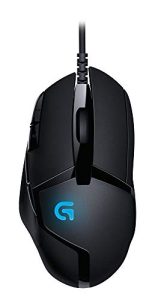
Logitech’s PRO X SUPERLIGHT 2 keeps the symmetrical shape that made the original SUPERLIGHT a tournament staple and updates the internals around the HERO 2 sensor. Logitech lists the mouse at 60 grams with five buttons, LIGHTFORCE hybrid switches that combine optical actuation with a mechanical click feel, USB-C charging, and a battery rating of up to 95 hours of constant motion. Its report rate support extends beyond 4000Hz on current firmware, with 4000Hz available as a step in Logitech G HUB, which makes it a genuine 4000Hz option rather than a mouse limited to the old 1000Hz ceiling.
That firmware point deserves emphasis, because the SUPERLIGHT 2 launched with a lower maximum report rate and gained higher polling through updates. Owners and new buyers alike should update the mouse and receiver firmware in G HUB and confirm the selected report rate in the software rather than assuming the highest rate is active out of the box. Logitech’s published sensor figures have also been updated over the mouse’s life, with the HERO 2 now listed at up to 44,000 DPI. The practical takeaway is unchanged: this is a high-end sensor with headroom far beyond the sensitivity settings competitive players actually use, which typically sit in the hundreds or low thousands of DPI.
The SUPERLIGHT 2 uses Logitech’s LIGHTSPEED wireless connection, and it is also compatible with Logitech’s POWERPLAY wireless charging system, which is relevant for high-polling use: a charging pad removes the battery anxiety that 4000Hz operation creates, for players who already own or plan to buy into that system. Without it, expect runtime at 4000Hz to be well below the 95-hour figure, which Logitech states for constant motion under standard conditions rather than as a high-polling estimate.
Choose the SUPERLIGHT 2 if you already like the original SUPERLIGHT shape, prefer Logitech’s software and ecosystem, or want the option of pad charging to offset high-polling battery drain. If shape is a toss-up, the deciding factors against the Viper V3 Pro are grip feel and switch character, not polling, since both mice cover 4000Hz.
Razer DeathAdder V3 Pro with HyperPolling dongle bundle — ergonomic shape, 4000Hz included via the bundle
The DeathAdder name has defined right-handed ergonomic mice for years, and the V3 Pro is the lightweight wireless version of that shape. The important buying detail is the bundle: the standard DeathAdder V3 Pro on its own polls at 1000Hz, and the high rates require Razer’s HyperPolling Wireless Dongle. The bundle that pairs the mouse with that dongle is therefore the version to buy for this guide’s purpose, because it puts 4000Hz — and up to 8000Hz — within reach out of the box, without a second order. Buying the mouse alone and expecting 4000Hz would be a mistake, and Razer’s own materials are clear that the dongle is what unlocks the higher rates.
Per Razer, the DeathAdder V3 Pro weighs about 63 grams for the black version and measures about 128 mm long, 68 mm wide, and 44 mm high — noticeably taller and more sculpted than the Viper, with a shape that supports the palm of a right-handed grip. The sensor is the Focus Pro 30K optical sensor, and the main buttons use Razer Optical Switches Gen-3, the same switch generation as the Viper V3 Pro, with five programmable buttons plus the underside controls Razer typically includes for power and DPI. Battery life is rated by Razer at up to 90 hours at 1000Hz, and Razer has published a figure of up to 24 hours at 4000Hz with the HyperPolling dongle, which again shows how sharply runtime falls as polling rises.
Choose this bundle if an ergonomic right-handed shape fits your hand better than a symmetrical shell and you are comfortable that the dongle is part of the package rather than built into the standard box. Left-handed players and fingertip-grip players with smaller hands will generally be better served by the two symmetrical picks above.
Side-by-side: the essentials
All three picks cover 4000Hz, so the differences that matter are shape, how the high-polling hardware is supplied, and battery expectations at that rate.
- Razer Viper V3 Pro: symmetrical, 54 grams, Focus Pro 35K Optical Sensor Gen-2, Gen-3 optical switches, HyperPolling dongle included in the box, up to 40 hours at 4000Hz per Razer.
- Logitech G PRO X SUPERLIGHT 2: symmetrical, 60 grams, HERO 2 sensor, LIGHTFORCE hybrid switches, 4000Hz available through current firmware and G HUB settings, up to 95 hours stated under standard constant-motion conditions rather than at high polling.
- Razer DeathAdder V3 Pro bundle: right-handed ergonomic, about 63 grams, Focus Pro 30K sensor, Gen-3 optical switches, HyperPolling dongle included only in the dongle bundle, up to 24 hours at 4000Hz per Razer, up to 90 hours at 1000Hz.
Setup tips for a stable 4000Hz connection
Getting 4000Hz working is usually a five-minute job, but a few details decide whether it stays stable. Update the mouse, receiver, and configuration software first, because high-polling support on several current mice arrived or improved through firmware. Plug the high-polling receiver directly into a motherboard USB port on the PC, ideally on a short extension so the receiver sits on the desk near the mouse pad, as most high-polling receivers ship with or support an adapter for exactly this placement. Avoid unpowered hubs for the receiver. In the software, set the polling rate explicitly, and where per-game profiles exist, apply 4000Hz to the titles that benefit and leave desktop use at a lower rate to save battery.
In game, check frame rate stability after switching. If a title stutters with 4000Hz enabled, step down to 2000Hz and compare; the smoother experience is the correct setting, regardless of which number is bigger. Also confirm the game itself is running at a high, stable frame rate and that the monitor is set to its highest refresh rate in the operating system display settings, since a display accidentally left at 60Hz will hide most of what high polling adds.
Who should buy a 4000Hz mouse — and who should skip it
Buy one if you play competitive shooters on a monitor at 240Hz or above, your PC holds high frame rates comfortably, and you are willing to charge a wireless mouse more often or manage polling per game. For that player, any of the three picks above delivers genuine manufacturer-specified 4000Hz support, with the choice coming down to symmetrical versus ergonomic shape and to how the dongle or firmware story fits existing gear.
Skip it, or simply run at 1000Hz, if your monitor is 144Hz or below, your games are mostly single-player or strategy titles, or your CPU is already the bottleneck in your system. A good 1000Hz mouse with a shape that fits your hand will serve that setup better than a 4000Hz badge on an uncomfortable shell. Shape, weight, and a sensor that tracks cleanly at your sensitivity remain the foundations; polling rate is a refinement layered on top, and at 4000Hz it is a refinement with real, if modest, benefits for the players set up to use it.
More from Amazon
Programs that pair well with the guide above. Offers and eligibility are set by Amazon and may change.
Free shipping on eligible items, Prime Video and more. Eligible new members can start with a free trial.
Start a Prime free trialAd-free music streaming. Eligible new subscribers can start with a free trial.
Try Music Unlimited freeA Prime membership for ages 18-24 with a trial period. Eligibility is set by Amazon.
See Prime for Young AdultsAudiobooks and podcasts to listen to on the go. Eligible new members can start with a free trial.
Try Audible freeAs an Amazon Associate we earn from qualifying purchases.