Key takeaways
- Average current at 1000Hz: 90mAh / 90h = 1.0 mA average draw
- At 4000Hz, Razer rates the same mouse at about 25 hours: 90mAh / 25h = 3.6 mA average draw
- Increase in power for 4x polling: 3.6 / 1.0 = 3.6x more power for a theoretical latency improvement from 1.0ms to 0.25ms
What's inside
- Why the MS900 and MX Master 2 Feel So Different From Typical Gaming Mice
- What to Look For When Moving From a Productivity Ergo to a Gaming Ergo
- Comfort-First Gaming Mouse Recommendations Compared
- Decision Matrix: Which Gaming Ergo Matches Your Work Habit
- Worked Calculation: Polling Rate, Battery, and Why 1000Hz Is Enough for Comfort Users
- Concrete Settings to Recreate MX Master / MS900 Comfort in Games
- What to Avoid If You Are Coming From MS900 / MX Master
- FAQ
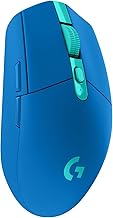
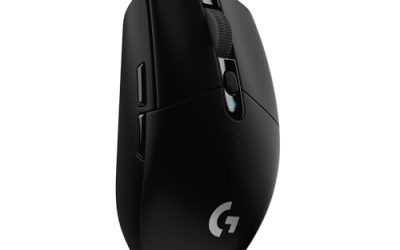
If you like using ergo mice at work such as the Dell MS900 and the Logitech MX Master 2, the best gaming mouse recommendation is the Logitech G502 X LIGHTSPEED or Razer Basilisk V3 Pro for the closest tall, thumb-rested feel, with the Corsair Darkstar Wireless as a lighter alternative and the Razer DeathAdder V3 Pro if you want the same palm support without the extra buttons.
- Why the MS900 and MX Master 2 Feel So Different From Typical Gaming Mice
- What to Look For When Moving From a Productivity Ergo to a Gaming Ergo
- Comfort-First Gaming Mouse Recommendations Compared
- Decision Matrix: Which Gaming Ergo Matches Your Work Habit
- Worked Calculation: Polling Rate, Battery, and Why 1000Hz Is Enough for Comfort Users
- Concrete Settings to Recreate MX Master / MS900 Comfort in Games
- What to Avoid If You Are Coming From MS900 / MX Master
- FAQ
Why the MS900 and MX Master 2 Feel So Different From Typical Gaming Mice
The Dell MS900 and Logitech MX Master 2S/3S share a design language most gaming mice avoid: a high, right-handed hump that fills the palm, a pronounced 60 to 70-degree slope, an extended thumb rest with secondary buttons, and a weight over 100g that stays planted. They are built for all-day comfort with your hand resting on the mouse, not hovering over it. Most popular gaming mice are the opposite: low-profile, symmetrical or mild ergo, 50-85g, designed for fingertip or claw grips and fast swipes.
Switching directly to a lightweight, low-hump esports mouse will feel like the mouse disappears under your hand and forces your fingers to do more work to control it. To keep that supportive, hand-filling comfort for gaming, you need a gaming ergo mouse that deliberately keeps the tall hump, thumb shelf, and longer body length.
What to Look For When Moving From a Productivity Ergo to a Gaming Ergo
1. Height and Hump Placement
The MS900 is about 43mm tall and the MX Master 2 is about 51mm at its peak with the hump centered toward the rear. This pushes your palm into a more open, relaxed position and reduces wrist extension. Gaming ergo mice that work best for you will be 42mm or taller with a rear-centered hump, not a low 37-39mm hump placed in the middle.
2. Thumb Support vs. Thumb Buttons
Both the MS900 and MX Master have a deep thumb rest and a secondary scroll wheel or gesture button. In gaming, a full sculpted rest helps the most for comfort, but a simple flared shelf with well-placed forward/back buttons is often more usable in-game. Mice like the Basilisk and G502 replicate this better than compact ergo mice.
3. Weight and Balance
Productivity mice are 140-150g. You do not need to stay that heavy for gaming, but dropping below 75g will feel unstable if you are used to planting your palm. The sweet spot for this transition is 85-110g. It is light enough for precise tracking but heavy enough to feel controlled without gripping hard.
4. Sensor and Polling Rate That Actually Matters
Any modern gaming sensor from Logitech Hero 2, Razer Focus Pro, or Corsair Marksman will be far more accurate than the sensors in the MS900 or MX Master for fast movement, lift-off distance, and high-DPI tracking. Look for a lift-off distance of 1-2mm and a true polling rate of 1000Hz. Higher polling rates are useful but drain battery faster, which we calculate below.
Comfort-First Gaming Mouse Recommendations Compared
These four models are the most direct ergonomic successors to the MS900 / MX Master shape without switching to a flat, competitive shape.
| Mouse | Weight | Dimensions (L x W x H) | Sensor / Max DPI | Polling Rate | Battery Life (Rated) | Best For |
|---|---|---|---|---|---|---|
| Logitech G502 X LIGHTSPEED | 102g | 131.4 x 79.2 x 43.5 mm | Hero 2 / 25,600 DPI | 125 – 1000 Hz | ~120 hours (1000 Hz, no RGB) | Closest switch for MX Master users who want thumb buttons + dual scroll |
| Razer Basilisk V3 Pro | 112g | 130 x 75.4 x 42.5 mm | Focus Pro 30K / 30,000 DPI | 125 – 4000 Hz (with HyperPolling dongle) | ~90 hours (1000 Hz) / ~25 hours (4000 Hz) | Tallest hump + thumb rest, most customizable wheel and clutch |
| Corsair Darkstar Wireless | 96g | 130.1 x 73.2 x 43.8 mm | Marksman S / 26,000 DPI | 125 – 2000 Hz | ~80 hours (1000 Hz) | Lighter feel with full palm support and large thumb shelf |
| Razer DeathAdder V3 Pro | 64g | 128 x 68 x 44 mm | Focus Pro 30K / 30,000 DPI | 125 – 4000 Hz (with HyperPolling dongle) | ~90 hours (1000 Hz) | High hump for palm comfort but minimal buttons, better for FPS |
All dimensions and battery ratings are manufacturer specifications for 2026 models. Actual battery life varies with lighting, polling rate, and DPI setting.
Logitech G502 X LIGHTSPEED: The Most Familiar Layout
If your muscle memory is built around the MX Master, the G502 X LIGHTSPEED requires the least retraining. It keeps the tall right-handed body, wide thumb rest, dual-mode hyper-fast scroll wheel, and two main thumb buttons plus two smaller buttons near the left click that mimic the MX Master’s gesture and scroll placement. The Hero 2 sensor also allows very low lift-off distance, which prevents cursor drift when you reposition – a common frustration when moving from a heavy productivity mouse that you tend to pick up less often.
Trade-off: It is heavier and larger than pure esports mice, and the shape favors palm and relaxed claw over fingertip.
Razer Basilisk V3 Pro: The Most Supportive Thumb Rest
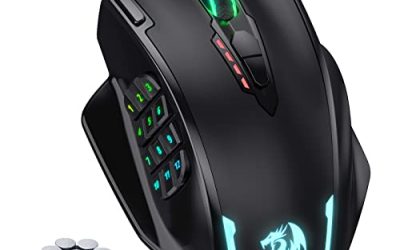
The Basilisk V3 Pro has the most sculpted thumb rest in this class and a slightly higher wall on the right side that cradles the ring finger, which helps if you find the MS900 prevents your pinky from dragging. It also offers a tilt wheel, RGB off option for battery saving, and a removable thumb clutch that can act as a sniper DPI clutch or be removed for a standard feel. With the optional HyperPolling Wireless Dongle it can run at 4000Hz, but that is not necessary for comfort-first use.
Trade-off: At 112g it is the heaviest option here. Users coming from the even heavier MX Master often prefer this, but users wanting a lighter swipe will feel it.
Corsair Darkstar Wireless: Lighter Without Losing Height
The Darkstar Wireless keeps the 43mm+ height and 130mm length of a full ergo while cutting weight to under 100g. It has a broad, textured thumb shelf that supports the whole thumb without forcing a specific button position, which helps if the MX Master’s secondary scroll wheel causes you to grip too tightly. It is a good middle ground if you want palm-filling comfort but find the G502 and Basilisk too bulky for faster games.
Razer DeathAdder V3 Pro: High Hump, Clean Sides
The DeathAdder V3 Pro is shaped for palm comfort first with a very high, centered hump but without a large thumb shelf or many extra buttons. It suits MS900/MX Master users who love the tall palm support but do not use the thumb wheel or extra thumb buttons much at work and want a lighter mouse for aiming. If you rely on many thumb buttons for work, this will feel too minimal.
Decision Matrix: Which Gaming Ergo Matches Your Work Habit
| Your Situation | Recommended Choice | Why |
|---|---|---|
| You want the least adjustment from MX Master / MS900 and use many thumb buttons | Logitech G502 X LIGHTSPEED | Same button philosophy, dual wheel, wide thumb rest, similar height |
| You want maximum palm and thumb support and liked the MS900’s weight | Razer Basilisk V3 Pro | Deepest thumb rest, high side walls, closest planted feel |
| You love the tall shape but want less weight for competitive shooters | Corsair Darkstar Wireless or DeathAdder V3 Pro | Both keep 42mm+ height but drop 15-45g for faster swipes |
| You have hands under 17cm long (fingertip to wrist) | Corsair Darkstar Wireless or DeathAdder V3 Pro | Shorter grip width than G502/Basilisk, easier to reach thumb buttons |
| You have hands over 19.5cm or prefer full palm | Logitech G502 X LIGHTSPEED or Basilisk V3 Pro | Longer body and wider flare support larger palms |
Worked Calculation: Polling Rate, Battery, and Why 1000Hz Is Enough for Comfort Users
One reason your MS900 and MX Master last 2-3 months on a charge is they poll at 125Hz and use power-efficient sensors. Gaming mice trade that efficiency for motion accuracy. The cost of higher polling is not linear.
Example with a Basilisk V3 Pro rated at 90 hours at 1000Hz with a 90mAh battery:
- Average current at 1000Hz: 90mAh / 90h = 1.0 mA average draw
- At 4000Hz, Razer rates the same mouse at about 25 hours: 90mAh / 25h = 3.6 mA average draw
- Increase in power for 4x polling: 3.6 / 1.0 = 3.6x more power for a theoretical latency improvement from 1.0ms to 0.25ms
For a comfort-first user who values wireless reliability over the last 0.75ms, staying at 1000Hz more than triples battery runtime and reduces the chance of interference-related stutter, which is more noticeable than the polling difference. If you charge weekly, 1000Hz gives you 3x the buffer; at 4000Hz you will need to charge every 2-3 days with similar use.
General market price range for this class in 2026 is usually $70 to $160 depending on wireless versus wired and whether a 4000Hz dongle is included. You do not need the most expensive tier to get the ergonomic shape benefit.
Concrete Settings to Recreate MX Master / MS900 Comfort in Games
Use these as a starting point, with reasoning for each, then adjust by one step at a time:
- DPI: 800 to 1600. The MX Master defaults to around 1000 DPI. Starting at 800 DPI in-game keeps your large arm movements familiar and avoids the jitter you get when an MX Master is pushed to 4000 DPI via software. If your in-game sensitivity feels too slow, raise in-game sensitivity before raising DPI above 1600.
- Polling Rate: 1000Hz. As calculated above, it gives the best balance of smooth tracking and battery. Only use 2000Hz or 4000Hz if you play high-refresh competitive shooters above 240Hz and notice micro-stutter.
- Lift-off Distance: 1mm or Low. Productivity mice have a higher lift-off distance and you may be used to not lifting at all. A low lift-off prevents the cursor from drifting when you inevitably reposition a lighter gaming mouse.
- Scroll Wheel: Set to tactile ratchet for gaming, not free-spin. The MX Master’s free-spin is excellent for documents but causes weapon or inventory overscroll in games.
- Thumb Buttons: Bind forward/back to melee and grenade or push-to-talk, not to DPI shift at first. This keeps the thumb relaxed on the shelf instead of hovering over a clutch, which reduces thumb fatigue during long sessions.
- Surface Tuning: Enable surface calibration in Logitech G Hub, Razer Synapse, or Corsair iCUE if available. A cloth pad similar to an office desk mat benefits from calibration more than a hard pad.
If your wrist still aches after a week, the cause is usually not DPI but grip tension. Try lowering your chair or raising your desk so your forearm is parallel to the desk with the ergo mouse, the same posture that makes the MS900 comfortable at work. A tall ergo only helps if your wrist is not bent upward.
What to Avoid If You Are Coming From MS900 / MX Master
Avoid ultra-light 50-60g symmetrical or small ergo mice such as the Logitech G Pro X Superlight 2, Razer Viper V3 Pro, or Finalmouse-style mice if comfort is your first priority. They are excellent for fingertip aiming but have a low 37-39mm height and no thumb shelf, so your hand will hover rather than rest. Also avoid flat, low-profile productivity mice marketed as gaming mice without a thumb rest; they will not replicate the support you are used to.
If you must have both work and gaming on one mouse, the Logitech G502 X LIGHTSPEED and Basilisk V3 Pro both support onboard memory profiles, so you can keep a productivity profile with lower DPI and a gaming profile with higher DPI and lower lift-off distance without installing software on a work computer.
FAQ
Can I just game on the Dell MS900 or Logitech MX Master 2?
You can for slow-paced or turn-based games, but both have higher click latency, 125Hz polling, higher lift-off distance, and sensors that can spin out or jitter on fast swipes above about 1200 DPI. For first-person shooters or any game requiring precise tracking during fast movement, a dedicated gaming ergo will feel significantly more consistent.
Will a heavier gaming mouse cause more fatigue than a lighter one?
Not necessarily if you use a relaxed palm grip. A 100-112g ergo that supports your hand lets you move from the arm with less finger tension than a 60g mouse you have to pinch to control. Fatigue more often comes from gripping too hard on a small mouse than from the absolute weight.
What size should I choose if I am between sizes?
Measure from the tip of your middle finger to the base of your palm. If you are under 18cm, prioritize the Darkstar or DeathAdder shape. If you are 18-20cm, all four options fit well. If you are over 20cm, the G502 X or Basilisk will fill the palm better and prevent your palm heel from dragging on the pad.