Key takeaways
- Logitech G502 vs Razer DeathAdder compared by shape, buttons, weight, software and grip style, plus a simple 10-point score sheet to pick the right one.
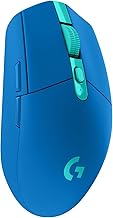
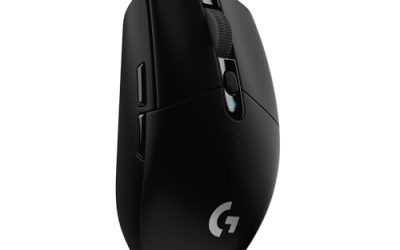
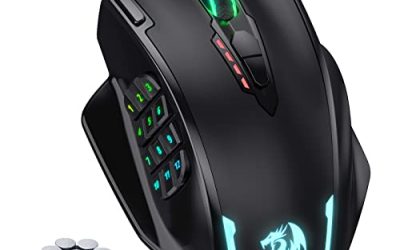
The Logitech G502 and the Razer DeathAdder are two long-running right-handed gaming mouse families, and they suit different habits. Pick a G502-style mouse if you want many programmable buttons, a scroll wheel with a free-spin mode and a solid, sculpted body. Pick a DeathAdder-style mouse if you prefer a lighter, simpler, curved shell with only a handful of buttons. Both lines have gone through many revisions, so this guide compares the general design approach of each rather than one model year. Always check current specifications for the exact version you plan to buy.
The short verdict
If you play games that reward many binds, such as MMOs, strategy titles, flight sims or anything where you juggle abilities, the G502 approach tends to fit better. The extra thumb buttons, the sniper-style button on many versions and the tilting wheel give you shortcuts without reaching for the keyboard. If you mostly play shooters, or you just want a mouse you stop thinking about, the DeathAdder approach is often the easier match because the shell is plain, familiar and typically lighter.
Neither choice is wrong. The real deciding factors are your hand size, your grip and how many buttons you will actually use. A mouse with eleven buttons is no help if you only ever use five, and a minimalist mouse is frustrating if your favorite game wants a dozen shortcuts.
Comparison at a glance
The table below summarizes the general character of each family. Individual generations differ, so treat it as a starting point and verify the details on the manufacturer page.
| Feature | Logitech G502 family | Razer DeathAdder family |
|---|---|---|
| Overall idea | Feature-rich, sculpted, button-heavy | Simple, ergonomic, button-light |
| Typical button count | Often around 11 on many versions | Often around 5 to 8 depending on version |
| Weight feel | Commonly heavier; some older versions had removable weights | Commonly lighter, though newer versions vary |
| Scroll wheel | Usually has a switchable free-spin mode | Usually a standard notched wheel |
| Hand orientation | Right-handed | Right-handed |
| Wired or wireless | Both have existed across generations | Both have existed across generations |
| Software | Logitech G Hub or similar | Razer Synapse or similar |
Shape and grip: the biggest difference
Shape decides comfort, and comfort decides whether you keep a mouse. The DeathAdder line is known for a tall, gently curved right-handed hump that supports the palm and lets the fingers rest on the buttons. It is commonly described as a good match for palm grip and also workable for claw grip if your hand is large enough.
The G502 line has a more sculpted body with a dedicated thumb rest on the left and a ledge for the ring finger on the right. That extra shaping gives it a planted, locked-in feel, but it can feel cramped on small hands or if you like to shift your grip around. Players who move between palm and fingertip grips during a session sometimes prefer the plainer DeathAdder surface.
Measure from the wrist crease to the tip of your middle finger, then compare it with the length listed on the product page. As a very rough guide, larger hands often prefer tall shells and smaller hands often prefer shorter, flatter ones. If a return policy exists, use it.
Buttons and programmability
Button count is where the families diverge most. A G502-style mouse usually places two or three buttons under the thumb, adds extra buttons near the left click and includes wheel-tilt actions. That gives plenty of room for macros, weapon swaps or push-to-talk, all without touching the keyboard.
A DeathAdder-style mouse generally keeps to left and right click, a clickable wheel, two thumb buttons and a DPI button. That is enough for most shooters and general desktop work, and there is little risk of pressing something by accident. If you want a button for every ability you own, though, you may run out.
One practical caution applies to both: extra buttons are only valuable if your thumb can reach them without shifting the whole mouse. Hold the mouse in your normal grip and ask which buttons your thumb can press without moving your palm. Those are the ones you will really use.
Weight, movement and sensor
Weight changes how the mouse starts, stops and flicks. Lighter mice are commonly preferred for quick, wide movements, while heavier ones can feel steadier for slow, precise tracking. Some older G502 versions included small removable weights that let you tune the balance, although newer versions have changed this, so check the current design. DeathAdder versions have tended to move lighter over time, but again the exact figure depends on the model.
Both brands fit capable optical sensors in their current gaming models, and for typical desktop gaming the sensor is rarely the limiting factor. Most players settle on a moderate DPI and tune in-game sensitivity, so avoid paying extra purely for a bigger headline number.
Software, profiles and onboard memory
Both families rely on manufacturer apps for remapping buttons, setting DPI steps and customizing lighting. The useful question is whether the mouse can store a profile in its own memory. If it can, your DPI steps and binds follow you to a friend’s computer or a tournament PC without installing anything. Check that detail on the current specifications.
Also think about whether you are comfortable running background software. Some players configure once, save to the mouse and close the program; others like per-game profiles that switch automatically, which means keeping the software installed and updated.
Which one for which player
- MMO, MOBA and strategy players: the G502 approach, because the spare buttons replace keyboard shortcuts.
- Competitive shooter players: often the DeathAdder approach for its simpler, lighter shell, though a comfortable G502 grip works fine too.
- Mixed work and gaming: either works, but the free-spin wheel on the G502 is handy for scrolling long documents or spreadsheets.
- Small hands: check dimensions first; neither family is the smallest option on the market.
- Left-handed players: look for a symmetrical or left-handed mouse instead.
A simple ten-point score sheet
If you cannot decide, score each mouse out of ten on five questions, using a weight that reflects how much each matters to you. This worked example uses made-up scores to show the method; swap in your own.
| Question | Weight | G502-style score | DeathAdder-style score |
|---|---|---|---|
| Do your palm and fingers fit the shape? | 3 | 6 | 8 |
| Can your thumb reach the extra buttons? | 2 | 9 | 6 |
| Is the weight comfortable? | 2 | 6 | 8 |
| Do you need the extra binds? | 2 | 9 | 5 |
| Is the cable or wireless setup right for your desk? | 1 | 7 | 7 |
Multiply each score by its weight and add them. In this example the G502-style mouse totals 6×3 + 9×2 + 6×2 + 9×2 + 7×1 = 73, and the DeathAdder-style mouse totals 8×3 + 6×2 + 8×2 + 5×2 + 7×1 = 69. Because shape carries the heaviest weight, a different hand could easily reverse the result. The point is to turn a vague preference into a decision you can explain.
What to check before buying
- Confirm the exact model and generation, since names are reused across many revisions.
- Compare current weight, length and width with a mouse you already like.
- Check whether it is wired or wireless, and how long the battery is rated to last if wireless.
- Look at whether profiles are saved onboard.
- Read the return policy and warranty length.
- Check that your surface works well with optical sensors; very glossy or glass surfaces can cause tracking trouble, and a cloth mouse pad usually solves it.
Whichever you choose, give it a few days of regular use before judging it. Persistent wrist or hand discomfort is a reason to switch shape or grip rather than push through.
Related guides
- How To Fix Stick Drift On Xbox And Ps5 Controllers
- How Long Does A Gaming Laptop Last Before Upgrade
- Gaming Chairs For Tall People Over 6 Foot 3
Frequently asked questions
Is the Logitech G502 or the Razer DeathAdder better for FPS games?
Neither family is automatically better. Shooters reward a mouse that you can aim with comfortably for hours, so grip fit matters more than the badge. DeathAdder-style shells are usually lighter and simpler, which many shooter players like. G502-style mice offer more buttons for binds and a heavier feel. Compare the exact current models by weight, sensor and shape, and use whichever your hand rests on most naturally.
Are the G502 and DeathAdder good for left-handed players?
Both families are generally built with a right-handed sculpted shape, and the thumb buttons on the G502 sit on the left side only. A left-handed player usually gets a better result from a symmetrical mouse or a dedicated left-handed design. Manufacturers do change lineups from time to time, so check the current product pages before buying if hand orientation is important to you.
Is the manufacturer software required for either mouse?
Usually not for basic use, since both mice work as standard pointing devices once plugged in. The software is mainly for remapping buttons, changing DPI steps, adjusting lighting and saving profiles to onboard memory. If you want custom binds, install the current Logitech or Razer app, set up your profile, and check whether the mouse stores it internally so it follows you to other computers.
How long do gaming mouse switches usually last?
Manufacturers commonly rate main-button switches in the tens of millions of clicks, and the exact figure differs by model and switch type. In practice, a double-click problem or a worn scroll wheel often appears before the rating is reached, especially in dusty rooms. Check the stated switch rating on the current product page and the warranty length, and clean the mouse gently when you notice grit.
Is a wired or wireless version the better pick?
Both brands sell wired and wireless versions across different generations. Wired is simpler, never needs charging and avoids battery weight. Wireless removes cable drag and can feel cleaner on a tidy desk, but adds a battery to charge and often a slightly heavier body. Modern gaming wireless is generally considered responsive, so pick based on your desk setup and tolerance for charging, then confirm the details for the exact model.