Key takeaways
- Set Windows pointer speed to the default middle position and disable enhanced pointer precision.
- Start at 800 DPI and use the game’s raw input option if Battlefield 6 provides one.
- Use 1,000 Hz polling for the first test. Move to 2,000–4,000 Hz only if CPU usage and frame pacing remain stable.
- Keep infantry and vehicle sensitivity separate if the game supports separate sliders.
- Bind crouch, melee, gadget, and push-to-talk only after confirming that side buttons are not being pressed accidentally.
The best gaming mouse for Battlefield 6 is the Razer Viper V3 Pro for most competitive players, while the Logitech G Pro X Superlight 2 is the safer all-round choice and the Zowie EC2-CW is better if a right-handed ergonomic shape matters more than minimum weight.
Battlefield 6 rewards a mouse that can track smoothly during long-range aiming, stop predictably during recoil control, and remain dependable when you are switching rapidly between infantry weapons, vehicles, turrets, and map controls. Sensor specifications matter, but shape, wireless latency, click feel, and fatigue usually affect performance more than an extremely high DPI number.

Logitech G PRO X Superlight 2 Wireless Gaming Mouse - Black
Included for 'Best Gaming Mouse for Battlefield 6' because the listing specifies Black, details this guide uses to compare options.
View on Amazon
Razer Viper V3 Pro Wireless Esports Gaming Mouse, 54g Lightweight, Black
Included for 'Best Gaming Mouse for Battlefield 6' because the listing specifies 54g Lightweight and Black, details this guide uses to compare options.
View on Amazon
Razer DeathAdder V3 Wired Gaming Mouse, 8Khz, 59g, Black
Included for 'Best Gaming Mouse for Battlefield 6' because the listing specifies 8Khz and 59g, details this guide uses to compare options.
View on Amazon
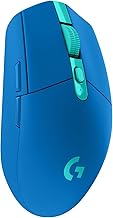
Logitech G305 Lightspeed Wireless Gaming Mouse - Black
Included for 'Best Gaming Mouse for Battlefield 6' because the listing specifies Black, details this guide uses to compare options.
View on AmazonBest gaming mice for Battlefield 6 compared
| Mouse | Weight | Sensor and polling | Shape | Best for | Typical market range |
|---|---|---|---|---|---|
| Razer Viper V3 Pro | Approximately 54 g | Focus Pro 35K; up to 8,000 Hz wireless | Symmetrical, medium-to-large, low hump | Fast FPS aiming and low-latency wireless play | Usually $120–$170 |
| Logitech G Pro X Superlight 2 | Approximately 60 g | HERO 2; up to 4,000 Hz wireless with compatible receiver | Symmetrical, medium, centered hump | Balanced competitive and general use | Usually $100–$160 |
| Endgame Gear OP1 8k | Approximately 50 g | PAW3395; up to 8,000 Hz wired | Small, narrow, symmetrical | Claw grip and precise micro-adjustments | Usually $70–$100 |
| Zowie EC2-CW | Approximately 77 g | PixArt 3370-class sensor; 1,000 Hz wireless | Right-handed ergonomic | Comfort over long Battlefield sessions | Usually $120–$160 |
| SteelSeries Aerox 5 Wireless | Approximately 74 g | TrueMove Air; up to 1,000 Hz wireless | Right-handed ergonomic with extra buttons | Infantry, vehicles, gadgets, and many binds | Usually $70–$130 |
Specifications can vary slightly by revision, firmware, or included receiver. The table is intended as a buying comparison rather than a substitute for checking the current configuration of a particular product.
Head-to-head: which mouse fits Battlefield 6?
Razer Viper V3 Pro: best for fast infantry aiming
The Viper V3 Pro is the strongest choice when your priority is low-weight tracking and rapid direction changes. Its symmetrical shell suits fingertip, claw, and relaxed claw grips, and its high-end sensor provides more than enough resolution for low-sensitivity rifle aiming. The low mass also makes it easier to perform a long swipe when turning toward a vehicle, checking a flank, or correcting after recoil.
Its main disadvantage is shape rather than performance. Players who fill their palm against the mouse or prefer a pronounced right-handed contour may find it less supportive. The extra-high polling modes also increase system workload and battery consumption, with relatively small visible benefits at ordinary monitor refresh rates.
Logitech G Pro X Superlight 2: the safest all-rounder
The Superlight 2 has a familiar symmetrical shape, reliable wireless implementation, and enough battery capacity for extended sessions. It is a strong match for players who alternate between Battlefield 6 and other shooters, because its centered hump supports several grip styles without forcing a specialized hand position.
Its optical-mechanical hybrid switches are designed to reduce traditional double-click risk, but they can feel different from conventional mechanical switches. Some players like their crisp actuation; others prefer the softer or more tactile response of a mechanical design. If you use the mouse for frequent vehicle binding and menu work, test the click feel if possible before committing.
Endgame Gear OP1 8k: best for a small, controlled grip
The OP1 8k makes sense for players who use claw grip and want a narrow shell for fingertip control. Its wired connection removes battery management and gives consistent polling behavior. This can be useful for competitive play, where you do not want wireless interference, a sleeping receiver, or a low-battery warning interrupting a match.
The trade-off is comfort. A narrow, small mouse can cause the ring finger or palm to hang off the side for larger hands. It also provides fewer convenience features than mice designed for general-purpose Battlefield controls. Choose it for aim precision and low weight, not for a large number of programmable buttons.
Zowie EC2-CW: best ergonomic comfort
The EC2-CW is heavier than the ultralight alternatives, but its right-handed ergonomic shape supports the hand during long sessions. That matters in Battlefield 6, where a single match can involve repeated spotting, aiming, driving, flying, and map navigation rather than only short competitive rounds.
Its 1,000 Hz polling rate is sufficient for most players. You will not see a practical disadvantage merely because another mouse advertises 4,000 or 8,000 Hz. The EC2-CW is a particularly good choice for medium-sized hands using palm or relaxed claw grip, provided the shape matches you.
SteelSeries Aerox 5 Wireless: best for extra controls
The Aerox 5 Wireless is less focused on minimum weight than the Viper V3 Pro, but its additional side controls can be useful for Battlefield 6. You can assign buttons to melee, gadget selection, push-to-talk, vehicle seat changes, or frequently used equipment without removing your thumb from the movement keys.
Extra buttons are only an advantage if they are easy to distinguish. Accidental presses can trigger a gadget, change a weapon, or alter a vehicle function at the wrong moment. Keep essential actions on clearly separated buttons and avoid assigning critical actions to controls your thumb may brush during a fast turn.
Sensor accuracy: what actually matters
Modern gaming sensors from Razer, Logitech, PixArt, and SteelSeries are already accurate enough for Battlefield 6. The useful criteria are consistent tracking, no unwanted angle snapping, no noticeable smoothing at your chosen sensitivity, and stable behavior when the mouse is lifted and repositioned.
Do not choose a mouse solely because it supports 26,000 or 35,000 DPI. Most Battlefield players will perform better at a much lower setting. A practical starting point is 800 DPI with an in-game sensitivity that lets you turn roughly 180 degrees with a comfortable swipe. Lower sensitivity helps controlled rifle aim; higher sensitivity can make vehicle cameras and close-quarters turns easier, but may reduce fine control.
Recommended starting settings
- Set Windows pointer speed to the default middle position and disable enhanced pointer precision.
- Start at 800 DPI and use the game’s raw input option if Battlefield 6 provides one.
- Use 1,000 Hz polling for the first test. Move to 2,000–4,000 Hz only if CPU usage and frame pacing remain stable.
- Keep infantry and vehicle sensitivity separate if the game supports separate sliders.
- Bind crouch, melee, gadget, and push-to-talk only after confirming that side buttons are not being pressed accidentally.
A high polling rate sends more position reports. At 1,000 Hz, the nominal report interval is 1 millisecond; at 8,000 Hz, it is 0.125 milliseconds. The theoretical difference is 0.875 milliseconds, before game processing, display scanout, and total system latency. That is measurable, but it is rarely more important than stable frame times or a shape that lets you aim without tension.
Weight and shape for infantry and vehicles
Light mice are helpful for long swipes, low-sensitivity tracking, and rapid target changes. However, a slightly heavier mouse can feel more planted when making small corrections with a DMR, sniper rifle, tank sight, or aircraft camera. There is no universally correct weight.
| Your situation | Recommended direction | Why |
|---|---|---|
| Low-sensitivity infantry player with a large mousepad | 50–65 g symmetrical mouse | Reduces effort during long turns and tracking movements |
| Medium or high sensitivity, frequent vehicle use | 60–80 g mouse with stable shape | Offers controlled micro-adjustments without feeling excessively light |
| Palm grip or hand fatigue | Right-handed ergonomic shell | Supports the palm and reduces pressure on the fingers |
| Claw or fingertip grip | Shorter, narrower symmetrical shell | Allows fast repositioning from the fingers and wrist |
| Many gadget and vehicle bindings | Mouse with well-separated side buttons | Reduces keyboard travel while avoiding accidental activation |
Click durability and Battlefield controls
Battlefield play involves repeated firing, spotting, pinging, menu selection, and vehicle input. Click durability therefore matters, but published switch-cycle figures should be treated as design targets rather than a guarantee of identical service life in every environment.
Optical switches avoid the electrical contact-debounce behavior associated with many traditional mechanical switches and can reduce the risk of double-click problems. Mechanical switches may offer a more familiar click feel and can be easier for some users to service or replace. Either type can last for years when kept clean and not subjected to cable strain, impact, or liquid damage.
For a mouse with extra controls, prioritize button placement over button count. A well-separated pair of side buttons is more useful than five difficult-to-identify buttons if you need to react quickly while driving or operating a turret.
Wireless latency and connection reliability
Current gaming wireless systems can be suitable for competitive Battlefield 6 play when the receiver is positioned correctly. Place the receiver on the desk or use its extension cable so it is close to the mouse, rather than leaving it behind a metal PC case under the desk. Keep it away from crowded USB hubs and strong sources of wireless interference.
A 1,000 Hz wireless mouse is not automatically slow. Higher polling modes can reduce the interval between reports, but they may increase battery drain and CPU overhead. If you use an 8,000 Hz mouse, check for uneven frame pacing, unusual CPU usage, or battery life that becomes inconvenient. A stable 1,000 or 2,000 Hz connection is preferable to a nominally faster setting that causes interruptions.
Final buying decision
- Choose the Razer Viper V3 Pro for the lightest competitive feel and fast infantry aiming.
- Choose the Logitech G Pro X Superlight 2 for the most broadly adaptable shape and dependable all-round performance.
- Choose the Endgame Gear OP1 8k for a small claw-grip mouse and a wired connection.
- Choose the Zowie EC2-CW for right-handed comfort during long infantry and vehicle sessions.
- Choose the SteelSeries Aerox 5 Wireless when extra controls are more valuable than minimum weight.
Before buying, measure your hand, identify your grip, and check whether you prefer a light shell or palm support. For Battlefield 6, a comfortable mouse with predictable clicks and reliable wireless performance will usually improve aim more than chasing the highest advertised DPI or polling-rate number.