Our Top Picks
The Logitech G402 Hyperion Fury is a wired, right-handed FPS mouse with a 4,000 DPI hybrid sensor, 8 programmable buttons and a DPI shift button on the thumb side. It still suits fast, aim-heavy games if you like a light, compact shape. It is not wireless, and it is a poor fit for people who want a modern high-DPI sensor or a larger palm-grip body.
Verdict: Who Should Buy the Logitech G402 Hyperion Fury
The Logitech G402 Hyperion Fury earns a recommendation as a budget-friendly, fast-tracking wired mouse for first-person shooters, provided you are comfortable with a mid-sized shape and a 4,000 DPI ceiling. It is an older design, so the real question is whether a newer wired or wireless mouse gives you more for the same money.
- Buy it if: you play FPS games at modest sensitivity, you want a thumb-side sniper button, and you prefer a wired mouse that never needs charging.
- Skip it if: you want wireless, a sensor above 4,000 DPI, many onboard profiles, or a big ergonomic body for a full palm grip.
- Closest upgrade path: the Hero-sensor Logitech models (such as the G403 Hero and G502 Hero) offer a far higher DPI ceiling, while the G305 Lightspeed is the straightforward wireless step.
Logitech G402 Hyperion Fury Specs at a Glance
Figures below come from Logitech’s support specification page and retailer spec sheets. A few values differ slightly between sources, and those are flagged so you can check the maker before you buy.
| Spec | Logitech G402 Hyperion Fury |
|---|---|
| Connection | Wired USB, about 2.1 m (7 ft) cable |
| Sensor | Avago AM010 optical, Fusion Engine hybrid tracking |
| DPI range | 240 to 4,000, adjustable in 80 DPI steps |
| Tracking speed | Up to 500 IPS per Logitech; some listings say 420 IPS |
| Polling rate | Up to 1,000 Hz |
| Buttons | 8 programmable, including a DPI shift button |
| Main button rating | 20 million clicks |
| Weight | Roughly 108 g without cable, 144 g with cable |
| Size | About 136 x 72 x 41 mm |
| Handedness | Right-handed |
| Onboard memory | 1 profile |
What Makes the G402 Different: The Fusion Engine
The headline feature is the Fusion Engine. Logitech paired an optical sensor with an ARM processor and motion hardware (an accelerometer and gyroscope) so that the mouse can respond quickly during very fast flicks. In practice, this was aimed at players who sweep the mouse across a pad in a hurry and do not want the cursor to lose track.
For a modern buyer, the important point is that the sensor is capped at 4,000 DPI. That sounds low next to newer models, but most competitive players run well under 3,200 DPI anyway. The ceiling matters more on very large or very high-resolution monitors where you want one short wrist movement to cross the screen.
Design, Shape and Grip
The G402 has a right-handed, moderately arched shape with a textured finish on the main body. It sits between the compact and full-size categories: long enough for a relaxed claw grip, a touch short for people with large hands who palm the mouse.
- Claw grip: a natural match. The rear hump supports the base of the hand while fingertips stay over the buttons.
- Fingertip grip: works well thanks to the light weight, especially on a smooth cloth pad.
- Palm grip: workable for small and medium hands. Large hands may find the front feels cramped over long sessions.
- Left-handed use: not supported. The thumb buttons are on the left side only.
The cable is long enough for most desks and is not braided, so it can kink if stored tightly coiled. A mouse bungee is a cheap way to keep it from dragging.
The DPI Shift Button Explained
The thumb-side button works as a sniper switch. Hold it and the mouse drops to a lower DPI; release it and you are back to your normal setting. Logitech’s default DPI steps are 400, 800, 1,600 and 3,200, and you can edit them in Logitech’s software.
This is useful for precision work such as holding a long sightline in a shooter, then returning to your usual speed for close-range fights. It takes a day or two to get used to the position, but after that it becomes a habit.
Performance by Use
FPS and competitive shooters
This is the target use. The light body, 1,000 Hz polling and fast tracking spec fit tactical and arena shooters. At sensitivities under 1,600 DPI the 4,000 DPI cap is not a limit.
MOBA and strategy
Eight buttons are enough for a few camera and ability shortcuts, though the layout is built for shooters more than for crowded MOBA binds. Only one onboard profile is stored, so you carry one setup between PCs.
General desktop work
It behaves like any wired optical mouse. The scroll wheel is notched and the main buttons are crisp, so it is fine for browsing and office tasks.
Laptop and travel
The cable and body size make it less travel-friendly than a compact wireless mouse. It is better suited to a fixed desk.
Is There a Logitech G402 Hero?
We did not find a model called the G402 Hero in Logitech’s specification pages. The G402 Hyperion Fury uses the older Avago-based Fusion Engine sensor. The “Hero” name belongs to a later Logitech sensor family used in mice such as the G403 Hero and G502 Hero.
If a listing claims to be a G402 with a Hero sensor, treat it with caution and compare the model number and sensor with the maker’s page before ordering. If you want Hero tracking, buy one of the actual Hero-branded models.
Is There a Logitech G402 Wireless?
No. The G402 is a wired mouse only, and we found no wireless version of it. Anyone looking for a similar Logitech feel without a cable should look at a different model, such as the G305 Lightspeed covered below.
Logitech G402 Hyperion Fury Versus Modern Alternatives
These cards show items currently in the shop that fit the same buyer. Each description is based on the listing details.
Logitech G402 Hyperion Fury FPS Gaming Mouse

Logitech G402 Hyperion Fury FPS Gaming Mouse
Picked as a relevant option in this category.
View on AmazonThe listing is for the Logitech G402 Hyperion Fury FPS gaming mouse, the model reviewed above. It is the straightforward way to get the Fusion Engine design, the 8-button layout and the DPI shift button. Because Logitech has sold this model for years, check the listing details and condition notes carefully, and confirm it is the new item rather than a used or refurbished unit before you order. It suits fast-aim shooter fans who want a wired mouse and are happy with a mid-sized shape.
Best for: wired FPS players on a budget. Skip if: you need wireless or a high-DPI sensor.
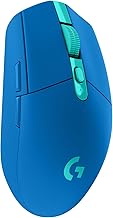
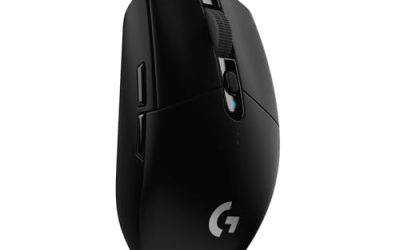
Logitech G305 Lightspeed Wireless Gaming Mouse

Logitech G305 LIGHTSPEED Wireless Gaming Mouse, Hero 12K Sensor - Black | 12,000 DPI, lightweight, 6 programmable buttons, 250h battery life, on-board memory, PC/Mac, lightweight gaming mouse
Chosen because it specifies Hero 12K Sensor and Black.
View on AmazonThe Logitech G305 Lightspeed is a wireless gaming mouse with a Hero 12K sensor, up to 12,000 DPI and six programmable buttons, according to the listing. It is the logical answer for buyers who like the G402 idea but want to drop the cable. It is lighter on buttons, so you lose the dedicated DPI shift position, but you gain freedom on a crowded desk and a much higher DPI ceiling. It runs on a single battery and a small USB receiver.
Best for: cable-free play and travel. Skip if: you rely on a sniper button.
Redragon M602 Wired RGB Gaming Mouse

Redragon M602 Wired RGB Gaming Mouse 7200 DPI - Remapping Keys, Black | 9 Programmable Buttons, Professional Software, Vibing Backlit,Stable Lag-Free,Ergonomic Grip Body Comfort for Gamer Office
Chosen because it specifies Remapping Keys and Black.
View on AmazonThe Redragon M602 is a wired RGB gaming mouse with a 7,200 DPI sensor and nine programmable buttons, per its listing, plus remapping software. It is a low-cost option for someone who wants more buttons than the G402 offers and does not care about brand. The software is basic and build quality is a step below Logitech’s, but for a secondary or backup mouse the feature list is generous.
Best for: a spare mouse or a tight budget. Skip if: you want polished software and proven long-term durability.
Other Models Worth Knowing
- Logitech G403 Hero: the closer successor in shape, with a Hero sensor and a higher DPI ceiling. Verify wired versus wireless variant on the listing.
- Logitech G502 Hero: a heavier, button-rich shooter and MMO mouse with adjustable weights.
- Logitech G203: a very light, simple wired mouse with fewer buttons, good for beginners.
Quick Comparison Table
| Mouse | Connection | Max DPI (listed) | Buttons | Best for |
|---|---|---|---|---|
| Logitech G402 Hyperion Fury | Wired | 4,000 | 8 | Fast FPS aim, thumb sniper button |
| Logitech G305 Lightspeed | Wireless | 12,000 | 6 | Cable-free desks, light body |
| Redragon M602 | Wired | 7,200 | 9 | Spare mouse, extra buttons |
| Logitech G403 Hero | Check listing | 25,600 | Check listing | Higher ceiling, similar shape |
| Logitech G502 Hero | Wired | 25,600 | 11 | Heavy, button-rich play |
How to Set Up the G402 for FPS Games
A good starting configuration takes a few minutes and avoids the most common complaint with fast sensors: a cursor that feels twitchy.
- Pick a base DPI. Start at 800 DPI for most shooters. Many players settle between 400 and 1,600 DPI and fine-tune the in-game sensitivity instead.
- Set the polling rate to 1,000 Hz. This gives the quickest response and is the sensor’s maximum. Drop to 500 Hz only if you notice CPU load problems on an old PC.
- Assign the DPI shift button. A sniper DPI of about 400 works for scoped play at the sensitivity above. Test a few values in a practice range.
- Turn off pointer acceleration. In the operating system, disable “enhance pointer precision” so that movement is consistent.
- Save the profile to onboard memory. The G402 stores one profile, so you keep your settings on a different PC without installing software.
Once your DPI is fixed, change only the in-game sensitivity for a few days. Changing both at once makes it hard to tell what helped.
Sensitivity Guide by Display and Game Type
| Situation | Suggested DPI range | Reason |
|---|---|---|
| 1080p tactical shooter | 400 to 800 | Low DPI gives precise, controlled aim |
| 1440p arena shooter | 800 to 1,600 | More screen to cross in one swipe |
| 4K display, desktop work | 1,600 to 3,200 | Short wrist travel across the larger area |
| Scoped or sniper moments | Around 400 with DPI shift | Slows the cursor on demand |
These are starting points, not rules. Because the G402 tops out at 4,000 DPI, none of these ranges hit the limit.
Common Problems and Quick Fixes
Cursor jumps or stutters
Clean the sensor window with a dry cotton swab and use a pad with a consistent surface. A worn pad or a dusty sensor is the most frequent cause on an older optical mouse.
Double clicks
If the main button registers two clicks on one press, this can be a sign of switch wear. Check the maker’s warranty terms and support page.
Settings reset on another PC
The mouse holds one onboard profile. Reapply your saved profile through Logitech’s software after any firmware or driver change.
Cable drag
Raise the cable with a bungee or route it behind your monitor arm. Cable drag feels like inconsistent resistance during flicks.
G402 Compared With the G403 and G502 Families
People searching for the G402 often end up considering other Logitech shooters. A quick way to decide is to look at what each adds.
- G402 to G403 Hero: similar overall shape but a Hero sensor with a very high DPI ceiling, and a rubber-grip body. Check the listing for a wired or wireless variant, since both exist across the family.
- G402 to G502 Hero: a bigger, heavier mouse with more buttons and adjustable weights. It suits players who want macros or MMO binds more than a light, fast shape.
- G402 to G305: trades buttons and the sniper position for wireless freedom, a high DPI ceiling and a similar light feel.
If you are replacing a worn G402 and you liked the shape, the G403 family is the nearest in feel. If you were always bothered by the cable, the G305 is the smoother switch.
Pros and Cons Summary
Pros
- Light enough for fast flicks, with a shape that suits claw and fingertip grips.
- Eight programmable buttons, including a handy thumb-side DPI shift.
- Wired connection means no battery to charge and consistent response.
- Main buttons are rated for 20 million clicks.
- Onboard memory keeps your DPI settings on the mouse.
Cons
- The 4,000 DPI ceiling is low next to current models.
- Only one onboard profile.
- Right-handed only, and a mid-size body that may cramp large hands.
- Older design, so listings can be inconsistent about condition and packaging.
Choosing a Mouse Pad for the G402
The Fusion Engine sensor works on most cloth pads and hard surfaces, but a consistent surface gives the best results. Here is how to match pad to play style.
- Speed cloth pad: a smooth weave suits fast flicks and the light body of the G402.
- Control cloth pad: a slightly rougher weave helps stopping accuracy for tactical shooters.
- Hard pad: gives very low friction, but the cable can feel more noticeable. Consider a bungee.
- Bare desk: avoid glossy glass or very reflective surfaces, which can confuse optical sensors.
Size matters too. If you play at low DPI, a large pad gives enough travel for full arm swipes. At higher DPI a medium pad is plenty.
Who Should Not Buy the G402
Being honest about fit saves returns. Think twice about this mouse if any of these apply to you.
- You have large hands and prefer a full palm grip. A larger body such as the G502 family may feel better.
- You play left-handed.
- You want to carry several profiles between PCs. A model with five onboard profiles will serve you better.
- You travel often. A compact wireless mouse is easier to pack.
- You use a very large, very high-resolution display and want to run above 3,200 DPI.
Care and Longevity
Wired mice last years when cared for. A few habits help the G402 stay reliable.
- Wipe the body with a slightly damp, lint-free cloth. Do not soak the shell.
- Replace worn mouse feet when the glide becomes scratchy. Replacement feet sets are widely listed for Logitech G-series mice; match the model before you order.
- Avoid pulling on the cable at the strain relief near the mouse.
- Store it away from direct sun to prevent the finish from fading.
How We Chose These Alternatives
This review is research-based. We did not use these mice ourselves. We compared Logitech’s published specifications, retailer spec sheets and independent editorial write-ups, then matched alternatives to the same buyer: shooter players choosing between a wired classic, a wireless step-up and a budget extra. Where sources disagreed, such as the stated tracking speed, we say so rather than choose one.
Buying Guide: What to Check Before You Order a G402
- Condition: make sure the item is new and not marked as used, open-box or refurbished.
- Model number: the original G402 and its variants may have slightly different packaging or regional naming. Check that the listing says Hyperion Fury.
- Hand size: measure your hand. If it is longer than about 19 cm from wrist crease to middle fingertip, a larger mouse may be more comfortable.
- Sensitivity: if you play above 3,200 DPI or use a very high-resolution display, choose a Hero-sensor model.
- Cable: if cables annoy you, skip to a wireless model.
- Pad: a smooth cloth pad suits the fast sensor; very rough surfaces add friction.
Frequently Asked Questions
Is the Logitech G402 Hyperion Fury still good?
Yes for wired FPS use, as long as you accept the 4,000 DPI ceiling. For wireless, high-DPI or ergonomic needs, newer mice are better.
What does Hyperion Fury mean?
It is Logitech’s product name for the G402 and refers to the fast-tracking Fusion Engine design aimed at first-person shooters.
Is the Logitech G402 wireless?
No. It is a wired USB mouse and Logitech does not list a wireless G402. The G305 Lightspeed is a better wireless pick.
Is there a G402 Hero?
We found no G402 Hero in Logitech’s specs. Hero sensors appear in other models like the G403 Hero and G502 Hero, so check the maker if a listing claims otherwise.
What is the maximum DPI of the G402?
The maximum is 4,000 DPI, adjustable in 80 DPI steps from 240, according to Logitech’s specification page.
How heavy is the Logitech G402?
Roughly 108 g without the cable and 144 g with it, based on Logitech’s listed figures. Weight shifts slightly between sources.
Is the G402 good for left-handed players?
No. It has a right-handed shape and thumb buttons on the left side, so left-handed players should pick an ambidextrous model.
Which One Should You Buy?
- Want the classic fast FPS wired mouse: the Logitech G402 Hyperion Fury.
- Want wireless and a higher DPI ceiling: the Logitech G305 Lightspeed.
- Want more buttons for a small outlay: the Redragon M602.
Sources
- Logitech G402 Hyperion Fury Technical Specifications (Logitech support)
- B&H Photo Video product specification listing
- SlashGear, Logitech G402 Hyperion Fury review
- Appuals, Logitech G402 review
Last updated: November 2026
FAQ
Is There a Logitech G402 Hero?
Is There a Logitech G402 Wireless?
Is the Logitech G402 Hyperion Fury still good?
What does Hyperion Fury mean?
Is the Logitech G402 wireless?
Is there a G402 Hero?
What is the maximum DPI of the G402?
How heavy is the Logitech G402?
More from Amazon
Programs that pair well with the guide above. Offers and eligibility are set by Amazon and may change.
Free shipping on eligible items, Prime Video and more. Eligible new members can start with a free trial.
Start a Prime free trialAd-free music streaming. Eligible new subscribers can start with a free trial.
Try Music Unlimited freeA Prime membership for ages 18-24 with a trial period. Eligibility is set by Amazon.
See Prime for Young AdultsAudiobooks and podcasts to listen to on the go. Eligible new members can start with a free trial.
Try Audible freeAs an Amazon Associate we earn from qualifying purchases.