Key takeaways
- Start at 800 DPI and 1,000 Hz polling to establish a consistent baseline.
- Test 2,000 or 4,000 Hz only if your frame pacing remains smooth.
- Use the lowest debounce or click-response setting that remains stable in the mouse software.
- Keep motion synchronization, angle snapping, and acceleration disabled unless you have a specific reason to use them.
- Place the receiver on the desk near the mouse rather than behind a metal computer case.
The best gaming mouse for FragPunk is the Razer Viper V3 Pro for most players, while the Logitech G Pro X Superlight 2, Endgame Gear OP1 8k, and Zowie U2 are stronger alternatives for different hand sizes, grips, and wireless preferences.
FragPunk rewards rapid direction changes, fast target swaps, and consistent tracking while moving. That makes a light shell, a reliable sensor, low click latency, and a shape that does not restrict your fingers more important than extra buttons or decorative features.

Logitech G PRO X Superlight 2 Wireless Gaming Mouse - Black
Included for 'Best Gaming Mouse for FragPunk' because the listing specifies Black, details this guide uses to compare options.
View on Amazon
Razer Viper V3 Pro Wireless Esports Gaming Mouse, 54g Lightweight, Black
Included for 'Best Gaming Mouse for FragPunk' because the listing specifies 54g Lightweight and Black, details this guide uses to compare options.
View on Amazon
Razer DeathAdder V3 Wired Gaming Mouse, 8Khz, 59g, Black
Included for 'Best Gaming Mouse for FragPunk' because the listing specifies 8Khz and 59g, details this guide uses to compare options.
View on Amazon
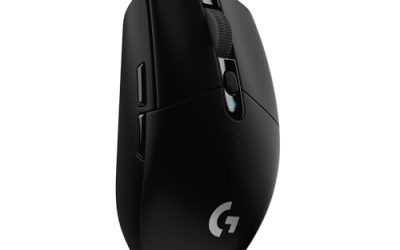
Logitech G305 Lightspeed Wireless Gaming Mouse - Black
Included for 'Best Gaming Mouse for FragPunk' because the listing specifies Black, details this guide uses to compare options.
View on AmazonBest Gaming Mice for FragPunk at a Glance
| Mouse | Weight | Connection and polling | Best for | Typical market range |
|---|---|---|---|---|
| Razer Viper V3 Pro | Approximately 54 g | Wireless; up to 8,000 Hz with compatible receiver | Most competitive FragPunk players | Usually $120–$160 |
| Logitech G Pro X Superlight 2 | Approximately 60 g | Wireless; up to 2,000 Hz, with wired high-polling support depending on configuration | Balanced claw, fingertip, and relaxed claw grips | Usually $100–$160 |
| Endgame Gear OP1 8k | Approximately 51 g | Wired; up to 8,000 Hz | Players who prioritize the lowest weight and a narrow shape | Usually $70–$100 |
| Zowie U2 | Approximately 60 g | Wireless; up to 1,000 Hz | Claw-grip players who need easy repositioning | Usually $130–$160 |
| Razer DeathAdder V3 HyperSpeed | Approximately 55 g | Wireless; high-polling support with compatible receiver | Medium-to-large hands and ergonomic grips | Usually $90–$140 |
Polling-rate figures describe the maximum supported mode, not a guarantee of better aim. Your game settings, USB configuration, monitor refresh rate, and computer performance all affect whether high polling is worthwhile.
Why the Razer Viper V3 Pro Is the Best Overall Choice
The Viper V3 Pro combines a low weight with a symmetrical shape, a modern high-resolution sensor, and very low wireless click latency. Its gently raised rear gives claw and relaxed-claw users more palm support than many extremely flat ultralight mice, while the defined sides still allow quick fingertip corrections.
That balance suits FragPunk particularly well. Rapid movement often requires alternating between large arm swipes and small fingertip adjustments. A mouse that is too flat can feel unstable during longer tracking motions; one that is too tall can make rapid vertical corrections feel forced. The Viper V3 Pro sits between those extremes.
Its optical main switches also avoid the traditional mechanical-contact problem that can eventually cause double-clicking. Optical switches are not automatically perfect, but they are a sensible choice for a game where repeated firing and rapid clicking place heavy demands on the primary buttons.
Recommended Viper V3 Pro setup
- Start at 800 DPI and 1,000 Hz polling to establish a consistent baseline.
- Test 2,000 or 4,000 Hz only if your frame pacing remains smooth.
- Use the lowest debounce or click-response setting that remains stable in the mouse software.
- Keep motion synchronization, angle snapping, and acceleration disabled unless you have a specific reason to use them.
- Place the receiver on the desk near the mouse rather than behind a metal computer case.
Best Alternatives Based on Your Grip and Priorities
Logitech G Pro X Superlight 2: the safest shape
The Superlight 2 is an excellent choice if you want a familiar, medium-sized symmetrical mouse without an aggressively narrow waist. Its shape fills the rear of the hand more than the Viper V3 Pro and works well for relaxed claw, claw, and many fingertip grips.
Choose it over the Viper when you frequently anchor your palm during tracking or when you prefer a slightly fuller body. Its 60-gram weight is still light enough for fast FragPunk movement, and its wireless battery life is generally more convenient than that of high-polling-focused mice. The main compromise is that its switch feel differs from traditional mechanical designs, so users who prefer crisp, tactile clicks should try it before committing if possible.
Endgame Gear OP1 8k: best for a narrow, fast shape
The OP1 8k is a strong wired option for players with smaller or medium-sized hands who use claw or fingertip grip. Its narrow body and approximately 51-gram weight make rapid horizontal repositioning easy, particularly at lower sensitivity where the mouse travels farther across the pad.
The cable is the trade-off. A flexible cable can feel nearly unobtrusive when routed through a bungee, but wireless is more convenient for players who frequently change seating position or use a small desk. Its 8,000 Hz polling mode is also most useful when your system can maintain stable frame delivery.
Zowie U2: best for competitive claw grip
The Zowie U2 is shaped around controlled claw use, with sides that make lifting and repositioning predictable. It does not chase the highest polling number, but 1,000 Hz remains responsive enough for competitive play and reduces software and CPU overhead.
Pick the U2 if you want a stable, uncomplicated esports mouse rather than a specification race. It is especially appealing when you value consistent shape and wireless freedom more than maximum sensor-reporting frequency.
Razer DeathAdder V3 HyperSpeed: best ergonomic option
The DeathAdder V3 HyperSpeed is better suited to players who prefer an ergonomic right-handed shell. Its raised left side and sloped body can reduce wrist rotation for some users, while the low weight keeps it responsive during long swipes.
It is not the best choice for left-handed use or frequent fingertip-only play. For medium-to-large hands using palm, relaxed claw, or a hybrid grip, however, the shape can provide more control than a flat symmetrical mouse.
How to Choose the Right FragPunk Mouse
1. Match the shape before chasing the sensor
Measure your hand from the wrist crease to the tip of your middle finger, then compare that measurement with the manufacturer’s dimensions. As a rough guide, hands around 17–19 cm often suit medium symmetrical mice; hands above 19 cm may prefer a fuller shell such as the Superlight 2 or an ergonomic design such as the DeathAdder V3 HyperSpeed.
Shape affects aim more directly than a sensor resolution number. If your ring finger drags on the pad, the sides feel too pinched, or your palm cannot settle naturally, a technically faster mouse will not solve the problem.
2. Keep total mouse weight low, but not at the expense of control
A mouse between roughly 50 and 65 grams is a useful target for FragPunk. Lighter designs reduce inertia during emergency turns and repeated direction changes. However, a very light shell can feel nervous if your sensitivity is high or your grip is tense. If your crosshair overshoots often, a slightly fuller 60-gram mouse may be easier to control than an ultralight model.
3. Treat polling rate as a system setting
At 1,000 Hz, the mouse reports once every 1 millisecond. At 8,000 Hz, it reports every 0.125 milliseconds. The theoretical interval difference is only 0.875 milliseconds, so an 8,000 Hz mouse cannot compensate for inconsistent frame times, poor sensitivity, or a bad grip.
Use 4,000 or 8,000 Hz when your game remains smooth and your processor has headroom. If your frame-time graph becomes uneven, return to 1,000 or 2,000 Hz. A stable frame stream usually feels better than a higher polling number paired with stutter.
4. Prioritize click consistency
FragPunk demands repeated primary-button presses, quick ability inputs, and occasional rapid bursts. Look for switches with a consistent actuation point and a housing that does not flex under pressure. Optical switches can reduce the risk of contact-related double-clicking, while high-quality mechanical switches can provide a familiar tactile response. Either type can work; inconsistent click feel is the problem to avoid.
Decision Matrix
| Your situation | Best direction | Reason |
|---|---|---|
| You use relaxed claw and want one safe recommendation | Razer Viper V3 Pro | Balanced symmetrical shape, low weight, and low-latency wireless operation |
| You want more palm support | Logitech G Pro X Superlight 2 | Fuller rear and comfortable neutral profile |
| You use claw grip with smaller hands | Endgame Gear OP1 8k | Narrow shell and very low weight |
| You want wireless without needing extreme polling | Zowie U2 | Simple wireless design and controlled lift-off shape |
| You prefer an ergonomic right-handed mouse | Razer DeathAdder V3 HyperSpeed | Supports palm and relaxed-claw hand positions |
FragPunk Mouse Settings That Make Sense
Begin with 800 DPI, 1,000 Hz polling, and a medium sensitivity. Adjust sensitivity in small steps rather than changing DPI and in-game sensitivity together. If you need a useful comparison, doubling DPI while halving in-game sensitivity should preserve the same basic physical sensitivity, but changing DPI can alter how some games process input.
Disable operating-system pointer acceleration and use raw input if FragPunk provides that option. Keep the same sensitivity for several sessions before judging it. If you frequently run out of mouse-pad space during a turn, reduce sensitivity by 5–10 percent. If you cannot make small corrections without lifting the mouse, increase it by 5–10 percent.
For a low-sensitivity setup, use a large mouse pad and keep the cable or receiver path clear. FragPunk’s rapid movement makes cable drag surprisingly disruptive, so a bungee or a wireless connection can improve consistency even when the sensor itself is unchanged.
Final Verdict
The Razer Viper V3 Pro is the best gaming mouse for FragPunk for most players because it combines a fast, light design with a versatile shape, reliable optical main switches, and low-latency wireless performance. Choose the Logitech G Pro X Superlight 2 for a fuller, safer shape, the OP1 8k for a narrow wired ultralight, the Zowie U2 for controlled claw grip, or the DeathAdder V3 HyperSpeed for ergonomic support. The best final choice is the one that lets your fingers stay relaxed while you make fast, repeatable movements.