Our Top Picks
 InnoGear Mic Arm Microphone Boom Arm Cable Management15.75 x 1.57 x 13.78 Inches3.5 poundsCheck on Amazon
 FIFINE BM88 Low Profile Microphone Boom Arm StandLow Profile (BM88 Black)13 x 11.6 x 4.1 inches2.9 poundsCheck on Amazon
 RØDE PSA1+ Professional Studio Boom Arm with Spring8.25" W x 21.25" L x 3.25" H21.25 x 8.25 x 3.25 inches3.4 poundsCheck on Amazon
The best overall boom arm for most streamers on this list is the FIFINE BM88 Low Profile Boom Arm: it is built from metal, supports microphones up to roughly 3.3 lb, offers an adjustable low-profile design that keeps the mic out of your camera frame, and routes cables neatly. A boom arm is a jointed desk-mounted stand that holds your microphone near your mouth and out of the way of your keyboard, monitor and webcam. For a premium, spring-damped arm that suits heavier broadcast microphones, the RODE PSA1+ is the stronger long-term choice, and the InnoGear arms cover the budget-friendly middle.
Quick List
- FIFINE AmpliGame AM8T Mic Kit – best as a complete starter bundle that includes its own boom arm (microphone set, not a standalone arm)
- InnoGear Low Profile Mic Arm (B0F6BWJYSY) – best for heavier dynamic mics on a compact low-profile arm
- InnoGear Boom Arm for Blue Yeti and Fifine – best for lighter USB mics on a classic scissor-style arm
- InnoGear Mic Arm with Cable Management – best for desks where neat cabling matters most
- FIFINE BM88 Low Profile Boom Arm – best all-round low-profile arm for streamers
- RODE PSA1+ Studio Boom Arm – best for silent, spring-damped movement with heavier microphones
Which One Is Right for You?
| If you… | Choose |
|---|---|
| Want a mid-priced, low-profile arm that stays out of frame | FIFINE BM88 |
| Own a heavy broadcast mic and want silent movement | RODE PSA1+ |
| Are buying your first mic and arm together | FIFINE AmpliGame AM8T Mic Kit |
| Use a Blue Yeti-class USB mic and want a simple arm | InnoGear Boom Arm for Blue Yeti and Fifine |
| Care about hidden cables on a clean desk | InnoGear Mic Arm with Cable Management |
| Need a compact arm for a Fifine AM8, SM58 or SM7B-class mic | InnoGear Low Profile Mic Arm |
The most important number on any arm is its payload, because an arm loaded beyond its rating droops, and a droop ruins your framing mid-stream. The second is reach, which decides whether the mic sits where you want it without leaning forward. Everything else, from cable clips to finish, is secondary.

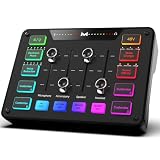
FIFINE AmpliGame AM8T XLR/USB Gaming Microphone Set, Dynamic PC Mic | Streaming RGB Mic Kit with Boom Arm Stand, Mute Button, Headphones Jack, for Podcasting Recording Vocal Voice-Over
Chosen because it specifies Dynamic PC Mic and Streaming RGB Mic Kit with Boom Arm Stand.
View on Amazon
InnoGear Low Profile Mic Arm Boom Arm Microphone Stand Desk Mount, Black | for Fifine AM8 K669B Elgato Blue Yeti Shure SM58 SM7B, 3.3lb Weight Capacity, Vibration Resistant, Adjustable Angle
Chosen because it specifies Black and for Fifine AM8 K669B Elgato Blue Yeti Shure SM58 SM7B.
View on Amazon
InnoGear Boom Arm Microphone Mic Stand for Blue Yeti Fifine HyperX, Black | Desk Mount, Desktop Stands, Adjustable Reach, Rotate Fully, Folds Away Compactly, for Gaming, Streaming or Recording
Chosen because it specifies Black and Desk Mount.
View on AmazonInnoGear Mic Arm Microphone Boom Arm Cable Management for Blue Yeti, Black | Desk Mount, for Shure Fifine, Professional Appearance, Extendable, Horizontal Reach 32.3", 3.5 lb Weight Capacity, Heavy-Duty
Chosen because it specifies Black and Desk Mount.
View on AmazonFIFINE BM88 Low Profile Microphone Boom Arm Stand for Gaming Streaming | Adjustable Stick Stand, Desk Mount Clamp, Cable Management, Screw Adapter, for Podcast Streaming Gaming
Chosen because it specifies Adjustable Stick Stand and Desk Mount Clamp.
View on AmazonRØDE PSA1+ Professional Studio Boom Arm with Spring Damping, Black | Fits mics 0.25 to 1.2kg with 360 degree rotation, silent spring operation and internal cable management for podcast desks
Chosen because it specifies Black and Fits mics 0.25 to 1.2kg with 360 degree rotation.
View on AmazonAll 6 Picks in Detail
1. FIFINE AmpliGame AM8T Mic Kit – Best as a Starter Bundle With a Boom Arm
As an Amazon Associate we earn from qualifying purchases at no extra cost to you.

This listing is a microphone set rather than a standalone boom arm, so treat it as a runner-up in this guide. The FIFINE AmpliGame AM8T is described as an XLR/USB gaming microphone kit with a dynamic PC mic, an RGB design, a mute button, a headphone jack and a boom arm stand included. It makes sense if you do not yet own a microphone and want one purchase that gets you speaking on stream. If you already own a mic, one of the dedicated arms below is the better buy.
The included arm is part of a bundle, so expect it to be a functional stand rather than a premium one, and confirm its reach and payload on the product page. The kit approach saves time on compatibility, since the mic and its mount are designed to go together, and the dual XLR/USB output gives you a path to upgrade your audio chain later.
- XLR and USB connectivity in one dynamic microphone
- Boom arm stand included in the set
- Mute button and headphone jack per the listing
- RGB lighting styling aimed at gamers
- Arm reach and payload not stated in the title; confirm on the page
A practical way to use the kit: set it up first as a complete chain, learn what distance and angle work for your voice, and only then decide whether to swap the arm for a sturdier model. Many beginners find that the biggest improvement comes from simply placing a dynamic mic a few inches from the mouth, whatever stand holds it. If the included arm sags or drifts, a dedicated arm from the rest of this list will accept the same microphone.
Pros
- Mic and arm arrive together
- Upgrade path through XLR
Cons
- Not a standalone arm, so it only helps if you need a mic too
- Included arm details are limited
Compared with buying a separate arm like the FIFINE BM88, the kit is simpler for beginners but gives you less control over the quality of each part.
2. InnoGear Low Profile Mic Arm (B0F6BWJYSY) – Best for Heavier Dynamic Mics on a Compact Arm

The title names a long list of compatible microphones, including the Fifine AM8, K669B, Elgato mics, the Blue Yeti, the Shure SM58 and the SM7B, and states a weight rating of 3.3 lb. InnoGear describes its low-profile arms as holding up to 1.5 kg, with the lower arm sitting only a few inches above the desk. That shape tucks under a monitor and keeps the mic close to your face without towering over the setup.
It suits streamers who want the mic placed above the desk surface at mouth height, out of the webcam shot, and who own something heavier than a typical USB mic. For microphones that weigh more than the rating, such as large condensers with a heavy shock mount, you would need a stronger spring arm.
- Payload stated as 3.3 lb in the title
- Low-profile design with a desk clamp mount
- Compatible-mic list includes Fifine, Elgato, Blue Yeti, SM58 and SM7B
- Includes thread adapters according to the maker’s descriptions
- Cable management features per the maker; confirm exact version
In use, the arm shines on small or crowded desks, where a mic on a stand would collide with a keyboard or a second monitor. Clamp it to the back or side edge, route the cable along the arm, and set the mic about a hand-width from your mouth, slightly off-axis to soften plosives. If you later upgrade to a heavier microphone or add a shock mount, recheck the combined weight against the 3.3 lb rating shown in the title.
Pros
- Low profile stays out of the camera frame
- Wide microphone compatibility
Cons
- Payload rating limits very heavy setups
- Several similar InnoGear models make it easy to mix them up
Next to the FIFINE BM88, the two are close rivals in size and payload, so the choice often comes down to finish and clamp details on the product pages.
3. InnoGear Boom Arm for Blue Yeti and Fifine – Best for Lighter USB Mics on a Classic Arm

This is the classic desktop arm that has served countless USB-mic streamers. The listing names Blue Yeti, Fifine and HyperX microphones, and describes it as a desk-mount stand with adjustable reach, full rotation and a foldable design. It is a sensible fit if your microphone is a moderately light USB model and you want an arm that can swing out of the way when you are not recording.
Because the title does not give a weight rating, check the payload on the product page against the combined weight of your microphone, shock mount and cable. For mic-and-mount combinations at the heavy end of the USB range, a stronger arm is the safer choice.
- Desk-mount clamp design
- Adjustable reach and full rotation named in the title
- Foldable design for storing when not in use
- Named for Blue Yeti, Fifine and HyperX microphones
- Payload and clamp range not stated in the title; confirm on the page
Setup is quick: clamp it to the desk edge, attach your mic with the right thread adapter, and tighten the pivots only as much as needed to hold the position. Because this style has taller joints, it works well on desks where the mic needs to swing in from the side and then park out of the way. Keep the cable slack gentle, so the arm does not fight a taut cord when you move it.
Pros
- Familiar, simple design
- Folds away when you need desk space
Cons
- Exposed springs and arms are taller than low-profile styles
- Weight rating must be confirmed before use
Compared with the low-profile InnoGear above, this is the traditional look with more height above the desk and slightly less discreet placement.
4. InnoGear Mic Arm With Cable Management – Best for Tidy Cabling on a Clean Desk

This listing leads with cable management and a professional appearance, with a description that names Blue Yeti and Shure microphones alongside Fifine. The idea is that your microphone cable runs along the arm instead of dangling in front of your keyboard or catching on a monitor. For anyone filming a desk setup, that tidiness is worth as much as the extra inches of reach.
It is described as extendable, so reach is adjustable, but the title does not state the maximum length or weight rating. Read those on the product page, and think about where your mic needs to sit relative to your seat, because a boom with too little reach pushes you forward into the mic.
- Cable management built into the arm
- Desk-mount clamp with extendable reach
- Named for Blue Yeti, Shure and Fifine mics in the title
- Black finish
- Payload and clamp range to confirm on the page
The extendable design is helpful if you sit at different distances throughout a session, such as leaning back during a slow part of a game and forward for commentary. Clip the cable at each joint with a little slack, and avoid running power adapters next to the mic cable to reduce interference. As with the other InnoGear arms, confirm the payload printed on the page before you mount a large microphone.
Pros
- Keeps cables from tugging on the mic
- Neat look for on-camera setups
Cons
- Fewer specs stated in the title than the other arms
- Clips can limit how many cables you can route
Compared with the FIFINE BM88, which also routes cables, this model leans on the traditional arm shape instead of the low-profile look.
5. FIFINE BM88 Low Profile Boom Arm – Best All-Round Low-Profile Arm for Streamers

FIFINE lists the BM88 as an all-metal low-profile boom arm with a screw adapter set, cable management and a desk clamp. The maker’s materials give a payload of up to about 1.5 kg (3.3 lb) and a vertical adjustment range of around 220 degrees with full horizontal rotation. Sources differ slightly on maximum reach, with figures from about 26 to 29 inches, so confirm the number on the product page before you plan your layout.
It suits the typical streamer with a mid-weight microphone who wants the arm to sit close to the desk and keep the mic above the keyboard line. Its clamp is described as fitting desks in a common thickness range, with included adapters for several thread sizes.
- Low-profile, all-metal construction per the maker
- Payload up to roughly 3.3 lb
- About 220 degrees of vertical adjustment, 360 degrees of horizontal rotation
- Clamp for desk edges roughly 0.8 to 2.4 inches thick per the maker
- Adapters for common thread sizes and cable management channels
For a first-time setup, clamp the arm to the side or back edge of the desk, extend the arm out and over the desk, and angle the mic toward your mouth from below or to the side. This gives you the clearest voice with the least camera obstruction. Use the supplied adapters rather than stacking third-party ones, which add height and wobble.
Pros
- Strong balance of reach, payload and size
- Stays clear of the camera frame
Cons
- Not suited to very heavy microphones
- Reach figures vary across sources
Compared with the RODE PSA1+, the BM88 is simpler and lighter, while the RODE moves more quietly and carries heavier gear.
6. RODE PSA1+ Studio Boom Arm – Best for Silent Movement With Heavier Microphones

The PSA1+ is the premium option here, and the listing highlights spring damping, silent operation and a 360 degree rotation. RODE gives the supported microphone weight as 0.25 kg up to 1.2 kg in the listing, and its published specs describe a long reach, a parallelogram spring design and a neoprene cover that cuts noise. That quiet movement matters if you reposition the mic often while live, since a squeaky spring is audible on stream.
It suits podcasters, voice actors and streamers with a large condenser or a heavier broadcast dynamic mic. It also feels like a long-term purchase, with a sturdy clamp and an included threaded insert option for a different mounting approach.
- Supports microphones from about 0.25 kg to 1.2 kg per the listing
- Spring damping for silent operation
- 360 degree rotation
- Integrated cable management for XLR or USB cables
- Thread adapter and desk clamp included per the maker
This is the arm for people who record or stream long sessions and want the mic to stay put without drifting. Its spring tension is adjusted with the included hex key, so spend a minute balancing it for your mic’s weight; a balanced arm holds position with almost no clamping force on the joints. The longer reach also lets the microphone sit centered in front of a wide monitor setup.
Pros
- Quiet, smooth movement
- Higher payload than the low-profile arms
Cons
- Larger and heavier than low-profile arms
- Needs more desk space behind it
Compared with the FIFINE BM88, the RODE is the choice for heavier microphones and noise-sensitive recording, at the cost of a bulkier footprint.
Specs Compared
| Model | Style | Stated payload | Reach | Cable management |
|---|---|---|---|---|
| FIFINE AmpliGame AM8T Kit | Microphone set with boom arm stand | Confirm on listing | Confirm on listing | Confirm on listing |
| InnoGear Low Profile (B0F6BWJYSY) | Low profile | 3.3 lb | Confirm on listing | Confirm on listing |
| InnoGear for Blue Yeti and Fifine | Classic scissor arm, foldable | Confirm on listing | Adjustable | Confirm on listing |
| InnoGear Cable Management | Extendable arm | Confirm on listing | Extendable | Yes |
| FIFINE BM88 | Low profile | About 3.3 lb (1.5 kg) | About 26 to 29 in; confirm | Yes |
| RODE PSA1+ | Spring-damped studio arm | 0.25 to 1.2 kg | Confirm on listing | Yes, integrated |
How We Chose These
This guide comes from desk research. We took the six items in the current catalog and read their listing titles together with manufacturer and retailer specification pages, comparing the stated payload, reach, mounting method and cable handling for each. One listing is a microphone kit rather than a standalone arm, and we say so plainly and treat it as a runner-up. Where a title did not state a value, we marked it to confirm on the product page rather than estimating. Because sources sometimes disagree on reach and clamp range, we gave ranges and told you which figures to check.
What to Look For
Payload: Match the Arm to the Full Weight
Add up the weight of the microphone, shock mount, pop filter and any cable hanging off the arm. A spring arm rated for 3.3 lb (about 1.5 kg) handles most USB condensers and many dynamic mics, while a heavy dynamic broadcast mic such as the SM7B, at roughly 1.7 lb, still fits within that rating once you add a mount. A mic near the edge of the rating will sag over time, so leave headroom of at least 20 percent.
Low Profile Versus Classic Scissor Arms
Low-profile arms sit just above the desk surface and fold down in a flat, compact shape, which keeps them out of your webcam frame. Classic scissor arms stand taller and swing wider, but their exposed springs can be noisy and visually busy. If you stream on camera, the low-profile shape is usually the cleaner choice.
Reach, Height and Clamp Fit
Reach decides how far the mic can sit from the desk edge. For a typical desk 28 to 30 inches deep, a reach of roughly 26 to 30 inches puts the mic in front of your face without leaning in. Check clamp range too: many arms fit desks about 0.8 to 2.4 inches thick, and thin, curved or glass desks may need an alternative mounting method.
Noise, Cables and Threads
Springs can creak when the arm moves. Spring damping or a fabric cover reduces that noise, which matters if you adjust while live. Cable channels stop cables from knocking against the desk. Finally, check thread sizes: most mics mount with a 5/8 inch thread, many mic clips use 3/8 inch, and adapters handle the difference. Worked example: a 1.4 lb mic plus a 0.3 lb mount totals 1.7 lb, comfortably below a 3.3 lb rating.
Setting Up Your Arm for Clean Audio
Position the mic about 4 to 6 inches from your mouth, angled slightly off to the side or from below so breath does not hit the capsule directly. Balance the springs so the arm holds position without constant clamping, then tighten the pivots just enough to stop drift. Leave a small loop of slack in the cable near the mic so movements do not transmit knocks, and keep cables away from monitor power bricks. Pair the arm with a pop filter on voices that hit hard consonants.
Questions
What does a boom arm actually do for a streamer?
It holds your microphone near your mouth and off the desk, which reduces keyboard and mouse noise and keeps the mic out of your camera frame. It also lets you move the mic away between sessions.
How much weight can a boom arm hold?
It depends on the model. Several arms on this list state about 3.3 lb, while the RODE PSA1+ states up to 1.2 kg, so add up your mic, mount and cable first.
Why does my boom arm droop?
Drooping usually means the load is at or above the rated payload, or the tension knobs are loose. Tighten the joints and consider a stronger arm if the problem continues.
Do I need a shock mount with a boom arm?
A shock mount helps isolate the mic from vibration, especially with condensers. Many dynamic mics have built-in isolation, so it is optional for them.
Will a boom arm fit my desk?
Most arms use a clamp that fits desk edges of roughly 0.8 to 2.4 inches. Check your desk thickness and the clamp range on the product page.
Is the FIFINE AM8T kit a boom arm?
No, it is a microphone set that includes a boom arm stand. It is listed here as a bundle for beginners rather than as a standalone arm.
Update History
- October 20, 2026 – Initial publication; product set drawn from current catalog listings.
- Check the product page for current specifications and availability before buying.
Sources
- Manufacturer product and specification pages for FIFINE, InnoGear and RODE
- Retailer listing titles and specification fields for each arm