Key takeaways
- Set the resolution and refresh rate first. A 1080p, 240Hz target puts more emphasis on CPU performance than 4K at 60Hz.
- Choose the GPU tier next. Avoid buying a flagship CPU alongside a graphics card that cannot take advantage of it in your games.
- Compare complete platform totals: CPU, motherboard, DDR5 memory, and cooler—not just the processor’s sticker price.
- For an existing AM5 PC, check motherboard CPU support and BIOS requirements before ordering an upgrade.
- If two CPUs are close in gaming performance for your resolution, choose the cheaper platform or put the savings toward the GPU.
Best AMD CPUs for gaming in 2026: quick picks
The best AMD CPU for gaming for most buyers is the Ryzen 5 9600X: it offers strong performance for a sensible platform cost, while the Ryzen 7 7800X3D is the better-value gaming upgrade if you can find it at a competitive price. Choose the Ryzen 7 9800X3D for a high-end, high-refresh build, or a Ryzen 5 7500F or 7600 when keeping the total cost down matters more than chasing the last few frames.
There is no single winner for every build. At 1440p and especially 4K, the graphics card often determines frame rate, so spending more on a CPU may make little difference. At 1080p with a fast GPU and a 240Hz-or-higher monitor, the processor matters more. The picks below weigh gaming performance against motherboard, memory, cooling, and power needs—not just CPU price.
AMD gaming CPU comparison
| CPU | Best fit | Cores / threads | Typical CPU price range | Practical platform notes |
|---|---|---|---|---|
| Ryzen 5 7500F | Lowest-cost AM5 gaming build | 6 / 12 | Usually $130–$180 | AM5; discrete graphics required; often sold in select markets |
| Ryzen 5 7600 | Budget build with a fallback display output | 6 / 12 | Usually $170–$230 | AM5; basic integrated graphics; boxed versions commonly include a cooler |
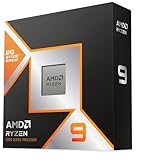
| Ryzen 5 9600X | Balanced new gaming PC | 6 / 12 | Usually $220–$300 | AM5; basic integrated graphics; plan for a separate cooler |
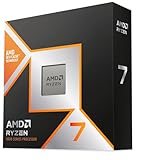
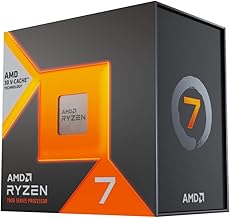
| Ryzen 7 7800X3D | High gaming performance at a discount | 8 / 16 | Usually $300–$450 | AM5; 3D V-Cache; value depends on current pricing |
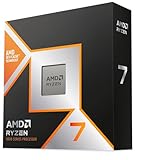
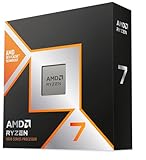
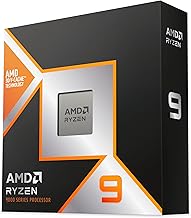
| Ryzen 7 9800X3D | Top-tier gaming and high refresh rates | 8 / 16 | Usually $450–$600 | AM5; 3D V-Cache; budget for a capable cooler |
Prices are broad market ranges, not fixed quotes; sales, region, and whether a chip is boxed or tray can shift the total. Check the specific package contents before buying a cooler.
Choose by total build cost, not CPU price alone
Best budget choice: Ryzen 5 7500F or Ryzen 5 7600
The six-core Ryzen 5 7500F is a strong starting point when it is available at a clear discount and your PC will always have a dedicated graphics card. It lacks integrated graphics, so you cannot use the motherboard’s display outputs for gaming—or as a simple troubleshooting display if the graphics card fails. The Ryzen 5 7600 costs more but includes basic integrated graphics, which is useful for diagnosis and light desktop tasks. Neither chip needs an expensive motherboard to make sense.
These are sensible matches for entry-level and midrange graphics cards, including builds aimed at 1080p or 1440p. If the 7600 is only slightly more expensive than the 7500F, the fallback graphics can be worth the difference. If that extra money would let you buy a meaningfully faster GPU, choose based on the graphics upgrade instead.
Best balanced pick: Ryzen 5 9600X
The Ryzen 5 9600X is the straightforward choice for a new AM5 gaming PC when you want modern single-threaded performance without paying for an eight-core gaming specialist. It is a good fit for high-refresh 1080p, general 1440p gaming, and mixed gaming and everyday work. Its six cores are enough for most games; moving to eight cores is not automatically a frame-rate upgrade.
Account for the cooler in the build budget. A quality tower air cooler is usually sufficient for a gaming-focused system, provided the case has reasonable airflow. A premium liquid cooler is optional, not a requirement. If the 9600X and 7800X3D are similarly priced, the latter can deliver better results in games that benefit from its extra cache—but the 9600X may still be the more balanced purchase for non-gaming workloads.
Best gaming upgrade: Ryzen 7 7800X3D
The Ryzen 7 7800X3D remains worth considering when its price is well below the 9800X3D. Its 3D V-Cache can improve performance in CPU-limited games, particularly at high frame rates. That advantage varies by game and graphics settings; it shrinks when the GPU is the bottleneck. For a new build, compare the full platform price with a 9600X system rather than paying extra simply because the 7800X3D has more cores.
It is also an especially useful upgrade for an existing AM5 owner. If the motherboard supports the processor with an appropriate BIOS update, replacing the CPU may be cheaper than buying a new motherboard and memory for another platform. Confirm the board’s CPU support list and update instructions first.
Best high-end gaming pick: Ryzen 7 9800X3D
Choose the Ryzen 7 9800X3D when you are pairing a powerful graphics card with a high-refresh monitor and want to prioritize CPU-limited performance. It is a premium gaming CPU, not a necessary purchase for every 1440p or 4K setup. If your typical games are already GPU-limited, putting the price difference toward a faster graphics card, more storage, or a better monitor can improve the experience more.
A practical decision matrix
| Your situation | Starting choice | Why |
|---|---|---|
| Cheapest AM5 system; dedicated GPU already planned | Ryzen 5 7500F | Six cores keep the CPU cost low; no integrated graphics means a GPU is essential |
| Budget gaming PC; want basic display troubleshooting | Ryzen 5 7600 | Integrated graphics provide a fallback if the discrete GPU is removed or fails |
| New midrange build for 1080p or 1440p | Ryzen 5 9600X | Good balance without paying for a gaming-focused premium chip |
| Already on AM5; want a substantial gaming upgrade | Ryzen 7 7800X3D or 9800X3D | Reuse the board and DDR5 if compatible; check BIOS support first |
| Fast GPU, 240Hz-plus display, CPU-limited games | Ryzen 7 9800X3D | Extra CPU headroom is more useful when the GPU can render very high frame rates |
| Mostly 4K gaming on a midrange GPU | Ryzen 5 7600 or 9600X | At high resolution, GPU limits often make a costly CPU upgrade poor value |
Budget for the whole AM5 platform
AM5 uses DDR5 memory, so an older DDR4 kit from an AM4 PC cannot be carried over. A new build needs a compatible AM5 motherboard and DDR5 RAM as well as the processor. For a gaming system, a 32GB kit—typically two 16GB modules—is a practical target. A mainstream B650 or B850 board is usually enough for these CPUs; spend more only for features you will use, such as additional high-speed storage slots or particular connectivity.
AM5 has a useful upgrade path: a compatible board may support later AM5 processors, but support depends on the exact model and BIOS. Do not assume every board supports every CPU out of the box. For an existing AM4 system, the calculation changes: a Ryzen 7 5700X3D can be a cost-effective drop-in gaming upgrade if your motherboard supports it, since it may let you keep DDR4 and avoid a platform replacement.
Check power and cooling before you buy
The Ryzen 5 7500F, 7600, and 9600X are 65W-class processors; the 7800X3D and 9800X3D are 120W-class. Those figures describe processor power classes, not the wattage you should choose for the entire PC. A graphics card can draw much more power than the CPU, so size the power supply around the GPU and the complete system, following the GPU maker’s recommendation. A reputable 650W supply is a common starting point for a modest single-GPU build; powerful graphics cards may call for 750W, 850W, or more.
For an air-cooled gaming PC, use a quality tower cooler for the 9600X and X3D models, and check that its height fits the case. Good case airflow matters: use an unobstructed front intake and rear or top exhaust rather than relying on a high-end cooler in a poorly ventilated case. The 7600’s boxed cooler can reduce initial cost, though an aftermarket cooler may run quieter.
How to make the final choice
- Set the resolution and refresh rate first. A 1080p, 240Hz target puts more emphasis on CPU performance than 4K at 60Hz.
- Choose the GPU tier next. Avoid buying a flagship CPU alongside a graphics card that cannot take advantage of it in your games.
- Compare complete platform totals: CPU, motherboard, DDR5 memory, and cooler—not just the processor’s sticker price.
- For an existing AM5 PC, check motherboard CPU support and BIOS requirements before ordering an upgrade.
- If two CPUs are close in gaming performance for your resolution, choose the cheaper platform or put the savings toward the GPU.
For most new builds, the Ryzen 5 9600X is the balanced pick; the Ryzen 5 7600 is the budget-friendly alternative, and the Ryzen 7 9800X3D is for buyers who can make use of top-tier gaming performance. The Ryzen 7 7800X3D is the value play when its price is meaningfully lower, while an AM4 owner should compare an AM4-compatible upgrade against the cost of replacing the whole platform.