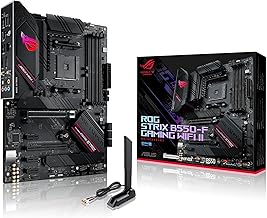
Our Top Picks
 ASRock X670E Taichi Carrara Support AMD AM5 RYZEN13.2 x 14.84 x 5.12 inches4.4 PoundsCheck on Amazon
Buying a board for the Ryzen 9 7950X3D is less about chipset prestige than about avoiding three traps: the wrong memory type, a BIOS too old to recognise the chip, and a cramped layout that chokes a 16-core processor. Every AM5 board takes DDR5 only, and the 7950X3D runs fine on B650 hardware, so the best value is a solid B650E or B650 ATX board with a real VRM heatsink. If you want more slots and USB4, the ASRock X870E Taichi Lite and MSI MAG X670E Tomahawk sit higher. Below are nine AM5 listings, from a Mini-ITX board to an EATX flagship, with the claims in each title separated from what you must still check.
The shortlist

ASUS B650E MAX Gaming WiFi W – AMD B650 AM5 ATX Motherboard, White PCB, DDR5, PCIe 5.0, 3X M.2, Wi-Fi 6E, 2.5Gb LAN, USB 10Gbps Type-C, DisplayPort, HDMI™, BIOS Flashback™, Aura Sync, Advanced AI PC
One of the home product options compared in this guide.
View on Amazon
GIGABYTE B650 AORUS Elite AX AMD AM5 ATX Motherboard, Support Ryzen 9000/8000/7000 Series, DDR5, 14+2+1 Power Phase, PCIe 5.0 M.2, USB-C 3.2 Gen 2, WIFI6E, 2.5GbE, EZ-Latch, Q-Flash, RGB Fusion
One of the home product options compared in this guide.
View on Amazon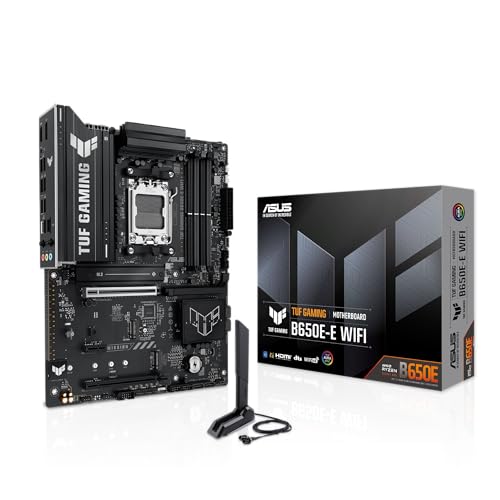
ASUS TUF GAMING B650E-E WIFI AMD AM5 B650 ATX motherboard, 8+2+1 80A DrMOS stage, DDR5, PCIe 5.0 Ready, 3x M.2, Wi-Fi 6E, 2.5 Gb LAN, DisplayPort, HDMI™, USB 20Gbps Type-C®, BIOS FlashBack™, Aura Sync
One of the home product options compared in this guide.
View on AmazonASRock X670E Taichi Carrara Support AMD AM5 RYZEN 7000 Series Processors Motherboard
One of the home product options compared in this guide.
View on Amazon
ASRock AMD X870E Taichi Lite Ryzen Socket AM5 DDR5 DIMMs 8200 256 GB X870 EATX Motherboard 5G LAN M.2 USB4 WiFi7
One of the home product options compared in this guide.
View on Amazon
GIGABYTE B650E Eagle WIFI6E AMD AM5 ATX Motherboard, Supports Ryzen 9000/8000/7000 Series, DDR5, 8+2+2 Power Phase, 3X M.2, PCIe 5.0, USB-C 3.2 Gen 1, Wi-Fi 6E, 2.5GbE, Q-Flash, EZ-Latch, RGB Fusion
One of the home product options compared in this guide.
View on Amazon
GIGABYTE B650 Eagle AX AM5 LGA 1718 ATX Motherboard, DDR5, Triple M.2 Slots (1x PCIe 5.0, 2X PCIe 4.0), USB 3.2 Gen2x2 Type-C, WiFi 6E, Realtek GbE LAN
One of the home product options compared in this guide.
View on Amazon
MSI MAG X670E Tomahawk WiFi Gaming Motherboard (AMD Ryzen 9000/8000/7000 Series Processors, AM5, DDR5, PCIe 5.0, SATA 6Gb/s, M.2, USB 3.2 Gen 2, Wi-Fi 6E, Bluetooth 5.3, 2.5Gbps LAN, HDMI/DP, ATX)
One of the home product options compared in this guide.
View on Amazon
ASRock B650I Lightning WiFi AMD AM5 Mini-ITX Motherboard, Supports AMD Ryzen 9000/8000/7000 Series Processors, DDR5 7200+ (OC), PCIe 5.0 M.2, 2.5G LAN, WiFi 6E, 8+2+1 Power Phase
One of the home product options compared in this guide.
View on Amazon- GIGABYTE B650 AORUS Elite AX – best balanced pick, with 14+2+1 power phase claim
- ASUS TUF GAMING B650E-E WIFI – best for BIOS Flashback and 80A power stages
- GIGABYTE B650E Eagle WIFI6E – best lower-cost B650E with 3 M.2 slots
- GIGABYTE B650 Eagle AX – budget option, but check the Ryzen generation support
- ASUS B650E MAX Gaming WiFi W – best for a white-themed build
- MSI MAG X670E Tomahawk WiFi – best X670E for mainstream use
- ASRock X870E Taichi Lite – best for USB4 and Wi-Fi 7 claims
- ASRock X670E Taichi Carrara – premium option with a sparse title
- ASRock B650I Lightning WiFi – best small-form-factor pick
Side-by-side table
| Model | Chipset and socket | Form factor | Key point from title | Best for |
|---|---|---|---|---|
| GIGABYTE B650 AORUS Elite AX | B650, AM5 | ATX | 14+2+1 power phase, Wi-Fi 6E | All-round build |
| ASUS TUF GAMING B650E-E WIFI | B650 (E in name), AM5 | ATX | 8+2+1 80A DrMOS, 3x M.2 | Flashback updates |
| GIGABYTE B650E Eagle WIFI6E | B650E, AM5 | ATX | 8+2+2 power phase, 3x M.2 | Value B650E |
| GIGABYTE B650 Eagle AX | B650, AM5 (LGA 1718) | ATX | 3 M.2 (1 PCIe 5.0, 2 PCIe 4.0) | Budget |
| ASUS B650E MAX Gaming WiFi W | B650 per title, AM5 | ATX | White PCB, 3x M.2, Flashback | White builds |
| MSI MAG X670E Tomahawk WiFi | X670E, AM5 | ATX | Ryzen 9000/8000/7000, BT 5.3 | Mainstream X670E |
| ASRock X870E Taichi Lite | X870E, AM5 | EATX | USB4, Wi-Fi 7, 5G LAN | High-end features |
| ASRock X670E Taichi Carrara | X670E, AM5 | Check the listing | Ryzen 7000 support only stated | Premium |
| ASRock B650I Lightning WiFi | B650, AM5 | Mini-ITX | 8+2+1 power phase, DDR5 7200+ (OC) | Compact builds |
Board-by-board notes
GIGABYTE B650 AORUS Elite AX
The title lists Ryzen 9000, 8000 and 7000 support, DDR5, a 14+2+1 power phase layout, PCIe 5.0 M.2, a USB-C 3.2 Gen 2 port, Wi-Fi 6E, 2.5GbE, EZ-Latch, Q-Flash and RGB Fusion on a full ATX board. The power phase count is the highest of the ATX boards in this group, though a phase count describes layout and not quality. For a 120W chip like the 7950X3D, a stronger VRM gives you cooler operation under long gaming or rendering sessions. The Q-Flash tool is Gigabyte’s BIOS update utility, and EZ-Latch is a tool-free release for the graphics slot and M.2 covers. Wi-Fi 6E only benefits you if your router supports the 6 GHz band, so wired Ethernet remains the safe default for a desktop. Because the title mentions a PCIe 5.0 M.2 slot but not the other slots, confirm the full drive layout in the manual.
- Pros: broad Ryzen support named in the title; strong power phase claim; Wi-Fi 6E and 2.5GbE.
- Cons: only a single PCIe 5.0 M.2 mentioned; check the listing for how many M.2 slots there are in total.
Who it’s for: most 7950X3D buyers. Who should skip it: anyone who wants a white board or USB4.
ASUS TUF GAMING B650E-E WIFI
The title shows AM5, B650, ATX, an 8+2+1 80A DrMOS stage, DDR5, PCIe 5.0 Ready, three M.2 slots, Wi-Fi 6E, 2.5 Gb LAN, DisplayPort, HDMI, a 20Gbps USB Type-C port and BIOS FlashBack. The amp rating is more informative than a bare phase count, and the Flashback button is a real help when a board arrives with older firmware. The name implies B650E while the text says B650, so confirm the chipset on the manufacturer page. The 80A figure describes the power stage rating, not what the 7950X3D will draw, which is far lower. The 20Gbps Type-C port is a useful extra for a fast external drive, while three M.2 slots give room for a main drive plus extras. The TUF line is usually positioned as a durable mid-range family, but treat that as brand positioning rather than a measured fact.
- Pros: BIOS FlashBack; 80A power stage claim; fast front or rear Type-C port.
- Cons: chipset wording is ambiguous; Ryzen generations are not listed in the title.
Who it’s for: builders who value easy firmware updates. Who should skip it: buyers who want the CPU support list stated in the listing.
GIGABYTE B650E Eagle WIFI6E
This board lists Ryzen 9000, 8000 and 7000 support, DDR5, an 8+2+2 power phase layout, three M.2 slots, PCIe 5.0, USB-C 3.2 Gen 1, Wi-Fi 6E, 2.5GbE, Q-Flash and EZ-Latch. It targets the middle of the market: you get the E-tier PCIe 5.0 emphasis without the extra cost of an X670E board. The USB-C port is a Gen 1 type, which is slower than the Type-C ports on some rivals. If you only use a keyboard, headset and mouse, that difference will not matter. The phase layout is written as 8+2+2, which suggests a different arrangement from the Elite, but the title gives no heatsink information. Look at product photos for VRM and chipset cooling before you pick it for a long rendering or compiling workload.
- Pros: clear Ryzen support; three M.2 slots; Wi-Fi 6E included.
- Cons: slower Type-C spec; a lower phase claim than the AORUS Elite.
Who it’s for: value-focused buyers. Who should skip it: those who want faster front-panel ports.
GIGABYTE B650 Eagle AX
This listing is the odd one: it says AM5 and LGA 1718 (the AM5 socket pin count), ATX, DDR5, triple M.2 with one PCIe 5.0 and two PCIe 4.0, a USB 3.2 Gen2x2 Type-C port, Wi-Fi 6E and Realtek GbE. The title does not name Ryzen generations or a power phase layout, so verify both before you buy. Treat it as a close relative of the B650E Eagle above rather than a completely different design. The M.2 breakdown, one PCIe 5.0 and two PCIe 4.0, is actually helpful: it tells you exactly which slot to use for your fastest drive. Realtek GbE is perfectly adequate for gaming, though it is a step behind the 2.5GbE ports on most rivals. Most buyers should read the manufacturer’s CPU support page before choosing this one.
- Pros: clear M.2 breakdown; fast Gen2x2 Type-C; Wi-Fi 6E.
- Cons: Ryzen support not stated; no VRM detail; Realtek GbE rather than 2.5GbE.
Who it’s for: budget buyers who check the specification page. Who should skip it: anyone who wants guaranteed CPU support from the title.
ASUS B650E MAX Gaming WiFi W
The title says AMD B650 AM5 ATX, white PCB, DDR5, PCIe 5.0, 3X M.2, Wi-Fi 6E, 2.5Gb LAN, a 10Gbps Type-C port, DisplayPort, HDMI, BIOS Flashback and Aura Sync, plus “Advanced AI PC” marketing. As with the TUF model, the product name suggests B650E while the text says B650, so check before assuming PCIe 5.0 graphics support. The white PCB is the main reason to pick it. BIOS Flashback gives you a way to update firmware without a processor, which suits anyone worried about old stock. Three M.2 slots and a 10Gbps Type-C port are good for a mid-range board, and DisplayPort plus HDMI are useful if you use the integrated graphics while waiting for a graphics card. The title carries a lot of marketing wording, so rely on the manufacturer page for the specifics.
- Pros: white theme; BIOS Flashback; three M.2 slots.
- Cons: chipset naming is unclear; Ryzen generations are not listed.
Who it’s for: white-themed builds. Who should skip it: buyers who care about a stated CPU list.
MSI MAG X670E Tomahawk WiFi
The title names Ryzen 9000, 8000 and 7000 support, AM5, DDR5, PCIe 5.0, SATA 6Gb/s, M.2, USB 3.2 Gen 2, Wi-Fi 6E, Bluetooth 5.3, 2.5Gbps LAN, HDMI/DP and an ATX form. X670E is an upper-tier chipset, so it generally brings more lanes and ports than B650, though the title does not list M.2 counts. It suits people who want room to add storage and cards over time. The Tomahawk name is MSI’s mid-range gaming line, and the title gives no VRM numbers, so look at the product images for heatsink size. Bluetooth 5.3 and Wi-Fi 6E cover wireless needs. Because the title does not state the M.2 count, confirm it on the manufacturer page if you plan on more than two drives. It also names Ryzen 9000 support, so it can serve a later upgrade.
- Pros: X670E headroom; clear CPU support; Bluetooth 5.3.
- Cons: no VRM numbers in the title; costs more than the B650 boards above.
Who it’s for: long-term, expandable builds. Who should skip it: buyers who will only use one drive.
ASRock X870E Taichi Lite
The most feature-heavy board in the group. The title lists AMD X870E, AM5, DDR5 up to 8200 and 256 GB, EATX, 5G LAN, M.2, USB4 and Wi-Fi 7. X870 boards are required to offer USB4, which fits the listing. The EATX size needs a case that explicitly supports it, which many mid-towers do not. The title lists 256 GB and DDR5 8200, which are headline ceilings: they show what the board is designed to allow, not what you should buy. A normal 32 GB or 64 GB kit with an EXPO profile suits the 7950X3D far better. The 5G LAN claim is rare and only helps if your network can use it. The Lite name implies it is a trimmed version of a higher Taichi model, so check what was removed.
- Pros: USB4 and Wi-Fi 7; 5G LAN; high memory capacity claim.
- Cons: EATX case demands; memory speed is an overclock claim; premium cost.
Who it’s for: enthusiasts building in a large case. Who should skip it: anyone in a standard ATX chassis.
ASRock X670E Taichi Carrara
The title is short: it supports AMD AM5 Ryzen 7000 series processors, which includes the 7950X3D. No memory, M.2, size or phase details appear, so treat the listing as incomplete. A Taichi-tier board is normally positioned as a premium product, but that is a brand-level observation and not a spec. Compare the manufacturer page before you spend. The Carrara name usually refers to a marble-styled design, which tells you about looks and not about performance. Because the title only names Ryzen 7000, check whether the shipped BIOS and later updates support the 9000 series if you want an upgrade path. For a buyer who already knows the Taichi layout this is fine, but a newcomer is better served by a listing that spells out the details.
- Pros: Ryzen 7000 named; X670E tier.
- Cons: missing detail; later CPU generations are not named; premium-level cost.
Who it’s for: buyers who already know the model. Who should skip it: anyone who wants the listing to be informative.
ASRock B650I Lightning WiFi
This is the compact option: AM5, Mini-ITX, Ryzen 9000, 8000 and 7000 support, DDR5 7200+ (OC), PCIe 5.0 M.2, 2.5G LAN, Wi-Fi 6E and 8+2+1 power phase. Mini-ITX means two memory slots and limited expansion, but it also lets you build a small, quiet-looking system. The 8+2+1 power phase claim is a layout statement, and a 16-core chip with 3D V-Cache still needs a case with strong airflow across a small VRM. PCIe 5.0 M.2 is listed, but the title does not state the number of slots, so confirm that too. Check cooler height limits in your case, since compact cases often restrict both cooler and graphics card size.
- Pros: small form factor; clear CPU support; Wi-Fi 6E.
- Cons: fewer slots and ports; tighter VRM and cooler space.
Who it’s for: small-case builders. Who should skip it: anyone planning multiple drives.
How these were chosen
We worked from the product titles, published specifications, manufacturer documentation and buyer reviews as sources, and we mark seller claims as claims. Nobody on the team used or measured these units. Every board is AM5 and DDR5, and we kept a range of sizes and chipsets so the list helps different cases and budgets. Titles that left out CPU support or other details are flagged, and we did not fill gaps from memory, because an invented spec is worse than a blank one. Prices change quickly, so we compare boards by tier and feature rather than by figures.
What the 7950X3D asks of a board
Why AM5 and DDR5 are fixed
The 7950X3D is a 16-core, 32-thread processor with 3D V-Cache on one of its two chiplets, rated at a 120W default TDP. It uses the AM5 socket, which is DDR5-only, so none of the boards here support DDR4. Memory with an EXPO profile is the easiest route; enable it in the BIOS and leave extreme speeds alone. After the first boot, memory training can take several minutes, so do not assume the board is dead if the screen stays blank at first. A useful memory population table: with two sticks, use slots A2 and B2; with four sticks, all slots fill but stability and speed may drop on any AM5 board, so a two-stick kit is the safer choice for most 7950X3D builds.
Dual-chiplet behaviour and drivers
The 7950X3D has one chiplet with extra cache and one that clocks higher. For the system to place games on the right chiplet, install the current AMD chipset driver, keep Windows up to date and make sure the BIOS is current. Board choice influences this less than the software stack, but older firmware can cause odd behaviour, which is another reason to update the BIOS before installing your operating system. Early BIOS versions for X3D chips on AM5 were updated to address voltage settings, so a current BIOS is a safety measure as well as a performance one. Install the chipset driver straight after Windows, then check that games launch normally before you change any settings.
VRM and cooling
A 120W chip is not extreme, so the 8+2+1 and 8+2+2 boards can handle it. The deciding factor is the heatsink and the airflow across it. A 16-core chip under all-core loads, such as rendering, will stress a thin VRM more than a gaming session. Pair it with a capable cooler: our 360mm AIO cooler guide for Ryzen 9 covers the options, but check clearance around the socket first, particularly on the Mini-ITX board. If you are adding storage, make sure M.2 heatsinks do not block the graphics card, since some boards place a slot directly below the first PCIe slot.
PCIe and M.2 layout
An example of how lanes get shared: a typical AM5 chip provides lanes for one graphics card, one or two CPU-attached M.2 drives and the chipset link. Higher-tier X670E and X870E boards add more chipset-attached slots and USB ports. Boards labelled E typically provide PCIe 5.0 for the graphics slot as well as an M.2 slot, while plain B650 usually reserves PCIe 5.0 for storage only. Treat this as a general pattern and confirm the lane diagram in each manual. A worked example: you install a graphics card in the top slot, a fast NVMe drive in the CPU-attached M.2 slot and a second drive in a chipset-attached slot. On many boards that arrangement keeps the graphics card at full width, while filling every M.2 slot can switch off some SATA ports or share bandwidth. The manual’s lane-sharing note tells you which combination costs you something, so read it before you plan your drive layout.
First-boot checklist for a new CPU and board
- Check the manufacturer CPU support list for the exact board and Ryzen model.
- Look for a BIOS Flashback button if the board might ship with old firmware.
- Update the BIOS on stable power and never interrupt it.
- Seat memory in slots A2 and B2 when you use two sticks.
- Install the AMD chipset driver before you start gaming.
Mistakes that cost buyers time
The first is buying DDR4 memory for an AM5 build; it will not fit. The second is assuming the chipset in the product name matches the chipset in the title, as with the ASUS B650E boards, so check the manufacturer page. The third is overspending on X870E when the chip would run the same on B650. The fourth is ignoring case fit: the EATX Taichi Lite needs a large case, and the Mini-ITX board needs a small one. The fifth is skipping the BIOS update. The sixth is touching the socket without grounding yourself, and static can damage parts. A seventh is trusting memory speed headlines: 7200 or 8200 in a title is a ceiling that needs luck and tuning, while a stable kit at a mainstream speed gives the 7950X3D what it needs. Finally, remember that bundles or open-box boards may carry older firmware, so plan for a flash before you rely on the PC.
Bottom line
The GIGABYTE B650 AORUS Elite AX is the safest all-round recommendation: it names broad Ryzen support and claims the strongest power phase layout among the ATX boards. For easy firmware updates choose the ASUS TUF GAMING B650E-E, and for small builds the ASRock B650I Lightning. Enthusiasts with a large case can look at the ASRock X870E Taichi Lite. If you want to look ahead, our Ryzen 9 9950X3D page compares the next chip in the family. Whichever board you choose, update the BIOS before you install the operating system.
Related guides
- Gaming Chairs For Tall People Over 6 Foot 3
- How To Install A Motherboard In A Pc Case
- Does Motherboard Audio Quality Matter
Frequently asked questions
Does the Ryzen 9 7950X3D need an X670E or X870E board?
No. The 7950X3D works on any AM5 board that supports it, including B650 and B650E models. The chip is rated at 120W and does not require extreme power delivery, so a mid-range board with a solid VRM heatsink is enough. Pricier chipsets add PCIe lanes, USB4 and extra M.2 slots, which only matter if you will use them.
Which memory suits a 7950X3D board?
AM5 supports only DDR5, so every board here takes DDR5 and nothing else. Choose a mainstream kit with an EXPO profile and enable it in the BIOS. Very high speeds listed in some titles are overclock claims, and the 7950X3D usually gains little from extreme memory speeds compared with a stable mid-speed kit, so prioritise stability.
Do these boards need a BIOS update for the 7950X3D?
Boards that list Ryzen 7000 support in the title should handle the chip. Newer boards that list 9000, 8000 and 7000 series support usually ship with relevant firmware, but it is wise to check the manufacturer page. A BIOS Flashback button, which appears in the ASUS listings, can update the board without a processor installed.
Is a Mini-ITX board a good choice for the 7950X3D?
It can work, but small boards squeeze power delivery and cooling into less space. The ASRock B650I Lightning lists an 8+2+1 power phase layout, and a 16-core chip with 3D V-Cache still needs good airflow. Pick a small case with room for a capable cooler, and expect fewer M.2 slots and fewer expansion options than on ATX boards.
Is the Ryzen 9 9950X3D a better reason to buy one of these boards?
Several boards in this list name Ryzen 9000 support, so they may also accept a later 9000-series upgrade. That is a bonus, not a guarantee, because compatibility depends on the BIOS version. If you plan to move up, choose a board whose listing names 9000-series support and check the manufacturer CPU list before buying.