Key takeaways
- “4K” appears in the title, but the listing does not state whether it means input, capture, or passthrough.
- No refresh-rate information is provided for 1080p, 1440p, or 4K.
- HDR, VRR, audio, or HDCP behavior is not explained.
- The device uses USB 2.0 despite promising high-resolution, high-frame-rate capture.
- Ports feel loose, the enclosure has no ventilation, or the card becomes too hot to comfortably touch.
- The manufacturer does not provide a manual, driver page, firmware information, warranty terms, or a clear return policy.
- Reviews repeatedly mention black screens, dropped frames, audio desynchronization, or resolution changes after reboot.
A capture card can look like a simple box between a console and a computer, but its passthrough determines how your games feel on the display you actually play on. Many buyers focus on the advertised “4K” label, then discover that the card captures at a lower resolution, adds noticeable delay, drops HDR, or cannot pass through the refresh rate their monitor requires.
The most common mistake is confusing capture quality with passthrough quality. Capture is what the computer receives for recording or streaming. Passthrough is the signal sent onward to your gaming TV or monitor. A card may capture 1080p video while passing through 4K at 60Hz, or it may accept a 4K input but limit passthrough to 60Hz. Before comparing models, decide what your console, display, and streaming computer each need.
Our top picks
 Elgato 4K S Capture Card for PS5
- 4K60 Capture: Record in cinematic quality with crisp…
- HFR Support: Play and capture in 1440p120 or…
- HDR10 Support: Capture brilliant HDR content with tone…
 Capture Card
- 【1080P HD High Quality】Capture resolution up to 1080p…
- 【Plug and Play】No driver or external power supply…
- 【Compatible with Multiple Systems】suitable for Windows and Mac…
 XIIXMASK USB 3.0 HDMI Capture Card
- 【4K60FPS Capture & Passthrough】Supports up to 4K60FPS video…
- 【1080P 120FPS High Frame Rate】Handles high-frame-rate input and…
- 【Plug & Play with Broad Compatibility】Easy setup without…
| Product | Key specs | |
|---|---|---|
| Elgato 4K S Capture Card for PS5 | 4K60 Capture: Record in cinematic quality with crisp… HFR Support: Play and capture in 1440p120 or… HDR10 Support: Capture brilliant HDR content with tone… | Check price |
| Capture Card | 【1080P HD High Quality】Capture resolution up to 1080p… 【Plug and Play】No driver or external power supply… 【Compatible with Multiple Systems】suitable for Windows and Mac… | Check price |
| XIIXMASK USB 3.0 HDMI Capture Card | 【4K60FPS Capture & Passthrough】Supports up to 4K60FPS video… 【1080P 120FPS High Frame Rate】Handles high-frame-rate input and… 【Plug & Play with Broad Compatibility】Easy setup without… | Check price |
 AVerMedia Capture Card for Streaming AVerMedia Capture Card for Streaming | 4K60 HDR Pass-Through and 1080p60 Capture: Play on… High-Refresh, Ultra-Low-Latency Gameplay: HDMI 2.0 pass-through supports up… Broad Console and Camera Compatibility: Capture HDMI video… | Check price |
As an Amazon Associate we earn from qualifying purchases at no extra cost to you.
Decide These 3 Things First
- Your source signal: Check whether your PS5, Xbox Series X/S, Switch 2, camera, or PC outputs 1080p, 1440p, or 4K. Also note the refresh rate: 60Hz, 120Hz, or higher.
- Your gaming display: A 4K 120Hz television needs a passthrough path that can handle 4K at 120Hz if you want to play at that setting. A card limited to 4K60 may force you to choose between resolution and smoothness.
- Your stream target: Decide whether you need 1080p60, 1440p60, or 4K recording. Most livestream platforms and typical home internet connections make 1080p60 the practical target, even when the passthrough signal is 4K.
Once those choices are clear, evaluate the following factors in order. Passthrough compatibility should come before appearance, brand name, or a low sticker price.
Size and Port Layout
Most external USB capture cards measure roughly 3 to 6 inches long, 2 to 4 inches wide, and less than 1.5 inches thick. Compact units are easier to place beside a laptop or console, but an unusually small enclosure may leave little room for cooling or full-size ports.
Look for a layout that keeps HDMI and USB cables from colliding. A front-facing USB-C or USB 3.0 port is convenient for a laptop, while rear-facing HDMI input and output ports create a tidier console setup. Allow at least 3 inches of clearance around the card, especially if it becomes warm during long sessions. A card weighing about 4 to 10 ounces is generally easy to secure, but very lightweight models can be pulled off a desk by stiff HDMI cables.
For a living-room setup, port placement matters more than the smallest dimensions. A slightly larger card with clearly labeled input, output, USB, and audio ports is less likely to be connected backward in a dark entertainment center.
Material and Heat Management
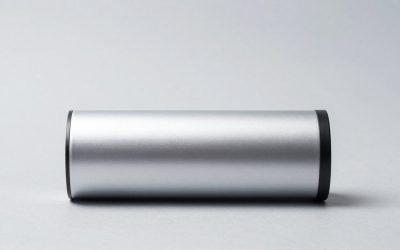
Aluminum or aluminum-panel enclosures are preferable to thin, flexible plastic because they usually feel more rigid and can help spread heat. Plastic is not automatically a problem, particularly for a basic 1080p60 card, but inspect the vent openings and connector fit.
Passthrough itself does not require the same processing power as encoding, yet 4K60 HDR operation can make a capture card warm. Choose a model with ventilation on the top or sides rather than one that seals the electronics in a completely smooth shell. Do not place it on carpet, inside a closed drawer, or directly on top of a hot console.
For a card used four or more hours at a time, a metal shell, firm rubber feet, and visible ventilation are worthwhile. Avoid covering the card with a controller, notebook, or cable bundle. Heat-related instability can appear as intermittent black screens rather than an obvious overheating warning.
Construction and Connection Quality
Construction quality shows up in the details: ports should sit squarely in the enclosure, the case should not flex when a cable is inserted, and the status light should be visible without being painfully bright. Rubber feet or a grippy bottom help prevent HDMI strain from moving the unit.
Check the connection standard as carefully as the resolution. A card marketed for 4K60 passthrough should identify compatible HDMI bandwidth, HDR support, and the actual capture output. HDMI 2.0-class equipment is commonly associated with 4K at 60Hz, while 4K at 120Hz generally requires a newer, higher-bandwidth path. If a listing says only “4K compatible” without specifying refresh rate, HDR, or passthrough, treat that as incomplete information.
USB also matters. A USB 3.0 or USB 3.2 connection is usually appropriate for 1080p60 capture and many 4K workflows. A card that uses USB 2.0 may work for basic video but can restrict frame rate, resolution, or color detail. Use the included cable when possible, and avoid long or poorly made USB extensions.
Comfort and Performance: Latency, HDR, and Refresh Rate
For passthrough, the key performance goal is that you play from the HDMI output rather than from the preview window in OBS or another app. A preview can introduce delay; the direct passthrough display is intended to keep gameplay responsive.
Look for explicit support for the signal you use, such as 1080p120, 1440p120, or 4K120. If you play competitive games at 120Hz, a 4K60 passthrough card may still be suitable only if you are comfortable switching the console to 60Hz. Do not assume that a card advertised as “4K capture” can pass through 4K at 120Hz.
HDR passthrough is another separate specification. A card may allow an HDR signal to reach the TV while sending an SDR feed to the streaming computer, or it may strip HDR entirely. Look for wording that distinguishes HDR passthrough from HDR capture. Also check whether variable refresh rate, ALLM, or HDCP compatibility is addressed. Protected video from streaming services is generally not intended for capture, while game consoles used for streaming may require HDCP to be disabled in their settings.
For most creators, 1080p60 capture is sufficient. It produces smooth motion without demanding as much storage, processing power, or upload bandwidth as 4K. The Elgato 4K S, priced around $146.99 in the example lineup, is aimed at buyers who want a more feature-rich console setup. Lower-cost options, including a generic 1080p60 USB 3.0 model around $25.89, may suit occasional streaming but deserve closer inspection of passthrough and driver details.
Price Tiers and What You Actually Get
Budget, about $20 to $45: These cards can be practical for 1080p60 streaming, video calls, and casual recording. The generic $25.89 model and XIIXMASK model listed around $39.99 fall in this range. Expect basic plastic construction, limited software support, and less certainty around HDR, 120Hz, and firmware updates. Buy based on clearly stated specifications, not a “4K” label alone.
Midrange, about $60 to $110: This is often the best value for console streamers. A model such as the AVerMedia StreamLine MINI+ GC311G2, listed around $79.99, may offer clearer support for 4K60 HDR passthrough and 1080p60 recording. You are more likely to get better documentation, stable drivers, and a recognizable support channel.
Premium, about $120 to $200 or more: Premium cards may add higher-bandwidth passthrough, broader HDR support, better audio handling, dedicated software, or more dependable firmware. The $146.99 Elgato example fits this category. Pay extra only when those features match your display and source; a premium card will not improve a 1080p60 console signal by itself.
Warranty and Software Support
A capture card is partly a hardware purchase and partly a compatibility purchase. Before buying, confirm the warranty period, return window, operating-system support, and whether the manufacturer provides firmware updates. A one-year warranty is a useful baseline; a shorter warranty deserves a meaningful price advantage.
Check compatibility with OBS, Windows, macOS, and your preferred audio setup. Many UVC-compliant cards work without proprietary software, which can be an advantage. However, firmware tools may be necessary for HDR, high refresh rates, or audio fixes. Read the support documentation for your exact model rather than relying on reviews of an older revision with a similar name.
Delivery, Accessories, and Setup
Inspect what is included: a USB cable, HDMI cable, quick-start guide, and any required power adapter. A capture card that needs a separate USB-C power supply may be less convenient than a bus-powered model, but a dedicated power input can improve stability in some setups.
Allow at least 15 minutes for a basic installation and 30 to 60 minutes if you need to configure HDR, audio, or console resolution settings. The normal signal path is console HDMI out to capture HDMI in, capture HDMI out to TV or monitor, and capture USB to the computer. Keep the HDMI cables short where practical—about 3 to 6 feet is convenient—and label both ends if the setup is behind furniture.
Spec Checklist
| Spec | Budget | Mid | Premium |
|---|---|---|---|
| Typical price | $20–$45 | $60–$110 | $120–$200+ |
| Common capture target | 1080p60 | 1080p60; some 4K recording | 1080p60 to 4K, depending on model |
| Passthrough target | 1080p60; verify 120Hz | 4K60; some 120Hz support | 4K60 or 4K120 on compatible models |
| Connection | USB 3.0 preferred | USB 3.0 or USB-C | USB 3.0/3.2; sometimes dedicated power |
| Enclosure | Plastic, roughly 3–5 oz | Plastic or metal, roughly 4–8 oz | Metal or reinforced shell, roughly 6–12 oz |
| Best for | Casual streaming and calls | Regular console streaming | HDR, high refresh, and multi-device setups |
Red Flags
- “4K” appears in the title, but the listing does not state whether it means input, capture, or passthrough.
- No refresh-rate information is provided for 1080p, 1440p, or 4K.
- HDR, VRR, audio, or HDCP behavior is not explained.
- The device uses USB 2.0 despite promising high-resolution, high-frame-rate capture.
- Ports feel loose, the enclosure has no ventilation, or the card becomes too hot to comfortably touch.
- The manufacturer does not provide a manual, driver page, firmware information, warranty terms, or a clear return policy.
- Reviews repeatedly mention black screens, dropped frames, audio desynchronization, or resolution changes after reboot.
FAQ
What does passthrough mean on a capture card?
Passthrough sends the source video signal from the capture card to your gaming TV or monitor. It lets you play on the direct display while the computer receives a separate feed for streaming or recording.
Is 4K passthrough better than 1080p passthrough?
Only if your console and display use 4K. A 4K passthrough card is valuable for a 4K television, but it will not make a 1080p source sharper. Confirm the supported refresh rate as well as the resolution.
Do I need 4K capture for streaming?
Usually not. Many streamers use 1080p60 capture because it balances image quality, motion, computer performance, storage, and upload bandwidth. You may still want 4K passthrough so your own display retains its preferred resolution.
Can a capture card passthrough add input lag?
A properly designed passthrough path is intended for responsive play, but every setup should be tested with its exact console, display, cables, and settings. Play from the HDMI output, not the software preview, and verify that HDR, VRR, and high-refresh modes do not force an unwanted fallback.