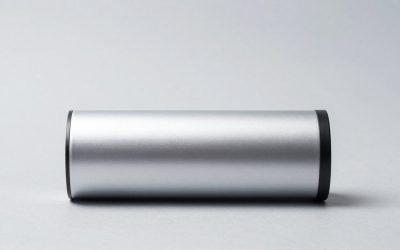
The real choice is not simply “capture card or streaming.” It is whether your home setup needs a reliable, near-instant local display while a second device records or broadcasts the signal, or whether you want the fewest boxes, cables, and controls between your content source and the screen.
A passthrough latency capture card sits between a console, camera, or media device and your TV or monitor. HDMI enters the card, one HDMI connection continues to the display, and USB usually sends a separate signal to a computer for OBS, recording, video calls, or streaming. Direct display output streaming takes a simpler route: connect the source directly to the TV, use native console streaming tools when available, cast from a phone or computer, or use a wireless HDMI adapter. In 2026, both approaches can look tidy in a living room, but they solve very different household problems.
Our top picks
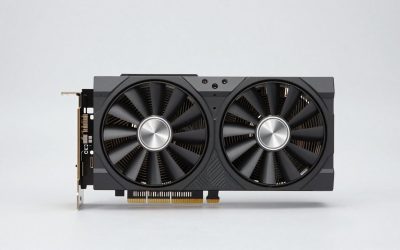
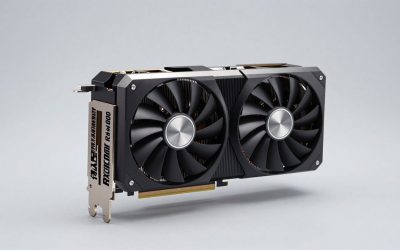
 Elgato 4K S Capture Card for PS5
- 4K60 Capture: Record in cinematic quality with crisp…
- HFR Support: Play and capture in 1440p120 or…
- HDR10 Support: Capture brilliant HDR content with tone…
 Capture Card
- 【1080P HD High Quality】Capture resolution up to 1080p…
- 【Plug and Play】No driver or external power supply…
- 【Compatible with Multiple Systems】suitable for Windows and Mac…
 4K iOS AIMIBO Wireless HDMI Display Adapter
- 【Direct Cast - No WiFi Need】AIMIBO wireless display…
- 【Plug & Play - One-time PIN for iOS】True…
- 【4K Decode - 1080P HD Output】HDMI Wireless Dongle…
| Product | Key specs | |
|---|---|---|
| Elgato 4K S Capture Card for PS5 | 4K60 Capture: Record in cinematic quality with crisp… HFR Support: Play and capture in 1440p120 or… HDR10 Support: Capture brilliant HDR content with tone… | Check price |
| Capture Card | 【1080P HD High Quality】Capture resolution up to 1080p… 【Plug and Play】No driver or external power supply… 【Compatible with Multiple Systems】suitable for Windows and Mac… | Check price |
| 4K iOS AIMIBO Wireless HDMI Display Adapter | 【Direct Cast - No WiFi Need】AIMIBO wireless display… 【Plug & Play - One-time PIN for iOS】True… 【4K Decode - 1080P HD Output】HDMI Wireless Dongle… | Check price |
 LINOVISION HD1080P HDMI Security Camera with HDMI LINOVISION HD1080P HDMI Security Camera with HDMI | HDMI or VGA OUTPUT - Display HD Video… HD1080P Imaged - 2MP (1980 × 1080) HD… to record continuously in a DVR or XVR,… | Check price |
As an Amazon Associate we earn from qualifying purchases at no extra cost to you.
Quick Verdict
Choose a passthrough latency capture card if you play games on the main TV, need responsive local viewing, or want dependable recording and streaming from a computer. It costs more, takes a little more wiring, and needs a compatible computer, but it keeps the display path separate from the stream path.
Choose direct display output streaming if your priority is a clean, low-clutter setup for casual casting, watching, presentations, or occasional sharing. A direct HDMI connection is especially straightforward; a wireless display adapter can eliminate a long cable run but may be less consistent in crowded Wi-Fi environments. It is usually the better fit when nobody needs to record gameplay or produce a polished live broadcast.
Side by Side
| Buying Factor | Passthrough Latency Capture Card | Direct Display Output Streaming |
|---|---|---|
| Comfort | Best for responsive gaming on the TV while recording or streaming separately. | Best for casual watching, casting, and simple screen sharing. |
| Durability | Small wired hardware; long-term reliability depends on HDMI and USB cable care. | Direct HDMI is very durable; wireless adapters add one more device and power connection. |
| Typical price range | $25 to $200 for the card, plus $0 to $1,200+ if a streaming computer is needed. | $15 to $80 for cables or basic adapters; roughly $50 to $150 for many wireless options. |
| Maintenance | Software updates, input settings, USB troubleshooting, and occasional cable checks. | Usually limited to app updates, Wi-Fi setup, and occasional reconnection. |
| Space needed | Card is often about 4 to 7 inches wide, plus a computer, two HDMI cables, and USB cable. | Direct HDMI needs one cable; many wireless receivers are under 4 inches wide. |
| Look | Can be hidden in a media cabinet, but cable management matters. | Usually the cleanest visual result, especially with a wall-mounted TV. |
| Resale | Recognizable-brand capture cards tend to retain more value than no-name USB devices. | Basic cables have little resale value; current wireless adapters may resell modestly. |
| Best for | Console gamers, creators, remote production, camera recording, and multi-screen setups. | Apartment living rooms, occasional presenters, movie nights, and simple household use. |
| Primary compromise | More equipment, more setup time, and potentially more desk or cabinet heat. | Wireless connections can add delay or drop quality; native apps offer fewer production controls. |
Where Passthrough Latency Capture Card Wins
A capture card wins whenever the TV or monitor must remain the “real-time” screen. Competitive or fast-action players should not rely on a computer preview window as their main display; the preview can be delayed by capture, USB transfer, software processing, and display refresh. With passthrough, the console’s HDMI signal continues directly to the television while the computer receives its own capture feed.
This is particularly useful in a shared living room. One person can play on a 55- to 75-inch TV while another manages chat, scenes, recording, or a webcam from a laptop or desktop nearby. The setup also avoids taking over the household television with streaming software menus. A compact card can disappear in a media cabinet, although it needs ventilation rather than being wedged beneath a hot game console.
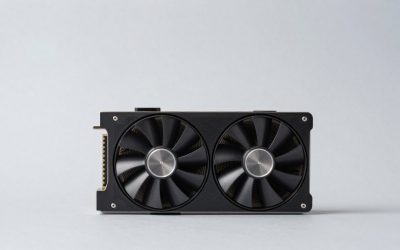
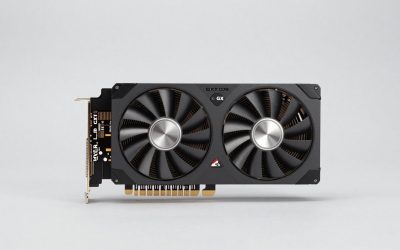
Price reflects the difference in capability. At the inexpensive end, a generic 1080p 60 fps HDMI-to-USB capture device listed at $25.89 may suit basic camera feeds, school events, or an older console. Buyers should inspect its listed input, capture resolution, USB requirements, and audio support before assuming it will handle every source. At the more established end, the Elgato 4K S Capture Card for PS5, Xbox Series X/S, and Switch 2, listed at $146.99, is the kind of purchase that makes sense when the household expects to stream regularly rather than experiment once or twice.
Passthrough is also a stronger choice for home projects beyond gaming. A dedicated camera in a workshop, nursery viewing station, hobby room, or entry-monitor setup can feed a computer for recording or remote observation. For example, the LINOVISION HD1080P HDMI Security Camera with HDMI or VGA Output, priced at $189.99, illustrates why direct video outputs matter: a local display can remain available while the signal is routed into a recording workflow. Verify privacy, local recording, and applicable consent requirements before placing cameras in shared spaces.
The downside is infrastructure. Expect two HDMI cables, typically 3 to 10 feet each in a typical console-to-TV arrangement, plus a USB 3.0 cable often 3 to 6 feet long. A capture card itself may draw only a few watts through USB, but the attached desktop can use roughly 100 to 400 watts during active streaming; a gaming laptop may use about 60 to 240 watts depending on its charger and workload. The card is inexpensive compared with the computer required to run production software well.
Where Direct Display Output Streaming Wins
Direct display output streaming wins on simplicity. For most homes, the best image path is still a direct HDMI cable from the console, cable box, computer, or disc player to the TV. A certified 6-foot HDMI cable commonly costs $10 to $25, adds no app to manage, and does not demand a second computer. If all you want is a movie, a family slideshow, a video call, or a child’s tablet on the television for 20 minutes, that simplicity is valuable.
Wireless casting is useful when a cable would spoil the room. It can be a practical answer in a rental where drilling through walls is off-limits, or in a flex room where a laptop moves between a desk and a television. The 4K iOS AIMIBO Wireless HDMI Display Adapter Direct Cast 2.4/5G, listed at $69.99, is an example of the category: a small receiver can make temporary screen sharing less visually intrusive than an HDMI cable stretched across a walkway.
Still, “wireless” does not mean invisible or maintenance-free. The receiver usually needs power, often from a TV USB port or USB wall adapter. It may occupy an HDMI port, and performance can change with distance, walls, nearby networks, and device compatibility. Keep the receiver in open air rather than behind a metal TV mount or deep inside a cabinet. If you need an always-ready installation, a short HDMI cable is generally less temperamental than a wireless adapter.
Direct output is also better for households that want one remote and one obvious path to entertainment. There is no OBS scene collection, capture driver, audio-routing decision, or question about whether the computer woke from sleep. For guests, grandparents, babysitters, and children, fewer steps usually beat greater flexibility.
Cost Over 5 Years
For a simple direct-display setup, budget about $20 to $50 for one or two quality HDMI cables. Add a wireless adapter and the initial total commonly becomes $70 to $150, including a spare cable or USB power adapter. Electricity use is modest: a small casting receiver using roughly 2 to 5 watts continuously can add approximately $2 to $10 per year at typical residential electricity prices, or about $10 to $50 over five years. Unplugging it when unused lowers that figure.
A basic capture setup can begin around $40 to $80 once you include a $25.89 entry-level capture device and cables. A more established card such as the $146.99 Elgato option, with two good HDMI cables, often lands around $175 to $215 before the computer. If you already own a capable desktop or laptop, that may be the realistic total. If not, a streaming-capable computer can raise the five-year investment by several hundred dollars or more.
Plan for $20 to $60 across five years for replacement cables, adapters, or an upgraded USB hub in either category. The larger ongoing expense is power: frequent PC-based streaming can cost materially more than a direct HDMI connection, while occasional weekend use has little effect on household utility bills.
Which One for Your Home
Small apartment
Use direct display output streaming when space and visual calm matter most. A direct HDMI cable routed along a baseboard or through a removable raceway is more dependable than wireless casting. Choose a wireless adapter only when the television and laptop are used in changing locations. Pick a capture card only if streaming or recording is a genuine weekly activity and you have a sensible place for the computer and cables.
Family with kids or pets
Favor the fewest accessible cables. A direct HDMI connection routed behind a TV stand is usually safest and easiest to explain. Avoid loose USB capture hardware on an open shelf where it can be pulled or bumped. If a creator in the household needs passthrough, place the card and computer in a ventilated cabinet or desk area, use short cables where practical, and secure longer runs with cable channels.
Rental
Direct output has the advantage because it is reversible. Use removable cable covers, freestanding furniture, and short cables instead of permanent wall modifications. Wireless HDMI can be helpful for temporary presentations, but test it in the actual room before relying on it for game night or a work meeting. A capture card remains worthwhile for a renter who streams often, since it travels easily to the next home.
Long-term home
A long-term home can justify a more intentional hybrid arrangement: direct HDMI or passthrough for the primary TV, concealed cable routing during renovation, and a dedicated streaming desk nearby if content creation is part of household life. Choose the capture card route when responsiveness and recording quality are priorities. Choose direct output when the television’s core role is simply watching and playing, not producing.
FAQ
Does a passthrough capture card eliminate all delay?
No. It is designed to keep the local display path responsive, but exact results depend on the card, source device, TV settings, HDMI format, and display processing. Use Game Mode on a compatible TV and play from the TV or monitor rather than the computer’s capture preview.
Can I stream without a capture card?
Yes. Many consoles, phones, and computers offer native streaming or casting options. A capture card is mainly useful when you need computer-based overlays, recording controls, cameras, multiple inputs, or a separate production workflow.
Will a wireless HDMI adapter work through walls?
Sometimes, but it should not be assumed. Walls, distance, metal framing, neighboring networks, and placement can affect the connection. Treat wireless HDMI as a convenience solution, not a substitute for a wired run where uninterrupted performance matters.
What cables should I buy for a capture-card setup?
Start with two appropriately rated HDMI cables: one from the source to the card and one from the card to the TV. Add the included or specified USB cable to the computer. Buy lengths that fit the furniture layout without tight bends; 3 to 6 feet works for many cabinet setups, while 10 feet may be more practical for a desk across the room.