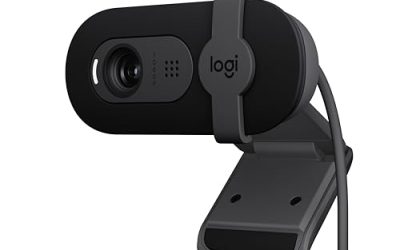
When you are choosing a webcam for face cam streaming, the real decision is not simply whether one lens is more advanced. It is whether you want the camera to react to movement or stay consistently sharp within a predictable distance. That difference affects how comfortable you feel on camera, how much desk space you need, how often the image changes, and how much you may spend over the life of the setup.
An autofocus webcam can keep your face sharp when you lean forward, hold up a product, or move around during a livestream. A fixed-focus webcam is usually simpler: position it correctly, and it can provide a steady image without the lens constantly searching. For a home office, bedroom, kitchen counter, or multipurpose living area, the best choice depends on your habits more than on headline specifications.
Our top picks
 AVerMedia Live Streamer CAM 315
- Full-HD Stream Webcam: AVerMedia Live Streamer CAM 315…
- 95° FOV Ultra-Wide Angle: With 95° FOV, one…
- Sliding Privacy Shutter: The handy swivel-arm privacy shutter…
| Product | Key specs | |
|---|---|---|
 Auto Focus Auto Focus | Check price | |
 Auto Focus Auto Focus | Movie dvd | Check price |
| AVerMedia Live Streamer CAM 315 | Full-HD Stream Webcam: AVerMedia Live Streamer CAM 315… 95° FOV Ultra-Wide Angle: With 95° FOV, one… Sliding Privacy Shutter: The handy swivel-arm privacy shutter… | Check price |
 EMEET C950 1080P Webcam EMEET C950 1080P Webcam | Innovative and Fashion Privacy Protection - EMEET C950… 1080P Webcam with Specialized Software 70° Small View | Check price |
As an Amazon Associate we earn from qualifying purchases at no extra cost to you.
Quick Verdict
Choose autofocus if you move frequently, demonstrate products, stream from changing distances, or share the camera with other people. It is the more flexible option for creators who shift between close-up and normal desk positions.
Choose a fixed focus webcam for face cam streaming if you usually sit in one place, want a stable-looking image, and prefer fewer moving parts. Fixed focus is especially practical for a dedicated desk where your face remains approximately 18 to 30 inches from the lens.
For many home users, autofocus offers the easiest setup. However, fixed focus can be the better value when the camera will stay mounted on a monitor and serve mainly for calls or a stationary talking-head stream.
Side by Side
| Factor | Autofocus | Fixed focus |
|---|---|---|
| Comfort | More freedom to lean in, sit back, or stand | Most comfortable when you remain in one viewing zone |
| Durability | Moving lens mechanism adds another component | Fewer moving parts and generally simpler construction |
| Price range | About $20 to $150 or more | About $15 to $100, with premium exceptions |
| Maintenance | Keep the lens clean and avoid obstructing focus | Also needs cleaning, but has no focus motor to manage |
| Space needed | Works across a wider range of distances | Needs a consistent distance for the sharpest image |
| Look on camera | Can stay sharp, but may visibly refocus during movement | Stable image when used within its intended range |
| Resale | Features may attract more buyers, depending on condition | Simple, reliable models can remain easy to sell |
| Best for | Creators, demonstrations, shared spaces, and varied seating | Stationary streams, video calls, and dedicated desks |
Where Auto Focus Wins
The biggest advantage of autofocus is freedom of movement. If your face is sharp at 24 inches but you regularly move to 12 inches to show a craft, book, makeup product, or piece of equipment, autofocus can adjust without requiring you to stop and reposition the camera. It is also useful for standing streams, cooking broadcasts, and home workouts where your distance from the lens changes constantly.
Autofocus is helpful in shared homes, too. A partner, child, or guest can sit in front of the camera without needing to occupy exactly the same spot as you. If the webcam is used for work meetings in the morning and face cam streaming at night, that flexibility may outweigh the extra cost.
Small rooms can benefit from autofocus because the camera may need to sit close to you. A compact desk, narrow console, or shelf may leave only 12 to 18 inches between your face and the lens. Fixed focus can work at that distance if its focus range allows it, but autofocus gives you more room to experiment with framing.
Autofocus also pairs well with product-focused content. Hold an object near the camera and a good autofocus system may shift attention from your face to the item, then return to your face when you lower it. The tradeoff is that this transition can be distracting. Focus hunting, in which the image briefly becomes soft while the lens searches, is more noticeable in a clean, uncluttered face cam.
Budget does not automatically rule out autofocus. Reference listings include autofocus options at $11.44, as well as another autofocus product with no listed price. At the low end, check the return policy and software compatibility carefully rather than assuming every autofocus implementation behaves the same way.
Where Fixed Focus Webcam for Face Cam Streaming Wins
A fixed focus webcam is designed to stay sharp within a set distance rather than continually adjusting. Once it is placed at the right height and angle, the image can feel calm and predictable. That matters when you stream for long periods and do not want the camera reacting every time you gesture, turn your head, or bring a drink toward your face.
Fixed focus can also be a practical choice for a dedicated home office. If your chair, monitor, and webcam remain in fixed positions, you may never need autofocus. A distance of roughly 18 to 30 inches is common for a desk-mounted face cam, but always confirm the camera’s stated focus range before buying.
Simplicity is another benefit. With no focusing motor constantly making adjustments, there is less mechanical activity and less chance of visible focus transitions. The camera still needs occasional cleaning—dust and fingerprints can soften any lens—but setup is straightforward: mount it, frame your face, and leave it alone.
The AVerMedia Live Streamer CAM 315 is a reference example of a fixed-focus model, with 1080p/60fps recording, microphones, and an adjustable wide field of view at a listed price of $92.87. Those features illustrate an important point: fixed focus does not necessarily mean basic. Resolution, frame rate, microphone quality, field of view, privacy features, and mounting options are separate decisions from focusing method.
For a lower-cost home setup, the EMEET C950 is listed at $17.99 and includes a microphone and physical privacy cover. Its listed features show why privacy and audio can matter as much as focus when a webcam lives in a bedroom, shared office, or family room. Do not choose based on focus type alone; consider the whole setup.
Cost Over 5 Years
Over five years, the purchase price is usually less important than whether the webcam fits your routine. A $20 webcam that must be replaced after two years costs more than a $60 model that remains useful for the full period. Still, a simple estimate helps.
Suppose a fixed-focus webcam costs $18 and lasts five years. Its hardware cost averages $3.60 per year, before considering accessories or replacement. A $93 fixed-focus model averages $18.60 per year over the same period. An autofocus webcam costing $50 averages $10 per year. These figures are not reliability tests; they are purchase-price comparisons spread across five years.
Add roughly $10 to $25 if you need a separate tripod, monitor arm, or longer USB cable. A small desk light may cost another $15 to $40, and lighting often improves face quality more than moving from one focus type to the other. Webcam power use is generally modest, commonly around 2 to 5 watts while active, so electricity is unlikely to determine the five-year value.
Autofocus may justify its higher price if it replaces the need to buy a second camera for product shots or standing streams. Fixed focus may deliver the lower total cost if the camera remains in one position and your needs are limited to calls and stationary streaming.
Which One for Your Home
Small apartment
Autofocus is usually the safer choice when every inch matters. You may stream from a dining table, a compact desk, or the edge of a bed, and the camera distance can change from one session to the next. Pick a model with a privacy shutter or cover if the webcam stays connected in a shared room. Fixed focus is still suitable if you can mark a consistent chair position and keep your face within the lens’s focus range.
Family with kids or pets
Choose autofocus if people or pets may wander into the frame. It can keep the image useful when your child joins a stream or you move aside to demonstrate something. If your content is strictly a stationary face cam and interruptions are rare, fixed focus can provide a steadier, less reactive image. A physical privacy cover is particularly valuable in a busy household.
Rental
Renters often need a setup that packs away easily. A lightweight webcam, typically around 2 to 6 ounces, can clip to a monitor or laptop without drilling or permanent installation. Autofocus gives you more flexibility if you move the camera between rooms. Fixed focus is a good budget option when the camera stays on one monitor and you want minimal setup. Keep the original cable, clip, and packaging to make future relocation easier.
Long-term home
In a permanent office or studio corner, fixed focus can be the sensible long-term purchase. Mark the chair and camera positions, add a soft light, and the system should be easy to repeat every time you stream. Choose autofocus instead if you expect your content to expand into demonstrations, interviews, or standing presentations. The extra flexibility can prevent an upgrade later.
FAQ
Is autofocus better for face cam streaming?
Not always. Autofocus is better when you move between distances or share the camera. Fixed focus can look more consistent when you stay seated and centered. Lighting and camera placement often have a greater effect on image quality than focus type.
How far should I sit from a fixed-focus webcam?
Start at approximately 18 to 30 inches, then check the manufacturer’s focus range. Position the lens at or slightly above eye level and keep your face near the center of the frame. If you frequently sit closer than 18 inches, autofocus may be more forgiving.
Can autofocus make a stream look worse?
Yes, if the lens repeatedly searches for focus or locks onto a nearby object. Place the webcam where hands, microphones, and products will not constantly pass between you and the lens. If your stream is mostly stationary, fixed focus avoids this behavior.
What matters more than autofocus versus fixed focus?
For most homes, prioritize adequate lighting, a useful field of view, reliable USB connectivity, a privacy cover, and a comfortable mounting position. A 1080p camera at 30fps can be sufficient for face cam streaming, while 60fps is useful for faster movement. In 2026, buy the focus type that matches your routine rather than paying for a feature you will rarely use.