Key takeaways
- It improves the most common webcam problem. Front-facing light helps your camera capture a clearer, more evenly lit face than a ceiling fixture behind or above you.
- It is inexpensive compared with full lighting equipment. Most useful clip-on webcam lights cost roughly $15 to $40. You can get a meaningful improvement without buying a large stand, softbox, or studio kit.
- It takes up almost no space. A 3- to 5-inch light can remain attached to a monitor or fit in a desk drawer. That matters when your workspace doubles as a dining table, bedroom, or living room.
- Setup is fast. USB power and a spring clip typically require no permanent installation. You can move the light between a laptop, desktop monitor, and portable workstation.
- Brightness and color are adjustable. Multiple settings make it easier to compensate for a dark room, a bright window, or a camera that tends to overexpose your face.
- It can improve consistency. Natural light changes throughout the day. A small front light gives you a more repeatable look for recurring meetings, presentations, and recorded clips.
- It works with ordinary webcams. You do not need a premium camera to benefit from better illumination. In many cases, improving the light produces a more noticeable change than upgrading from one basic webcam to another.
The Short Answer
Yes—if your face looks noticeably dim, shadowed, or uneven on video calls and you want a compact fix that takes less than a minute to set up. A dedicated webcam light ring attachment is worth it for frequent remote workers, streamers, online teachers, and anyone whose desk faces a window or sits in a poorly lit room. If your room already has soft light in front of you, however, a ring light may add little beyond another gadget on your desk.
The key condition is placement: the light needs to sit close to your webcam and point toward your face without creating glare on your glasses or washing out your skin. A cheap light in the wrong position is not automatically better than a nearby lamp.
Our top picks
 Video Conference Lighting Kit
- Adjustable Color Temperature & Brightness: ACMEZING video conference…
- Ring Light Design & Multi-Purpose: The zoom light…
- Stable Clamp & Flexible Tripod: The metal clip…
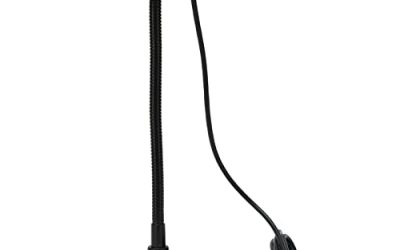
 JCTRIWAY Ring Light Phone Holder Universal Phone
- Universal design, the ring light phone holder includes…
- Flexible phone holder for ring light,15cm long soft…
- Made of aluminium alloy, the gooseneck tube is…
As an Amazon Associate we earn from qualifying purchases at no extra cost to you.
What You Actually Get
A dedicated webcam light ring attachment is usually a small LED panel or circular light that clips to a laptop screen, monitor, webcam, or nearby stand. Most models are designed for video conferencing rather than full-room lighting. They illuminate your face from roughly the same direction as the camera, which reduces the dark eye sockets, nose shadows, and uneven exposure caused by overhead lighting.
Typical clip-on models are about 3 to 5 inches wide, weigh approximately 2 to 6 ounces, and draw around 3 to 8 watts through USB. That makes them substantially smaller than a traditional 10- to 18-inch ring light. They are also easier to store and less visually intrusive in a home office, bedroom, or shared space.
Controls generally include several brightness settings and two or three color modes. Some budget lights advertise five color temperatures and five brightness levels, although the exact appearance varies by product. A warm setting can make a room feel more comfortable, while a cooler setting may look cleaner against a bright office background. A neutral or daylight setting is usually the safest starting point.
As a representative example, an $18.99 video conference lighting kit may include a clip, USB cable, built-in controls, and enough adjustment for ordinary Zoom calls, interviews, and remote work. It is not likely to replace a large key light for professional video, but it can make a laptop camera look more consistent from one call to the next.
Some attachments are made to mount on a tripod or a separate phone holder rather than directly on a screen. A universal phone holder with a 1/4-inch thread and hot-shoe adapter can cost about $10.99, but it is an accessory for positioning a phone or light—not a light source itself. Check whether your setup needs a clip, a tripod mount, or both before buying.
Pros
- It improves the most common webcam problem. Front-facing light helps your camera capture a clearer, more evenly lit face than a ceiling fixture behind or above you.
- It is inexpensive compared with full lighting equipment. Most useful clip-on webcam lights cost roughly $15 to $40. You can get a meaningful improvement without buying a large stand, softbox, or studio kit.
- It takes up almost no space. A 3- to 5-inch light can remain attached to a monitor or fit in a desk drawer. That matters when your workspace doubles as a dining table, bedroom, or living room.
- Setup is fast. USB power and a spring clip typically require no permanent installation. You can move the light between a laptop, desktop monitor, and portable workstation.
- Brightness and color are adjustable. Multiple settings make it easier to compensate for a dark room, a bright window, or a camera that tends to overexpose your face.
- It can improve consistency. Natural light changes throughout the day. A small front light gives you a more repeatable look for recurring meetings, presentations, and recorded clips.
- It works with ordinary webcams. You do not need a premium camera to benefit from better illumination. In many cases, improving the light produces a more noticeable change than upgrading from one basic webcam to another.
Cons
- It is not a complete lighting system. A small attachment mainly lights your face. It will not evenly illuminate your background or create the soft, dimensional look of a large diffused key light.
- Some models look harsh at close range. Small LEDs can produce bright highlights on the forehead, cheeks, or glasses. Diffusion helps, but inexpensive lights may still appear more clinical than flattering.
- Monitor clips can block part of the screen. A light mounted near the webcam may cover a thin strip of the display or interfere with a laptop’s camera bezel. Check the clip dimensions before ordering.
- Glare is a real concern for glasses. Because the light sits near the lens, reflections can appear directly in both lenses. Moving it slightly above, below, or to one side can help.
- USB power limits placement. You need a nearby USB-A or USB-C port, depending on the model. A short cable can be inconvenient if the monitor’s ports are difficult to reach.
- Build quality varies widely. Cheap hinges, loose clips, stiff controls, and thin cables are common complaints in the budget category. A low purchase price may mean replacing the light sooner.
- It may expose the limits of your camera. More light cannot fix poor focus, aggressive compression, a dirty lens, or a webcam positioned too low. Lighting is helpful, but it is not a substitute for sensible camera placement.
Who Should Buy It
Buy a dedicated webcam light ring attachment if you spend several hours a week on video calls and frequently appear underlit. It is especially useful when your desk is positioned with a window behind you, when overhead lights create strong shadows, or when your face disappears against a bright background.
It is also a practical choice for online instructors, job seekers taking video interviews, customer-service workers, content creators who record at a desk, and streamers who need a portable backup light. Renters and people with small desks will appreciate that a clip-on model does not require a floor stand or permanent wall mounting.
Look for a stable clip, adjustable brightness, at least two color modes, a cable long enough for your setup, and a diffuser over the LEDs. A model in the $20 to $40 range may offer better controls and construction than the cheapest option, but spending more is not automatically necessary for ordinary meetings.
Who Should Skip It
Skip it if your face is already evenly lit by a window or a lamp placed in front of you. You may see only a small improvement, particularly if your webcam automatically adjusts exposure well.
You should also skip a tiny ring attachment if you make polished videos, stream for long sessions, or need to light more than your face. A larger 10- to 18-inch ring light, LED panel, or softbox will generally provide softer coverage and more control. It will cost more—often $40 to $150 or more—and require additional space, but it is the better tool for serious production.
Finally, do not buy one solely to fix a low camera angle, blurry image, or distracting background. Raise the camera to approximately eye level, clean the lens, and simplify the background first.
Cheaper Alternatives
| Option | Cost | Trade-off |
|---|---|---|
| Window positioned in front of your desk | $0 | Free and naturally soft, but brightness and color change with weather and time of day. |
| Existing desk lamp with a white shade | $0 if already owned; about $15–$40 to buy | Can work well from behind the webcam, but may create stronger shadows or a yellow cast. |
| White poster board or foam board as a reflector | About $5–$15 | Bounces window or lamp light onto your face without adding another powered device; it cannot create light in a dark room. |
| Small USB LED panel | About $15–$35 | Often offers a wider, more rectangular beam than a ring, but may need a separate stand or clip. |
| Large ring light | About $40–$150 | Provides broader, softer illumination and sometimes a stand, but takes up more floor or desk space. |
| Adjustable smart bulb in a front lamp | About $10–$30 for the bulb, plus a lamp | Can illuminate more of the room and adjust color, but is less directional and slower to reposition. |
FAQ
Does a webcam light ring make a big difference?
It can, but only when lighting is the problem. A front-facing light usually makes the biggest difference when the room is dim, the main light is behind you, or overhead lighting creates deep shadows. It will not dramatically improve a well-lit image or repair a weak webcam.
What brightness and color setting should I use?
Start with the lowest brightness that clearly separates your face from the background. Use a neutral daylight setting first, then try a warmer mode if the light looks stark. Position the light slightly above the camera and reduce brightness if you see shiny highlights or glasses glare.
Is a ring light better than a regular lamp?
Not always. A regular lamp can be excellent if it sits in front of you, uses a soft or frosted shade, and is close enough to provide even light. A ring attachment wins on convenience, direction, repeatability, and compact size. A lamp wins when you want to light your whole workspace rather than just your face.
How much should I spend on a dedicated webcam light?
Plan on about $15 to $40 for a useful clip-on model. Around $20 is enough for basic brightness and color adjustment, while spending closer to $30 or $40 may buy a stronger clip, smoother controls, a better diffuser, or more flexible mounting. If you need professional-looking video, put that budget toward a larger light instead.