Choosing between a 1080p 60fps webcam and a 4K 30fps webcam for streaming is less about buying the biggest number and more about deciding what viewers should notice. Do you want smooth motion when you move, play games, demonstrate products, or gesture? Or do you want a sharper image that leaves room to crop, zoom, and reframe a talking-head shot?
Your room matters just as much. A small desk, limited lighting, a busy background, shared Wi-Fi, or an older computer can change which resolution performs best. A 4K camera may capture more detail, but it generally needs more processing and storage. A 1080p 60fps model can look exceptionally natural in motion while using less data. For most home streamers, the real decision is whether sharpness or fluidity will improve the viewing experience more often.
Our top picks
 EMEET S600 4K Webcam for Streaming
- Unmatched 4K Streaming Quality - The EMEET S600…
- Advanced PDAF Autofocus & Light Balance
- Enhanced Audio Clarity & Customizable FOV - The…
 NBPOWER 1080P 60FPS Streaming Camera Webcam with
- Full HD 1080P Streaming webcam:With Full HD 1080p…
- Superior Low light performance:With the PC webcam camera's…
- Fast focus and micphone:Web camera for desktop computer…
 EMEET C60E Dual-Camera 4K Webcam for Streaming
- 4K Dual-Camera Precision
- Max 11X Hybrid Zoom & PDAF Autofocus
- Smart Dual Control via Remote & EMEET STUDIO
As an Amazon Associate we earn from qualifying purchases at no extra cost to you.
Quick Verdict
Choose 1080p 60fps if you stream games, fitness, crafts, music, live shopping, or any content involving frequent movement. The higher frame rate makes hand gestures, camera movement, and gameplay appear smoother. It is also usually the more affordable and forgiving choice for a modest laptop, USB setup, or inconsistent upload connection.
Choose a 4K 30fps webcam if you primarily sit at a desk, record tutorials, host video podcasts, teach, or want to crop a wide shot without making your face look soft. A 4K sensor gives editing software more pixels to work with, even when your final stream is only 1080p.
For a typical fixed home-office stream, 4K 30fps offers the better image-quality ceiling. For active streaming and uncomplicated setup, 1080p 60fps is usually the better value. Remember that many platforms compress live video, so viewers may not see the full benefit of 4K unless your lighting, internet connection, and streaming settings support it.
Side by Side
| Consideration | 1080p 60fps | 4K 30fps |
|---|---|---|
| Comfort | Smooth motion and generally lower computer load | Sharper stationary image, but may require more processing |
| Durability | Fewer demands on USB, software, and computer hardware | Hardware can remain useful longer for cropping and recording |
| Price range | About $25-$100 | About $45-$250 |
| Maintenance | Easy to operate; less storage per recording | Needs more storage, cooling, and attention to focus and lighting |
| Space needed | Works well at about 2-4 feet from the camera | Benefits from roughly 3-6 feet for a natural full-frame composition |
| Look | Smooth, flattering, and motion-friendly | Detailed, crisp, and better for cropping |
| Resale | Broad appeal for basic calls and streaming | Potentially stronger appeal as 4K recording becomes more common |
| Bandwidth | Usually easier on USB and streaming upload requirements | Can require more data, processing, and storage |
| Best for | Gaming, movement, budget setups, and live interaction | Podcasts, teaching, tutorials, recording, and reframing |
Where 1080p 60fps Wins
The strongest advantage of 1080p 60fps is motion. At 60 frames per second, the camera captures twice as many frames as a 30fps camera. That can make a quick wave, a product demonstration, a workout routine, or a fast game look more fluid. It also reduces the slightly “steppy” appearance that can occur when a presenter moves across the frame.
This advantage is especially noticeable when your final broadcast is 1080p or lower. If the platform compresses your stream, the benefits of extra resolution may be reduced, while smoother motion can remain obvious. A 60fps camera can also be a better match for a 60fps game capture workflow, avoiding a mismatch between the game and your face camera.
1080p models are typically easier on a computer. A webcam stream still has to be captured, processed, encoded, and sent to your platform. A lower-resolution feed can leave more CPU or GPU capacity for screen capture, game software, filters, chat tools, and browser tabs. It may also be more reliable with a USB 2.0 connection, although users should still check the camera’s requirements and cable length.
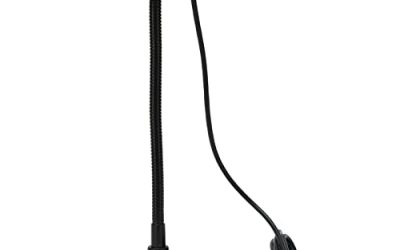
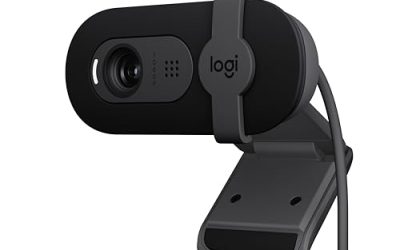
The physical setup is often simpler, too. Many compact webcams are approximately 4 to 6 inches wide, 1.5 to 3 inches deep, and under 1 pound, making them easy to clip to a monitor or place on a small tripod. The NBPOWER 1080P 60FPS Streaming Camera, listed at $29.99, represents the budget end of this category and includes a microphone and fill RGB light for buyers who want a more complete starter setup.
There is one important limitation: 1080p gives you less room to crop. If you remove half the frame in editing, the result can look noticeably softer. It also exposes less fine detail in hair, fabric, text, and small objects than a well-lit 4K camera.
Where 4k 30fps Webcam for Streaming Wins
4K has four times the total pixels of 1080p. That extra information is useful even when your final stream is not 4K. You can record a wider composition and crop in for a close-up, create a digital second angle, or reposition yourself in editing without immediately losing clarity. This is valuable for tutorials, unboxing videos, online lessons, and interviews where one camera needs to perform several framing jobs.
At a desk, 30fps is often sufficient. A seated presenter normally makes smaller movements than a gamer or fitness host, so the extra detail can matter more than the higher frame rate. A 4K image may also make small labels, artwork, instruments, and desk products easier to identify, provided the room has enough light.
Lighting is critical. Higher resolution does not automatically create a better-looking image. A bright window behind you, a dim ceiling fixture, or a cluttered background can undermine a 4K feed. Plan for a soft key light using roughly 10 to 20 watts of LED power, positioned slightly above eye level, rather than relying only on the webcam’s sensor. Avoid placing the camera too close; a distance of about 3 to 6 feet often gives a more natural perspective for a 4K desk or room shot.
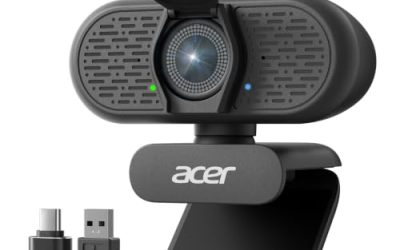
Some 4K webcams add useful framing options. The EMEET S600 4K Webcam for Streaming, with a Sony 1/2.55-inch sensor and PDAF autofocus, is listed at $59.49. The EMEET C60E Dual-Camera 4K Webcam for Streaming, with wide-angle and telephoto cameras, is listed at $53.98. These examples show that a higher-resolution setup does not always require a premium professional budget, although features, software support, lighting, and computer compatibility still deserve attention.
4K also creates larger files. A lightly compressed 4K recording can consume several gigabytes per hour, depending on codec and bitrate, while a 1080p file is substantially smaller. If you record regularly, a 1TB external SSD can be a practical addition. Streaming uses less storage than recording, but it still demands more from your computer and connection.
Cost Over 5 Years
The purchase price is only part of the cost. A budget 1080p 60fps setup may cost $25-$100 for the webcam, plus $0-$40 for a small tripod or light if those accessories are not included. Over five years, that works out to approximately $5-$28 per year before replacing cables or adding software.
A 4K 30fps webcam commonly costs $45-$250. Add approximately $20-$80 for lighting, a tripod, or extra storage, and the five-year ownership cost may range from about $13 to $66 per year. These are planning ranges, not guarantees: a camera can last longer than five years, while a computer upgrade may be necessary sooner if it cannot comfortably process 4K.
Consider the cost of your time as well. If 4K lets you create one wide recording and crop it into multiple clips, it may save editing time. If it causes dropped frames or requires frequent troubleshooting, 1080p 60fps may be the more economical option even when its initial price is similar.
Which One for Your Home
Small apartment
Choose 1080p 60fps if your desk is close to a wall or your camera must sit less than 3 feet away. It is easier to frame in a tight space and usually places fewer demands on a compact laptop. Choose 4K if you need to crop out a bed, kitchen, or neighboring workspace, but use a wider composition carefully so the room does not look distorted or overly busy.
Family with kids or pets
1080p 60fps is the more practical choice when people or animals frequently cross the frame. The smoother motion helps preserve natural movement, and the lower price makes an accidental bump less painful. A 4K model makes sense if you also record family activities and want to crop footage later, but secure it on a stable mount and keep cables away from traffic.
Rental
Renters benefit from a lightweight clip-on webcam that does not require wall mounting or permanent lighting. A 1080p model with an integrated microphone or light can keep the setup compact and easy to pack. If you choose 4K, favor a camera with a standard tripod thread and a small desk stand so it can move with you without drilling holes or adding bulky hardware.
Long-term home
For a dedicated office, studio, or media room, 4K 30fps is the more flexible long-term choice. You can stream at 1080p today while retaining the ability to record, crop, and reframe at higher quality later. If your primary activity will remain fast-paced gaming or exercise, however, 1080p 60fps can remain the better fit for the entire life of the setup.
FAQ
Is 4K 30fps better than 1080p 60fps for streaming?
Not universally. 4K is better for detail, cropping, and mostly stationary presentations. 1080p 60fps is better for smooth movement, gaming, and lower computer demands. Your platform’s compression and your lighting may matter more than the specification alone.
Can a 4K webcam stream in 1080p?
Usually, yes, if the camera and software support multiple output resolutions. This lets you use the 4K sensor for a cleaner 1080p image or crop the frame before sending it to the platform. Confirm the camera’s supported modes and whether autofocus or other features change at different resolutions.
Do I need faster internet for 4K?
Possibly. A 4K stream generally requires a higher upload bitrate than a 1080p stream, and your computer must encode more image data. Check your platform’s current bitrate guidance, then leave headroom for other household internet use. Stable upload performance is more important than chasing a maximum resolution.
Which webcam is easiest for a beginner?
A 1080p 60fps webcam is usually the easiest starting point because it costs less, uses less storage, and works comfortably with more computers. A 4K model is worth choosing first when you already have good lighting, a capable computer, and a clear need to crop or record at high detail.