Our Top Picks
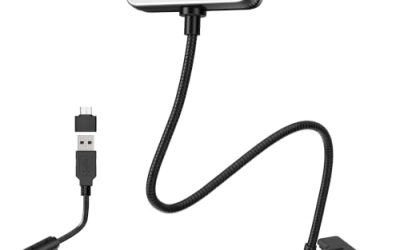
 Logitech C920x HD Pro PC Webcam Full 1080p/30fps1 Pack2.8 x 1.7 x 3.7 inches0.4 PoundsCheck on Amazon
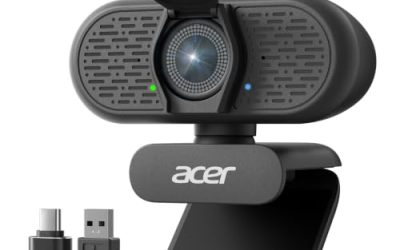
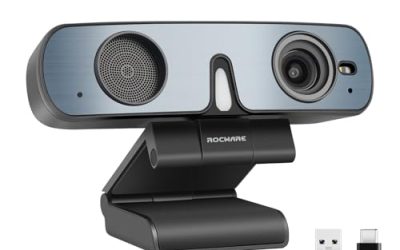
 Acer A610 1080p Webcam for PC with Microphones1080P Small2.19 x 3.14 x 2.05 inches0.3 poundsCheck on Amazon
Most laptop cameras still look soft, grainy, and a little green by mid-afternoon. A dedicated 1080p webcam fixes that for a modest outlay, but the shelf is crowded with near-identical boxes that all promise “Full HD.” The real decision is not whether to buy 1080p. It is which 1080p webcam matches your desk, your lighting, and the way you use it: daily video meetings, a weekly stream, or a camera that gets moved between a home office and a kitchen table.
This guide is for remote workers, students, streamers just starting out, and anyone upgrading a built-in camera. It compares six 1080p models, from established Logitech names to value-focused brands, using only what each listing states. Because several of them share the same resolution, the useful differences are the small ones: mic count, focus type, shutter or cover, USB connector, and how the camera handles a dim room. Those details decide whether a webcam fades into the background or becomes a daily annoyance in 2026.
Quick Picks

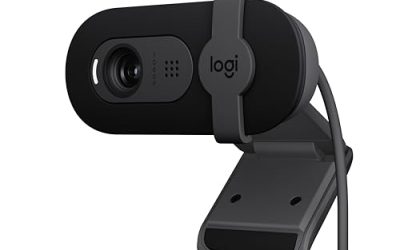
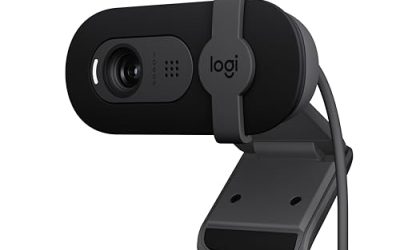
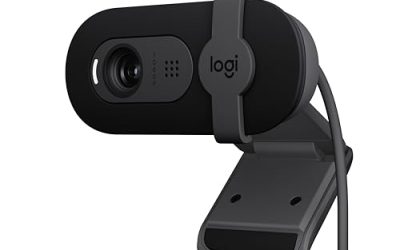
Logitech Brio 101 Full HD 1080p Webcam for Streaming and Meetings - Black | 1080p with auto-light correction, built-in mic, privacy shutter, USB-A, compatible with Teams, Google Meet, Zoom and more
One of the consumer electronics options compared in this guide.
View on AmazonLogitech C920x HD Pro PC Webcam Full 1080p/30fps Video - Black | 30fps Video, Clear Audio, Light Correction, Works with Teams, Meet, Zoom, Nintendo Switch 2, Mac, Tablet
One of the consumer electronics options compared in this guide.
View on Amazon
EMEET C960 1080P Webcam with Microphone, 2 Mics, 90° FOV, Computer Camera | USB Type-A & A-to-C Adapter, Fixed Focus, Plug&Play for Zoom/Teams/Facetime/YouTube/Google Meet/Switch 2 Camera, 2025 Version
One of the consumer electronics options compared in this guide.
View on Amazon
NIVEOLI Webcam 1080P with Microphone & Privacy Cover for PC/Laptop, USB Computer Camera Plug & Play with Auto Light Correction for Video Calls, Live Streaming Gaming & Online Meetings
One of the consumer electronics options compared in this guide.
View on Amazon
1080P HD Webcam with Microphone, Noise Cancellation, Privacy Cover, Wide-Angle Lens, Auto Light Correction, Plug & Play USB Webcam for Laptop, Desktop, PC, Mac, Zoom, Skype, Streaming (Black)
One of the consumer electronics options compared in this guide.
View on AmazonAcer A610 1080p Webcam for PC with Microphones Computer Camera for Meeting | A-to-C Adapter, Noise-Cancelling Mics, Fixed Focus, Privacy Cover, Plug and Play, Webcam for Switch 2, Teams, Zoom and more
One of the consumer electronics options compared in this guide.
View on Amazon| Product | Best for | Key spec from the title |
|---|---|---|
| Logitech Brio 101 | Meetings plus occasional streaming | 1080p, auto-light correction, privacy shutter, USB-A |
| Logitech C920x | Buyers who want a familiar, widely supported model | 1080p at 30fps, light correction, works with Teams, Meet, Zoom |
| EMEET C960 | Mixed USB-A and USB-C desks | 2 mics, 90-degree field of view, A-to-C adapter |
| NIVEOLI 1080P | Budget video calls and light live streams | Privacy cover, auto light correction, plug and play |
| Acer A610 | Noisy rooms and shared offices | Noise-cancelling mics, fixed focus, privacy cover |
| Gohero Full HD | Wide group framing on a budget | Wide-angle lens, noise cancellation, auto light correction |
How to Choose
Frame rate and resolution
Every model here lists 1080p, so look at frame rate next. A listing that states 30fps will look smooth enough for meetings and casual streams. If a title mentions only the resolution and says nothing about frame rate, assume 30fps and do not expect smooth motion for fast gameplay overlays. Higher claims such as 60fps are rare at this tier, and a camera that records 1080p only under strong light may drop to a lower effective rate in a dim room.
Light handling
Auto light correction is the feature that matters most for real rooms. Look for it in the title, and pair it with a lamp placed in front of you rather than behind the monitor. Fixed-focus lenses stay sharp at arm’s length and avoid the “hunting” blur some autofocus systems show when you lean back. Autofocus helps if you hold objects up to the lens, but for talking-head use, fixed focus is perfectly adequate.
Microphones and privacy
Built-in microphones are a convenience, not a substitute for a headset. Two mics, as on the EMEET C960, or noise-cancelling mics, as on the Acer A610, reduce keyboard clatter and room echo better than a single capsule. Physical privacy shutters and covers matter more than most buyers expect: a slide cover is a simple, software-independent guarantee that the lens is off.
Mounting, connectors, and compatibility
A webcam that clips onto a thin laptop lid may wobble on a thick external monitor, so check whether the listing mentions a clip, a stand, or a tripod thread. Cable length matters too: a short cord forces the camera to sit near the computer, while a longer one lets you place it on a shelf or arm. Eye-level placement does more for how you look on camera than any spec on the box.
Check the plug before you check the lens. USB-A is still the default on desktops and docks, but many thin laptops offer only USB-C, so an included A-to-C adapter saves a separate purchase. Confirm that the camera lists compatibility with your meeting app, and ignore marketing words like “ultra-clear” or “pro-level” that carry no measurable spec. Budget models usually cut corners on lens quality and low-light processing, not on the headline resolution.
The 6 Best Options
Logitech Brio 101
The Brio 101 targets people who split their day between meetings and the occasional stream. The listing names 1080p, auto-light correction, a built-in mic, a privacy shutter, and USB-A, which covers the basics without extras you may never use. It suits a home-office desktop with a standard USB port and a mixed lighting situation, such as a window to one side.
- Auto-light correction helps keep your face evenly exposed as daylight shifts.
- A built-in privacy shutter gives a physical off switch for the lens.
- Trade-off: the USB-A connector means laptops with only USB-C ports will need an adapter.
Skip it if you want a second microphone or an included USB-C cable, or if you need an extra-wide view to fit several people in frame. Because the listing keeps its claims simple, it also suits buyers who prefer a straightforward spec sheet over a long list of marketing terms.
Logitech C920x
The C920x is the long-running familiar choice, described as an HD Pro PC webcam with full 1080p at 30fps. Its listing highlights clear audio, light correction, and compatibility with Teams, Meet, and Zoom, which makes it a safe pick for anyone who wants minimal setup friction. It fits a general work-from-home desk where reliability matters more than novelty.
- The 30fps rating is stated plainly, so expectations are clear for calls and streams.
- Explicit support for the major meeting platforms reduces compatibility guesswork.
- Trade-off: the title lists no privacy shutter, so you may want a separate lens cover.
Skip it if a built-in lens shutter is a requirement, or if your computer lacks a USB-A port and you do not want to buy an adapter.
EMEET C960
The EMEET C960 is the pick for people whose hardware is a mix of old and new. The listing states a 1080P image, a pair of microphones, a 90-degree field of view, a USB Type-A connection, and an included A-to-C adapter. That adapter makes it easy to move between a desktop tower and a USB-C laptop without extra cables.
- Two microphones can pick up speech more cleanly than a single built-in mic.
- The 90-degree field of view fits you and a bit of the room without cropping tight.
- Trade-off: fixed focus means it cannot refocus on a document or product held close.
Skip it if you demo physical objects on camera, where an autofocus lens would be more forgiving.
NIVEOLI 1080P Webcam
NIVEOLI is a value-oriented option for people who mainly want a clear step up from a laptop camera. The title lists a microphone, privacy cover, USB plug-and-play use, and auto light correction, and it names both video calls and live streaming as target uses. It fits students and entry-level streamers watching their spending.
- Auto light correction supports usable video in rooms that are not perfectly lit.
- The included privacy cover adds a simple layer of reassurance.
- Trade-off: it is a lesser-known brand, so long-term driver and support history is thinner than with the Logitech models.
Skip it if you want a recognizable name with a long support track record or an extra-wide field of view.
Acer A610
The Acer A610 stands out for audio and desk flexibility. Its title lists microphones, noise-cancelling mics, an A-to-C adapter, fixed focus, a privacy cover, and plug-and-play setup, so it is a sensible fit for shared offices, dorm rooms, or kitchen tables where background chatter is a problem.
- Noise-cancelling mics aim to keep voices clear when the room is not quiet.
- The A-to-C adapter makes it usable with both older and newer computers.
- Trade-off: fixed focus will not follow you if you lean far forward or back.
Skip it if you want autofocus or plan to use a separate studio microphone, which would make the built-in mics redundant. Buyers who share a desk with a partner or roommate on calls are the people this model is aimed at.
Gohero Full HD 1080P
Gohero is the wide-view budget candidate. The listing combines Full HD 1080P video, noise cancellation, a privacy cover, a wide-angle lens, auto light correction, and plug-and-play USB use for laptops and desktops. A wider lens helps when two people share a screen or when the camera sits close to a monitor.
- The wide-angle lens fits more of the scene without moving the camera back.
- Noise cancellation and a privacy cover come together in one inexpensive package.
- Trade-off: a wide lens can add edge distortion and make a single speaker look farther away.
Skip it if you appear alone and prefer a tighter, more natural framing of your face.
Which One Fits Your Situation
You work from home and join several calls a day
The Logitech C920x is the steady choice for someone who sits at the same desk every day and wants nothing to fiddle with. It lists 30fps, light correction, and support for Teams, Meet, and Zoom, which covers the daily routine without surprises.
You use a thin laptop with only USB-C
The EMEET C960 or Acer A610 solve this directly, since both list an A-to-C adapter. Choose the Acer if your room is noisy, for example a shared office or a dorm hallway, and the EMEET if you prefer a defined 90-degree view with two microphones.
You are new to streaming on a tight budget
NIVEOLI names live streaming among its target uses and adds auto light correction and a privacy cover. It is a reasonable first camera before investing in lighting or a separate microphone.
You want privacy built in
The Logitech Brio 101 lists a privacy shutter and auto-light correction together, and it comes from a brand with broad software support. It is the easiest default for a privacy-minded buyer, and the USB-A plug works on most desktops and docking stations without extra parts.
Common Mistakes
- Assuming all 1080p webcams look the same, when lens quality and light handling vary widely.
- Placing the camera below chin level, which flatters nobody regardless of sensor quality.
- Relying on the built-in mic for streaming or podcasting when a headset or desk mic would sound better.
- Ignoring the connector and then needing an adapter that the listing did not include.
- Skipping a front-facing lamp and blaming the camera for a dark, noisy image.
Related guides
- How To Fix Stick Drift On Xbox And Ps5 Controllers
- Mirrorless Cameras For Landscape Photography
- How Long Does A Gaming Laptop Last Before Upgrade
Frequently Asked Questions
Is 1080p enough for streaming?
Yes, for most platforms 1080p at 30fps is the standard webcam target. You only need more if you plan to crop into the frame heavily or record high-motion content.
Do I need autofocus?
Not for talking-head use, since fixed focus stays sharp at typical desk distance. Autofocus becomes useful when you show documents, products, or hand-held items to the lens.
What is the benefit of a privacy cover?
It physically blocks the lens when you are not on a call, which is more dependable than a software setting. It also gives peace of mind on shared or work-issued computers.
Will these work with Zoom and Teams?
Plug-and-play USB webcams generally work with major meeting apps without special drivers. Check that your chosen model lists the apps you use, as the Logitech C920x and EMEET C960 do.