Key takeaways
- Interface and generation: PCIe Gen3, Gen4, or Gen5. Gen4 is the value-for-gaming sweet spot; the Silicon Power 2TB Gen3 drive is a budget option if your board lacks Gen4 slots.
- Sequential read/write: the headline MB/s figure, useful for load times but not the whole story.
- NAND type: TLC drives sustain heavy writes better than QLC. The WD Green SN350 uses QLC, which is fine for a game-only drive but less ideal as a boot drive.
- Form factor: nearly all use the M.2 2280 size, so confirm your motherboard has a free 2280 slot.
What's inside
- Watch: How Much Storage for a Gaming PC in 2026? — Video Review
- How Much Capacity You Actually Need
- Why NVMe Speed Matters (and Where It Does Not)
- Understanding the Specs That Matter
- Combine a Fast Boot Drive With Bulk Storage
- Plan for Growth, Not Just Today
- Tips
- Related Guides
- Frequently Asked Questions
- Conclusion
- Related Articles
- Related Guides
Modern games are enormous. A single AAA title can swallow 100 to 200 GB, and once you factor in the operating system, a launcher or two, and the handful of games you keep installed at once, the 500 GB drives that felt generous a few years ago now fill up in a weekend. Deciding how much storage your gaming PC needs in 2026, and what kind, has a bigger impact on day-to-day feel than almost any other component choice.
- Watch: How Much Storage for a Gaming PC in 2026? — Video Review
- How Much Capacity You Actually Need
- Why NVMe Speed Matters (and Where It Does Not)
- Understanding the Specs That Matter
- Combine a Fast Boot Drive With Bulk Storage
- Plan for Growth, Not Just Today
- Tips
- Related Guides
- Frequently Asked Questions
- Conclusion
- Related Articles
- Related Guides
This guide breaks down realistic capacity targets for different types of players, explains why NVMe speed matters (and where it does not), and shows how to combine a fast primary drive with cheaper bulk storage. You will learn how to read SSD specs without the marketing noise and how to plan capacity that will not leave you juggling installs every time a new release drops.
As an Amazon Associate we earn from qualifying purchases at no extra cost to you. Product prices and availability are accurate as of the date shown and are subject to change.


⚡ Save on Your Next PC — Amazon Prime
Prime members get fast free shipping on the systems above, plus early access to Prime Day & Black Friday PC deals. New members get a 30-day free trial.
Watch: How Much Storage for a Gaming PC in 2026? — Video Review
How Much Capacity You Actually Need
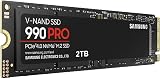
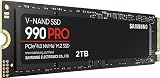
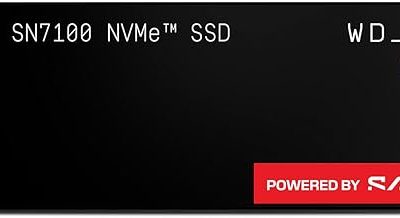
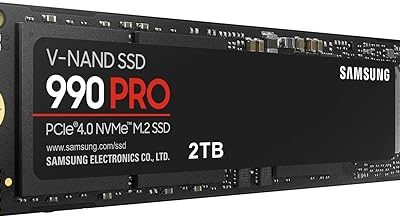
Start with your library, not a round number. A casual player who keeps three or four games installed can live comfortably on 1 TB, but most people underestimate churn. A practical 2026 baseline is 2 TB: it holds Windows, your launchers, and roughly eight to twelve modern titles without constant uninstalling. High-capacity drives like the Samsung SSD 990 PRO 2TB or the WD_Black SN7100 2TB hit that sweet spot. If you install everything you own or capture gameplay, plan for 4 TB across one or two drives.
Why NVMe Speed Matters (and Where It Does Not)
An NVMe SSD connects through the PCIe bus rather than the older SATA interface, so sequential reads jump from around 550 MB/s to several thousand. In practice that means faster boot, snappier level loads, and smoother texture streaming in open-world games that use technologies like DirectStorage. A Gen4 drive such as the Crucial P310 2TB (up to 7,100 MB/s) or the WD_Black SN7100 (up to 7,250 MB/s) is the current mainstream target. The bleeding-edge Gen5 Samsung SSD 9100 PRO 2TB pushes toward 14,700 MB/s, but for gaming the real-world difference over a good Gen4 drive is small today, so it is a want, not a need.
Understanding the Specs That Matter
- Interface and generation: PCIe Gen3, Gen4, or Gen5. Gen4 is the value-for-gaming sweet spot; the Silicon Power 2TB Gen3 drive is a budget option if your board lacks Gen4 slots.
- Sequential read/write: the headline MB/s figure, useful for load times but not the whole story.
- NAND type: TLC drives sustain heavy writes better than QLC. The WD Green SN350 uses QLC, which is fine for a game-only drive but less ideal as a boot drive.
- Form factor: nearly all use the M.2 2280 size, so confirm your motherboard has a free 2280 slot.
Combine a Fast Boot Drive With Bulk Storage
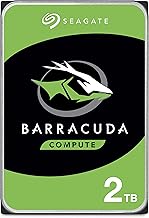
The smartest setups tier their storage. Put Windows and your most-played games on a fast primary NVMe drive like the Crucial P310 or KingSpec 2TB Gen4, then add a second, cheaper drive for the games you play occasionally and for media. Because most motherboards have two or more M.2 slots, you can run a premium drive for speed and a value drive such as the Silicon Power Gen3 or WD Green SN350 for capacity without touching a SATA cable.
Plan for Growth, Not Just Today
Games only get bigger, and half-empty SSDs perform better than full ones because they have more free blocks to manage writes. Buy roughly 50 percent more capacity than your current library needs so you have breathing room and a performance cushion. A 2 TB drive that sits around 60 percent full will stay fast for years; a 1 TB drive you keep pinned at 95 percent will feel sluggish and force constant cleanup.
Tips
- Keep at least 15 to 20 percent of any SSD free so the controller can maintain full write speed.
- Install your operating system on a TLC drive for endurance, and reserve QLC drives for game libraries and media.
- Check your motherboard manual before buying: some M.2 slots share bandwidth with SATA ports or run at a lower PCIe generation.
- Move rarely played titles to a secondary drive rather than uninstalling, so you can jump back in without a full re-download.
Frequently Asked Questions
Is 1 TB enough for a gaming PC in 2026?
It can work if you keep only a few games installed, but modern titles fill it fast. Most players are happier with 2 TB, which leaves room for Windows, launchers, and a rotating library without constant uninstalling.
Do I need a Gen5 SSD for gaming?
Not yet. A good Gen4 NVMe drive delivers load times that are essentially indistinguishable from Gen5 in real games. Gen5 is worth it only if you also do heavy content creation that benefits from the extra bandwidth.
What is the difference between TLC and QLC NAND?
TLC stores three bits per cell and handles sustained writes and endurance better, making it the safer choice for a boot drive. QLC stores four bits, is cheaper per gigabyte, and is well suited to bulk game storage where you write data less often.
Can I add a second SSD later?
Almost always. Most modern motherboards include two or more M.2 slots plus SATA ports, so you can start with one fast drive and add capacity when your library outgrows it.
Conclusion
For most gamers in 2026, a 2 TB Gen4 NVMe drive is the right answer: enough room for a real library, fast enough for modern load and streaming demands, and priced sensibly. Buy with a little headroom, keep the drive from filling to the brim, and tier a value drive underneath it for overflow. Do that and storage becomes one less thing you ever have to think about.