Our Top Picks
 SanDisk Ultra 32GB UHS-I/Class 10 Micro SDHC Memory32GB0.3 x 0.4 x 0.6 Inches0.02 poundsCheck on Amazon
A Raspberry Pi has no internal storage. The microSD card is the hard drive, the boot device and the place where every log file and package update lands, so the card you pick decides whether the board feels snappy or sluggish. That is also why generic advice about “fast cards” falls short. A Pi spends most of its life doing many small reads and writes, not long sequential video recordings, which makes the application performance class and the quality of the controller more important than the headline megabytes per second.
This guide is for hobbyists building a media server, a retro gaming box, a home automation hub or a classroom project, and for anyone who is tired of reflashing a corrupted card. The eight listings below split into three groups: plain microSD cards you will flash yourself, cards sold with Raspberry Pi OS already loaded, and the official Pi-branded card. In 2026 the preloaded options are especially popular with beginners, while experienced builders still prefer to flash a clean image themselves.
Quick Picks

Beamo MicroSD Card 64GB with Raspberry Pi OS for Raspberry Pi | Preloaded and ready to use - just insert the card and power on. No downloads or imaging tools needed. SD adapter included.
One of the consumer electronics options compared in this guide.
View on Amazon
Fastoe 64GB Raspberry Pi OS Preloaded (Raspbian) MicroSD Card for RPi 5/500, 4B/400, 3B/3B+, Zero 2 W
One of the consumer electronics options compared in this guide.
View on AmazonSanDisk Ultra 32GB UHS-I/Class 10 Micro SDHC Memory Card With Adapter - SDSDQUAN-032G-G4A
One of the consumer electronics options compared in this guide.
View on Amazon
Raspberry Pi 64GB microSD Card, A2 Class, V30, XC I, DDR50 and SDR104 Compatible
One of the consumer electronics options compared in this guide.
View on Amazon
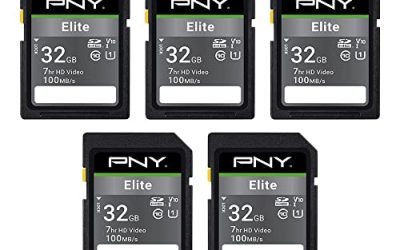
PNY 32GB Elite C10 U1 V10 microSDHC Flash Memory Card 5-Pack, UHS-I | Up to 100MB/s Read, Full HD Photo, HD Video, Record High Resolution Content, For Smartphones, Tablets, Cameras, Drones
One of the consumer electronics options compared in this guide.
View on Amazon
128GB Raspberry Pi OS Preloaded (Raspbian) MicroSD Card for RPi 5/500, 4B/400, 3B/3B+, Zero 2 W
One of the consumer electronics options compared in this guide.
View on Amazon
Patriot LX Series Micro SD Flash Memory Card 32GB
One of the consumer electronics options compared in this guide.
View on Amazon
SanDisk Ultra SDSQUNS-016G-GN3MN 16GB 80MB/s UHS-I Class 10 microSDHC Card
One of the consumer electronics options compared in this guide.
View on Amazon| Product | Best for | Key spec from the title |
|---|---|---|
| Beamo 64GB Preloaded | Beginners who want no imaging step | 64GB with Raspberry Pi OS preloaded |
| Fastoe 64GB Preloaded | Pi 5, 4 and Zero 2 W owners | 64GB, listed for RPi 5/500, 4B/400, 3B/3B+, Zero 2 W |
| SanDisk Ultra 32GB | Light projects and older boards | UHS-I, Class 10, with adapter |
| Raspberry Pi 64GB | Buyers who want the official card | A2, V30, DDR50 and SDR104 compatible |
| PNY Elite 32GB 5-Pack | Classrooms and multi-board setups | C10, U1, V10, up to 100MB/s read |
| 128GB Pi OS Preloaded | Media libraries and local data | 128GB, listed for RPi 5/500, 4B/400, 3B/3B+, Zero 2 W |
| Patriot LX 32GB | Basic, low-demand builds | 32GB micro SD LX Series |
| SanDisk Ultra 16GB | Minimal installs and spares | 16GB, 80MB/s, UHS-I, Class 10 |
How to Choose
Look for an application performance class
Ratings of A1 and A2 describe random read and write performance, which is what an operating system generates constantly. A2 is the higher tier. Among these listings, only the official Raspberry Pi card names an A2 class in the title. Cards labeled only C10, U1 or V10 are speed classes aimed at sequential writing, so they are fine for a simple project but are not a guarantee of fast boot and app launching. The title of the official card also mentions V30, a video class, which is useful if the same card will ever capture footage from a camera module. Ignore the read-speed headline when you compare, because the figure says nothing about the small writes an operating system makes thousands of times an hour.
Pick a capacity that fits the project
The operating system itself does not need much room, but a desktop install with software, logs and updates grows steadily. As a rule of thumb, 16GB handles a bare-bones headless install, 32GB gives comfortable headroom, and 64GB or 128GB make sense for media, photo libraries or retro game collections. Larger is not faster, though, so do not buy 128GB unless you will actually fill it.
Decide between preloaded and blank
Preloaded cards, like the Beamo and the Fastoe, save the step of downloading an image and writing it with an imager tool. They suit absolute beginners. The trade-off is that the image may be older than the current release and you are trusting the seller’s contents. Blank cards, like the SanDisk, PNY, Patriot and the official card, give you full control and a fresh install, which is safer when security matters.
Check the board and power supply
The titles of the preloaded cards list compatibility with the Pi 5 and 500, the 4B and 400, the 3B and 3B+, and the Zero 2 W. Make sure your model appears in that list. Remember also that a weak power supply causes random corruption that looks like a card failure, so a healthy supply and a proper shutdown routine do as much for reliability as buying a premium card. Avoid unbranded cards for anything you cannot afford to rebuild. Budget cards cut corners on endurance and controller quality, which rarely shows on the label but shows up months later as a card that mounts read-only. If the project runs around the clock, such as a home automation hub or a network-wide ad blocker, put the money into a recognized brand and keep a spare imaged card on the shelf.
The 8 Best Options
Beamo 64GB Preloaded
This card is built for the beginner who would rather skip the imaging step. The title describes a 64GB microSD card with Raspberry Pi OS preloaded, ready to use: insert it and power on, with no downloads or imaging required. It suits a first-time builder or a teacher setting up a classroom board.
- Strength: Preloaded and ready to boot, with no separate imaging software.
- Strength: 64GB gives room beyond the base operating system.
- Trade-off: The title does not list an A1 or A2 class or the exact OS version.
Skip it if you want a fresh image from the official source or need a specific OS release.
Fastoe 64GB Preloaded
The Fastoe takes a similar approach with clearer board coverage. The title lists a 64GB microSD card preloaded with Raspberry Pi OS, noted as Raspbian, for the RPi 5 and 500, 4B and 400, 3B and 3B+, and Zero 2 W. It is a fit for owners of any of those boards who want a quick start.
- Strength: A wide list of supported Raspberry Pi models in the title.
- Strength: 64GB offers room for projects and updates.
- Trade-off: No speed class or application class appears in the title.
Skip it if you want a documented performance class or prefer to flash your own image.
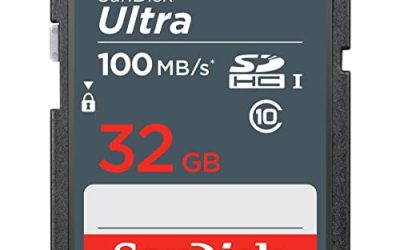
SanDisk Ultra 32GB
A familiar choice for lighter jobs. The title lists a UHS-I, Class 10 microSDHC card with an adapter. It suits a modest project, such as a headless server or a sensor logger, on an older Pi.
- Strength: Trusted brand name with a standard UHS-I, Class 10 rating.
- Strength: Includes a full-size adapter, handy for card readers.
- Trade-off: The title lists no A1 or A2 rating, so random performance is not stated.
Skip it if you need the best OS responsiveness or plan a desktop-style setup.
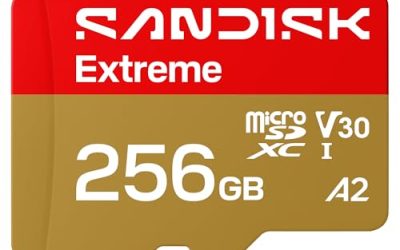
Raspberry Pi 64GB
The official card. The title lists a 64GB microSD, A2 class, V30, and compatibility with DDR50 and SDR104 modes. That is the most Pi-specific specification set in the group, and it suits buyers who want a card matched to the platform instead of a generic one.
- Strength: The A2 class targets the random reads and writes an operating system produces.
- Strength: DDR50 and SDR104 compatibility are named directly.
- Trade-off: Blank, so you need to flash your own image.
Skip it if you want a preloaded card or only need a tiny install. Beginners who have never written an image to a card may find the extra setup step an annoyance, though the official imaging tool makes it a short job.
PNY Elite 32GB 5-Pack
A multi-pack for those who run more than one board. The title lists C10, U1 and V10 markings on a UHS-I microSDHC with up to 100MB/s read. It suits a classroom, a hobbyist with several Pis, or someone who wants spares in a drawer.
- Strength: Five cards cover multiple boards and spares.
- Strength: Clear speed-class markings, with 32GB being enough for many installs.
- Trade-off: No application performance class is listed.
Skip it if you only need one card or want an A2-rated option.
128GB Pi OS Preloaded
The high-capacity preloaded option. The title lists a 128GB microSD with Raspberry Pi OS preloaded for the RPi 5 and 500, 4B and 400, 3B and 3B+, and Zero 2 W. It suits builds that store local media, photo archives or game libraries on the card itself.
- Strength: 128GB gives lots of room for local data.
- Strength: Preloaded OS removes the setup step.
- Trade-off: The title gives no performance class, and the brand is not named.
Skip it if you do not need that much space or want a recognizable brand. A very large card also makes a full-image backup slower and bulkier, which is worth weighing before you commit.
Patriot LX 32GB
A basic, no-frills card. The title lists the Patriot LX Series micro SD flash memory card at 32GB and little else. It suits low-demand builds where the card is a cheap storage solution, not a performance part.
- Strength: 32GB gives comfortable headroom for a standard install.
- Strength: A recognizable memory brand.
- Trade-off: The title lists no speed class, so there is little to compare.
Skip it if you need verifiable speed or application classes.
SanDisk Ultra 16GB
The small, minimal option. The title lists a 16GB, 80MB/s, UHS-I, Class 10 microSDHC. It fits a headless server, a sensor node or a spare card for experiments where a large install is unnecessary.
- Strength: Well-known brand with UHS-I and Class 10 markings.
- Strength: Small capacity keeps backups quick.
- Trade-off: 16GB fills quickly once you add a desktop environment and updates.
Skip it if you plan a desktop install or storing media. The older UHS-I design also means it is a poor match for anyone hoping to squeeze the most out of a newer board’s storage interface.
Which One Fits Your Situation
You are a first-timer
Start with the Beamo 64GB or the Fastoe 64GB preloaded cards. They skip the imaging step and give you room to grow.
You want the most reliable OS performance
Choose the Raspberry Pi 64GB card. Its A2 class and named interface modes are the closest match to the way a Pi uses storage.
You manage several boards
The PNY Elite 32GB 5-Pack provides matching cards for a lab or classroom, with spares for swaps.
You store media on the card
The 128GB preloaded card has the most room, which suits a local library or retro game collection.
Common Mistakes
- Buying on sequential speed alone and ignoring the A1 or A2 class that governs OS responsiveness.
- Assuming a bigger card is faster, when capacity does not change random performance.
- Pulling power without shutting down, which is a leading cause of corrupted cards.
- Trusting a preloaded image blindly instead of updating the operating system right after boot.
- Skipping backups, so one failed card means rebuilding the entire project.
Related guides
- How To Fix Stick Drift On Xbox And Ps5 Controllers
- How Long Does A Gaming Laptop Last Before Upgrade
- Gaming Chairs For Tall People Over 6 Foot 3
Frequently Asked Questions
Which size is best for a Raspberry Pi?
For most builds, 32GB or 64GB is the practical range. Go to 128GB only for local media or large datasets.
Is A2 necessary?
It is not required, but it targets the small random operations an operating system performs. For light headless projects, a standard Class 10 card is usually fine.
Are preloaded cards safe?
They work for convenience, but the image is only as current as the seller’s version. Update packages after the first boot, or flash your own image if security is a priority.
Why does my card keep corrupting?
Common causes include unexpected power loss, a weak supply and counterfeit or worn cards. Use a good supply, shut down properly, and keep a backup image.