Key takeaways
- Load times: games installed on an SSD load levels and save files dramatically faster, cutting waits that stretch to a minute or more on a hard drive down to a few seconds.
- Texture streaming: modern open-world games continuously load assets as you move; an SSD keeps up so textures pop in cleanly, while an HDD can cause visible stutter and slow-loading detail.
- System responsiveness: with the operating system on an SSD, the whole PC boots faster and feels snappier, which affects every session regardless of the game.
What's inside
Storage is one of the most impactful upgrades you can make to a gaming PC, yet it is often the last thing people think about after choosing a graphics card and CPU. The choice between a solid state drive and a traditional hard drive shapes how quickly your games load, how smoothly modern titles stream their worlds, and how responsive the whole system feels day to day. In 2026 the debate has shifted: SSDs are no longer a luxury but the expected home for your operating system and games, while mechanical hard drives have retreated to a specific and still useful role as bulk archival storage.
This guide explains the real differences between SSDs and HDDs, why the gap matters so much for gaming specifically, and how to think about the newer NVMe drives that connect directly to your motherboard for a further leap in speed. You will learn why some current games effectively require an SSD to run properly, how to combine drive types for the best of both worlds, and how to read the specifications so you buy the right capacity and speed. We have also picked out drives that represent smart choices for a gaming build.
As an Amazon Associate we earn from qualifying purchases at no extra cost to you. Product prices and availability are accurate as of the date shown and are subject to change.


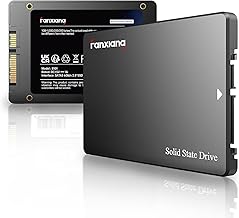
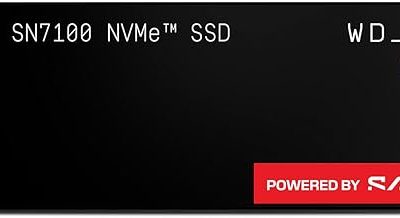
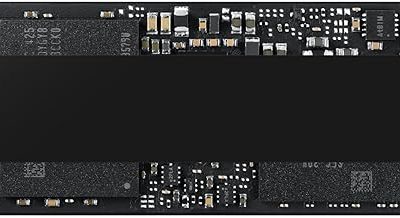
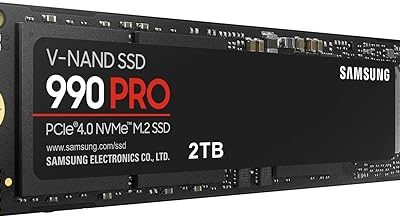
The drives above are our recommended picks for gaming storage in 2026. A fast PCIe 4.0 NVMe drive like the Samsung SSD 990 PRO 2TB or the WD_Black SN7100 1TB makes an excellent primary game drive, while the Kingston NV3 1TB offers strong value for a first SSD. For those on the newest platforms, the Samsung SSD 9100 PRO 2TB (PCIe 5.0, up to 14,700MB/s) shows where cutting-edge speed is headed. All of them dramatically outpace any mechanical hard drive.
⚡ Save on Your Next PC — Amazon Prime
Prime members get fast free shipping on the systems above, plus early access to Prime Day & Black Friday PC deals. New members get a 30-day free trial.
Watch: SSD vs HDD for Gaming: Which Do You Need? — Video Review
How SSDs and HDDs Actually Differ
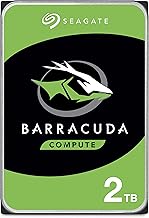
A hard drive stores data on spinning magnetic platters read by a moving mechanical arm, which means every access involves physically waiting for the platter to rotate and the head to seek. A solid state drive has no moving parts; it stores data in flash memory that can be accessed almost instantly and in any order. That fundamental difference is why an SSD is many times faster at the random reads games depend on, runs silently, produces no vibration, draws less power, and is far more durable against the knocks that can kill a mechanical drive. The HDD’s remaining advantage is cost per terabyte at very large capacities.
Why the Difference Matters for Gaming
- Load times: games installed on an SSD load levels and save files dramatically faster, cutting waits that stretch to a minute or more on a hard drive down to a few seconds.
- Texture streaming: modern open-world games continuously load assets as you move; an SSD keeps up so textures pop in cleanly, while an HDD can cause visible stutter and slow-loading detail.
- System responsiveness: with the operating system on an SSD, the whole PC boots faster and feels snappier, which affects every session regardless of the game.
NVMe Takes SSDs Further
Not all SSDs are equal. Older SATA solid state drives already crush hard drives, but NVMe drives that plug directly into an M.2 slot on the motherboard use the much faster PCIe interface to reach speeds many times higher again. A PCIe 4.0 NVMe drive like the ones above reads data at several gigabytes per second, and the newest PCIe 5.0 drives push past that dramatically. For gaming, the biggest real-world benefit comes from the fast random access and the support for technologies that let games stream assets straight from the drive, so a modern NVMe drive is the ideal primary storage for your operating system and your most-played titles.
The Best Approach: Combine Both
You do not have to choose one drive type exclusively. The smart configuration for many gamers is a fast NVMe SSD as the primary drive holding the operating system and the games you actively play, paired with a large mechanical hard drive for bulk storage of media, backups, and titles you rarely touch. This gives you the instant responsiveness of flash where it matters and the cheap capacity of a hard drive where speed does not. If budget or slots are tight, prioritise an SSD large enough for your OS and current game rotation, and add HDD capacity later only if you genuinely need the archival space.
Choosing the Right Capacity
Game install sizes have ballooned, with major titles routinely consuming a hundred gigabytes or more, so capacity planning matters. A 1TB SSD is a sensible minimum for a primary drive, holding your operating system and a healthy rotation of installed games without constant juggling. A 2TB drive is the comfortable choice if you keep a larger library installed or play several big titles in parallel. Because the operating system, updates, and a few large games fill space quickly, buying a little more capacity than you think you need saves you from uninstalling games to make room and from the slowdown that comes with running a drive completely full.
Tips
- Install your operating system and most-played games on an NVMe SSD for the biggest, most noticeable speed improvement.
- Choose at least a 1TB SSD as your primary drive, and 2TB if you keep a large library installed at once.
- Use a mechanical hard drive only for bulk archival storage, backups, and games you rarely load.
- Leave some free space on your SSD rather than filling it completely, as a nearly full drive slows down.
Frequently Asked Questions
Do games load faster on an SSD?
Significantly faster. Games installed on an SSD load levels and saves in a few seconds compared with the much longer waits typical of a hard drive, and modern open-world titles stream their assets far more smoothly, reducing texture pop-in and stutter.
Is an NVMe SSD worth it over a SATA SSD for gaming?
For a primary drive, yes. NVMe drives use the faster PCIe interface to reach speeds many times higher than SATA and support asset-streaming technologies newer games use. The everyday difference is smaller than SSD versus HDD, but NVMe is the better choice for your OS and main games.
Do I still need a hard drive at all?
Only for bulk storage. A mechanical hard drive remains a cost-effective way to archive media, backups, and games you rarely play, but it is no longer the right home for your operating system or active titles, which belong on an SSD.
What size SSD should I get for gaming?
Aim for at least 1TB as a primary drive, since modern games routinely take a hundred gigabytes each. Choose 2TB if you like to keep a large library installed simultaneously, and leave some headroom rather than filling the drive completely.
Conclusion
For gaming in 2026 the verdict is clear: an SSD, ideally a fast NVMe drive, is the right home for your operating system and the games you play, delivering faster loads, smoother asset streaming, and a more responsive system overall. A mechanical hard drive still earns a place as cheap bulk storage for archives and backups, and combining the two gives you speed where it counts and capacity where it does not. Size your SSD generously, put your games on it, and you will feel the upgrade every single session.