Key takeaways
- Choose linear switches for fast gaming, tactile for typing feedback, and clicky only if noise is not a concern.
- Pay attention to actuation force; lighter switches feel quick but can cause accidental presses.
- Pick a hot-swappable board if you are unsure, so you can try different switch feels without buying new keyboards.
- Consider your environment: quiet switches keep the peace in shared spaces and stay out of your microphone.
The switch under each key is what gives a mechanical keyboard its character. It determines how a keypress feels, how loud it sounds, how much force you need, and whether the board is better suited to fast-paced gaming or long typing sessions. Two keyboards can look identical yet feel completely different depending on the switches inside them.
This 2026 guide demystifies mechanical switches so you can choose with confidence. You will learn the three main switch families and what each one feels like, how actuation force and travel affect your experience, why hot-swappable boards are worth considering, and how to match a switch type to the way you actually game and type.
Our top picks
 Redragon Mechanical Gaming Keyboard Wired
- Brilliant Color Illumination- With 11 unique backlights, choose…
- Support Macro Editing: The K671 Mechanical Gaming Keyboard…
- Hot-swappable Linear Red Switch- Our K671 gaming keyboard…
 Razer BlackWidow V4 X Mechanical Gaming Keyboard
- With zero distance between actuation and reset points…
- Expand the arsenal of commands with a set…
- FUNCTION ROLLER and SECONDARY MEDIA KEYS: Pause, play,…
 Redragon K580 Wired RGB Mechanical Gaming Keyboard
- Record Combos On the Fly, No Software Required…
- Swap Switches Without Soldering, Hype Clicky Feedback -…
- Built to Outlast Daily Gaming - Rated for…
| Product | Key specs | |
|---|---|---|
| Redragon Mechanical Gaming Keyboard Wired | Brilliant Color Illumination- With 11 unique backlights, choose… Support Macro Editing: The K671 Mechanical Gaming Keyboard… Hot-swappable Linear Red Switch- Our K671 gaming keyboard… | Check price |
| Razer BlackWidow V4 X Mechanical Gaming Keyboard | With zero distance between actuation and reset points… Expand the arsenal of commands with a set… FUNCTION ROLLER and SECONDARY MEDIA KEYS: Pause, play,… | Check price |
| Redragon K580 Wired RGB Mechanical Gaming Keyboard | Record Combos On the Fly, No Software Required… Swap Switches Without Soldering, Hype Clicky Feedback -… Built to Outlast Daily Gaming - Rated for… | Check price |
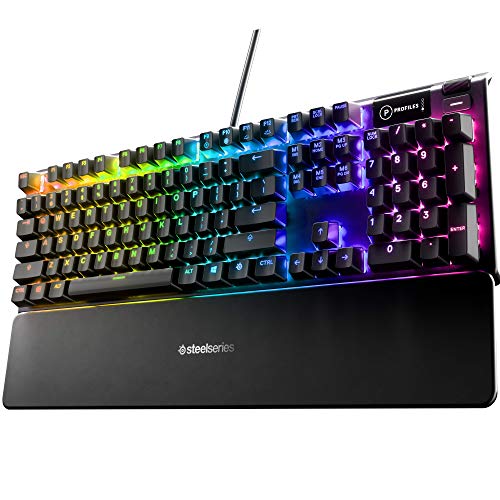 SteelSeries USB Apex 5 Hybrid Mechanical Gaming | Hybrid blue mechanical gaming switches OLED smart display Aircraft-grade aluminum alloy frame | Check price |
 Logitech G213 Prodigy Wired RGB Gaming Keyboard | Personalize the RGB keyboard's 5 customizable lighting zones… Customize lighting, game mode, and macro programming on… G213 wired gaming keyboard features dedicated media controls… | Check price |
 AULA F75 Pro Wireless Mechanical Keyboard | Tri-mode Connection Keyboard: AULA F75 Pro wireless mechanical… Hot-swap Custom Keyboard: This custom mechanical keyboard with… Advanced Structure and PCB Single Key Slotting: This… | Check price |
 Logitech G413 SE Full-Size Mechanical Gaming Keyboard | Take your gaming skills to the next level:… Tenkeyless option: Compact, TKL layout PC gaming keyboards… 6-Key rollover anti-ghosting performance: Experience reliable key input… | Check price |
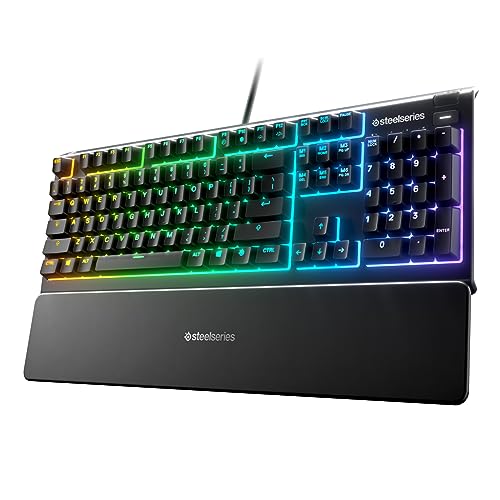 SteelSeries Apex 3 RGB Gaming Keyboard | Ip32 water resistant 10-zone RGB illumination Whisper quiet gaming switches | Check price |
As an Amazon Associate we earn from qualifying purchases at no extra cost to you.
⚡ Save on Your Next PC — Amazon Prime
Prime members get fast free shipping on the systems above, plus early access to Prime Day & Black Friday PC deals. New members get a 30-day free trial.
Watch: Mechanical Keyboard Switches Explained — Video Review
The Three Switch Families: Linear, Tactile, and Clicky
Nearly every mechanical switch falls into one of three types. Linear switches, like the red switch in the Redragon wired keyboard, press down smoothly with no bump, which many gamers prefer for fast, consistent inputs. Tactile switches give a noticeable bump at the actuation point, offering feedback without much noise, a favorite for typing. Clicky switches add an audible click on top of the tactile bump for a satisfying, old-school feel. Your ideal type depends on whether you value speed, feedback, or sound.
Actuation Force and Travel Distance
Two numbers shape how a switch feels. Actuation force, measured in grams, is how hard you must press for a keypress to register; lighter switches feel fast and effortless, while heavier ones resist accidental presses. Travel distance is how far the key moves before and after actuation. Gaming-oriented switches, such as the whisper-quiet switch in the SteelSeries Apex 3, often actuate early for quick response. Understanding these numbers helps you predict how a switch will feel before you ever type on it.
Sound Profile and Your Environment
Switch choice is also a courtesy to those around you. Clicky switches are loud and can annoy roommates, family, or coworkers on voice chat. Linear and quiet tactile switches, like the whisper-quiet options found on some SteelSeries boards, keep noise low for shared spaces and late-night sessions. If you record audio or stream, a quieter switch keeps clatter out of your microphone. Consider where and when you game before committing to a loud, satisfying click you may come to regret.
Hot-Swappable Switches: Try Before You Commit
One of the best modern features is hot-swappability, which lets you pull out switches and drop in new ones without soldering. Boards like the Redragon hot-swappable keyboard and the AULA F75 Pro let you experiment with different switch feels or replace a failed switch in seconds. If you are unsure which type you prefer, a hot-swap board is the low-risk way to explore linear, tactile, and clicky options on a single keyboard rather than buying several.
Matching Switches to Gaming and Typing
The right switch depends on your primary use. Fast-paced competitive gamers often favor light linear switches for rapid, repeated inputs. Players who also type a lot may prefer tactile switches for the feedback that reduces errors. Some boards ship with distinctive options, like the yellow switches in the Razer BlackWidow V4 X or the pre-lubed switches in the AULA F75 Pro, tuned for smoothness. Think about the ratio of gaming to typing you do, and let that guide your pick.
Tips
- Choose linear switches for fast gaming, tactile for typing feedback, and clicky only if noise is not a concern.
- Pay attention to actuation force; lighter switches feel quick but can cause accidental presses.
- Pick a hot-swappable board if you are unsure, so you can try different switch feels without buying new keyboards.
- Consider your environment: quiet switches keep the peace in shared spaces and stay out of your microphone.
Frequently Asked Questions
Which switch type is best for gaming?
Many competitive players prefer light linear switches for their smooth, fast, consistent presses. That said, tactile switches suit players who also type heavily, so the best choice depends on your personal feel and mix of use.
Are clicky switches too loud?
They can be, especially in shared rooms or on voice chat. If noise matters, a quiet linear or tactile switch gives a satisfying feel without the audible click that others may find distracting.
What does hot-swappable mean?
It means you can remove and replace individual switches by hand, with no soldering required. This lets you try different switch types or swap out a failed switch quickly, making the keyboard far more flexible.
Does actuation force really matter?
Yes. It changes how much effort each keypress takes. Lighter switches feel fast and effortless but register easily, while heavier switches resist accidental presses. The right weight is a matter of personal comfort and typing habits.
Conclusion
Understanding switches turns keyboard shopping from guesswork into a clear decision. Learn the feel of linear, tactile, and clicky types, weigh actuation force and sound against how you game and type, and consider a hot-swappable board so you can experiment freely. Match the switch to your habits and environment, and every keypress will feel exactly the way you want it to, session after session.