Key takeaways
- Sharpness: QHD delivers a noticeable clarity upgrade over 1080p, especially on the 27 inch panels where it is most common, with crisp text and detailed textures.
- GPU demand: it asks meaningfully more of your graphics card than 1080p but far less than 4K, so mainstream and upper-mid-range cards can still hit high refresh rates.
- Balance: 1440p at 27 inches is the configuration most gamers should target because it balances visual quality, frame rate, and cost better than either extreme.
What's inside
Resolution is the single biggest decision you make when choosing a gaming monitor, because it shapes everything downstream: how sharp your games look, how powerful a graphics card you need to run them well, and how much you should budget for the whole setup. The three tiers most gamers weigh in 2026 are 1080p, 1440p, and 4K, and each represents a genuinely different experience rather than a simple more-is-better ladder. The right choice depends on the games you play, the GPU you own or plan to buy, and the screen size and viewing distance of your desk.
This guide breaks down what each resolution actually delivers, how much graphics horsepower it demands, and how resolution interacts with screen size to determine perceived sharpness. You will learn why 1440p has become the mainstream sweet spot, when 4K is worth the substantial GPU investment it requires, and where 1080p still makes complete sense. By the end you will be able to match a resolution to your hardware and your priorities instead of chasing the highest number and being disappointed by the frame rate. We have also lined up monitors that represent strong picks at the resolution most gamers should target.
As an Amazon Associate we earn from qualifying purchases at no extra cost to you. Product prices and availability are accurate as of the date shown and are subject to change.






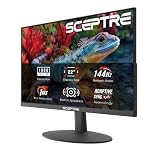
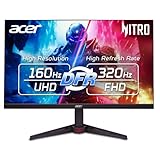
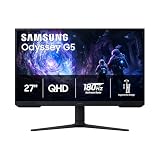
The monitors above are our recommended picks, weighted toward the 1440p tier that suits the most gamers in 2026. Panels like the ASUS TUF Gaming 27″ 1440P VG27AQ3A (180Hz Fast IPS) and the Samsung 27″ Odyssey G5 (G51F) QHD hit the mainstream sweet spot, while the Samsung 27″ Odyssey OLED G6 (G61SH) shows what a premium QHD experience looks like. The Acer Nitro 27″ QHD 180Hz and LG 27GS60QC Ultragear curved round out excellent value choices at this resolution.
⚡ Save on Your Next PC — Amazon Prime
Prime members get fast free shipping on the systems above, plus early access to Prime Day & Black Friday PC deals. New members get a 30-day free trial.
Watch: 1080p vs 1440p vs 4K for Gaming — Video Review
1080p: The Efficient Baseline
Full HD, or 1080p, remains the easiest resolution to drive and the natural home of high-frame-rate competitive gaming. Because there are far fewer pixels to render than at higher tiers, even a modest graphics card can push very high frame rates, which is exactly what fast-twitch shooters and fighting games reward. On a 24 or 25 inch panel the pixel density is perfectly acceptable, and the money you save on both the monitor and the GPU can go toward a higher refresh rate. The trade-off is sharpness: stretch 1080p across a 27 inch or larger screen and individual pixels become visible, softening text and fine detail.
1440p: The Mainstream Sweet Spot
- Sharpness: QHD delivers a noticeable clarity upgrade over 1080p, especially on the 27 inch panels where it is most common, with crisp text and detailed textures.
- GPU demand: it asks meaningfully more of your graphics card than 1080p but far less than 4K, so mainstream and upper-mid-range cards can still hit high refresh rates.
- Balance: 1440p at 27 inches is the configuration most gamers should target because it balances visual quality, frame rate, and cost better than either extreme.
This is why the bulk of our recommended monitors sit at 1440p: it is the resolution where the largest number of gamers get the best overall experience for their money.
4K: Maximum Detail at a Price
4K, or UHD, packs four times the pixels of 1080p and produces genuinely stunning image quality, with razor-sharp detail that shines in single-player and cinematic games. The catch is the enormous rendering load: driving 4K at high frame rates demands a top-tier graphics card, and even then some titles rely on upscaling technologies to stay smooth. If you play visually rich story games, value fidelity over raw frame rate, and own or plan to buy a high-end GPU, 4K rewards you handsomely. If your card is mid-range, you will end up lowering settings or accepting lower frame rates, which undercuts the point of the resolution.
Screen Size Changes Everything
Resolution never exists in isolation; it combines with screen size to determine pixel density, which is what your eyes actually perceive as sharpness. The same 1440p resolution looks crisp on a 27 inch panel but noticeably softer stretched across a 32 inch one, while 4K looks superb even at 32 inches because it has so many pixels to distribute. As a rough guide, 1080p suits 24 to 25 inches, 1440p is ideal at 27 inches, and 4K comes into its own from 27 inches upward. Matching resolution to size is how you avoid either a pixelated picture or paying for detail your screen is too small to reveal.
Match Resolution to Your GPU
The most common mistake is buying a monitor your graphics card cannot properly feed. A 4K panel paired with a mid-range GPU delivers disappointing frame rates, while a high-end card wasted on a 1080p screen leaves performance on the table. Decide your resolution and your GPU together: pick 1080p for high-refresh competitive play on modest hardware, 1440p for the mainstream balance that upper-mid-range cards handle beautifully, and 4K only if you have or will buy a flagship GPU. When the two are matched, every part of your budget pulls its weight.
Tips
- Choose your resolution and graphics card as a pair, not separately, so neither bottlenecks the other.
- Favour 27 inches for 1440p; it is the size where QHD pixel density looks its sharpest.
- If you play mostly competitive shooters, prioritise 1080p and a high refresh rate over raw resolution.
- Reserve 4K for setups with a flagship GPU and games where visual fidelity matters more than maximum frame rate.
Frequently Asked Questions
Is 1440p worth it over 1080p?
For most gamers, yes. The jump to QHD on a 27 inch panel brings a clear sharpness upgrade while remaining drivable by mainstream and upper-mid-range graphics cards, which is why it has become the recommended sweet spot for 2026 builds.
Do I need a top-end GPU for 4K gaming?
Effectively yes. Driving 4K at high frame rates requires a flagship-class graphics card, and even then many demanding titles lean on upscaling to stay smooth. On a mid-range card you will have to lower settings, which undermines the appeal of the resolution.
What resolution is best for competitive gaming?
1080p remains the competitive favourite because its low rendering load lets modest hardware push very high frame rates, and the extra frames matter more than pixel count in fast shooters. Pair it with a high refresh rate for the best results.
Does screen size affect how sharp a resolution looks?
Absolutely. The same resolution spread across a larger screen has lower pixel density and looks softer. 1440p is crisp at 27 inches but softer at 32, whereas 4K stays sharp even on larger panels because it has far more pixels to work with.
Conclusion
Choosing between 1080p, 1440p, and 4K comes down to honestly matching resolution to your graphics card, your screen size, and the games you play. 1080p is the efficient home of high-refresh competitive gaming, 1440p at 27 inches is the mainstream sweet spot that balances sharpness and cost, and 4K is the fidelity champion for those with flagship hardware. Get the pairing right and you will enjoy a monitor that looks its best and runs at the frame rates you expect, rather than one that overreaches your GPU.