Key takeaways
- Target frame rate: Decide whether you want a smooth 60 to 100fps or a high-refresh 144fps-plus experience at 1440p.
- VRAM: Aim for at least 12GB of video memory to handle modern textures at 1440p without stutter.
- Generation: Newer architectures like the RTX 50 series add efficiency and features such as improved upscaling.
- Power and case fit: Check your power supply wattage and card length before buying.
- Value: Balance price against the frame rates you actually need rather than chasing the top tier.
What's inside
1440p has become the sweet spot for PC gaming, offering a big jump in sharpness over 1080p without the punishing hardware demands of 4K. But hitting high frame rates at this resolution still depends on one component above all: the graphics card. In 2026, a new generation of GPUs makes buttery 1440p gaming more attainable than ever, though picking the right one means matching power to your budget and refresh rate.
We evaluated the best graphics cards and GPU options for 1440p gaming, weighing raw performance, VRAM, value, and the resolution and refresh rate they comfortably drive. Below is a buying framework, detailed reviews of our top picks, and answers to the questions builders ask most before upgrading for high-refresh 1440p play.
As an Amazon Associate we earn from qualifying purchases at no extra cost to you.


⚡ Save on Your Next PC — Amazon Prime
Prime members get fast free shipping on the systems above, plus early access to Prime Day & Black Friday PC deals. New members get a 30-day free trial.
Watch: Best GPU for 1440p Gaming — Video Review
How to Choose
- Target frame rate: Decide whether you want a smooth 60 to 100fps or a high-refresh 144fps-plus experience at 1440p.
- VRAM: Aim for at least 12GB of video memory to handle modern textures at 1440p without stutter.
- Generation: Newer architectures like the RTX 50 series add efficiency and features such as improved upscaling.
- Power and case fit: Check your power supply wattage and card length before buying.
- Value: Balance price against the frame rates you actually need rather than chasing the top tier.
The Best Picks Reviewed
ASUS TUF Gaming RTX 5070 12GB OC Edition
The ASUS TUF Gaming RTX 5070 around $750 is our top pick for high-refresh 1440p, pairing 12GB of fast GDDR7 memory with the latest RTX 50-series architecture. Its robust TUF cooling keeps clocks high during long sessions, and the card comfortably drives demanding titles well past 100fps at 1440p.
MSI GeForce RTX 4070 Super 12G Ventus 2X OC
The MSI RTX 4070 Super near $1,195 remains a superb 1440p performer with 12GB of GDDR6X and fast 21Gbps memory. Its proven architecture handles maxed-out settings and ray tracing at 1440p smoothly, making it a dependable choice for those who find a good deal on last-generation silicon.
KOTIN Prebuilt Gaming PC with RTX 5070
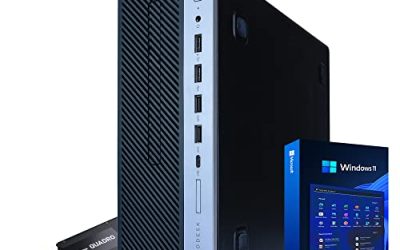
For those who would rather skip the build, the KOTIN prebuilt around $2,000 pairs an RTX 5070 with a Ryzen 7 9700X, 32GB of DDR5, and a 1TB SSD. It is a complete, ready-to-game 1440p system for buyers who want plug-and-play performance without sourcing parts.
ASUS ROG XG Mobile External Graphics Card
The ASUS ROG XG Mobile with an RTX 5070 Ti around $1,600 is a niche but powerful option, delivering desktop-class 1440p performance to compatible laptops through a single connection. It suits gamers who want big-screen power without abandoning a portable setup.
ASUS TUF Gaming 27-inch 1440P Monitor VG27AQ3A
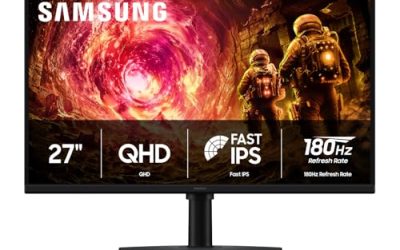
To showcase your new GPU, the ASUS TUF VG27AQ3A around $209 is a 27-inch QHD 180Hz Fast IPS panel built for 1440p gaming. Pairing a capable card with a high-refresh 1440p display is what makes the resolution truly shine.
Frequently Asked Questions
How much VRAM do I need for 1440p gaming?
Aim for at least 12GB of VRAM, which cards like the RTX 5070 and RTX 4070 Super provide, to handle modern high-resolution textures without running out of memory.
Is the RTX 5070 good for 1440p?
Yes, the RTX 5070 is an excellent 1440p card, comfortably pushing demanding games past 100fps at high settings thanks to its new architecture and fast GDDR7 memory.
Should I buy current or previous-generation GPUs?
Newer cards add efficiency and features, but a well-priced previous-generation card like the RTX 4070 Super still delivers outstanding 1440p performance and can be great value.
Do I need a high-refresh monitor for 1440p?
To get the full benefit of a strong GPU, pair it with a high-refresh 1440p display like the ASUS TUF 180Hz panel so those extra frames actually reach your eyes.
Final Thoughts
The best GPU for 1440p gaming depends on how many frames you want and how much you can spend, but there is a strong option at every tier. The ASUS TUF RTX 5070 is our top pick for high-refresh performance, while the RTX 4070 Super remains a superb value. Match your card to your target frame rate, ensure at least 12GB of VRAM, and pair it with a high-refresh 1440p monitor for a gaming experience that truly shines.