Key takeaways
- Frame rate is how many frames per second your graphics card produces, measured in fps. It is set by your GPU and the game.
- Refresh rate is how many times per second your monitor can display a new frame, measured in Hz. It is a fixed property of the screen.
- The relationship: the two need to be matched to get the benefit. A 144Hz monitor only shows 144 distinct frames per second if your GPU is actually producing at least 144fps in that game.
What's inside
- Watch: What Is Refresh Rate? Gaming Monitors Explained — Video Review
- What Refresh Rate Actually Measures
- Refresh Rate vs Frame Rate
- Where the Meaningful Jumps Happen
- Why Adaptive Sync Matters
- Response Time and Panel Type Complete the Picture
- Tips
- Related Guides
- Frequently Asked Questions
- Conclusion
- Related Articles
Refresh rate is one of the most misunderstood specifications in gaming monitors, partly because it is easy to confuse with frame rate and partly because marketing throws big numbers around without explaining what they mean. Put simply, refresh rate is how many times per second your monitor redraws the image on screen, measured in hertz. A 144Hz panel updates 144 times a second, a 60Hz office monitor only 60. That difference is the single biggest reason a gaming monitor feels so much smoother than a standard display, and understanding it is the key to buying a screen that actually improves your experience.
- Watch: What Is Refresh Rate? Gaming Monitors Explained — Video Review
- What Refresh Rate Actually Measures
- Refresh Rate vs Frame Rate
- Where the Meaningful Jumps Happen
- Why Adaptive Sync Matters
- Response Time and Panel Type Complete the Picture
- Tips
- Related Guides
- Frequently Asked Questions
- Conclusion
- Related Articles
This guide explains what refresh rate is, how it works together with your graphics card’s frame rate, and why adaptive sync technologies exist to keep the two in step. You will learn where the meaningful jumps in smoothness happen, why a high refresh rate is wasted if your GPU cannot feed it, and how response time and panel type affect whether a high-hertz monitor actually looks as clean as its number promises. We have also picked out monitors that deliver a genuine high-refresh experience at sensible prices to illustrate the tier most gamers should target.
As an Amazon Associate we earn from qualifying purchases at no extra cost to you. Product prices and availability are accurate as of the date shown and are subject to change.

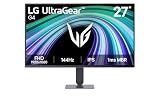





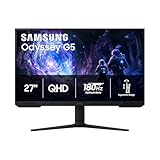
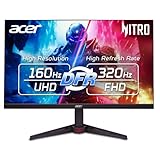
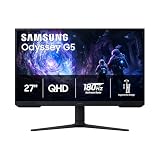
The monitors above are our recommended picks for gamers stepping up to a proper high-refresh display. Panels like the LG 27G414B-B 27″ 144Hz IPS and the ASUS TUF Gaming 24″ VG249QE5A (144Hz, overclock to 146Hz) deliver smooth, well-tuned 144Hz gaming, while the Sceptre 22″ up to 144Hz and LG 24G411A-B 24″ 144Hz offer affordable entry points. The Sceptre IPS 24″ 165Hz shows what a small step beyond 144Hz looks like for competitive players.
⚡ Save on Your Next PC — Amazon Prime
Prime members get fast free shipping on the systems above, plus early access to Prime Day & Black Friday PC deals. New members get a 30-day free trial.
Watch: What Is Refresh Rate? Gaming Monitors Explained — Video Review
What Refresh Rate Actually Measures
Refresh rate counts how many times per second the monitor physically redraws its image. At 60Hz the screen updates every 16.7 milliseconds; at 144Hz it updates every 6.9 milliseconds; at 240Hz every 4.2 milliseconds. Each refresh is an opportunity to show you a newer frame, so a higher refresh rate means motion is broken into more, smaller steps and appears smoother and more continuous to your eye. This is why panning the camera, tracking a moving target, or even just dragging a window feels dramatically cleaner on a high-refresh monitor than on a standard 60Hz panel.
Refresh Rate vs Frame Rate
- Frame rate is how many frames per second your graphics card produces, measured in fps. It is set by your GPU and the game.
- Refresh rate is how many times per second your monitor can display a new frame, measured in Hz. It is a fixed property of the screen.
- The relationship: the two need to be matched to get the benefit. A 144Hz monitor only shows 144 distinct frames per second if your GPU is actually producing at least 144fps in that game.
Buying a high-refresh monitor without the graphics power to feed it means the extra hertz sit unused, which is why refresh rate and GPU capability have to be considered together.
Where the Meaningful Jumps Happen
The upgrades in smoothness are not linear. The leap from 60Hz to 144Hz is enormous and obvious to absolutely everyone, the moment you move a mouse it feels transformed. The step from 144Hz to 165Hz is subtle and mostly a bonus rather than a reason to buy. Going from 144Hz to 240Hz is noticeable to competitive players tracking fast targets but delivers steep diminishing returns for casual play. For most gamers, 144Hz is the point where a monitor stops feeling like an office display and starts feeling like a gaming one, which is why it remains the recommended starting tier.
Why Adaptive Sync Matters
In the real world your frame rate is not a constant; it rises and falls as scenes get more or less demanding. When the frame rate and refresh rate fall out of step, you get screen tearing, where the top and bottom of the display show pieces of two different frames. Adaptive sync technologies, marketed as FreeSync and G-Sync compatibility, solve this by letting the monitor vary its refresh rate on the fly to match whatever the GPU is producing. The result is tear-free, stutter-free motion across a range of frame rates, which is why nearly every good gaming monitor, including the picks above, supports it.
Response Time and Panel Type Complete the Picture
A high refresh rate only looks its best if the panel’s pixels can change colour fast enough to keep up. If the response time is too slow, fast motion smears and ghosts, undoing the clarity the high refresh rate is supposed to deliver. This is why panel technology matters: a well-implemented IPS panel offers fast response with good colour, which is why the recommended monitors favour IPS designs. When you shop, look at refresh rate, response time, and panel type together rather than fixating on the hertz number alone, because a fast panel at 144Hz beats a sluggish one at a higher rate.
Tips
- Check that your graphics card can hit the frame rates a high-refresh monitor needs before buying, so the extra hertz are not wasted.
- Treat 144Hz as the meaningful starting point; the jump from 60Hz is the one everyone feels instantly.
- Make sure adaptive sync, FreeSync or G-Sync compatibility, is enabled in your driver settings to eliminate screen tearing.
- Weigh response time and panel type alongside refresh rate; a fast IPS panel avoids the smearing that undermines high-hertz displays.
Frequently Asked Questions
Is 144Hz enough for gaming?
For the vast majority of gamers, yes. 144Hz is the tier where a monitor transforms from feeling like an office display into a genuine gaming one, and the smoothness gain over 60Hz is dramatic and immediately obvious. Higher rates offer diminishing returns for most players.
What happens if my frame rate is lower than my refresh rate?
You simply see as many distinct frames as your GPU produces, so a 144Hz monitor fed 90fps shows 90 new frames. Adaptive sync keeps that experience smooth and tear-free, but you only get the full benefit of the refresh rate when your frame rate reaches it.
Do I need G-Sync or FreeSync?
You want one of them enabled. Adaptive sync eliminates screen tearing and stutter by matching the monitor’s refresh rate to your fluctuating frame rate. Most modern gaming monitors, including our picks, support it, and it makes a real difference to how smooth games feel.
Does a higher refresh rate reduce input lag?
Indirectly, yes. A higher refresh rate means the screen updates more frequently, so the newest frame reaches your eyes a little sooner. The effect is real but smaller than the overall smoothness improvement, and it matters most to competitive players.
Conclusion
Refresh rate measures how many times a second your monitor redraws the image, and moving from a 60Hz display to a 144Hz gaming panel is the upgrade that changes how every game feels. To get the full benefit, pair the refresh rate with a graphics card that can produce matching frame rates, enable adaptive sync to eliminate tearing, and choose a fast IPS panel so motion stays clean. Get those pieces working together and a high-refresh monitor delivers the smooth, responsive experience that makes gaming on it so much better.