Key takeaways
- Frequency: Measured in MT/s, higher is faster but harder to stabilize. On DDR5, 6000 is a common stable target for Ryzen.
- Timings: Lower numbers like CL30 mean lower latency; tightening them improves responsiveness even at the same frequency.
- Voltage: Small increases help stability, but stay within safe limits (around 1.35-1.45V for most DDR5) to protect your kit.
What's inside
Overclocking your RAM is one of the cheapest ways to squeeze more performance out of a gaming PC, especially on AMD Ryzen systems where memory speed directly influences frame rates and 1% lows. Done carefully, pushing your memory beyond its rated speed can add several frames per second in CPU-bound games for zero extra cost.
This guide walks you through overclocking RAM safely in 2026, from enabling the easy automatic profiles to hand-tuning frequency, timings, and voltage. We will keep stability front and center so you gain performance without risking corrupted data or a machine that refuses to boot.
As an Amazon Associate we earn from qualifying purchases at no extra cost to you.


⚡ Save on Your Next PC — Amazon Prime
Prime members get fast free shipping on the systems above, plus early access to Prime Day & Black Friday PC deals. New members get a 30-day free trial.
Watch: How to Overclock Your RAM Safely — Video Review
Start With XMP or EXPO
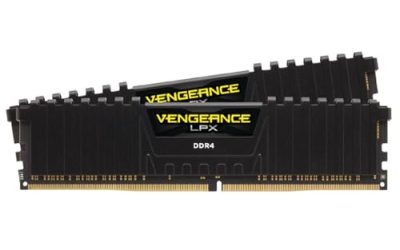
Before manual tuning, enable your kit’s built-in profile in the BIOS. Intel calls it XMP and AMD calls it EXPO; both load the rated speed and timings your memory was sold with, such as the DDR5-6000 profile on a CORSAIR Vengeance DDR5 kit. This alone gets most of the available performance and is completely safe because the manufacturer validated it.
Understand the Three Levers
- Frequency: Measured in MT/s, higher is faster but harder to stabilize. On DDR5, 6000 is a common stable target for Ryzen.
- Timings: Lower numbers like CL30 mean lower latency; tightening them improves responsiveness even at the same frequency.
- Voltage: Small increases help stability, but stay within safe limits (around 1.35-1.45V for most DDR5) to protect your kit.
Push Frequency Gradually
After enabling EXPO, try nudging the frequency up one step at a time, for example from 6000 to 6200 MT/s. Save, reboot, and if the system posts, run a stability test. If it fails to boot, clear CMOS and drop back. Small, incremental steps are the key to a safe overclock.
Tighten Timings and Test
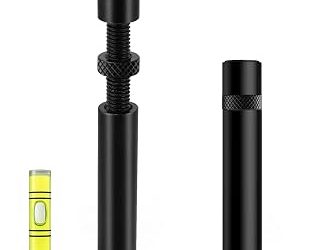
Once your frequency is stable, you can lower primary timings a notch to reduce latency. Change one value at a time and retest, because loose stability here causes subtle crashes rather than obvious failures. A RAM heatsink or an active cooler like the Thermalright MC-2 helps if your modules run warm during extended testing.
Tips
- Test thoroughly: Run TestMem5 or Karhu for at least an hour; memory errors often appear only under sustained load.
- Keep temperatures down: DDR5 in particular benefits from airflow, so add a RAM cooler if temps climb past the mid-50s Celsius.
- Note your baseline: Record stable settings before each change so you can revert quickly if a tweak fails.
- Do not chase records: A stable everyday overclock beats a benchmark-only setting that crashes in games.
Frequently Asked Questions
Is overclocking RAM safe?
Yes, within reason. Staying at validated voltages and testing for stability makes it safe. The main risk is instability, not damage, as long as you keep voltage in the recommended range.
Does RAM overclocking really improve gaming?
On AMD Ryzen especially, faster memory can add several FPS and improve 1% lows in CPU-bound games. The gains are smaller at high resolutions where the GPU is the limit.
What voltage is safe for DDR5?
For daily use, roughly 1.35-1.45V is a common safe range, though you should check your specific kit’s specifications and keep the modules cool.
What if my PC won’t boot after a change?
Clear the CMOS using the motherboard button or jumper to reset the BIOS to defaults, then re-enter and choose a less aggressive setting.
Conclusion
RAM overclocking rewards patience. Start by enabling XMP or EXPO for a safe, validated boost, then push frequency and tighten timings in small, tested steps. Keep an eye on temperatures and voltage, verify stability with a long memory test, and you will unlock free performance that makes your games feel noticeably smoother.