Key takeaways
- Capacity target: 16GB is the bare minimum, 32GB is the comfortable standard for 1080p and light 4K, and 64GB is ideal for heavy 4K, motion graphics, or many layers.
- Dual-channel setup: Always run two matching sticks rather than one; dual-channel roughly doubles bandwidth and noticeably speeds up editing and exports.
- Speed and latency: On DDR5, aim for 6000MT/s with reasonable CL30-ish timings; faster memory helps timeline responsiveness more than raw single numbers suggest.
- Headroom for the OS: Your editor is not the only thing using RAM; leave room for the operating system, browser, and any background encoding.
- Prebuilt vs DIY: A creator laptop with 32GB soldered can be simpler, but a desktop with upgradeable DIMMs lets you add more memory as your projects grow.
What's inside
Video editing is one of the hungriest tasks you can throw at a PC, and memory is often the first bottleneck people hit. Timeline scrubbing, multiple 4K streams, background rendering, and a browser full of reference tabs all compete for RAM, and when you run out, your editor spills to disk and everything crawls. Getting the capacity and speed right transforms the experience.
This roundup breaks down what to buy for an editing rig in 2026, from the minimum you can get away with to the comfortable professional tier. We also flag prebuilt creator machines for those who would rather buy a finished system than assemble one, so you can match memory to your workload and budget.
As an Amazon Associate we earn from qualifying purchases at no extra cost to you.




⚡ Save on Your Next PC — Amazon Prime
Prime members get fast free shipping on the systems above, plus early access to Prime Day & Black Friday PC deals. New members get a 30-day free trial.
Watch: Best RAM for Video Editing — Video Review
How to Choose
- Capacity target: 16GB is the bare minimum, 32GB is the comfortable standard for 1080p and light 4K, and 64GB is ideal for heavy 4K, motion graphics, or many layers.
- Dual-channel setup: Always run two matching sticks rather than one; dual-channel roughly doubles bandwidth and noticeably speeds up editing and exports.
- Speed and latency: On DDR5, aim for 6000MT/s with reasonable CL30-ish timings; faster memory helps timeline responsiveness more than raw single numbers suggest.
- Headroom for the OS: Your editor is not the only thing using RAM; leave room for the operating system, browser, and any background encoding.
- Prebuilt vs DIY: A creator laptop with 32GB soldered can be simpler, but a desktop with upgradeable DIMMs lets you add more memory as your projects grow.
The Best Picks Reviewed
32GB DDR5-6000 kit (the sweet spot)
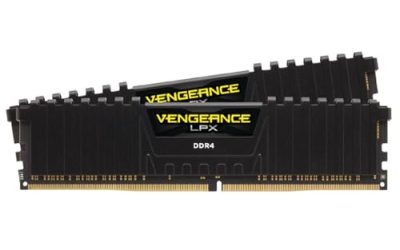
For most editors, a 32GB (2x16GB) DDR5-6000 kit is the ideal balance of price and performance. It handles multi-stream 1080p and moderate 4K timelines without choking, and it leaves room for the OS and a browser. This is the configuration we recommend to the majority of creators.
64GB DDR5 (professional 4K)
Editors working with heavy 4K footage, layered compositions, or After Effects should step up to 64GB (2x32GB). The extra headroom keeps large caches in memory and prevents the disk-spilling slowdowns that plague 32GB systems on demanding projects.
16GB DDR5 (budget starter)
If you are editing short 1080p clips or just starting out, 16GB gets you going. Expect to close background apps and keep projects lean, and plan to upgrade to 32GB as soon as your timelines get more complex.
Creator laptops with 32GB
Prebuilt creator laptops that ship with 32GB of RAM and a modern AMD Ryzen chip, such as the NIMO 17.3-inch models, are a tidy all-in-one option. You trade upgradeability for convenience, but 32GB is enough for portable 1080p and light 4K editing.
Mini PC with 32GB LPDDR5
A compact desktop like a Ryzen 7 mini PC with 32GB LPDDR5 is a space-saving editing station. It delivers strong performance for its size, though like laptops the soldered memory means you should buy the capacity you need up front.
Frequently Asked Questions
How much RAM do I need for video editing?
32GB is the comfortable standard for 1080p and light 4K, while 64GB is recommended for heavy 4K, motion graphics, or working with many layers and effects.
Does RAM speed matter for editing?
Yes, moderately. Faster DDR5-6000 improves timeline scrubbing and shortens some exports, but capacity matters more once you run out of memory.
Is dual-channel really necessary?
Absolutely. Two matching sticks provide dual-channel bandwidth that a single stick cannot, and the difference is clearly noticeable in editing workloads.
Should I buy a laptop or build a desktop for editing?
A desktop offers more RAM, better cooling, and upgradeability for the money; a laptop or mini PC wins on portability and simplicity if 32GB covers your needs.
Final Thoughts
For editing in 2026, capacity is king: 32GB of dual-channel DDR5-6000 is the configuration most creators should target, stepping up to 64GB for serious 4K work. If you prefer a finished machine, a 32GB creator laptop or mini PC gets you editing quickly. Match your memory to your resolution and layer count, and your editor will stop fighting the hardware.