Key takeaways
- A pea-sized dot in the center works for most mainstream CPUs and spreads evenly under pressure.
- For large chips or high-core-count CPUs, a slightly bigger dot or a short line ensures full coverage.
- Too much paste squeezes out the sides and can insulate rather than help; too little leaves dry spots.
Thermal paste fills the microscopic gaps between your CPU and its cooler so heat transfers efficiently. Apply it well and your processor stays cool and boosts high; apply too much, too little, or unevenly and you can add 5 to 10C to your temperatures. The good news is that a proper application takes about five minutes and one small dot of compound.
This guide covers cleaning the old paste, choosing the right amount, and mounting the cooler evenly, plus the small mistakes that trip people up. Whether you are building fresh or refreshing a chip that has started running hot, the technique is the same.
Our top picks


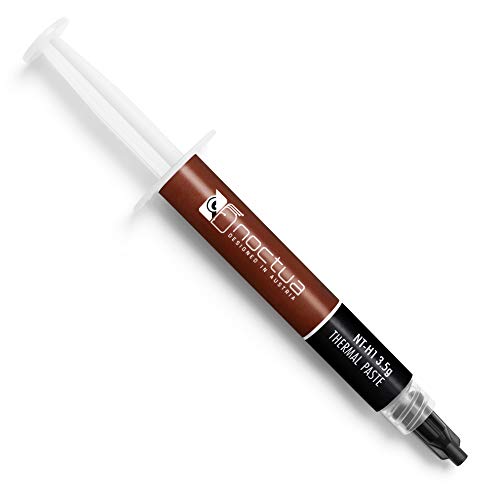


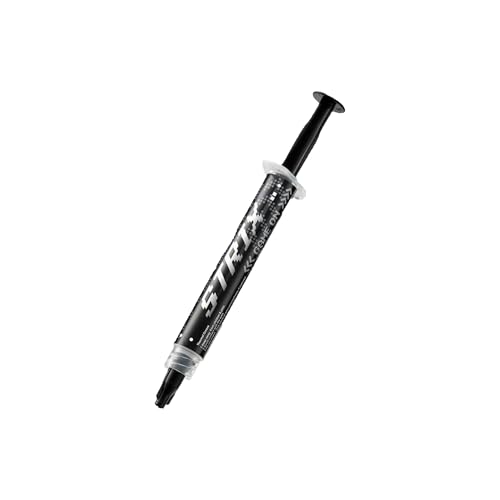
As an Amazon Associate we earn from qualifying purchases at no extra cost to you. Ratings are shown as listed on Amazon.
⚡ Save on Your Next PC — Amazon Prime
Prime members get fast free shipping on the systems above, plus early access to Prime Day & Black Friday PC deals. New members get a 30-day free trial.
Watch: How to Apply Thermal Paste Correctly — Video Review
Gather Materials and Clean the Surfaces
You need a quality paste such as Thermal Grizzly Kryonaut or Noctua NT-H1, isopropyl alcohol (90 percent or higher), and lint-free wipes. Many kits, including the Noctua and Thermal Grizzly sets, include cleaning wipes. Wipe every trace of old paste off both the CPU heat spreader and the cooler base, then let them dry completely before applying new compound.
Choose the Right Amount
- A pea-sized dot in the center works for most mainstream CPUs and spreads evenly under pressure.
- For large chips or high-core-count CPUs, a slightly bigger dot or a short line ensures full coverage.
- Too much paste squeezes out the sides and can insulate rather than help; too little leaves dry spots.
The Application Method
The dot method is the most reliable: place one central blob and let the cooler’s mounting pressure spread it. Do not spread it by hand unless the paste is very thick, in which case a roller applicator or spatula gives an even thin layer. The goal is a complete, thin film with no air gaps once the cooler is seated.
Mount the Cooler Evenly
Lower the cooler straight down without sliding it, then tighten the mounting screws in a diagonal cross pattern a little at a time. Even pressure spreads the paste uniformly and prevents a lopsided contact that causes hot spots. Do not lift and re-seat the cooler after contact, as that creates air bubbles.
Verify Temperatures After Install
Boot up and run a short stress load while watching temperatures. A good application shows steady numbers in the safe range within a couple of minutes. If temperatures climb fast or one core runs much hotter, the mount may be uneven and worth redoing.
Tips
- Never reuse old paste; always clean and reapply when removing a cooler.
- Store paste with the cap on; dried compound is useless.
- Premium pastes like Kryonaut hold up longer under high heat than budget options.
- Give a fresh application a few hours of use to fully settle before final temperature judgments.
Frequently Asked Questions
How much thermal paste do I use?
A pea-sized dot for most CPUs. Larger chips need a bit more. Err toward slightly less rather than more, since excess insulates.
Should I spread the paste manually?
Usually no. The dot method lets cooler pressure spread it evenly and avoids trapping air. Manual spreading only helps with very thick pastes, where a roller or spatula works best.
How long does thermal paste last?
Two to three years for most compounds, longer for high-end pastes. Replace it if temperatures suddenly rise or when you remove the cooler for any reason.
Can bad application really raise temperatures?
Yes. Air gaps from too little paste or an uneven mount can add 5 to 10C, enough to trigger throttling under load.
Conclusion
Applying thermal paste is simple once you know the rules: clean thoroughly, use a single pea-sized dot, and mount the cooler with even diagonal pressure. Skip the guesswork and your CPU will run several degrees cooler and hold its boost clocks longer. It is the cheapest performance insurance in any build.