Key takeaways
- Hold each fan blade still with a finger while blowing air, spinning fans backward can generate voltage and damage the motor.
- Blow from the clean side through to the dusty side to push debris out, not deeper in.
- Wipe stubborn grime off blades with a lightly dampened microfiber cloth, then let them dry fully.
- Do not use a household vacuum directly on components; it builds static.
Dust is the silent enemy of a gaming PC. It coats fan blades and heatsink fins, insulates components, and forces fans to spin faster and louder to move the same air. Left alone for a year, a dusty rig can run 10C hotter and noticeably noisier than the day you built it. Regular cleaning is the single easiest maintenance task that keeps temperatures and noise in check.
This guide shows how to clean your PC fans and dust filters safely, without static damage or bent blades, and how to add filtration so cleaning is faster next time. Plan on 20 to 30 minutes every few months, more often if you have pets or a carpeted floor.
As an Amazon Associate we earn from qualifying purchases.


![MoKo 400x300mm DIY PC Case Dust Mesh Filter, [4 Pack] PVC Dustproof Magnetic Dust Filter Cover, PC Mesh Grill with Magnetic Frame Strip Computer Cooler Fan Dust Filter for Computer PC Case, Black](https://m.media-amazon.com/images/I/51YgJYNN2-L._SL160_.jpg)


⚡ Save on Your Next PC — Amazon Prime
Prime members get fast free shipping on the systems above, plus early access to Prime Day & Black Friday PC deals. New members get a 30-day free trial.
Watch: How to Clean Your PC Fans and Filters — Video Review
Power Down and Prepare a Workspace
Shut the PC off, unplug the power cable, and hold the power button for a few seconds to discharge residual power. Move the machine to a table or, better, outdoors so you are not blowing dust back into the room. Have compressed air or an electric air duster, a microfiber cloth, and a soft brush ready.
Clean the Fans the Right Way
- Hold each fan blade still with a finger while blowing air, spinning fans backward can generate voltage and damage the motor.
- Blow from the clean side through to the dusty side to push debris out, not deeper in.
- Wipe stubborn grime off blades with a lightly dampened microfiber cloth, then let them dry fully.
- Do not use a household vacuum directly on components; it builds static.
Clear Heatsinks and Radiators
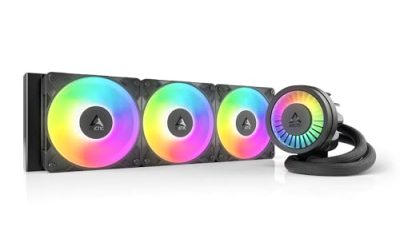
The CPU cooler fins and any AIO radiator trap the most dust because air is forced through them. Use short bursts of compressed air along the fin direction to blow buildup out. A clogged heatsink is a leading cause of rising CPU temperatures, so give it extra attention.
Wash and Reinstall Dust Filters
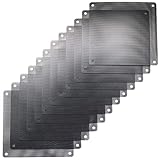
Most cases have magnetic or clip-in dust filters at the intake, top, and PSU. Pop them off and either rinse them under water and dry completely, or blow them clean. Magnetic mesh filters like the MoKo or ThreeBulls PVC filter sets are reusable and make future cleaning a two-minute job. If your case lacks filters, adding a few over intake fans dramatically slows dust buildup.
Reassemble and Verify Airflow
Reinstall filters, close the case, reconnect power, and boot. Confirm every fan spins up. Then check idle temperatures against your previous readings; a good cleaning often drops them several degrees and cuts fan noise immediately.
Tips
- Clean every three to four months, or monthly for homes with shedding pets.
- Keep the PC off the floor to reduce how much dust it inhales.
- Use short air bursts rather than continuous blasts to avoid moisture from canned air.
- Positive case pressure (more intake than exhaust) forces air through filters, not gaps.
Frequently Asked Questions
How often should I clean my PC fans?
Every three to four months for most setups. Homes with pets, carpet, or smokers need cleaning every month or two.
Can I use a vacuum cleaner?
Avoid regular vacuums directly on parts, they build static that can damage components. Compressed air or a dedicated electric air duster is safer.
Do dust filters reduce airflow?
Slightly, but the tradeoff is worth it. A fine mesh filter costs a small amount of airflow while keeping the interior dramatically cleaner and cooler over time.
Why hold the fan blades while cleaning?
Spinning a fan faster than its rated speed with compressed air can generate a small current back into the motor or damage the bearing. Holding the blades prevents both.
Conclusion
Cleaning your PC fans and filters is cheap insurance for performance and longevity. Power down, blow out fans and heatsinks the right way, wash reusable filters, and add filtration if you lack it. A quarterly routine keeps temperatures low, fans quiet, and your hardware running like new.