Key takeaways
- Chair and posture: feet flat, knees near 90 degrees, and lower-back support; comfort over long sessions beats looks.
- Monitor height: top of the screen at eye level, about an arm’s length away, so your neck stays neutral.
- Peripheral zone: keyboard centered, mouse with room to sweep, both within easy reach.
- Lighting: a soft light behind the monitor reduces eye strain in a dark room far more than desk RGB.
Building your first gaming setup is exciting, but it is easy to overspend on the wrong things and underspend on the parts that actually shape how games feel. The good news is that a great beginner setup is not about buying the most expensive gear; it is about choosing a few well-matched pieces, arranging them for comfort, and leaving room to grow. Done right, a modest first setup can feel just as satisfying as one that costs three times as much.
In this guide you will learn how to prioritize your budget, which peripherals make the biggest difference on day one, how to set up your space for comfort and focus, and how to plan upgrades so you are never boxed in. The aim is a setup that plays well, feels good for long sessions, and grows with you.
Our top picks
 Razer BlackShark V2 X Xbox Gaming Headset
- Our cutting-edge proprietary design divides the driver into…
- An improved pickup pattern ensures more voice and…
- Sturdy closed earcups fully cover the ears to…
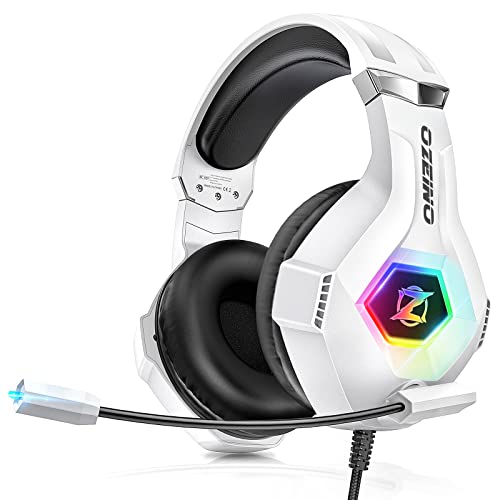 Ozeino Gaming Headset for PC
- Immersive 7.1 Surround Sound: This gaming headset delivering…
- Great Humanized Design: Comfortable and breathable permeability protein…
- Sensitivity Noise-Cancelling Microphone: 360° omnidirectionally rotatable sensitive microphone,…
 JBL Quantum 100M2 Wired Gaming Headset
- From the faintest footsteps to the loudest explosion,…
- Rally your squad without repeating yourself
- Marathon sessions hit different in these over-ear headphones—lightweight…
| Product | Key specs | |
|---|---|---|
| Razer BlackShark V2 X Xbox Gaming Headset | Our cutting-edge proprietary design divides the driver into… An improved pickup pattern ensures more voice and… Sturdy closed earcups fully cover the ears to… | Check price |
| Ozeino Gaming Headset for PC | Immersive 7.1 Surround Sound: This gaming headset delivering… Great Humanized Design: Comfortable and breathable permeability protein… Sensitivity Noise-Cancelling Microphone: 360° omnidirectionally rotatable sensitive microphone,… | Check price |
| JBL Quantum 100M2 Wired Gaming Headset | From the faintest footsteps to the loudest explosion,… Rally your squad without repeating yourself Marathon sessions hit different in these over-ear headphones—lightweight… | Check price |
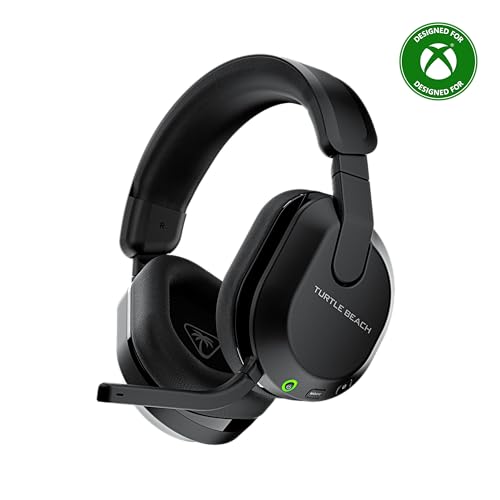 Turtle Beach Stealth 600 Wireless Gaming Headset | Check price | |
 Logitech G522 Lightspeed Wireless Gaming Headset | Immerse Yourself: State-of-the-art PRO-G audio drivers on this… Flex Your Game: Gaming headsets designed for PC… Own Your Look: Experience the bold, sleek design… | Check price |
 BENGOO G9000 Stereo Gaming Headset for PS4 | 【Multi-Platform Compatible】Support PlayStation 4, PlayStation 5, Xbox, Xbox… 【7.1 Surround Sound】Clear sound operating strong brass, splendid… 【Noise Isolating Microphone】Headset integrated onmi-directional microphone can transmits… | Check price |
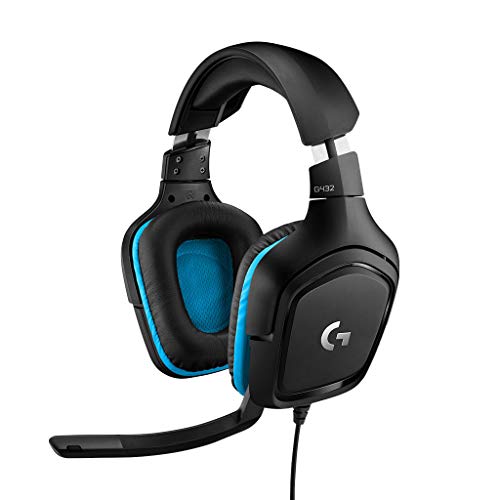 Logitech G432 Wired Gaming Headset | Enjoy expansive cinematic sound Hear Enemies From All Sides Be Heard Loud and Clear | Check price |
 AOC 2.4GHz Wireless Gaming Headset for PS5 | gaming headset | Check price |
As an Amazon Associate we earn from qualifying purchases at no extra cost to you.
⚡ Save on Your Next PC — Amazon Prime
Prime members get fast free shipping on the systems above, plus early access to Prime Day & Black Friday PC deals. New members get a 30-day free trial.
Watch: Best Gaming Setup for Beginners (2026 Guide) — Video Review
Where to Spend Your Budget First
Put your money where you feel it most. For a beginner, that order is usually: a comfortable chair and desk, a decent monitor with a high refresh rate, then the peripherals you touch every second, keyboard, mouse, and headset. It is tempting to blow the budget on flashy extras, but a good headset like the Razer BlackShark V2 X or the JBL Quantum 100M2 does more for immersion and communication than RGB lighting ever will. Start with reliable, comfortable core gear and add the fun stuff later.
Choosing Your First Headset
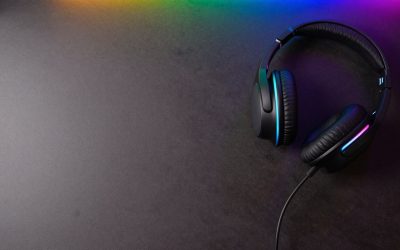
A headset is the peripheral beginners most often underrate. Clear audio helps you place footsteps and callouts, and a good microphone keeps team chat intelligible. Decide between wired and wireless first: wired options like the Razer BlackShark V2 X, JBL Quantum 100M2, or Logitech G432 are cheaper and never need charging, while wireless models such as the Turtle Beach Stealth 600 or Logitech G522 Lightspeed free you from cables. For most first setups, a comfortable wired headset with a detachable or flip mic offers the best value; the Ozeino and BENGOO G9000 options cover multiple platforms if you game on both PC and console.
Arrange Your Space for Comfort
- Chair and posture: feet flat, knees near 90 degrees, and lower-back support; comfort over long sessions beats looks.
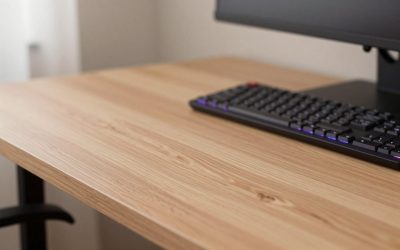
- Monitor height: top of the screen at eye level, about an arm’s length away, so your neck stays neutral.
- Peripheral zone: keyboard centered, mouse with room to sweep, both within easy reach.
- Lighting: a soft light behind the monitor reduces eye strain in a dark room far more than desk RGB.
Match Gear to How You Play
Your platform and favorite genres should steer your choices. If you play competitive shooters, a high refresh rate monitor and a lightweight mouse matter most, and a headset with clear positional audio like the Ozeino 7.1 surround set helps you hear enemies. If you are on console or switch between systems, pick multi-platform peripherals such as the Turtle Beach Stealth 600 (Xbox, PS5, PC) or the AOC 2.4GHz Wireless Headset so one purchase covers everything. Buying gear that fits your actual games beats buying whatever tops a generic “best of” list.
Plan for Easy Upgrades
A beginner setup should be a starting point, not a dead end. Leave a little desk space and a spare USB port or two so you can add a second monitor, a stream deck, or a better microphone later. Choose a desk and chair you can keep even as you upgrade the PC and peripherals around them, since those are the pieces you replace least often. Thinking one step ahead means each upgrade slots in cleanly instead of forcing you to start over.
Tips
- Spend on comfort first: a good chair, desk, and headset pay off every single session.
- Prefer a high refresh rate monitor over a higher resolution one if you play fast-paced games on a budget.
- Pick wired peripherals to stretch a first budget, then go wireless once the essentials are covered.
- Buy multi-platform gear if you game on more than one system so one purchase does double duty.
Frequently Asked Questions
What should I buy first for a gaming setup?
Start with the things you contact for hours: a comfortable chair and desk, a monitor with a high refresh rate, and a reliable headset. These shape comfort and immersion more than flashy extras, so build outward from them.
Do I need a wireless headset as a beginner?
No. Wired headsets like the Logitech G432 or JBL Quantum 100M2 sound great, cost less, and never need charging. Wireless is a nice upgrade for freedom of movement once your core gear is sorted, not a day-one necessity.
How much should a first gaming setup cost?
There is no single number, but you can build a comfortable, capable setup without buying top-tier everything. Prioritize a handful of well-chosen core pieces and skip premium extras until you know what you actually want.
Is RGB lighting worth it for beginners?
It is fun but optional. RGB does nothing for performance, so treat it as a finishing touch after you have sorted comfort, a good monitor, and solid peripherals. A simple bias light behind the screen helps your eyes far more.
Conclusion
A great beginner gaming setup comes from smart priorities, not a big budget: comfortable seating, a fast monitor, and dependable peripherals like a clear-sounding headset, all arranged for good posture and easy reach. Buy gear that matches how and where you play, leave room to grow, and add the extras once the essentials are in place. Start there and you will have a setup that feels great now and only gets better.