Our Top Picks
 M.2 Heatsink Cooler 2280 SSD Double-Sided Heat Sink3"L x 0.95"W x 0.4"H3 x 0.95 x 0.4 inches0.1 poundsCheck on Amazon
The best NVMe heatsink for a PS5 depends on your console model, but for most original PS5 owners the pick is the Sabrent SB-PSHS, a purpose-built aluminum cover-style heatsink that replaces the stock slot cover and is made for the console’s expansion bay. If you need a clip-on cooler from an established brand that suits double-sided drives, the be quiet! MC1 is the safer fit, and if you own a PS5 Slim or PS5 Pro, the ElecGear Ultra is the entry here that names those models. Sony requires that the SSD and its cooling structure together stay under 11.25mm tall, so a heatsink that is too thick simply will not fit, however good its cooling looks on paper. This guide compares ten listed heatsinks, explains the height budget, shows how console models differ and covers safe installation. Several listings here are written for both PS5 and PC use, and one is written for PC only, so read the fit notes in each section before you buy.
Top 3 Picks
Best overall: Sabrent SB-PSHS. The listing is explicit that this is an M.2 NVMe heatsink for the PS5. Sabrent describes an aluminum design that replaces the console’s slot cover and presses the heatsink onto the SSD through a thermal interface. It is the strongest match for an original PS5 owner who wants a purpose-built part. Slim and Pro compatibility is not clearly stated, so confirm it first.

SABRENT M.2 NVMe PS5 heatsink (SB-PSHS)
Included for 'Best NVMe Heatsink for PS5 in 2026' as a relevant option in this category; details come from the product listing.
View on AmazonM.2 Heatsink Cooler 2280 SSD Double-Sided Heat Sink with Thermal Silicone pad for PS5/PC PCIE NVME M2 SSD(Black))
Included for 'Best NVMe Heatsink for PS5 in 2026' as a relevant option in this category; details come from the product listing.
View on Amazon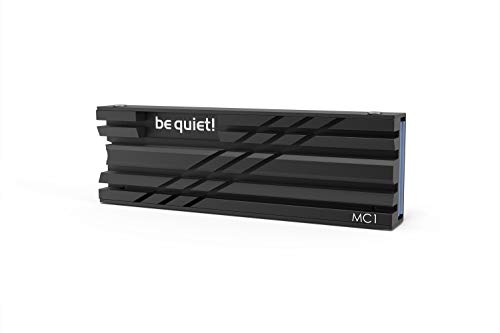
be quiet! MC1 M.2 SSD Cooler Heatsink, Single and Double Sided 2280 modules | Compatible with M.2 SSD Slot of Playstation, Allows Maximum read/write Speed for an Extended Lifespan, All Black Elegant Look
Included for 'Best NVMe Heatsink for PS5 in 2026' because the listing specifies Single and Double Sided 2280 modules and Compatible with M.2 SSD Slot of Playstation, details this guide uses to compare options.
View on Amazon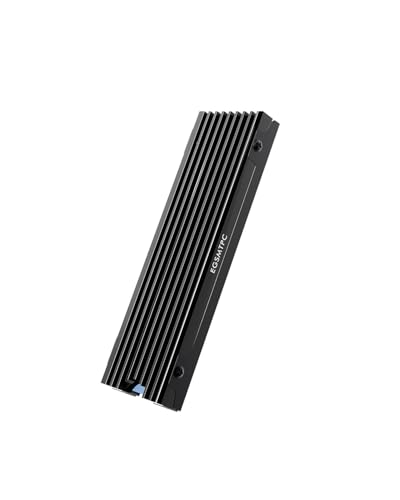
EGSMTPC NVMe M.2 SSD Heatsink, Aluminum Heat Sink | Double-Sided Cooling with Thermal Pad | for PS5 & PC NVMe M.2 2280 SSDs
Included for 'Best NVMe Heatsink for PS5 in 2026' because the listing specifies Aluminum Heat Sink and Double-Sided Cooling with Thermal Pad, details this guide uses to compare options.
View on Amazon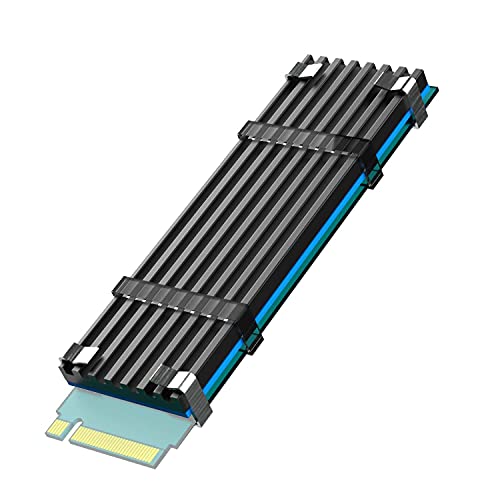
GLOTRENDS M.2 SSD Heatsink for 2280 NVMe/SATA SSD, Low-Profile
Included for 'Best NVMe Heatsink for PS5 in 2026' because the listing specifies Low-Profile, details this guide uses to compare options.
View on Amazon
Bestoss M.2 2280 SSD NVMe Heatsink,Double Surface Thermal Dissipation
Included for 'Best NVMe Heatsink for PS5 in 2026' because the listing specifies Double Surface Thermal Dissipation, details this guide uses to compare options.
View on Amazon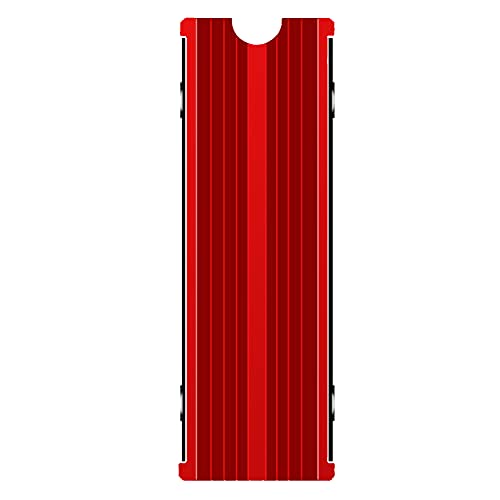
M.2 Heatsink Cooler 2280 SSD Double-Sided Heat Sink with Thermal Silicone pad for PS5/PCPCIE NVME M2 SSD (red)
Included for 'Best NVMe Heatsink for PS5 in 2026' as a relevant option in this category; details come from the product listing.
View on Amazon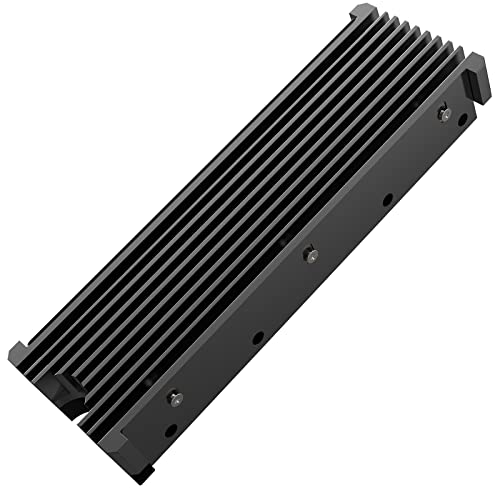
M.2 PS5 SSD NVMe Heatsink for Samsung 990 980 Pro 970 EVO Plus SN570 SN750 SN850 Firecuda 530 NVME or SATA m2 2280 SSD Cooling Heatsink, Black
Included for 'Best NVMe Heatsink for PS5 in 2026' because the listing specifies Black, details this guide uses to compare options.
View on Amazon
M.2 2280 NVMe SSD Heatsink for Samsung 990 Pro/ 990 EVO Plus/ 9100 Pro/ 970 EVO Plus/ 980 PRO/ 860 EVO, Cooler Heatsink for PC with Thermal Silicone pad, Black
Included for 'Best NVMe Heatsink for PS5 in 2026' because the listing specifies Cooler Heatsink for PC with Thermal Silicone pad and Black, details this guide uses to compare options.
View on Amazon
ElecGear PS5 Pro and Slim SSD Heatsink Ultra, EL-P5SP Heat Pipe + 2X Aluminum Coolers + Heat Bridge for Internal M.2 NVMe 4.0 Gen4 SSD, Thermal Pads and SSD Mounting Post Kit
Included for 'Best NVMe Heatsink for PS5 in 2026' because the listing specifies Thermal Pads and SSD Mounting Post Kit, details this guide uses to compare options.
View on AmazonBest value for tight clearance: GLOTRENDS low-profile M.2 heatsink. The listing names a low-profile heatsink for 2280 NVMe and SATA drives. GLOTRENDS’ low-profile family is a few millimeters tall, which leaves a generous margin under Sony’s height limit and suits both single-sided and, in many cases, double-sided drives.
Best for PS5 Slim and Pro owners: ElecGear PS5 Pro and Slim SSD Heatsink Ultra. The listing names a heat pipe, two aluminum coolers and a heat bridge for internal M.2 NVMe Gen4 SSDs. It is the most elaborate design here and the one that names the newer consoles. Expect a more involved installation.
Quick Comparison
| Product | Best for | Key specs |
|---|---|---|
| SABRENT SB-PSHS | Original PS5 cover-style cooling | Aluminum, replaces the slot cover, made for PS5 |
| Double-Sided M.2 Heatsink (Black) | PS5 and PC dual use | 2280, double-sided, thermal silicone pad |
| be quiet! MC1 | Established-brand clip-on | Single and double-sided 2280 modules |
| EGSMTPC NVMe M.2 Heatsink | Simple double-sided cooling | Aluminum, double-sided, thermal pad, PS5 and PC |
| GLOTRENDS Low-Profile M.2 Heatsink | Tight clearance | 2280 NVMe and SATA, low-profile |
| Bestoss M.2 2280 Heatsink | Double-surface cooling | 2280 NVMe, double-surface thermal dissipation |
| Double-Sided M.2 Heatsink (Red) | Color accent | 2280, double-sided, thermal silicone pad |
| M.2 PS5 SSD NVMe Heatsink (named Samsung, WD and Seagate drives) | Named-drive compatibility | 2280 NVMe or SATA, listed drive compatibility |
| M.2 2280 NVMe Heatsink for Samsung 990 Pro (PC listing) | PC first, PS5 with care | 2280 NVMe, written for PC, thermal pads |
| ElecGear PS5 Pro and Slim Heatsink Ultra | PS5 Pro and Slim owners | Heat pipe, 2 aluminum coolers, heat bridge, NVMe Gen4 |
How We Chose
This guide is based on desk research, not physical evaluation. We began with each listing name and checked the claims against manufacturer pages and Sony’s published requirements for the PS5 expansion slot. We weighted six criteria. First, stated console compatibility, since the original PS5, the Slim and the Pro have different covers. Second, height, because the SSD and heatsink together must stay below Sony’s limit of 11.25mm. Third, support for single-sided and double-sided SSDs. Fourth, cooling design: surface area, heat pipes and thermal pad quality as described by the maker. Fifth, ease of installation. Sixth, brand accountability, meaning a named maker with documented dimensions. We did not repeat temperature drops claimed by sellers as facts. Where a listing does not state a detail, we say so and ask you to confirm it with the seller before you buy.
1. SABRENT SB-PSHS – Best for Original PS5 Cover-Style Cooling
As an Amazon Associate we earn from qualifying purchases at no extra cost to you.

Sabrent’s SB-PSHS is the entry with the clearest PS5 focus. The listing describes an M.2 NVMe heatsink for the PS5. Sabrent’s pages describe an aluminum part that replaces the console’s slot cover and uses a sandwich-style contact to press the heatsink evenly onto the SSD. It suits an original PS5 owner who wants a single, purpose-made part rather than a generic clip-on kit.
- Design: aluminum heatsink that replaces the metal slot cover, with a thermal interface against the SSD
- Included: installation guide, screws and thermal material per the maker
- Height: one third-party review measured about 8.1mm, which sits within Sony’s 11.25mm budget; confirm on the maker’s page
- Drive requirement: a bare SSD, so remove any built-in heatsink first
The key practical point is console compatibility. Sources disagree about the PS5 Slim and the PS5 Pro, because their covers and bays are shaped differently from the original console. Sabrent’s own page refers to the PS5 console’s SSD slot without a clear Slim statement, so treat Slim and Pro fit as unconfirmed and ask Sabrent support if you own one.
Because the heatsink replaces the cover and rests on the drive, the pressure on the SSD comes from the screw and the thermal pad. Do not over-tighten the screw, and do not add extra thermal pads on top of the supplied one, because the extra thickness can lift the cover or put stress on the drive.
The design suits a bare SSD in either single-sided or double-sided form, but check the pad thickness against your drive, and keep the plastic film off the pad before it goes on.
Installation notes. The usual sequence is to open the expansion bay, fit the bare SSD at the correct standoff position for its length, set the heatsink where the original cover sat and fasten it with the supplied screw. Test-fit before you peel any protective film from the thermal material, because once the film is off, repositioning can spoil the adhesion. If the cover does not seat fully on the first try, remove it and look for a misaligned pad or a twisted drive instead of pressing harder.
Who should skip it. Owners of a PS5 Slim or Pro should confirm compatibility with the maker before buying, and anyone who wants to share one heatsink between the console and a PC will need a different style, since this part is shaped for the console bay.
Pros
- Purpose-built for the PS5 slot
- Replaces the cover, so there is no loose clip-on part
- Established storage maker with documented support
- Comfortable height margin under Sony’s limit
Cons
- PS5 Slim and Pro fit is not clearly confirmed
- Not suitable for PC use
- Needs a bare SSD without a built-in heatsink
Versus the nearest alternative. The be quiet! MC1 clips onto the drive and works as a clip-on that keeps the stock cover in place. Choose the Sabrent if you want the cover-style part and own an original console, and the MC1 if you prefer a drive-mounted cooler from a maker that lists PS5 support.
2. Double-Sided M.2 Heatsink (Black) – Best for PS5 and PC Dual Use

This listing names an M.2 heatsink cooler for 2280 SSDs with double-sided cooling and a thermal silicone pad, for use with PS5 and PC PCIe NVMe drives, in black. The title does not give a maker’s name, so it is best treated as a generic sandwich-style clamp-on heatsink. It suits someone who wants one heatsink that can move between a PS5 and a desktop board, as long as the fit is confirmed.
- Form: two-sided aluminum heatsink that clamps over the SSD with thermal pads
- Drive size: 2280
- Use: PS5 and PC per the title
- Finish: black
The main question for any sandwich design is thickness. A heatsink that sits above and below the SSD adds height on both sides of the board. Sony’s rules also split the budget: less than 8mm above the board and less than 2.45mm below it, with a total under 11.25mm. A thick bottom plate can break the below-board limit even if the total looks fine. For that reason, look for stated dimensions in the full listing and compare them to Sony’s numbers. If the listing gives only the heatsink length and width, ask the seller for the thickness.
Generic heatsinks of this type are often supplied with a single thermal pad size, and the kit may include pads for single-sided and double-sided drives. Choose the pad that makes firm contact without bending the SSD. When in doubt, a slightly thinner pad is safer than a thick one, since too much compression can warp the board.
On a PC, a sandwich heatsink is usually not a problem unless the motherboard slot is under a graphics card. On the PS5, the tight bay makes the fit check far more important.
Checklist before you buy. Ask the seller four things: the total thickness with a double-sided drive, the thickness of the pad supplied for each side, whether the clips or screws sit above the plate, and which console models the seller has fitted it to. A seller that answers with numbers is more trustworthy than one that repeats the title. Also confirm what comes in the box, such as spare pads and fixings, because a sandwich heatsink is hard to reassemble without the right parts.
Care. Wipe fingerprints from the plate with a dry lint-free cloth, and keep the pad covered until the moment of installation.
Pros
- Works for both PS5 and PC use per the title
- Double-sided design covers chips on both faces
- Simple clamp-on installation
Cons
- No maker named in the title
- Thickness is not stated in the title
- Sandwich designs can be tight in the PS5 bay
Versus the nearest alternative. The red version is the same style in a different color. The be quiet! MC1 is the better-documented option if you want published dimensions.
3. be quiet! MC1 – Best Established-Brand Clip-On

The MC1 is be quiet!’s M.2 cooler for single-sided and double-sided 2280 modules. The brand lists PS5 compatibility, and the listing says it covers both single and double-sided drives. It suits owners who want a documented, well-known part and who do not want to hunt for dimensions.
- Size: about 74 by 24 by 10mm per the maker
- Drive support: single-sided and double-sided 2280 modules, without a built-in heatsink
- Height in practice: one reviewer measured about 11mm with a double-sided SSD fitted, which is close to Sony’s limit
- PS5: listed as compatible by the maker
Pay attention to the difference between the MC1 and the MC1 Pro. The Pro adds a copper heat pipe and is much taller, roughly 15mm with a drive installed, so it is for desktop PCs and does not fit the PS5. The listing here is the standard MC1.
The closeness to the height limit with a double-sided drive means fit is possible but tight. If your SSD is single-sided, you have a little more room. Do not use extra pads or spacers, and check that the PS5 cover closes without being forced.
Because the MC1 clips onto the drive, the stock cover stays on the console. That keeps the cover’s original shape, which is helpful for the Slim and Pro, although their bay shapes differ, so check that be quiet! lists your console model.
Why the MC1 is a safe default. Documentation is the main advantage. When a maker publishes the size, names the console and distinguishes the standard model from the taller Pro model, you can plan the fit on paper before you open the box. Reviewers who measured the installed height with a double-sided drive found it close to Sony’s limit, which tells you exactly how much margin to expect. That is more useful than a vague promise of compatibility.
Fit tip. If your SSD is double-sided and the cover feels tight, check that the clip sits flat and the drive is fully seated in the connector. A half-seated drive adds height by itself.
Console model reminder. The original PS5, Slim and Pro have different covers, so read the maker’s compatibility statement for your model before ordering and keep the stock cover so you can restore the console later.
Pros
- Documented size and PS5 compatibility from a known brand
- Works with single and double-sided drives
- Keeps the stock cover in place
Cons
- Close to the height limit with a double-sided SSD
- Passive design with no heat pipe
- Easy to confuse with the taller MC1 Pro
Versus the nearest alternative. The generic double-sided heatsinks in this list have similar looks, but this one has published dimensions. The ElecGear Ultra offers more cooling hardware at the cost of installation effort.
4. EGSMTPC NVMe M.2 Heatsink – Best for Simple Double-Sided Cooling
The EGSMTPC listing describes an aluminum NVMe M.2 SSD heatsink with double-sided cooling and a thermal pad, for PS5 and PC use with 2280 SSDs. It is aimed at buyers who want a simple clamp-on heatsink with no extras and who plan to check the fit carefully before installing it in the console.
- Material: aluminum
- Cooling layout: double-sided, covering both faces of the SSD
- Thermal interface: thermal pad
- Use: PS5 and PC with 2280 NVMe SSDs per the title
Double-sided heatsinks are attractive because many SSDs hold their memory chips on both faces, and the controller often sits on the top. Cooling both sides spreads heat more evenly. The drawback is bulk, and in the PS5 bay the bulk can matter more than the cooling area. The console allows less than 8mm above the board and less than 2.45mm below it. A bottom plate with a pad can approach the lower limit by itself, so measure the heatsink, not just the SSD.
The title does not give a maker’s name or dimensions, so request the thickness before buying, or check the product images for a dimension drawing. If the heatsink arrives and looks too thick, do not force the cover. A cover that does not sit flat can put pressure on the SSD and the slot connector.
Applying the heatsink is simple: clean the drive surface, peel the film off the pad, place the plates on both faces and fasten the retention clips or screws. Keep your hands off the pad surface, since skin oils reduce its adhesion.
Reading the title. The words double-sided cooling with thermal pad tell you the heatsink has a plate on each face of the SSD. The words PS5 and PC tell you the seller intends both uses. They do not tell you the installed height or the consoles it was fitted to. Treat the title as a first clue and use the product images, questions and answers, and any dimension drawing to fill in the gaps.
Alternative approach. If your SSD has chips on one side only, a single plate on the top face may give most of the benefit with half the bulk. Some kits can be assembled with only the top plate, so check whether yours allows it.
Pros
- Double-sided aluminum cooling
- Written for both PS5 and PC
- Simple design with no tools beyond a screwdriver
Cons
- No dimensions in the title
- Double-sided bulk can be tight in the PS5
- Maker is not well documented
Versus the nearest alternative. The be quiet! MC1 does the same job with published dimensions. This one suits buyers who prefer a plain generic part.
5. GLOTRENDS Low-Profile M.2 Heatsink – Best for Tight Clearance

The GLOTRENDS listing names an M.2 SSD heatsink for 2280 NVMe and SATA drives, in a low-profile design. GLOTRENDS’ low-profile family is a thin aluminum plate, about 3mm tall in the versions we found documented, and the maker describes PS5 and PS5 Slim installation for some of its models. It suits buyers who want to keep a large margin under Sony’s height limit or who need a heatsink in a desktop slot with little space above it.
- Drive size: 2280 NVMe and SATA M.2 drives
- Design: thin aluminum plate with a thermal pad, low-profile
- Height: a few millimeters per the maker’s low-profile family; confirm the exact version
- Mounting: clasps or bands in some kits
Thin is a real advantage in the PS5 bay. A low plate leaves room for a double-sided drive, avoids contact with the cover and reduces the risk of forced fits. The trade-off is surface area and mass: a thin plate stores less heat and has less area to shed it than a tall fin stack, so the benefit is moderate. For a console where the SSD is under a cover with limited airflow, a modest, well-fitting heatsink is generally better than a larger one that does not fit.
GLOTRENDS sells several versions, including thicker ones, so look at the product images and description to see which one you are buying. The title here says low-profile, which is the one that suits the console, but a seller can change listings over time.
If you use a clip or band, make sure it does not press against the cover. Bands that sit proud of the plate can add height, so tuck them flat.
Thin plates and real expectations. A low-profile plate does not promise dramatic temperature drops. What it does offer is a small amount of extra thermal mass and surface area in a space where nothing taller fits. For a console that is mostly loading game data in short bursts, that is often all that is needed. Some owners prefer to begin with a thin heatsink and only move to a bigger one if temperature readings call for it.
Mounting tip. Make sure the pad is centered over the controller and the memory chips, because that is where most of the heat is made. Press the plate down gently for a few seconds to spread the pad, and avoid sliding it once it touches.
Pros
- Large height margin under Sony’s limit
- Works with both NVMe and SATA 2280 drives
- Useful for desktop boards with tight clearance
Cons
- Less cooling surface than tall fin designs
- Several versions share the brand name
- PS5 wording varies between listings
Versus the nearest alternative. The EGSMTPC and other double-sided designs offer more surface area but less clearance. Choose the GLOTRENDS when fit is the main worry.
6. Bestoss M.2 2280 Heatsink – Best for Double-Surface Cooling in PC Builds

The Bestoss listing names an M.2 2280 SSD NVMe heatsink with double-surface thermal dissipation. Unlike several other listings here, the title does not mention the PS5, so it is best viewed as a general M.2 heatsink that may or may not suit the console. It is an option for a PC builder, and a PS5 owner should only consider it if the seller confirms the dimensions.
- Drive size: M.2 2280 NVMe
- Design: double-surface thermal dissipation, meaning contact on both faces
- Console wording: PS5 is not named in the title
When a title does not mention the PS5, ask three questions. What is the total thickness when installed on a double-sided drive? Does it include a bottom plate, and how thick is it? Is the retention clip taller than the plate? If the answers do not fit the 11.25mm total, 8mm above and 2.45mm below limits, choose another product.
For a PC, the choice is easier. Most motherboards have room for a double-sided heatsink, and many boards already include a heatsink on at least one slot. If your board has its own heatsink, a second one is usually unnecessary. Fit a separate heatsink to a slot that has no cover, such as an add-in adapter card or a slot under the graphics card where board heatsinks do not fit.
Because the maker’s information is limited in the title, check the full listing for pad thickness and for the type of fastener. Metal clips can scratch or press on the controller if misaligned, so install carefully.
What the PC builder gets. In a desktop, a double-surface heatsink is useful for boards that have only a bare M.2 slot, especially a slot below a graphics card where airflow is low. Check for a retention method that does not need a screw into the board, since sandwich designs usually clamp the drive itself. Make sure the clips do not touch nearby components.
Reality check. Many modern motherboards ship with heatsinks on the main M.2 slots. If yours does, use that heatsink first. Add this one only to slots that lack one, or when the drive runs hotter than you like under long writes.
Tip. Wipe the drive’s label area with a dry cloth before fitting the pad, because dust under the pad weakens contact. Avoid isopropyl alcohol on a drive that is still wet or plugged in.
Pros
- Double-surface design for PC builds
- Fits the common 2280 size
- Simple clamp-on installation
Cons
- PS5 is not named in the title
- No dimensions in the title
- Maker information is limited
Versus the nearest alternative. The EGSMTPC listing is similar but states PS5 use. Pick the Bestoss only for PC use or after the seller confirms the fit.
7. Double-Sided M.2 Heatsink (Red) – Best for a Color Accent in PC Builds

This is the red version of the generic double-sided heatsink covered earlier in black. The listing describes a 2280 double-sided heat sink with a thermal silicone pad for PS5 and PC NVMe SSDs. Color is the only real difference, and since the heatsink sits under the PS5 cover, the red finish is only visible in a desktop build.
- Form: two-sided aluminum heatsink with thermal silicone pads
- Drive size: 2280
- Use: PS5 and PC per the title
- Finish: red
A colored heatsink makes sense where the motherboard slot is visible, for example on an open-air test bench or behind a glass panel. Check that the color is anodized rather than painted. Paint can be insulating and may reduce heat transfer, though anodizing is common on aluminum parts of this type, and the listing should say which is used.
Fit rules match the black version. Verify the thickness and make sure the total stack stays inside Sony’s limit. If the listing offers pads for single-sided and double-sided drives, pick the one that applies to your SSD. Red and black versions often share the same internal dimensions, so one set of measurements can serve both.
Finally, think about why you want the red one. If the heatsink goes into the console, the color is irrelevant and the choice should depend only on documented dimensions and price class. Choose by fit, and if the black one is available with better documentation, it is the more practical purchase.
Color and cleanliness. Red anodized finishes can fade after long exposure to heat and light, and fingerprints show up easily on glossy surfaces. If appearance matters, handle the plates by the edges and wipe them gently with a soft cloth before sealing the case. Keep in mind that inside a console, the cover hides the heatsink completely, so the finish does not matter.
Shopping tip. If the black and red versions are priced and documented the same, choose the color that matches the rest of the desktop build. If they differ in the information given, choose the one with the better documentation, regardless of color.
Note. The listing’s wording is similar to the black version’s, including some typing slips in the title, so rely on the product images and the seller’s answers instead of the title alone.
Pros
- Same double-sided cooling as the black version
- Red finish for visible PC slots
- Works for PS5 and PC per the title
Cons
- Color has no benefit inside a console
- No maker named in the title
- Thickness not stated in the title
Versus the nearest alternative. The black version is the same part in a different color. If you use it in a console, color does not matter and either works.
8. M.2 PS5 SSD NVMe Heatsink for Named Samsung, WD and Seagate Drives (Black) – Best for Named-Drive Compatibility
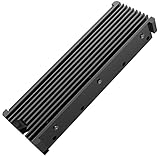
This listing is written around a list of drives. The title names a PS5 SSD NVMe heatsink for Samsung 990 and 980 Pro, 970 EVO Plus, SN570, SN750, SN850 and Firecuda 530 NVMe or SATA M.2 2280 drives, in black. It suits a buyer who already owns one of those drives and likes seeing it on the list, although a long compatibility list on a generic 2280 heatsink mostly reflects the standard size.
- Drive size: M.2 2280, NVMe or SATA per the title
- Use: PS5 per the title
- Finish: black
- Compatibility list: several named Samsung, Western Digital and Seagate drives
Any 2280 drive can in principle fit a heatsink of this type, but the real questions are thickness, drive layout and whether your SSD already has a heatsink. Some drives named in lists like this are sold in heatsink editions that are too tall for the PS5. Buy the bare version of the drive, or remove the heatsink if the maker allows it. Removing a factory heatsink can void the drive’s warranty on some models, so read the drive’s warranty terms first.
The title says NVMe or SATA. The PS5 supports PCIe Gen4 NVMe drives only, so the SATA mention is relevant to PC use rather than to the console. Treat the listing as a PC and PS5 heatsink, and use only NVMe drives in the console.
For fit, ask for the installed height and the pad thickness. Pads of 1mm to 2mm are common, and an extra pad on the bottom face can push a double-sided stack beyond the lower limit of 2.45mm. If the kit includes pads of several thicknesses, choose the thinnest that still makes visible contact.
Using the drive list sensibly. A list of drive names is helpful as a hint about the physical layout the seller expects, such as common 2280 single-sided models. It does not replace measuring your own drive. Look at the photos on the drive maker’s page and count the chip positions. If the drive has a controller on top and flash on both sides, treat it as double-sided for thickness purposes.
Sensible approach. Install the heatsink dry, without removing film from the pads, to see whether the cover closes with no resistance. If it does, finish the installation properly. If the fit is tight, stop and choose a thinner part.
Pros
- Names the PS5 and a list of popular drives
- Black finish keeps the interior neutral
- Simple clamp-on design
Cons
- Compatibility list is not a guarantee of fit
- Dimensions are not stated in the title
- Maker information is limited
Versus the nearest alternative. The PC-focused Samsung 990 Pro listing is similar in concept, but this one names the PS5. The be quiet! MC1 is a better-documented alternative.
9. M.2 2280 NVMe SSD Heatsink for Samsung 990 Pro (PC Listing) – Best for PC First, PS5 with Care

This listing is written for PC use. The title names an M.2 2280 NVMe SSD heatsink for Samsung 990 Pro, 990 EVO Plus, 9100 Pro, 970 EVO Plus, 980 Pro and 860 EVO drives, described as a cooler for PC with thermal pads. It does not mention the PS5, so it is the entry in this list that needs the most checking before it goes anywhere near a console.
- Drive size: M.2 2280 NVMe
- Use: PC per the title; PS5 not mentioned
- Interface: thermal pads included per the title
- Named drives: several Samsung models
It is a sensible choice for a desktop build where a motherboard slot lacks a heatsink, such as a second or third M.2 slot or a PCIe adapter card. In those places, there is plenty of room, and a fin stack or a thicker plate is fine. In a PS5, the same part may be too tall.
If you want to try it in a PS5 anyway, measure first. Ask the seller for the installed height with your exact drive, make sure that it leaves a margin under 11.25mm, and keep the lower plate within 2.45mm. If a dimension is missing, choose a heatsink that states PS5 fit and published dimensions instead.
One of the named drives is a PCIe Gen5 model. A Gen5 drive can run hotter than Gen4 drives on a desktop board, and a heatsink helps there. In the PS5, such a drive runs at Gen4 speed and produces less heat, so a modest low-profile heatsink is enough.
When this is the right choice. If your main goal is cooling a desktop NVMe drive, the extra material and the thermal pads are an advantage, and a fan-assisted airflow path in the case does the rest. A Gen5 drive such as the 9100 Pro class generates more heat than most Gen4 drives, so a proper heatsink matters more in a PC than in a console.
Console warning. Do not assume that a heatsink with a long Samsung compatibility list will fit under a PS5 cover. The compatibility list describes the drive, not the console. Only use it in the console if the seller lists the installed height and it fits Sony’s limits.
Pros
- Suitable for desktop M.2 slots without a heatsink
- Names several popular Samsung drives
- Thermal pads included per the title
Cons
- Written for PC, with no PS5 wording
- Dimensions are not stated in the title
- Risk of a poor fit in the console
Versus the nearest alternative. The Bestoss listing is also general-purpose. For consoles, a heatsink that names the PS5 and states its dimensions is the safer pick.
10. ElecGear PS5 Pro and Slim SSD Heatsink Ultra – Best for PS5 Pro and Slim Owners

ElecGear’s EL-P5SP is the most elaborate design in this list. The listing names a heat pipe, two aluminum coolers and a heat bridge for internal M.2 NVMe Gen4 SSDs, with thermal pads and an SSD mounting post kit. The maker states compatibility with the PS5 Pro and PS5 Slim. It suits owners of the newer consoles who want the strongest passive cooling hardware and are comfortable with a do-it-yourself installation.
- Design: copper heat pipe, two aluminum coolers and a heat bridge linking them
- Console support: PS5 Pro and PS5 Slim per the maker
- Drive sizes: 2230, 2242, 2260, 2280 and 22110 per the maker
- Included: thermal pads and a mounting post kit
The structure has an inner part that sits on the SSD and an outer part that sits outside the bay area, joined by a bridge. That lets it move heat away from the drive’s immediate area. A heat pipe carries heat efficiently along its length, which is why designs of this type are common in laptops. The maker says the heat bridge corner should be trimmed for the newest PS5 Pro, which shows how fit-dependent the design is.
The cost of complexity is installation. One regional listing warns that the Ultra version may be a little complicated and needs some DIY skill, and suggests the simpler ElecGear model for those who prefer less work. If you have not opened the console’s side panel before, watch the maker’s installation video first, and take your time.
Because the part is not a simple clamp-on, check each step: align the posts, apply pads without trapping air, and make sure the cover closes without pressure. Do not trim or bend parts beyond what the instructions allow, and stop if the cover does not sit flat.
Before you begin. Read the maker’s instructions fully, gather a small Phillips screwdriver and a clean work surface, and plan for more time than a clip-on part needs. Take photos of the original cover and screws as you remove them so that you can restore the console if you decide to go back to stock. The mounting posts can be sensitive to position, so check that each lines up with its hole before you tighten anything.
Cooling in context. A larger heatsink assembly does most for a drive that runs hot, such as a fast Gen4 model with high-capacity flash. If your drive is a modest model, the simpler parts here may give the same real-world result with less work.
Pros
- Names PS5 Pro and Slim compatibility
- Heat pipe and two coolers for the most cooling hardware here
- Supports many M.2 lengths
- Includes mounting hardware
Cons
- Installation is more involved than clip-on designs
- Larger and heavier than other options
- Fit may need trimming of a part on the newest console
Versus the nearest alternative. The be quiet! MC1 is much simpler and clips on in minutes. The ElecGear is the choice when you want the largest cooling hardware and own a Slim or Pro.
How to Choose an NVMe Heatsink for PS5
Begin with your console model, then check height, drive layout and ease of installation. Everything else is secondary.
Know your console and Sony’s limits
The original PS5, PS5 Slim and PS5 Pro share the same basic SSD requirements, but their covers and bays differ. Sony asks for a PCIe Gen4 x4 NVMe drive of 250GB to 8TB, with a recommended read speed of 5,500MB/s or more, a maximum width of 25mm including the cooling structure, and a total height under 11.25mm, split into under 8mm above the board and under 2.45mm below it. A heatsink designed for the original console can fail to fit the Slim or Pro, so look for the console name in the listing.
A worked height calculation
Take illustrative figures. A single-sided drive measures about 2.3mm thick and a double-sided drive about 3.5mm. Suppose a clamp-on heatsink adds a 3mm plate and a 1mm pad above the drive, and a 1mm plate and a 0.5mm pad below. With a double-sided drive, the total is 3.5 + 4.0 + 1.5 = 9.0mm, under 11.25mm. The heatsink below the board adds about 1.5mm, which together with the drive’s own chips stays under 2.45mm, so the fit works. Replace that with a thick sandwich stack of 5mm above and 3mm below, and the total becomes 3.5 + 5.0 + 3.0 = 11.5mm, over the limit, and the 3mm below the board breaks the lower limit as well. Always compare the maker’s thickness numbers with Sony’s, not just the total.
Decision matrix
| Your situation | Best pick from this list | Why |
|---|---|---|
| Original PS5, want a purpose-built cover part | SABRENT SB-PSHS | Replaces the slot cover, made for PS5 |
| Double-sided SSD, want documented dimensions | be quiet! MC1 | Published size, supports both drive types |
| Very tight clearance | GLOTRENDS low-profile | Thin plate leaves margin |
| PS5 Slim or Pro | ElecGear Ultra | Names those consoles |
| Shares heatsink between PS5 and PC | Double-sided Black or EGSMTPC | Written for both uses |
| PC only, open slot | Bestoss or the Samsung 990 Pro PC listing | No console wording, more room |
| Visible PC slot, red theme | Double-sided Red | Color accent |
Choosing the SSD alongside the heatsink
The heatsink is only half of the pair. Choose a PCIe Gen4 NVMe drive that meets Sony’s read-speed recommendation, preferably a single-sided model without a built-in heatsink if you plan to add your own. Single-sided drives are thinner and easier to fit, and they leave the most room under the cover. Check the capacity you need, because a game library grows quickly, and larger drives tend to have more flash chips to share the work. Buy from a seller with a clear return process, and keep the drive’s packaging until you confirm that the console recognizes it.
Reading listing language
Marketplace titles often stack keywords, so read them with care. A title that names the PS5 and a compatible console model is a stronger signal than one that names only drives or only PC use. Look for dimensions in the images, a mention of single-sided and double-sided support, and a clear list of what is in the box. Be wary of claims about large temperature drops, since the result depends on the drive, the room and the load. When two listings look alike, pick the one whose seller answers fit questions with numbers rather than repeating the title.
Installation and safety
Turn the console fully off, not into rest mode, unplug the power cable and wait a few minutes. Touch a bare metal surface to discharge static. Remove the bay cover as shown in Sony’s guide. Handle the SSD by the edges, peel the protective film off the pads, and keep your fingers off the pad surface. Do not use sharp metal tools near the board, and do not force a cover that does not close flat. After installing, put the cover on, connect the console and follow the on-screen steps to format the drive. Keep the original cover if you swap parts later.
Do you need a heatsink at all?
Sony states that effective cooling is needed for the drive. Some SSDs come with a heatsink built in, and then an extra one is not required and may not fit. If your drive has a heatsink that meets Sony’s height limit, you can leave it. If your drive is bare, a properly fitted heatsink is the safer choice.
Installation Steps and Common Mistakes
Most problems with PS5 heatsinks come from a few repeated mistakes. The first is buying for the wrong console model. Check the model number on the back of the console, then match it to the heatsink’s stated compatibility. The second is ignoring height. A heatsink that nearly fits is the one that causes trouble, because it makes the cover bulge and puts pressure on the drive. The third is stacking pads. One correctly sized pad on each contact surface is enough, and extra pads only add height and reduce heat transfer by adding layers.
The fourth mistake is skipping the pad film. Thermal pads usually come with a clear protective film on each side, and leaving it on blocks the heat path. The fifth is touching the pad surface, which leaves skin oils that reduce adhesion. The sixth is over-tightening screws, which can crack a small circuit board or warp the drive. Tighten until the part is snug, then stop.
A simple installation sequence works for most clip-on heatsinks. Power the console fully off, unplug it and wait a few minutes. Remove the bay cover. Fit the heatsink to the SSD on a clean, flat surface, outside the console, so you can see the contact. Fit the drive at the correct standoff position for its length and secure it with the screw. Close the cover and check that it sits flat with no gap. Connect the console, turn it on and follow the on-screen format steps. Afterward, run a game from the new drive to confirm that it works. If the console reports a problem, power it off and check that the drive is fully seated.
Maintenance is minimal. Every few months, with the console off and unplugged, check for dust around the bay and vents, and wipe the area with a dry cloth. A heatsink does not need regular replacement, but thermal pads degrade over years, so replace them if you ever remove the heatsink.
Frequently Asked Questions
Does the PS5 need an SSD heatsink?
Sony requires effective heat dissipation for the added SSD. Some drives have a heatsink built in, and others need a separate one. A bare drive in the bay without any cooling structure is not a good plan.
What is the maximum heatsink height for the PS5?
Sony’s limit is 11.25mm for the SSD and cooling structure together, with less than 8mm above the board and less than 2.45mm below it. Check the maker’s stated thickness, and avoid anything that makes the cover bulge.
Will a heatsink for the original PS5 fit the PS5 Slim or Pro?
Not always. The covers and bays differ, and some heatsinks are explicitly marked as original-console only. Look for the specific model name in the listing or ask the maker.
Can I use a double-sided heatsink on a double-sided SSD?
Sometimes. It raises the total height on both sides of the board and can break the lower limit. A thin design or a clip-on cooler with published dimensions is the safer choice for double-sided drives.
Do I need to remove the heatsink that came with my SSD?
Only if it is too tall for the console. Many PS5-ready drives with factory heatsinks fit as supplied. If you remove a factory heatsink, check the drive’s warranty terms first.
Can I reuse the thermal pad after removing the heatsink?
Pads usually lose adhesion and shape once compressed and removed. Replace them with a pad of the same thickness for the best contact, and never stack extra pads to fill a gap.
Will a heatsink make my SSD faster?
A heatsink does not raise the drive’s rated speed. It helps the drive keep that speed during long loads by reducing heat build-up. In a console, the loads are often short, so the gain can be modest.
Is it safe to install an SSD myself?
Yes, Sony provides an expansion bay for this purpose. Turn the console fully off, unplug it, handle parts carefully and follow Sony’s instructions for your model.
Our Recommendation by Situation
Pick the Sabrent SB-PSHS for an original PS5 and a cover-style part, the be quiet! MC1 for a documented clip-on that suits double-sided drives, the GLOTRENDS low-profile heatsink when clearance is tight, and the ElecGear Ultra for a PS5 Slim or Pro. Treat the unbranded and PC-first listings as research-first options that need dimension checks.