Our Top Picks
The best gaming controller for PC for most people is the 8BitDo Ultimate 2. It uses TMR joysticks and switchable Hall effect triggers, connects over a 1000Hz 2.4G wireless dongle or a cable, adds back paddles and extra shoulder buttons, and ships with a charging dock that also stores the receiver. It is the most complete wireless pad in this group. If you want the same drift-resistant magnetic sticks at the lowest entry point, the 8BitDo Ultimate 2C is the value pick. If you would rather have a controller that your PC recognizes instantly with no software at all, the Xbox Wireless Controller remains the safest choice. The rest of the lineup covers specific needs: a built-in screen, Xbox-friendly TMR sticks with clicky triggers, a very cheap wired fallback, and a classic gamepad that still runs older games without fuss. Below you will find every model compared on sticks, triggers, connection types, battery, and compatibility, along with a guide to choosing between them.
Top 3 Picks
Best overall: 8BitDo Ultimate 2. TMR joysticks, switchable linear Hall effect and tactile triggers, a 1000mAh battery, two back paddles, and a charging dock with a built-in spot for the 2.4G adapter. It gives you the strongest feature set for PC play without leaving the wireless world.

8Bitdo Ultimate 2C Wireless Controller for Windows PC and Android, with 1000 Hz Polling Rate, Hall Effect Joysticks and Triggers, and Remappable L4/R4 Bumpers (Green)
Included for 'Best Gaming Controller for PC in 2026' because the listing specifies with 1000 Hz Polling Rate and Hall Effect Joysticks and Triggers, details this guide uses to compare options.
View on Amazon
ManbaOne Interactive Screen Wireless Gaming Controller (Black)
Included for 'Best Gaming Controller for PC in 2026' as a relevant option in this category; details come from the product listing.
View on Amazon
EasySMX X15 Wireless PC & Steam Gaming Controller, Hall Effect, Black
Included for 'Best Gaming Controller for PC in 2026' because the listing specifies Hall Effect and Black, details this guide uses to compare options.
View on Amazon
GameSir Nova Lite 2 Wireless PC Controller Hall Effect Sticks
Included for 'Best Gaming Controller for PC in 2026' as a relevant option in this category; details come from the product listing.
View on Amazon
GameSir G7 Pro Wired Controller for Xbox Series X|S, Xbox One, Wireless Gamepad for PC&Android with TMR Sticks, Hall Effect Analog Triggers, 1000Hz Polling Rate, 3.5mm Audio Jack - Black
Included for 'Best Gaming Controller for PC in 2026' because the listing specifies Xbox One and Wireless Gamepad for PC&Android with TMR Sticks, details this guide uses to compare options.
View on Amazon
8Bitdo Ultimate 2 Wireless Controller for PC, Apple, Steam & Android, Black | TMR Joysticks, Hall/Tactile Triggers, 8Speed 2.4G, 1000Hz Polling Rate, Motion Control, RGB Fire Ring, Charging Dock
Included for 'Best Gaming Controller for PC in 2026' because the listing specifies Apple and Steam & Android, details this guide uses to compare options.
View on Amazon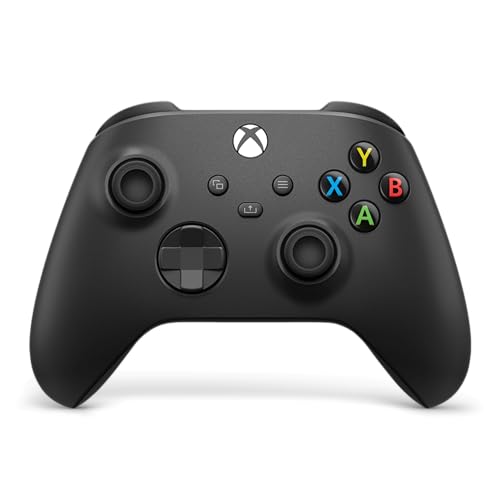
XBOX Wireless Gaming Controller | Carbon Black
Included for 'Best Gaming Controller for PC in 2026' because the listing specifies Carbon Black, details this guide uses to compare options.
View on Amazon
PowerA Wired Controller for Xbox Series X|S - Black, gamepad, wired video game controller, gaming controller, works with Xbox One and Windows 10/11
Included for 'Best Gaming Controller for PC in 2026' because the listing specifies Black and gamepad, details this guide uses to compare options.
View on Amazon
Logitech G F310 Wired Gamepad Controller Console - Blue/Black
Included for 'Best Gaming Controller for PC in 2026' because the listing specifies Blue/Black, details this guide uses to compare options.
View on AmazonBest budget: 8BitDo Ultimate 2C. Hall effect joysticks and triggers, a 1000Hz polling rate over 2.4G or a cable, and remappable L4 and R4 bumpers in a light, compact body. It leaves out back paddles, a dock, and motion controls, which keeps it simple.
Best for plug-and-play simplicity: Xbox Wireless Controller. Windows has native support for it, it works over Bluetooth or USB-C, and it has the familiar layout that nearly every PC game assumes. It uses a traditional stick design, so it is the choice for compatibility rather than for cutting-edge sensors.
Quick Comparison
| Product | Best for | Key specs |
|---|---|---|
| 8BitDo Ultimate 2C | Budget Hall effect wireless play | Hall effect sticks and triggers, 1000Hz over 2.4G and wired, L4/R4 bumpers, Windows and Android |
| ManbaOne Interactive Screen | Tinkerers who want on-controller settings | 2-inch screen, Hall effect sticks and triggers, four back buttons, 1800mAh battery, charging dock, gyro |
| EasySMX X15 | Low-cost Hall effect with RGB | Hall effect sticks and triggers, two back buttons, Bluetooth, 2.4G, or wired, 1000mAh battery |
| GameSir Nova Lite 2 | Lightweight wireless with a dongle included | Hall effect sticks and triggers, trigger lock, M1/M2 back buttons, 600mAh battery, 1000Hz over 2.4G |
| GameSir G7 Pro | Premium features and Xbox wired use | TMR sticks, Hall effect triggers with clicky stops, four extra buttons, 3.5mm jack, 1000Hz on PC, gyro on PC |
| 8BitDo Ultimate 2 | Best overall wireless PC controller | TMR sticks, switchable Hall effect or tactile triggers, back paddles, dock, 1000mAh battery, 1000Hz |
| Xbox Wireless Controller (Carbon Black) | Native, plug-and-play Windows support | Xbox Wireless and Bluetooth, USB-C, 3.5mm jack, Share button, hybrid D-pad, AA batteries |
| PowerA Wired Controller for Xbox Series X|S | Simple wired backup | Wired USB-C, long cable, 3.5mm headset jack, dual rumble, Impulse Triggers |
| Logitech G F310 | Older games and basic wired play | Wired USB, XInput and DirectInput switch, four-switch D-pad, about 6 ft cable |
How We Chose
This guide is built from research rather than personal ownership claims. We compared manufacturer specifications, retailer listings, user manuals, and independent professional coverage for each controller, and we cross-checked model-specific statements where sources disagreed. We prioritized the factors that matter on a PC: stick and trigger sensing technology, polling rate, how the controller connects (2.4G dongle, Bluetooth, or cable), battery capacity and charging method, extra buttons and remapping, compatibility with Windows and Steam, and build features such as grips, D-pad design, and weight. We also considered how much each product depends on special software. Some listings give conflicting numbers for battery life or platform support, so in those cases we describe the range or tell you which detail to confirm. Prices change daily and are left out; instead we explain where each controller sits in the lineup so you can judge value yourself.
1. 8BitDo Ultimate 2C – Best for Budget Hall Effect Wireless Play
As an Amazon Associate we earn from qualifying purchases at no extra cost to you.

The Ultimate 2C is 8BitDo’s value-oriented PC controller. It is a redesign of the earlier Ultimate C, with a 1000Hz polling rate, Hall effect joysticks and triggers, a refined D-pad, and remappable L4 and R4 bumpers. The listing says it is built for Windows PC and Android, and that is the right way to read it: this is a PC and phone pad, not a console controller.
It connects through a 2.4G USB receiver or a wired USB cable on Windows, with Bluetooth available for Android. The 1000Hz polling applies to the 2.4G and wired connections, while Bluetooth is slower, so for competitive PC play you will want the dongle. The battery is 480mAh and the maker lists up to about 19 hours of play over 2.4G. It weighs about 217 grams, which is on the lighter side, and measures roughly 147 x 103 x 61 mm.
- Sticks and triggers: Hall effect, with metal joystick rings for wear resistance
- Polling rate: 1000Hz over 2.4G and wired
- Extra inputs: remappable L4 and R4 bumpers, turbo function
- Platforms: Windows 10 (version 1903) or later, and Android 9 or later
- Missing: back paddles, gyro on the 2.4G version, RGB lighting, charging dock
What it does well. You get magnetic sensing, which eliminates the contact wear that causes stick drift in traditional potentiometer designs, at an entry-level position in the lineup. The L4 and R4 buttons are mappable without software, so setup is quick. For a first Hall effect controller, it is hard to beat on simplicity.
What to watch. The extra buttons sit on top next to the bumpers rather than on the back, so it does not offer paddle-style inputs. There is no dock, and platform support is narrower than some rivals because it targets Windows and Android only.
Pros
- Hall effect sticks and triggers in a value-oriented pad
- 1000Hz polling over the dongle or a cable
- Light and compact
- Mappable L4 and R4 without extra software
Cons
- No back paddles or dock
- Bluetooth is mainly for Android and runs at a lower polling rate
- No gyro on the 2.4G version
Setup note. Plug the receiver into a USB port close to your seating position, switch the controller to 2.4G mode, and Windows will treat it as an Xbox-style pad, which is what nearly every PC game expects. With a 480mAh battery and a charge time of about two hours, a quick top-up over USB-C is easy, and the cable doubles as a wired connection if the battery runs flat mid-session.
Compared with the nearest alternative. The 8BitDo Ultimate 2 adds TMR sticks, back paddles, a dock, and a larger battery. If you want those extras, step up to it; if you just want drift-resistant sticks and low latency, the 2C does the core job.
Who should skip it. Anyone who wants paddles for shooters, a charging dock, or wireless use with consoles should look at the Ultimate 2 or the GameSir G7 Pro.
2. ManbaOne Interactive Screen – Best for Tinkerers Who Want On-Controller Settings

The ManbaOne is the odd one in this group, and that is the point. It has a 2-inch display built into the controller that lets you adjust button mappings, joystick behavior, and lighting without installing an app. Around the screen you get Hall effect sticks and triggers, four remappable back buttons (M1 to M4) that can store macros, RGB lighting along the sides, and an 1800mAh battery that the manufacturer says lasts about 12 hours per charge. A charging dock is included, and it also stores the Bluetooth dongle.
It is built for Nintendo Switch and Switch 2, iOS, Android, and Windows PC, using either a wireless adapter or a USB cable. It has a 6-axis gyroscope. It does not support Xbox or PlayStation 5. On PC, Bluetooth works, but the included adapter is reported to be more stable. Wired polling is listed above 800Hz, which is below the 1000Hz of the 8BitDo pads, though still fine for most games.
- Sticks and triggers: Hall effect, with interchangeable stick caps in two sizes
- Screen: 2-inch display for on-controller configuration
- Back buttons: four (M1 to M4) with macros up to 20 key presses
- Battery: 1800mAh, about 12 hours per charge, charging dock included
- Weight: about 295 grams
- Platforms: Windows PC, Switch, Switch 2, iOS, Android
What it does well. Changing mappings on a controller screen is faster than going into software, and the multi-platform support means one pad can serve a PC, a phone, and a Switch. The dock keeps the pad charged and the dongle safe.
What to watch. At around 295 grams it is heavier than the 8BitDo models. One published review found the thumbsticks somewhat loose and the face buttons softer than a first-party controller, though aiming and movement still worked without drawbacks. Another source claims a larger screen and smaller battery than the retailer listings, which conflict with the manufacturer details, so rely on the 2-inch and 1800mAh figures.
Pros
- On-controller screen for settings
- Four back buttons with macro support
- Large battery and included dock
- Works on PC, Switch, iOS, and Android
Cons
- Heavier than most rivals
- Sticks and buttons feel looser than first-party pads, according to one reviewer
- No Xbox or PlayStation support
Practical note. If you mostly play on PC, use the included adapter rather than Bluetooth for a steadier link, and keep the dock where you sit so the pad is always charged. Macros of up to 20 key presses are convenient for single-player games, but check the rules of any online game before using them, since some multiplayer titles restrict automated input.
Compared with the nearest alternative. The EasySMX X15 offers Hall effect sensing and back buttons in a lighter body but without a screen or dock. Pick the ManbaOne for flexibility and platform coverage; pick the X15 for weight and simplicity.
Who should skip it. Players who prefer a light, tight-feeling pad for fast shooters, or who only play on PC, will get more from the 8BitDo or GameSir options.
3. EasySMX X15 – Best for Low-Cost Hall Effect with RGB

The EasySMX X15 is a wireless PC and Steam controller with Hall effect sticks and triggers, RGB lighting, and two back buttons. It connects over Bluetooth, a 2.4G receiver, or a USB-C cable, and works with Windows, Android, iOS, and Switch according to retail listings, with Steam support noted as well. Dimensions are roughly 15.5 x 10.7 x 5.7 cm and the weight is about 228 grams.
The battery is 1000mAh with a 2.5 to 3 hour charge time. Advertised run times vary widely from one retailer to another, anywhere from single-digit hours up to 20 hours, so treat the high figures as best-case and plan on something more modest with RGB lighting on. One independent writer found 1000Hz polling both wired and wireless.
- Sticks and triggers: Hall effect
- Connection: Bluetooth, 2.4G receiver, or USB-C cable
- Back buttons: two
- Battery: 1000mAh, charge time about 2.5 to 3 hours
- Extras: RGB lighting
- Box contents: controller and 2.4G receiver; no charging dock
What it does well. You get magnetic sensing, back buttons, and three connection modes at an entry-level position, with enough battery capacity for regular use. It is a good first upgrade over a worn-out standard pad.
What to watch. One independent reviewer describes the face buttons and D-pad as somewhat mushy, so it is not the best pick for platformers or fighting games that rely on precise D-pad inputs. There is no dock in the box, and the conflicting battery claims mean you should not rely on the longest numbers.
Pros
- Hall effect sticks and triggers
- Three connection modes and a 2.4G receiver included
- Back buttons and RGB lighting
- Reasonable weight
Cons
- Face buttons and D-pad can feel soft
- Only two back buttons and no dock
- Inconsistent battery life claims
Where it fits. The X15 is a sensible first Hall effect upgrade for someone moving from a basic pad. With a 2.4G receiver in the box and Bluetooth or a cable as fallbacks, it covers a gaming PC, a laptop, and a phone. Turn the RGB lighting down to stretch the battery, and plan on charging every few days if you play most evenings, given the 2.5 to 3 hour charge time. Because listings vary on platform and Steam support, confirm after connecting that Steam detects it as an Xbox-style controller, and switch to its XInput mode if the manual says so.
Compared with the nearest alternative. The GameSir Nova Lite 2 sits at a similar position with a smaller battery but a mechanical D-pad and a trigger lock. If you value the D-pad feel, GameSir has the edge; if you prefer a bigger battery and RGB, the EasySMX does.
Who should skip it. If you want a dock or the sharpest button feel, move up to the 8BitDo Ultimate 2.
4. GameSir Nova Lite 2 – Best for Lightweight Wireless with a Dongle Included

The Nova Lite 2 is GameSir’s budget-friendly Hall effect controller for PC. It uses GameSir’s own Hall effect technology in the sticks, with anti-friction rings around them, and Hall effect triggers that include trigger stops. A two-way trigger lock switches between a short, quick pull and a longer analog pull, and a hair-trigger mode is available through a button combination. The wireless dongle is included, and the controller also works over Bluetooth and a wired connection.
It supports Windows PC, Android, iPhone, Switch, and Steam Deck according to listings. A reviewer-sourced spec sheet lists 1000Hz for wired XInput and for 2.4G, which is the kind of polling rate PC players want. The battery is 600mAh, smaller than most rivals, and GameSir has not published an official run-time estimate. The charging dock is sold separately.
- Sticks and triggers: Hall effect, with trigger stops and anti-friction stick rings
- Connection: 2.4G dongle (included), Bluetooth, or wired
- Polling: 1000Hz for XInput wired and 2.4G, per a published spec sheet
- Buttons: membrane face buttons, mechanical D-pad, M1 and M2 back buttons
- Battery: 600mAh; dock not included
- Rumble: dual asymmetric motors; no gyro
What it does well. The mechanical D-pad and the trigger lock are thoughtful touches at this level, and the improved Hall effect sticks are reported to be a step up from the original Nova Lite. It is easy to carry and has broad compatibility.
What to watch. The 600mAh battery will not match the larger packs on the 8BitDo or ManbaOne models, and there is no gyro. Its face buttons use membrane switches, which feel softer than microswitches.
Pros
- Hall effect sticks and triggers with a trigger lock
- Dongle included, mechanical D-pad
- Wide platform compatibility
- Light and compact
Cons
- Smaller battery and no dock in the box
- No gyro
- Membrane face buttons
Where it fits. Many players pick the Nova Lite 2 as a travel pad, since the small body and the included dongle slip into a laptop bag. The two-way trigger lock helps in shooters: the short pull shortens the travel so shots register faster, while the long pull restores full analog range for racing games. Because the 600mAh battery has no official run-time figure, keep a USB-C cable handy; wired play is available at the same 1000Hz polling rate, so a low battery never ends a session.
Compared with the nearest alternative. Next to the EasySMX X15, it has a smaller battery but better D-pad and trigger flexibility. Next to the 8BitDo Ultimate 2C, it adds back buttons and a trigger lock while giving up some battery capacity.
Who should skip it. Players who need long sessions between charges or a dock should choose the 8BitDo Ultimate 2 or the ManbaOne.
5. GameSir G7 Pro – Best for Premium Features and Xbox Wired Use

The G7 Pro is the most feature-rich controller here after the 8BitDo Ultimate 2. GameSir markets it as an Xbox-style pad with TMR (tunneling magnetoresistance) sticks, Hall effect analog triggers with clicky trigger stops, extra mappable mini bumpers, and low-latency input. The listing calls it wired for Xbox Series X|S and Xbox One, but it also has tri-mode functionality: wired for Xbox, wired and 2.4G for PC, and Bluetooth for Android. A physical switch changes the mode. It cannot be used wirelessly on Xbox.
On PC it runs a 1000Hz polling rate over both wired and 2.4G connections. It includes a 3.5mm audio jack, four extra programmable buttons, haptic feedback, swappable faceplates, a charging station, and a built-in gyroscope that works on PC only. It weighs around 310 grams, and the GameSir Nexus app handles gyro settings, stick curves, and button-to-mouse mapping.
- Sticks: TMR, with a published life rating of 5 million cycles and 4096-level resolution
- Triggers: Hall effect analog with clicky stops and a hair-trigger mode
- Connection: wired (Xbox and PC), 2.4G (PC), Bluetooth (Android)
- Extras: four programmable buttons, 3.5mm jack, swappable faceplates, charging station
- Weight: about 310 grams
What it does well. TMR sticks combine the drift resistance of magnetic sensing with a smoother feel and lower power use. The clicky trigger stops let you switch between full analog pull and a short digital press, which helps in shooters. Because it works on Xbox when wired and on PC wirelessly, one pad can follow you between systems.
What to watch. It is heavier than most competitors. The product name focuses on the wired Xbox use case, so read the listing carefully to confirm which accessories (dongle, charging station) are included with your variant. Wireless use on Xbox is not possible.
Pros
- TMR sticks and Hall effect triggers with clicky stops
- 1000Hz on PC wired and 2.4G
- Four extra buttons, 3.5mm jack, and gyro on PC
- Works on Xbox (wired), PC, and Android
Cons
- Heavier build
- No wireless on Xbox
- Naming can confuse buyers about which modes it supports
Setup note. Flip the mode switch before connecting: wired for Xbox, 2.4G or wired for PC, Bluetooth for Android. Use GameSir’s companion app to set stick curves and remap the extra buttons, and keep the charging station on your desk so the 2.4G mode is always ready.
Compared with the nearest alternative. The 8BitDo Ultimate 2 offers similar TMR sticks and a dock but no Xbox compatibility and a lighter body. If you also play on an Xbox console, the G7 Pro is the one to choose.
Who should skip it. PC-only players who value light weight should look at the 8BitDo Ultimate 2, and anyone on a strict budget will find the Nova Lite 2 or Ultimate 2C easier to justify.
6. 8BitDo Ultimate 2 – Best Overall Wireless PC Controller

The Ultimate 2 is 8BitDo’s flagship wireless pad and the first from the company to use TMR joysticks. The triggers can be switched between linear Hall effect and a non-linear tactile response, so the same controller works for racing games and for shooters. It connects over a 2.4G adapter or USB cable on Windows and over Bluetooth on Android and Apple devices, with a polling rate of 1000Hz on 2.4G and wired. The maker advertises very low latency on the 2.4G link and a range of about 10 meters.
A 1000mAh battery powers it, and the charging dock included in the box also holds the 2.4G adapter. Two pro back paddles and extra L4 and R4 bumpers give you four additional inputs, and a 6-axis motion sensor, turbo function, and RGB fire ring lighting round out the feature list. It weighs about 246 grams and measures roughly 147 x 103 x 61 mm. Software support comes through 8BitDo’s Ultimate Software V2.
- Sticks: TMR; triggers: switchable linear Hall effect or tactile
- Polling: 1000Hz over 2.4G and wired
- Extra inputs: two back paddles plus L4 and R4
- Battery: 1000mAh, charging dock included
- Platforms: Windows (2.4G and wired), Android and Apple (Bluetooth), per the maker
- Weight: about 246 grams
What it does well. It is the best balance of weight, sensor quality, and extras. The dock is a real convenience, because the pad always sits charged and the adapter has a home. The software is mature, and the build quality is generally praised.
What to watch. Platform support differs between retail listings and the maker’s own specification page, with some listings mentioning Steam and Apple while the maker lists 2.4G and wired for Windows and Bluetooth for Android and Apple. Confirm current compatibility before relying on a particular platform. One reviewer also noted that supported platforms narrowed compared with the previous generation.
Pros
- TMR sticks and switchable triggers
- Back paddles, extra bumpers, and a gyro
- Dock included, which also stores the adapter
- Strong battery capacity
Cons
- Platform details vary between listings
- Heavier than the Ultimate 2C
- Likely a higher position in the price range of this lineup
Setup note. Use the dock as the pad’s home so it is always charged, then open 8BitDo’s Ultimate Software V2 to map the paddles and tune stick response. Setting the triggers to their linear mode for driving games and the tactile mode for shooters takes seconds and changes the feel considerably.
Compared with the nearest alternative. The GameSir G7 Pro matches it on sensor technology and adds Xbox wired use, but is heavier and less dock-centered. The Ultimate 2 is the more refined PC-first design.
Who should skip it. If you only need drift-free sticks at the lowest cost, the Ultimate 2C does most of the job. If you play on an Xbox console, the G7 Pro fits better.
7. Xbox Wireless Controller (Carbon Black) – Best for Plug-and-Play Windows Support

The Xbox Wireless Controller in Carbon Black is the reference point for PC controller design, in the sense that PC games assume its layout. It has sculpted surfaces, textured grips on the triggers, bumpers, and back case, and a hybrid D-pad with raised edges that sits between the older Xbox One style and the Elite model’s faceted disc. A Share button captures screenshots and video, and the controller works with Windows 10 and 11, Xbox consoles, Android, and iOS.
It connects through Xbox Wireless (with the separate Xbox Wireless Adapter on PC), Bluetooth, or a USB-C cable that gives direct plug-and-play on a PC. A 3.5mm jack lets you plug in a headset. Power comes from two AA batteries, which Microsoft says last up to about 40 hours, and the battery compartment is typically empty out of the box, so check the packaging. A rechargeable pack is sold separately, and the USB-C port does not charge AA batteries on its own.
- Connection: Xbox Wireless, Bluetooth, or USB-C cable
- Sticks and triggers: traditional design; no Hall effect or TMR sensing
- Extras: Share button, 3.5mm headset jack, button remapping through the Xbox Accessories app
- Power: two AA batteries; rechargeable pack sold separately
- Platforms: Windows 10 and 11, Xbox, Android, iOS
What it does well. It simply works. Windows recognizes it, Steam Input handles it, and nearly every game prints Xbox button prompts. The ergonomics are widely praised, and the AA battery design means you can swap in fresh cells mid-session without waiting for a charge.
What to watch. It does not use drift-resistant Hall effect or TMR sticks, so long-term stick wear is a bigger risk than on the magnetic designs above. There are no back paddles, and the Share button sits in the center, which some find awkward to reach. Wireless on PC beyond Bluetooth needs the separate adapter.
Pros
- Native Windows support with no setup
- Excellent ergonomics and a refined D-pad
- Bluetooth, wireless, and USB-C wired options
- Remapping through the Xbox Accessories app
Cons
- Traditional sticks are more exposed to drift over time
- No back buttons and no included rechargeable battery
- Xbox Wireless needs a separate adapter on PC
Setup note. Fit two AA batteries or a rechargeable pack before first use, and pair it over Bluetooth or plug in a USB-C cable. The Xbox Accessories app is the place to remap buttons.
Compared with the nearest alternative. The PowerA wired controller shares the layout but trades the wireless freedom and refined build for a basic wired design. Against the 8BitDo Ultimate 2, the Xbox pad offers better out-of-the-box compatibility but fewer modern sensors and extras.
Who should skip it. Anyone who wants Hall effect or TMR sticks, back paddles, or a dock should choose one of the 8BitDo or GameSir models.
8. PowerA Wired Controller for Xbox Series X|S – Best for a Simple Wired Backup

PowerA’s wired controller is an officially licensed pad for Xbox Series X|S that also works on Xbox One and on Windows 10 and 11. It has an extra-long USB-C cable of about 10 feet, a 3.5mm stereo headset jack, dual rumble motors, and Immersive Impulse Triggers. It comes with a two-year limited warranty from the maker.
This basic model is different from PowerA’s Enhanced and Advantage lines, which add mappable buttons, a Share button, a volume dial, and trigger locks. The manufacturer’s comparison places those features on other models, so do not expect them here. The simplicity is the appeal: plug it in and it behaves like a standard Xbox controller, with no batteries or charging to think about.
- Connection: wired USB-C, cable of about 10 feet
- Audio: 3.5mm stereo headset jack
- Feedback: dual rumble motors and Impulse Triggers
- Platforms: Xbox Series X|S, Xbox One, Windows 10 and 11
- Warranty: two-year limited
What it does well. Wired use means zero input lag from wireless transmission and no battery management, which suits a couch setup where the PC is across the room, or a spare pad for guests. The long cable gives real freedom of placement.
What to watch. It uses conventional sticks, not Hall effect, and the plastics and feel are plainer than Microsoft’s own controller. There are no mappable buttons on this model, and it is wired only.
Pros
- Plug-and-play on Windows and Xbox
- Long cable and a headset jack
- No batteries to manage
- Two-year limited warranty
Cons
- Wired only
- No mappable buttons on this base model
- Traditional sticks and plainer build
Where it fits. A wired pad is the right tool where wireless is a hassle: a PC connected to a TV across the room, a LAN party, or a child’s first controller. The long cable removes the need to sit near the computer, and Windows detects the pad as a standard Xbox controller with no software to install. If you want mappable buttons or trigger locks, PowerA’s Enhanced and Advantage lines add them, but this base model keeps things simple. Route the cable away from walkways and use a hook-and-loop tie to keep it tidy.
Compared with the nearest alternative. The Xbox Wireless Controller costs more in terms of positioning but adds wireless, a textured grip, and a refined D-pad. The Logitech F310 is the other wired option, with an input mode switch for older games.
Bottom line. This is the controller for people who want nothing to go wrong: no pairing, no charging, no software, and a cable long enough to reach a couch. It earns its place as a spare even in a household that also owns a premium wireless pad.
Who should skip it. Players who want to sit away from the screen without a cable, or who want back buttons and Hall effect sticks, should look elsewhere in this list.
9. Logitech G F310 – Best for Older Games and Basic Wired Play

The Logitech G F310 is a long-running wired gamepad with a console-style layout. Its signature feature is a small mode switch on the underside: set to X, it presents itself as an XInput device for modern games that expect an Xbox 360-style controller, and set to D, it works as a DirectInput device for older games and some emulators. Logitech recommends leaving it on XInput for most uses, and DirectInput mode requires software installation to get the full benefit.
The D-pad is a four-switch design that glides over individual switches instead of resting on one pivot, which Logitech says gives a more responsive feel. The cable is about 6 feet, the connection is USB, and it has two analog sticks and no force feedback according to Logitech’s technical specification, so do not expect rumble. It weighs about 210 grams.
- Connection: wired USB, cable about 1.8 meters (6 feet)
- Modes: XInput and DirectInput, selected by a switch
- D-pad: four-switch design
- Feedback: none, per Logitech’s specification
- Platforms: Windows PCs; works with many emulators
What it does well. It is dependable and simple. The DirectInput mode is useful for older PC titles that never added XInput support, and the layout is familiar. It is also a sensible secondary controller for family use.
What to watch. There are no rumble motors, no wireless, no Hall effect sensing, and no extra buttons, so it is the plainest controller in this list. The stick feel and button quality are basic.
Pros
- XInput and DirectInput modes
- Responsive four-switch D-pad
- Simple, wired, and no batteries
- Light at about 210 grams
Cons
- No vibration
- Traditional sticks and wired only
- Few features compared with modern pads
Where it fits. The F310 shines as a utility pad. It works well for emulators and older PC titles, as a spare for a shared or family computer, and as an inexpensive controller for a kid’s first PC games. Leave the switch on X for modern games and move it to D only for older titles that require DirectInput. Since the pad has no rumble motors, games that use vibration as a prompt will simply give no feedback, which is worth knowing if you play horror or racing titles that lean on haptics.
Compared with the nearest alternative. The PowerA wired controller adds rumble, a headset jack, and a longer cable, while the F310 adds a DirectInput option for older games. Pick the Logitech if compatibility with vintage titles matters more than haptics.
Bottom line. Treat the F310 as a dependable, low-fuss tool rather than a premium experience. Its XInput and DirectInput modes cover a wide span of PC games, old and new, and that versatility is its strongest argument.
Who should skip it. Anyone who wants rumble, wireless, or modern sensing should choose one of the other models.
Hall Effect, TMR, and Standard Sticks: What Actually Changes
Three analog stick technologies appear in this list, and the differences affect how long a controller stays accurate.
Standard potentiometer sticks have a physical contact that slides across a resistive track. Over time the track wears, and the controller may report small movements when the stick is at rest, which players call drift. The Xbox Wireless Controller, the PowerA, and the Logitech F310 use conventional designs.
Hall effect sticks measure the position of a magnet with a sensor, so there is no contact surface to wear down. This is why the 8BitDo Ultimate 2C, ManbaOne, EasySMX X15, and GameSir Nova Lite 2 are marketed as drift resistant. They still have mechanical wear in the spring and the stick cap, but the sensing itself does not degrade the same way.
TMR sticks use tunneling magnetoresistance, another magnetic sensing technique. They aim to combine the durability of Hall effect sensing with smoother, more precise readings and lower power consumption. The 8BitDo Ultimate 2 and the GameSir G7 Pro use TMR sticks. GameSir publishes a life rating of 5 million cycles for the G7 Pro sticks.
Triggers follow the same logic. Hall effect triggers measure a magnet as well, which gives smoother analog travel and long life. Several models add trigger stops or locks that shorten the pull for faster firing in shooters, which is a feature to value if you play competitive games.
None of this changes how a controller feels in the hand, which depends on shape, weight, and button quality. Sensing technology is about longevity and accuracy over years of use.
Connection Types: 2.4G, Bluetooth, and Wired
How a controller connects affects latency and convenience more than most spec sheets admit.
- 2.4G dongle: A small USB receiver gives the lowest wireless latency and the highest polling rates, up to 1000Hz on the 8BitDo, GameSir, and EasySMX models here. It uses a USB port, but you get a stable, low-lag link that suits competitive PC play.
- Bluetooth: Convenient, with no receiver needed, but polling rates are lower. One source lists 250Hz for the 8BitDo Ultimate 2C over Bluetooth, and the GameSir spec sheet shows 125Hz in one Switch mode. It is fine for slower games and for phones and tablets.
- Wired USB: No battery and no wireless lag. The Xbox, PowerA, and Logitech pads can be used this way, and most wireless pads here can switch to a cable when the battery runs low.
Polling rate describes how often the controller reports its state to the PC. At 1000Hz that is every 1 millisecond; at 250Hz every 4 milliseconds; at 125Hz every 8 milliseconds. A 60 frames per second game updates the screen every 16.7 milliseconds, so the difference between 1ms and 8ms is real but small for casual play, and more noticeable in fast shooters at high frame rates.
Setup and Care: Making a PC Controller Last
A little maintenance goes a long way, whichever pad you choose. These habits apply to every controller in this roundup.
- Calibrate once, then adjust deadzones. After connecting a new controller, open the Windows game controller settings or Steam Input and check that the sticks center properly. A small inner deadzone, a few percent, ignores tiny resting offsets without making aiming feel numb. Magnetic sticks usually need less deadzone than standard sticks.
- Choose the right mode before launching a game. Controllers with mode switches, such as the Logitech F310 or the GameSir G7 Pro, should be set to XInput or PC mode before you start a game, since many titles read the controller only at launch.
- Update firmware when the maker offers it. 8BitDo and GameSir both publish companion software that can update the controller. Updates sometimes fix connection issues or improve stick response. Do the update over a cable with the battery well charged.
- Keep the dongle in a good USB port. Plug a 2.4G receiver into a port with a clear line of sight to the controller, ideally on the front of a desktop or on a short extension cable, rather than a rear port behind a metal case. This reduces dropouts.
- Store batteries sensibly. For lithium packs, avoid leaving the controller fully drained for weeks, and avoid constant charging to 100 percent if you can keep it between roughly 20 and 80 percent for long storage. If you use the Xbox controller with AA batteries, remove them before long storage to avoid leakage.
- Clean the sticks and buttons. A dry microfiber cloth handles grime. For sticky buttons, a cotton swab with a little isopropyl alcohol around the edges helps. Do not pour liquid into the stick base.
- Use the right cable. Use a data-capable USB-C cable. Some charge-only cables will power a controller but will not connect it to a PC, which is a common source of confusing connection problems.
If a pad starts to drift, standard sticks can sometimes be improved by cleaning, but a worn potentiometer track is not repairable by cleaning. That is a practical reason to prefer magnetic sensing when you plan to play for years.
How to Choose a Gaming Controller for PC
Choosing well means matching a controller to how you play, not to the longest feature list. Work through the factors below in order.
Start with the games you play
Platformers, fighting games, and retro titles lean on the D-pad, so look for a pad with a well-regarded cross or a mechanical D-pad, such as the Logitech F310 or the GameSir Nova Lite 2. Shooters and racing games lean on the triggers and sticks, where Hall effect or TMR sensing, trigger stops, and back paddles help. Open-world and story games are forgiving, so comfort and battery life matter more than sensors.
Decide between wireless and wired
A wired pad has no battery, no wireless lag, and no charging routine. A wireless pad lets you sit back from a monitor or play on a TV connected to your PC. If you choose wireless, pick a 2.4G dongle for competitive games and Bluetooth only for convenience on phones and tablets.
Match sensing technology to how long you want the pad to last
If you play several hours a day, magnetic sensing is worth having, because contact wear is the most common cause of drift. The 8BitDo Ultimate 2C, ManbaOne, EasySMX X15, GameSir Nova Lite 2, GameSir G7 Pro, and 8BitDo Ultimate 2 all use magnetic sensing in some form. The Xbox, PowerA, and Logitech pads use standard sticks, which is fine for lighter use and easy to replace if one wears out.
Check the battery against your play time
Here is a quick worked example. Say you play two hours a night, seven nights a week, which is 14 hours per week. A controller rated for about 12 hours per charge, like the ManbaOne, needs a charge roughly every 6 days. A controller rated for about 19 hours over 2.4G, like the 8BitDo Ultimate 2C, needs a charge about every 9 days. A pair of AA batteries rated for up to 40 hours in the Xbox controller lasts about 2.9 weeks, then you swap them. Remember that RGB lighting, rumble, and gyro features reduce real-world run time, and that advertised numbers are best-case. A dock turns charging into a non-event, since the pad is always topped up when you pick it up.
Count the extra buttons you will actually use
Back paddles let you keep your thumbs on the sticks while jumping or crouching. The 8BitDo Ultimate 2 has two paddles plus L4 and R4, the GameSir G7 Pro has four extra programmable buttons, the ManbaOne has four back buttons, and the EasySMX X15 and Nova Lite 2 have two each. If you have never used back buttons, start with two. If you map macros, the ManbaOne’s four buttons and macro support are the most flexible.
Check platform support honestly
Some listings promise more platforms than the maker’s own specification page. The 8BitDo Ultimate 2C is for Windows and Android. The ManbaOne supports Switch, iOS, Android, and Windows but not Xbox or PlayStation. The GameSir G7 Pro works wired on Xbox consoles. If you need a specific platform, such as Steam Deck or a Mac, confirm it on the manufacturer’s page before purchase.
Think about weight and hand size
Weights in this list range from about 210 grams for the Logitech F310 and 217 grams for the 8BitDo Ultimate 2C up to about 295 grams for the ManbaOne and 310 grams for the GameSir G7 Pro. Over a long session, 80 grams of difference is noticeable, especially for players with smaller hands. If you already own a controller that fits well, compare dimensions and weight against it.
Do the latency arithmetic
Polling rate sets the shortest delay between a stick movement and the PC noticing. At 1000Hz, the controller reports every 1 millisecond. At 250Hz, every 4 milliseconds, and at 125Hz every 8 milliseconds. If your game runs at 144 frames per second, each frame lasts about 6.9 milliseconds, so an 8-millisecond polling interval can span more than a whole frame, while a 1-millisecond interval never will. For slow-paced games none of this matters, but for fast shooters the 1000Hz pads over 2.4G or a cable offer a measurable edge.
Plan for software
Many of these controllers rely on companion software for remapping: 8BitDo Ultimate Software V2, the GameSir Nexus app, and Xbox Accessories. The ManbaOne handles settings on its own screen. Windows-only software is fine for most PC gamers, but if you want to configure on another system, check that first.
Frequently Asked Questions
Is Hall effect or TMR really worth it over a standard controller?
If you play often, yes. Magnetic sensing removes the contact wear that causes stick drift, so the controller stays accurate longer. If you play only occasionally, a standard pad will last for years, and you can save the extra for other gear.
Can I use an Xbox Wireless Controller on PC without a cable?
Yes. You can connect it over Bluetooth, or use the separate Xbox Wireless Adapter for the Xbox Wireless protocol. A USB-C cable also works for a wired connection with no setup.
Do I need the 2.4G dongle, or is Bluetooth enough?
Bluetooth is enough for slower games and for mobile devices. For fast shooters or any situation where latency matters, the 2.4G dongle gives a higher polling rate and a steadier link. Several of these controllers include the dongle in the box.
Why does my game show the wrong button icons?
Games show prompts based on the controller type they detect. Controllers that present themselves as XInput devices, like most in this list, are recognized as Xbox pads. If prompts look wrong, switch the controller to its XInput or Xbox mode, or adjust the controller type in Steam Input settings. The Logitech F310 has a hardware switch for this.
Can these controllers work on a Steam Deck?
Some listings mention Steam Deck compatibility, including the GameSir Nova Lite 2, and the 8BitDo and EasySMX models are described as working with Steam. Compatibility depends on the connection mode and the maker’s current firmware, so check the manufacturer’s page for your exact controller.
What does polling rate mean?
It is how many times per second a controller reports its inputs to the computer. At 1000Hz that is once per millisecond. Higher rates reduce the delay between your hand movement and the game seeing it, which helps most in fast competitive games.
Are wired controllers still worth buying?
Yes, especially as a backup or a couch controller for guests. A wired pad needs no charging and has no wireless lag. The PowerA and Logitech models are simple and dependable, though they lack the sensors and extra buttons of the newer pads.
How can I reduce stick drift on a standard controller?
Start by cleaning around the stick base and recalibrating the controller in Windows or Steam. Then raise the inner deadzone slightly in Steam Input or the game settings so tiny movements are ignored. If drift persists, the stick module is worn and replacing the controller or the module is the only real fix.
Final Recommendation by Situation
| Your situation | Pick | Reason |
|---|---|---|
| Want the best all-round wireless PC pad | 8BitDo Ultimate 2 | TMR sticks, switchable triggers, paddles, dock |
| Want drift-resistant sticks at the entry level | 8BitDo Ultimate 2C | Hall effect, 1000Hz, light body |
| Want a screen for quick remapping and multiple platforms | ManbaOne Interactive Screen | 2-inch display, four back buttons, dock |
| Want Hall effect with RGB and a receiver in the box | EasySMX X15 | Three connection modes, two back buttons |
| Want a trigger lock and a mechanical D-pad | GameSir Nova Lite 2 | Dongle included, Hall effect triggers |
| Play on PC and wired Xbox with premium sensors | GameSir G7 Pro | TMR sticks, clicky triggers, four extra buttons |
| Want zero setup and maximum compatibility | Xbox Wireless Controller | Native Windows support, Bluetooth, USB-C |
| Need a cheap wired spare | PowerA Wired Controller for Xbox Series X|S | Long cable, headset jack, no batteries |
| Play older games or emulators | Logitech G F310 | XInput and DirectInput switch, four-switch D-pad |
If you are still undecided, start with the 8BitDo Ultimate 2 for a full-featured wireless pad, the Ultimate 2C for a low-cost magnetic-sensor upgrade, or the Xbox Wireless Controller for guaranteed compatibility. Confirm the platform support and what is included in the box for your exact listing, then enjoy a more accurate, more comfortable way to play on PC.