Key takeaways
- Gaming Performance: Average FPS at 1080p and 1440p with a high-end GPU, with extra weight on 1% lows. X3D cache matters most here.
- Multitasking / Productivity: Multi-core rendering, compiling, streaming while gaming, and heavy Chrome + creative app use.
- Platform Longevity: Socket support life, DDR5 maturity, and PCIe 5.0 lane availability.
- Power Use and Cooling Cost: Real sustained power, not just base TDP, and what cooler you actually need.
- Overall Value: Performance per dollar including motherboard and cooler requirements, shown as general market ranges.
What's inside
The best cpu rn for most gamers is the AMD Ryzen 7 9800X3D, while the best all-rounder for gaming plus heavy productivity is the AMD Ryzen 9 9950X3D, with the Intel Core Ultra 7 265K and Ryzen 7 9700X offering better value if you want strong performance without paying for flagship cache or core counts.
How We Rank the Best CPUs in 2026
Buying question intent is simple: you want the right chip for your workload, not just the fastest benchmark. We ranked current desktop processors on five criteria weighted for a real mixed-use PC:
- Gaming Performance: Average FPS at 1080p and 1440p with a high-end GPU, with extra weight on 1% lows. X3D cache matters most here.
- Multitasking / Productivity: Multi-core rendering, compiling, streaming while gaming, and heavy Chrome + creative app use.
- Platform Longevity: Socket support life, DDR5 maturity, and PCIe 5.0 lane availability.
- Power Use and Cooling Cost: Real sustained power, not just base TDP, and what cooler you actually need.
- Overall Value: Performance per dollar including motherboard and cooler requirements, shown as general market ranges.
Best CPUs Ranked for Gaming and Productivity in 2026
| Processor | Cores / Threads | Boost Clock | Base TDP (PBP) | Peak Gaming Power* | Best For |
|---|---|---|---|---|---|
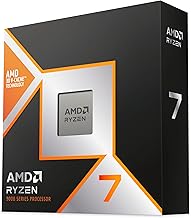
| AMD Ryzen 7 9800X3D | 8 / 16 | 5.2 GHz | 120W | 85-100W | Pure Gaming King |
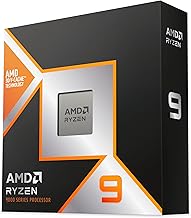
| AMD Ryzen 9 9950X3D | 16 / 32 | 5.7 GHz | 170W | 130-150W | Gaming + Heavy Productivity |
| AMD Ryzen 9 9900X3D | 12 / 24 | 5.5 GHz | 120W | 110-130W | High-Refresh Gaming + Streaming |
| AMD Ryzen 9 9950X | 16 / 32 | 5.7 GHz | 170W | 140-170W | Productivity First, Gaming Second |
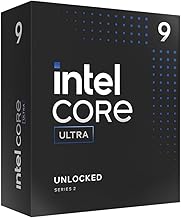
| Intel Core Ultra 9 285K (Arrow Lake) | 24 (8P+16E) / 24 | 5.7 GHz | 125W | 150-190W | Intel Productivity Flagship |
| Intel Core Ultra 7 265K | 20 (8P+12E) / 20 | 5.5 GHz | 125W | 130-160W | Balanced Intel Value |
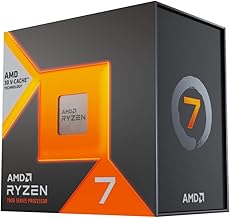
| AMD Ryzen 7 9700X | 8 / 16 | 5.5 GHz | 65W | 75-90W | Efficient All-Rounder |
| AMD Ryzen 5 9600X | 6 / 12 | 5.4 GHz | 65W | 70-85W | Budget 1440p Gaming |
*Peak gaming power is sustained package power measured during a CPU-bound 1080p gaming loop with DDR5-6000 / DDR5-6400. It is higher than TDP and determines your cooler and PSU headroom.
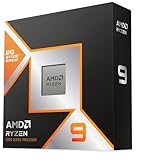
1. AMD Ryzen 7 9800X3D – Best for Pure Gaming
If gaming is 80% or more of what you do, this is the clearest win. The second-generation 3D V-Cache with 96MB of L3 cache stacked on a single 8-core CCD removes the core-to-core latency penalty that affected the previous 7950X3D. That means you get the full X3D benefit in every game without needing driver or BIOS scheduling tricks. It leads by 10-15% over non-X3D flagships at 1080p with an RTX 4080 Super / RX 7900 XTX class GPU, and the gap is largest in simulation and MMO titles like Starfield, Factorio, and WoW.
Trade-off: It is an 8-core chip. For Cinebench, Blender, or 4K video export it is fast but far behind 16-core options. Platform is AM5, which AMD has confirmed will be supported through at least 2027, so you can drop in a future Ryzen CPU without changing motherboards. Usually found in the $450–$550 range and pairs best with a B650E or X670E board and DDR5-6000 CL30.
2. AMD Ryzen 9 9950X3D – Best for Gaming and Productivity Together
This is the best cpu rn if you game at a high refresh rate and also render, compile code, or stream with CPU encoding. It combines two 8-core CCDs where one CCD carries the 96MB X3D cache for games and the other runs at the full 5.7 GHz boost for productivity. Windows scheduling now parks games on the X3D CCD automatically, so you no longer lose gaming performance like early dual-CCD X3D designs.
Expect within 2-3% of the 9800X3D in gaming, but nearly double the multi-core performance in Blender and Handbrake. Power draw is high, so plan for a 240mm AIO or larger. Usually in the $650–$750 range. Choose this over the 9950X non-X3D only if gaming matters as much as work.
3. Intel Core Ultra 7 265K and Core Ultra 9 285K – Best Intel Options Right Now
Intel’s Arrow Lake generation (Core Ultra 200S series, LGA1851) fixed the power and heat reputation of 13th and 14th Gen. Efficiency is dramatically better, and Thread Director works correctly with Windows 11 24H2. The 285K is the productivity challenger to the 9950X with 24 cores, while the 265K is the more sensible Intel buy for gaming plus productivity.
In gaming the 285K and 265K land roughly between the Ryzen 7 9700X and the 9800X3D, typically 5-10% behind the X3D chips at 1080p but effectively tied at 4K where the GPU is the limit. For Adobe Premiere, Photoshop, and heavy multitasking they are excellent due to high E-core counts. Platform caveat: LGA1851 has a shorter confirmed upgrade path than AM5, and motherboards (Z890) usually cost slightly more than comparable AM5 boards. A 265K build usually lands in the $380–$450 CPU range.
4. AMD Ryzen 7 9700X and Ryzen 5 9600X – Best Value and Efficiency Picks
Not everyone needs X3D. The Zen 5-based 9700X at 65W base TDP is remarkably efficient and stays under 90W while gaming even with PBO enabled. It delivers about 92-95% of the 9800X3D’s gaming performance at 1440p and is a strong productivity chip for its price. The 9600X is the best budget entry for AM5 if you play at 1440p or 4K with a mid-range GPU like an RTX 4070 Super / RX 7800 XT, where the GPU will bottleneck before the 6-core CPU does.
Platform Longevity and Power: What Spec Sheets Hide
Two hidden costs decide value more than the CPU price alone: motherboard generation and cooling.
AM5 (Ryzen 7000 / 9000 series): DDR5 only, PCIe 5.0 for GPU and NVMe on most B650E/X670E/X870 boards, and AMD’s stated multi-year AM5 support. A budget B650 board bought in 2023 can run a 9800X3D in 2026 with a BIOS update. RAM sweet spot is DDR5-6000 CL30 due to the 1:1 memory controller ratio.
LGA1851 (Intel Core Ultra 200S): DDR5 only, PCIe 5.0 support, and requires a new Z890/B860 board. No DDR4 fallback, so budget DDR4 reuse is not possible. Requires DDR5-6400 for ideal gear 2 performance, but gains beyond that are minimal for gaming.
Worked Calculation: Do You Need a Bigger PSU or Cooler?
Do not size your PSU or cooler from TDP alone. Use sustained package power plus GPU transient headroom.
Example build: Ryzen 7 9800X3D + RTX 4070 Ti Super + 32GB DDR5 + 2x NVMe
- CPU peak gaming power: 95W, productivity all-core: ~120W
- GPU total board power: 285W (peaks to ~320W transient for 10ms)
- Motherboard + RAM + drives + fans: ~60W
- Safe PSU formula: (CPU max + GPU max + 60W) / 0.65 for 65% load efficiency = (120 + 285 + 60) / 0.65 = 715W. A quality 750W 80+ Gold ATX 3.1 PSU is ideal, 650W is the absolute minimum and leaves no transient headroom.
- Cooler calculation: Cooler must dissipate sustained CPU power with 30% margin: 120W * 1.3 = 156W. Any single-tower air cooler rated for 180W+ or 240mm AIO handles this quietly. For a 9950X3D / 285K build that sustains 170-190W all-core, you need a 240-360mm AIO or dual-tower 250W-rated air cooler or you will thermally throttle.
If you undervolt, you can typically shave 15-25W from Ryzen 7000/9000 and 25-40W from Arrow Lake with no gaming loss, which often drops fan noise more than buying a more expensive cooler does.
Decision Matrix: Which CPU Should You Actually Buy?
Match your situation to the right class instead of just chasing the flagship:
| Your Situation | Recommended CPU Class | Why |
|---|---|---|
| Mainly competitive 1080p/1440p gaming, want max FPS and 1% lows | Ryzen 7 9800X3D | X3D cache delivers the highest and most stable FPS, no scheduling complexity |
| Gaming + streaming / video editing / 3D rendering on same PC | Ryzen 9 9950X3D or 9900X3D | X3D for games plus 12-16 cores for work without compromise |
| Productivity first, gaming second | Ryzen 9 9950X or Core Ultra 9 285K | Highest multi-core throughput, only 3-5% slower in games at 1440p/4K |
| Building on a $950-$1250 total budget | Ryzen 5 9600X or Ryzen 7 9700X | Low platform cost, cheap cooling, leaves budget for better GPU |
| Need Intel platform or Quick Sync / specific software optimization | Core Ultra 7 265K | Strong creator app performance with lower power than previous Intel flagships |
| Upgrading from AM4 or LGA1700 with DDR4 | Any AM5 or LGA1851 CPU requires DDR5 | Budget for 32GB DDR5-6000 kit; do not buy a DDR4 board expecting reuse |
Concrete Settings to Get Advertised Performance
Out of the box you will leave 5-10% on the table if you skip these. All are set in BIOS:
- Enable EXPO / XMP: Ryzen 7000/9000 should run DDR5-6000 at 1:1 UCLK=MCLK. Intel Arrow Lake should run DDR5-6400 Gear 2. If your kit is DDR5-5600, enable the profile anyway – JEDEC 4800 will cost you 7-12% FPS.
- Enable PBO (AMD) or Intel Turbo Boost Max: On AM5 set PBO to Enabled and Curve Optimizer to -15 to -20 per core for most 9700X/9800X3D chips. This lowers voltage and temperature while raising sustained boost. For Intel, ensure PL1 = PL2 = 253W and ICCMAX is unlimited in BIOS if your cooler can handle it.
- Chipset and BIOS update: X3D dual-CCD chips require AGESA 1.2.0.2a or newer for correct game scheduling. Arrow Lake needs ME firmware 16.1+ for stability.
- Power plan: Use Windows Balanced, not High Performance. High Performance prevents core parking on hybrid and X3D designs and can reduce gaming FPS.
Final Verdict by Use Case
For outright gaming, no non-X3D chip beats the Ryzen 7 9800X3D. For a single PC that must do everything at a high level, the Ryzen 9 9950X3D is the best cpu rn despite its higher price and cooling demand. If you want to keep total platform cost down or prioritize efficiency, the Ryzen 7 9700X and Core Ultra 7 265K deliver 90%+ of the experience for much less heat and money. At 4K with any GPU below an RTX 4090, spend the difference on the GPU first – the CPU bottleneck disappears at that resolution.