Key takeaways
- Confusing resolution with sensor size: More pixels do not automatically mean a cleaner image in dim conditions.
- Using an undersized light too far away: Light intensity drops quickly with distance. A small lamp across the room will not perform like a close front light.
- Ignoring the clip opening: Measure the monitor thickness before buying. A light that cannot grip securely may tilt into the camera or fall.
- Overlooking weight: A webcam, mount, and light together can exceed what a thin laptop display can safely support.
- Making the light too bright: Maximum brightness may flatten facial detail, cause glare on glasses, and make the background look unusually dark.
- Forgetting color temperature: Daylight from a window and a warm desk lamp can produce mixed skin tones. A light with adjustable color temperature gives you more control.
Choosing a webcam for a dim office or evening stream is not only a question of resolution. Sensor size, lens aperture, pixel size, and the amount of light reaching your face all affect image quality. A 4K webcam with a very small sensor can look noisier than a 1080p model with a larger sensor when room lighting is weak.
This webcam sensor size comparison for low light stream lighting explains the measurements that matter, how much desk space different lighting setups require, and which size works best for video calls, gaming, and live broadcasting. The goal is not to promise a specific camera result, since processing and lens design vary, but to help you match the webcam and light to your room.
Our top picks
 Video Conference Lighting Kit
- Adjustable Color Temperature & Brightness: ACMEZING video conference…
- Ring Light Design & Multi-Purpose: The zoom light…
- Stable Clamp & Flexible Tripod: The metal clip…
 InnoGear Ring Light for Computer On-Camera Monitor
- For optimal and consistent performance, power this USB…
- Flawless Lighting Video Calls: Enjoy even, glare-free illumination…
- 360° Adjustable & Effortless Setup: The rotatable design…
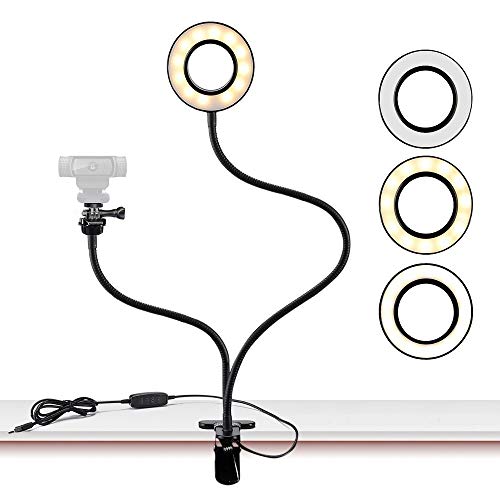 Webcam Light Stand for Live Stream
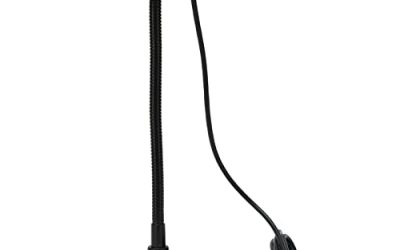
- 24.2 inch gooseneck arm that can bend to…
- Has multiple hue and brightness settings to get…
- Easy control on cord to power on/off or…
| Product | Key specs | |
|---|---|---|
| Video Conference Lighting Kit | Adjustable Color Temperature & Brightness: ACMEZING video conference… Ring Light Design & Multi-Purpose: The zoom light… Stable Clamp & Flexible Tripod: The metal clip… | Check price |
| InnoGear Ring Light for Computer On-Camera Monitor | For optimal and consistent performance, power this USB… Flawless Lighting Video Calls: Enjoy even, glare-free illumination… 360° Adjustable & Effortless Setup: The rotatable design… | Check price |
| Webcam Light Stand for Live Stream | 24.2 inch gooseneck arm that can bend to… Has multiple hue and brightness settings to get… Easy control on cord to power on/off or… | Check price |
 HumanCentric Video Conference Lighting HumanCentric Video Conference Lighting | Present your best with a HumanCentric video conference… Webcam lighting for video conferencing provides a more… Easy set up and removal: The monitor or… | Check price |
As an Amazon Associate we earn from qualifying purchases at no extra cost to you.
The Short Answer
For low-light streaming, choose the largest webcam sensor available within your budget, then add a soft front light. A 1/2.8-inch sensor is a practical minimum for a typical home office. A 1/2-inch sensor generally has more light-gathering potential, while a 1-inch sensor is substantially larger and usually better suited to premium cameras with larger lenses.
Sensor format numbers are not the sensor’s actual diagonal measurement. Approximate active dimensions are more useful: a 1/2.8-inch sensor is about 0.18 x 0.10 inches (4.6 x 2.6 cm), while a 1/2-inch sensor is about 0.26 x 0.15 inches (6.6 x 3.7 cm). These differences can improve shadow detail and reduce noise, but only when the lens, exposure settings, and image processing take advantage of them.
For most desk setups, a dimmable clip-on light measuring 5 to 8 inches (12.7 to 20.3 cm) across is enough. Position it 18 to 30 inches (46 to 76 cm) from your face, slightly above eye level, and reduce brightness until your skin looks evenly lit without harsh highlights.
Standard Sizes
| Sensor format | Approximate active size | Low-light potential | Best match |
|---|---|---|---|
| 1/4 inch | 0.13 x 0.07 in (3.3 x 1.9 cm) | Limited; needs a close, bright light | Basic calls in a well-lit room |
| 1/3 inch | 0.19 x 0.11 in (4.8 x 2.7 cm) | Fair with front lighting | Budget 720p and 1080p webcams |
| 1/2.8 inch | 0.18 x 0.10 in (4.6 x 2.6 cm) | Good starting point for dim rooms | General-purpose 1080p webcams |
| 1/2 inch | 0.26 x 0.15 in (6.6 x 3.7 cm) | Very good potential for cleaner shadows | Premium streaming and conference cameras |
| 1 inch | 0.52 x 0.29 in (13.2 x 7.4 cm) | Excellent potential, but requires a larger lens | High-end cameras and controlled studios |
The listed dimensions are approximate because active sensor areas vary by manufacturer and aspect ratio. A larger sensor can collect more light at the same exposure, but resolution also matters. If two cameras use the same sensor size and one packs substantially more pixels onto it, each pixel may receive less light. Do not judge low-light performance from sensor format alone.
Lighting size is just as important for a comfortable stream. Small ring lights commonly measure 4 to 6 inches (10.2 to 15.2 cm) across and weigh about 0.4 to 1.5 pounds (0.18 to 0.68 kg). They often draw roughly 3 to 8 watts. Medium lights measuring 8 to 12 inches (20.3 to 30.5 cm) typically use about 8 to 18 watts and create a broader, softer face light.
Clip-on conference lights priced around $18 to $30 are compact and convenient for a laptop screen. A webcam light stand or ring-light mount in the same price range can provide more height adjustment, but check the combined weight of the webcam and light. More substantial conference lighting products may cost about $50 to $70 and generally offer a larger housing, sturdier adjustment, or more controlled diffusion. Exact brightness, color temperature, and power draw differ by model.
How to Measure Your Space
- Measure the screen width. Record the usable top edge of your monitor or laptop in inches and centimeters. A 13-inch laptop may have only about 11 to 12 inches (28 to 30.5 cm) of screen width, leaving limited room for a wide light.
- Check the top bezel. Measure the bezel thickness and the depth available behind the display. A clip that opens at least 0.4 to 0.8 inches (1 to 2 cm) may fit many screens, but curved or very thin panels need special attention.
- Mark the camera position. Measure from your eyes to the lens. A common desk distance is 24 to 36 inches (61 to 91 cm). A wider lens may show more of the room, so leave space behind you before selecting a light arrangement.
- Reserve light clearance. Keep at least 2 inches (5 cm) around a clip-on light’s controls and cable. If using a stand, allow a base footprint of about 6 x 6 inches (15.2 x 15.2 cm) or more.
- Measure the side angle. A front light works best slightly above the lens and 10 to 20 degrees to one side. Ensure a wall, shelf, or second monitor does not block that position.
- Check power access. Measure the distance to a USB port or outlet. A 4- to 6-foot (1.2- to 1.8-meter) cable is common, but a short laptop cable may require a powered hub or extension.
By Room or Use Case
Small bedroom or laptop desk
Use a 4- to 6-inch (10.2- to 15.2-cm) clip-on light with a low-profile webcam. This arrangement keeps the total setup near the screen and works when the desk is only 18 to 24 inches (46 to 61 cm) deep. A 1/3-inch or 1/2.8-inch sensor can look acceptable if the light is close and diffused. Avoid placing the light directly against your face, which can create sharp shadows and eye strain.
Home office with one monitor
A 6- to 8-inch (15.2- to 20.3-cm) light is a balanced choice. It provides more coverage than a tiny laptop light without taking over the desk. Place it 20 to 30 inches (51 to 76 cm) away, slightly above the lens. This setup pairs well with a 1/2.8-inch webcam and is usually more useful than buying extra resolution for a poorly lit room.
Gaming or live streaming desk
Streaming setups benefit from a larger 8- to 12-inch (20.3- to 30.5-cm) diffused light or two smaller lights. A key light in front and a dim fill light to the opposite side can reduce facial contrast. Keep the total lighting load in mind: two 8-watt fixtures use about 16 watts and may need two USB ports or a powered hub. A 1/2-inch sensor is attractive here when the camera supports manual exposure or useful automatic controls.
Shared office or conference room
Choose a light that packs flat and clips securely to the monitor. Products in the $18 to $30 range are convenient for occasional calls, while a roughly $50 to $70 conference light may make sense for daily use. For a large room, sensor size cannot compensate for a face that is several feet from a weak light. Move closer to the camera or use a larger light with broader diffusion.
Common Sizing Mistakes
- Confusing resolution with sensor size: More pixels do not automatically mean a cleaner image in dim conditions.
- Using an undersized light too far away: Light intensity drops quickly with distance. A small lamp across the room will not perform like a close front light.
- Ignoring the clip opening: Measure the monitor thickness before buying. A light that cannot grip securely may tilt into the camera or fall.
- Overlooking weight: A webcam, mount, and light together can exceed what a thin laptop display can safely support.
- Making the light too bright: Maximum brightness may flatten facial detail, cause glare on glasses, and make the background look unusually dark.
- Forgetting color temperature: Daylight from a window and a warm desk lamp can produce mixed skin tones. A light with adjustable color temperature gives you more control.
FAQ
Is a larger webcam sensor always better for streaming?
No. A larger sensor generally has greater light-gathering potential, but lens quality, aperture, autofocus, image processing, and exposure controls also matter. A well-lit webcam with a smaller sensor can look more consistent than a larger-sensor camera in a poorly arranged room.
What sensor size should I choose for a dark room?
Start with a 1/2.8-inch sensor if you want a practical improvement over basic webcams. A 1/2-inch sensor is preferable for a dim office or stream where you want cleaner shadows. Even then, add a front light rather than relying entirely on automatic camera gain.
How large should a webcam light be?
Choose 4 to 6 inches (10.2 to 15.2 cm) for a laptop or very small desk, 6 to 8 inches (15.2 to 20.3 cm) for a standard monitor, and 8 to 12 inches (20.3 to 30.5 cm) for a streaming setup. Larger lights generally produce softer coverage when positioned at a similar distance.
Where should I place the light for the cleanest image?
Place it slightly above eye level, near the camera, and 18 to 30 inches (46 to 76 cm) from your face. Angle it down gently and reduce brightness until your face is evenly exposed. If glasses reflect the light, move it 10 to 20 degrees to the side instead of raising brightness.