Key takeaways
- A documentation-based guide to the Razer Leviathan V2 X, its connections, controls, limitations, and best-fit desktop setups.
The Razer Leviathan V2 X makes the most sense when you want a compact speaker beneath a PC monitor and prefer one USB-C connection over a television-style HDMI setup. It is less suitable when your soundbar must sit between a console and TV, accept an optical cable, or produce deep bass through a separate subwoofer.
This is a documentation-based buying guide, not a hands-on review. The observations below come from Razer’s product page and master guide. They can establish features, connections, controls, and setup requirements, but they cannot prove sound quality, latency, maximum usable volume, or long-term reliability in your room.
Our top picks
 Razer Leviathan V2 X
- PC Soundbar with Full-Range Drivers: Armed with two…
- Compact Desktop Form Factor: The most compact soundbar…
- USB Type C Power and Audio Delivery: Powered…
 Razer Leviathan V2
- Multi-Driver PC Soundbar & Subwoofer: Packed with 2…
- THX Spatial Audio: Advanced 7.1 surround sound delivers…
- Compact Desktop Form Factor: Fits perfectly beneath a…
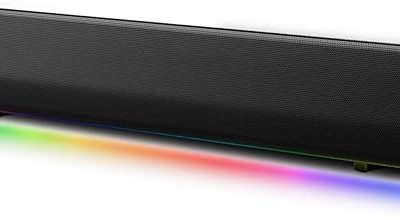
 Creative Sound Blaster GS3 Compact RGB Gaming
- The soundbar offers multiple advanced RGB lighting presets,…
- Enjoy acoustic power of up to 24W peak…
- Step into an immersive soundstage with pronounced bass…
| Product | Key specs | |
|---|---|---|
| Razer Leviathan V2 X | PC Soundbar with Full-Range Drivers: Armed with two… Compact Desktop Form Factor: The most compact soundbar… USB Type C Power and Audio Delivery: Powered… | Check price |
| Razer Leviathan V2 | Multi-Driver PC Soundbar & Subwoofer: Packed with 2… THX Spatial Audio: Advanced 7.1 surround sound delivers… Compact Desktop Form Factor: Fits perfectly beneath a… | Check price |
| Creative Sound Blaster GS3 Compact RGB Gaming | The soundbar offers multiple advanced RGB lighting presets,… Enjoy acoustic power of up to 24W peak… Step into an immersive soundstage with pronounced bass… | Check price |
 Creative Pebble Pro Creative Pebble Pro | With a range of RGB LED lights and… Creative Pebble Pro incorporates a pair of all-new,… CLEARER DIALOGS, DEEPER BASS FOR MOVIE LOVERS -… | Check price |
 Redragon GS560 RGB Desktop Soundbar Redragon GS560 RGB Desktop Soundbar | Rich Sounds & Look - The first Redragon… Lightshow Projection - What's better than play your… Bounce to Daylight - Easy to place it… | Check price |
 Bluedee Computer Speakers for Desktop PC Bluedee Computer Speakers for Desktop PC | 【Hi-Fi Sound Quality】Featuring dual drivers and dual diaphragms,… 【2 Ways to Connect】No need to worry about… 【Relaxing Ambiance Lights】Gentle light strips complement the avant-garde… | Check price |
 Edifier G2000 32W PC Gaming Computer Speakers Edifier G2000 32W PC Gaming Computer Speakers | ♪【Superior Sound】HIFI 2.75 inches full range speakers unit… ♪【Multiple Sound Mode】Professional acoustic-team tuning, EQ adjustment with… ♪【Broad Compatibility】Versatile compatibility with 3.5mm AUX, Bluetooth and… | Check price |
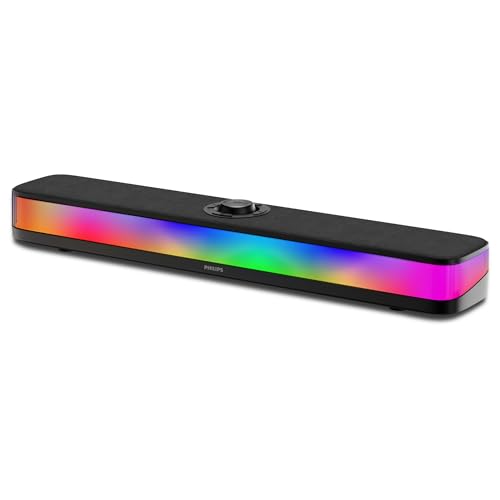 PHILIPS PC Sound Bar PHILIPS PC Sound Bar | Powerful Stereo Sound for Everyday Use Wireless Bluetooth 5.4 with Low Latency Built-in Battery for True Wireless Setup | Check price |
As an Amazon Associate we earn from qualifying purchases at no extra cost to you.
Quick decision
| Your priority | Fit | Why |
|---|---|---|
| Compact audio under a PC monitor | Strong on paper | The bar is 400 mm long and uses one USB-C connection for PC audio and power. |
| Switching between a PC and phone | Reasonable | It supports USB audio plus Bluetooth 5.0 and remembers the last source. |
| RGB that matches a Razer desktop | Strong on paper | Razer documents 14 lighting zones and Synapse/Chroma controls. |
| HDMI ARC/eARC for a TV or console | Poor | Razer documents USB and Bluetooth connectivity, with no HDMI input or ARC/eARC port. |
| Room-filling low bass | Uncertain | The design has passive radiators but no separate subwoofer; specifications alone do not establish bass extension in a room. |
| Multi-device wired inputs | Poor | The manual shows a single Type-C port, not HDMI, optical, or 3.5 mm inputs. |
If you are comparing several form factors, start with our broader best gaming soundbar guide. It will help you decide whether a desktop USB bar, TV soundbar, or soundbar-and-subwoofer package better fits the space.
What the specifications actually say
Razer describes the Leviathan V2 X as a USB-C-powered PC soundbar. The official specifications list two full-range racetrack drivers, two passive radiators, an 85 Hz–20 kHz frequency response, and a maximum sound pressure level of 90 dB. They also list 14-zone Razer Chroma RGB, Bluetooth 5.0, USB audio, and customizable equalization. See the Razer product page, official support FAQ, and master guide.
| Documented item | Practical meaning | What it does not prove |
|---|---|---|
| 400 mm length; 845 g weight | Easier to place below many desktop monitors | Clearance under your specific stand |
| Two 48 x 95 mm full-range drivers | Stereo drivers share most of the audible range | Imaging quality or tonal balance |
| Two 48 x 105 mm passive radiators | Cabinet design can reinforce lower frequencies | Subwoofer-like extension or output |
| 85 Hz–20 kHz stated response | Published operating range | Flat response, tolerance, or in-room bass |
| 90 dB maximum SPL | Manufacturer-rated output ceiling | Distortion, test method beyond the stated rating, or comfortable room coverage |
| USB-C power and audio | One cable can serve a compatible PC port | Every USB-C port provides identical power or audio support |
| Bluetooth 5.0 | Wireless playback from compatible devices | Gaming-grade wireless latency |
Treat those figures as selection data, not performance measurements. Razer says the 90 dB output is measured at one meter, but the cited documents do not provide comparable independent test conditions. A frequency range also does not describe tonal balance.
Connectivity is the deciding factor
For a Windows desktop or laptop with a suitable USB-C port, setup is direct: place the bar on a stable surface, connect it to the PC, power it on, and select “Razer Leviathan V2 X” as the output device. The manual requires Windows 10 64-bit or later for Razer Synapse, while basic compatibility is described as a Type-C port or a Bluetooth-capable device. Follow our PC soundbar connection guide if Windows sees the device but continues sending audio elsewhere.
Bluetooth is useful for casual playback from a phone, tablet, or another compatible source. The physical Source button switches between PC and Bluetooth modes.
Do not mistake USB-C for a universal console or television connection. The documented wired mode is USB audio to a PC. There is no documented HDMI passthrough, ARC/eARC, optical input, or analog input. For a console-and-TV system, compare products designed for that route in our PS5 and Xbox soundbar guide.
Controls and software
The top panel provides Source, Bluetooth, Power, and volume controls. On a Windows PC, Razer Synapse provides audio and lighting controls, including equalizer settings and a secondary playback-device option, according to the Razer master guide.
The cited master-guide edition lists Windows 10 64-bit or later for Synapse and iOS 13 or Android 10 for the mobile Razer Audio app. Treat those as manual-specific historical requirements: check Razer’s current software and app listings before buying for one control or platform.
The secondary playback-device option is a Windows/Synapse workflow, not a switch for two wired sources.
Who should buy it?
Consider the Leviathan V2 X if all of these are true:
- Your primary source is a PC with a compatible USB-C port.
- A 400 mm bar fits below your display without blocking the screen or stand.
- You value a clean one-cable desktop and do not need HDMI, optical, or analog input.
- Bluetooth is a convenience input rather than your competitive-gaming connection.
- Chroma lighting and software EQ matter more than a separate subwoofer.
Look elsewhere if you need television audio over ARC/eARC, 4K video passthrough, multiple wired sources, or a dedicated bass module. Also pause if your only available USB-C port is needed for storage, charging, a dock, or display output. A hub may introduce power or device-detection variables that the product documentation does not guarantee.
Pre-purchase checklist
- Measure the clear width and height beneath your monitor; do not rely on desk width alone.
- Confirm that the intended PC port supports USB audio and can supply adequate power.
- Decide whether losing that USB-C port is acceptable in daily use.
- List every source. If one requires HDMI, optical, or 3.5 mm, choose another design.
- Check whether you can install Synapse on the PC if EQ, device toggling, or detailed lighting control is essential.
- Read the seller’s current return and warranty terms. This guide does not track price or stock.
Frequently asked questions
Does the Razer Leviathan V2 X have HDMI ARC?
No HDMI or ARC/eARC connection is documented by Razer. Its wired connection is USB-C audio to a PC, with Bluetooth as the wireless alternative.
Does it include a subwoofer?
No separate subwoofer is listed. The enclosure uses two full-range drivers and two passive radiators. That construction detail does not tell you whether its bass will satisfy you in a particular room.
Can it switch between speakers and a headset?
Razer documents a secondary PC playback-device option in Synapse. It is not a general switch between two wired inputs.
Is Bluetooth the best connection for PC gaming?
USB is the documented PC mode and avoids relying on Bluetooth behavior. Razer does not publish latency measurements in the cited documents, so this guide cannot promise how Bluetooth will feel in timing-sensitive games.
Is the Leviathan V2 X a good buy?
It is a focused choice for a compact, RGB-equipped PC desktop with USB-C audio. It is the wrong connection architecture for an HDMI-centered TV or console setup. Confirm port compatibility and physical clearance first; then use a return window to judge sound in your own space.
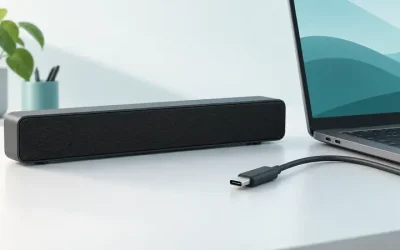
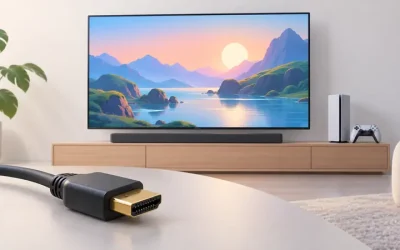
AI-generated editorial illustration of a generic soundbar; not a photograph of the products discussed.
Product links and buying checks
As an Amazon Associate, we earn from qualifying purchases.
- Razer Leviathan V2 X on Amazon — Check the exact model, selected variant and seller before ordering.
Prices, availability and included accessories can change. Review the current listing and the compatibility guidance above before purchasing.