Key takeaways
- Log CPU and GPU temperatures during a session; sustained readings above 85C mean the chip is downclocking mid-frame.
- Move the game off a mechanical hard drive onto an NVMe SSD so texture streaming keeps up.
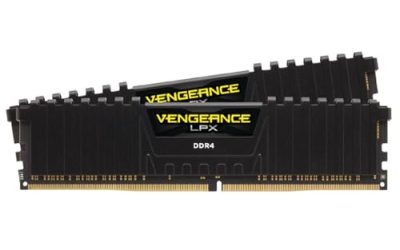
- Check that RAM is running its rated XMP/EXPO profile, since memory stuck at a slow default causes hitching in open-world titles.
Few things ruin a competitive match faster than stutter, the sudden micro-freezes that jerk the camera even when your average frame rate looks fine. Stutter is rarely one problem: it can come from a background process eating CPU cycles, a GPU driver that never fully installed, thermal throttling, or a storage drive that stalls while streaming assets. In 2026, with shader-heavy titles and DirectStorage becoming standard, the causes have shifted, but the fixes are still methodical.
This guide walks through the exact order to diagnose stutter, from the five-minute Windows tweaks that solve most cases to the deeper hardware checks that catch the stubborn ones. Work through it top to bottom rather than jumping around, because the cheap fixes rule out the expensive ones.
Our top picks


As an Amazon Associate we earn from qualifying purchases at no extra cost to you. Ratings are shown as listed on Amazon.
⚡ Save on Your Next PC — Amazon Prime
Prime members get fast free shipping on the systems above, plus early access to Prime Day & Black Friday PC deals. New members get a 30-day free trial.
Watch: How to Fix Game Stuttering on PC — Video Review
Confirm It Is Actually Stutter, Not Low FPS
Stutter and low frame rate feel similar but need different fixes. Enable an in-game frame-time graph or use the free RTSS overlay. A steady 60 FPS with occasional spikes to 40ms on the frame-time line is stutter; a flat 35 FPS is simply a GPU that is too slow for your settings. If the frame-time line is spiky, keep reading. If it is flat and low, lower your resolution or graphics preset first.
Clean Up Background Load and Windows Settings
Open Task Manager, sort by CPU, and close browsers, launchers, and overlays you are not using. Then turn on Hardware-Accelerated GPU Scheduling and Game Mode, set the Windows power plan to High Performance, and disable Xbox Game Bar captures. A one-click tune-up tool such as iolo System Mechanic or Ashampoo WinOptimizer 29 can automate cleanup of startup entries and cached junk if you would rather not do it by hand.
Reinstall Graphics Drivers Cleanly
A partial driver install is the single most common stutter cause. Use DDU (Display Driver Uninstaller) in Safe Mode to wipe the old driver, then install the latest package fresh with a clean install checked. Do the same for chipset drivers, which control how the CPU talks to the GPU and storage.
Rule Out Thermal Throttling and Storage Stalls
- Log CPU and GPU temperatures during a session; sustained readings above 85C mean the chip is downclocking mid-frame.
- Move the game off a mechanical hard drive onto an NVMe SSD so texture streaming keeps up.
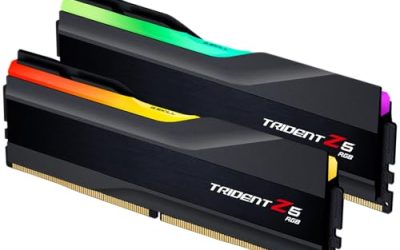
- Check that RAM is running its rated XMP/EXPO profile, since memory stuck at a slow default causes hitching in open-world titles.
Lock Frame Rate and Update Windows
Cap your frame rate a few frames below your monitor refresh (for example 141 on a 144Hz panel) so the GPU is not fighting to render spikes it cannot sustain. Install pending Windows updates, as 2026 gaming stutter fixes frequently ship through the OS scheduler itself.
Tips
- Disable browser hardware acceleration if you keep a browser open while gaming.
- Set the game executable to High priority only as a last resort; it can starve audio threads.
- Keep at least 15 percent free space on the drive holding your games.
- Test one change at a time so you know which fix actually worked.
Frequently Asked Questions
Does more RAM stop stuttering?
Only if you are running out. 16GB is fine for most games in 2026, but heavy multitaskers and modded titles benefit from 32GB. Watch Task Manager memory usage; if it sits above 90 percent, upgrading helps.
Can a cleaning tool really fix stutter?
Cleanup utilities remove background bloat and startup clutter that cause hitching, but they cannot fix a failing driver or an overheating GPU. Treat them as one step, not a cure-all.
Is stutter worse with V-Sync on?
Traditional V-Sync can add input lag and its own hitching. A frame-rate cap plus G-Sync or FreeSync usually delivers smoother results than V-Sync alone.
Why does stutter appear only in one game?
That points to shader compilation or a title-specific bug. Let the game pre-compile shaders on first launch, and check for a game patch before blaming your hardware.
Conclusion
Stutter almost always traces back to one of four culprits: background load, a bad driver, heat, or slow storage. Work the list in order, change one variable at a time, and you will isolate the cause without guessing. Most players fix it in under an hour with nothing more than a clean driver install and a frame-rate cap.