Key takeaways
- Set up clear front-to-back airflow: intake fans in front, exhaust at the rear and top.
- Keep intake slightly stronger than exhaust for positive pressure, which reduces dust buildup.
- Remove cable clutter blocking the path between intake and the cooler.
- Make sure the AIO radiator or air cooler is pulling fresh air, not recirculating warm case air.
What's inside
A hot CPU is not just a noise problem; once a modern chip crosses roughly 90C it throttles clock speed to protect itself, which shows up in games as dropped frames and inconsistent performance. Whether you are on an Intel LGA1700 board or an AMD AM5 platform, the goal is the same: keep sustained load temperatures in the safe 60s to low 80s Celsius so the processor holds its boost clocks.
The good news is that most high-temperature problems come from a handful of fixable issues, old thermal paste, poor case airflow, a weak cooler, or dust, rather than a defective chip. This guide covers each fix in the order that gives the biggest temperature drop for the least money and effort.
As an Amazon Associate we earn from qualifying purchases at no extra cost to you.




⚡ Save on Your Next PC — Amazon Prime
Prime members get fast free shipping on the systems above, plus early access to Prime Day & Black Friday PC deals. New members get a 30-day free trial.
Watch: How to Lower CPU Temperatures — Video Review
Reseat the Cooler and Refresh Thermal Paste
Dried, pump-out paste is the most common cause of a CPU that suddenly runs hot. Remove the cooler, clean both surfaces, and apply a fresh pea-sized dot of quality compound such as Thermal Grizzly Kryonaut or Noctua NT-H2. A good repaste alone can drop peak temperatures 5 to 15C on a chip that has been running a year or more.
Upgrade to a Cooler That Matches Your CPU
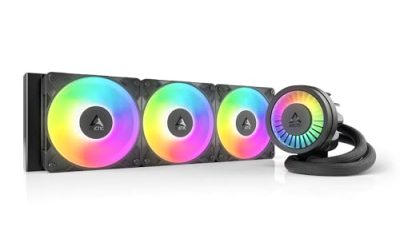
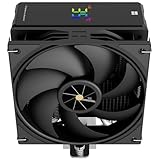
Stock coolers struggle with high-core-count chips under sustained load. A strong dual-tower air cooler handles most mainstream CPUs quietly, while a 240mm or 360mm AIO liquid cooler is worth it for the hottest overclocked or high-thread-count parts. Match the cooler’s rated TDP headroom to your CPU rather than buying the cheapest option that fits.
Fix Case Airflow
- Set up clear front-to-back airflow: intake fans in front, exhaust at the rear and top.
- Keep intake slightly stronger than exhaust for positive pressure, which reduces dust buildup.
- Remove cable clutter blocking the path between intake and the cooler.
- Make sure the AIO radiator or air cooler is pulling fresh air, not recirculating warm case air.
Clear Dust and Check Fan Curves
Dust blankets act like insulation. Blow out heatsink fins and filters every few months. Then set a sensible fan curve in BIOS or software so fans ramp with temperature instead of sitting at a fixed low speed. A slightly more aggressive curve trades a little noise for meaningful cooling.
Tune Voltage and Power Limits
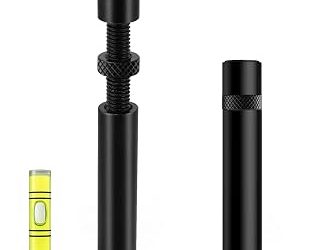
Modern chips often run more voltage than they need. A modest undervolt through Curve Optimizer (AMD) or offset voltage (Intel) can shave several degrees with no real performance loss. On LGA1700, an anti-bending contact frame can also improve cooler contact and lower temperatures a few degrees.
Tips
- Verify the cooler mounting pressure is even; a lopsided mount ruins contact.
- Do not over-apply paste, more is not better and can insulate.
- Ambient room temperature counts; a hot room adds directly to load temps.
- Re-test after each change with a 10-minute stress load to measure the real gain.
Frequently Asked Questions
What CPU temperature is too high?
Brief spikes into the high 80s are normal under load. Sustained temperatures above 90C mean throttling and call for action. Aim for the 60s to low 80s during gaming.
How often should I replace thermal paste?
Every two to three years for most users, or sooner if you notice a sudden temperature climb. Premium pastes last longer than budget ones.
Is liquid cooling always cooler than air?
Not always. A top-tier air cooler beats a small 120mm AIO. Liquid pulls ahead at 240mm and larger, especially for high-wattage chips.
Will undervolting hurt stability?
Done in small steps and stress-tested, undervolting is safe and often improves both temperatures and boost consistency. Push too far and the system will crash, so tune gradually.
Conclusion
Lowering CPU temperatures comes down to good contact, an adequate cooler, and clean airflow. Start with a repaste and dust cleanup, upgrade the cooler if the chip is genuinely hot, and finish with a light undervolt. Together these steps typically pull peak temperatures down 10 to 20C and restore steady boost clocks.