Key takeaways
- Refresh rate: 100Hz is a fine entry point, but 165Hz to 180Hz is the sweet spot for fast-paced titles where every frame counts.
- Resolution: 1080p keeps frame rates high on modest GPUs; 1440p (QHD) delivers noticeably sharper detail without crushing performance.
- Panel type: IPS panels give the widest viewing angles and truest color, while curved VA panels boost immersion and contrast.
- Adaptive sync: AMD FreeSync or G-Sync compatibility eliminates screen tearing, so prioritize a monitor that matches your graphics card.
- Ergonomics: A height-adjustable stand and low-blue-light modes protect your posture and eyes during marathon sessions.
What's inside
A great gaming monitor is the single most underrated upgrade in any battlestation. You can pour money into a graphics card, but if your display can’t keep pace, all those frames vanish into a smeared, laggy blur. The right panel translates raw horsepower into buttery motion, crisp detail, and the split-second responsiveness that wins firefights.
The catch is that “best” depends entirely on how you play. A competitive shooter demands high refresh and low latency, while a story-driven RPG rewards resolution and color depth. Below we break down what actually matters, then review five standout desktop monitors that cover every budget and play style in 2026.
As an Amazon Associate we earn from qualifying purchases at no extra cost to you. Product prices and availability are accurate as of the date shown and are subject to change.


🎮 Get More From Your Setup — Free
Prime Gaming gives you free PC games every month, in-game loot, and a free Twitch channel sub — plus fast free shipping on all the gear above. New members get a 30-day free trial.
Watch: Best Desktop Monitors For Gaming — Video Review
How to Choose a Gaming Monitor
- Refresh rate: 100Hz is a fine entry point, but 165Hz to 180Hz is the sweet spot for fast-paced titles where every frame counts.
- Resolution: 1080p keeps frame rates high on modest GPUs; 1440p (QHD) delivers noticeably sharper detail without crushing performance.
- Panel type: IPS panels give the widest viewing angles and truest color, while curved VA panels boost immersion and contrast.
- Adaptive sync: AMD FreeSync or G-Sync compatibility eliminates screen tearing, so prioritize a monitor that matches your graphics card.
- Ergonomics: A height-adjustable stand and low-blue-light modes protect your posture and eyes during marathon sessions.
The Best Gaming Monitors Reviewed
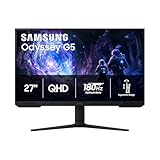
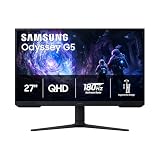
Samsung Odyssey G5 27″ QHD (G51F)
This 27-inch QHD panel hits 180Hz with a 1ms response, and its Black Equalizer plus Virtual Aim Point are genuine competitive perks. The height-adjustable stand and sharp 1440p clarity make it our all-around pick for serious players.
Samsung Odyssey G55C 32″ Curved
The 32-inch, 1000R curved G55C wraps QHD detail around your field of view at 165Hz with HDR10 and FreeSync. It’s the immersion champion for single-player worlds and sim racing where wraparound presence matters.
Samsung Odyssey G3 27″ FHD (G30D)
For budget-minded competitors, the G3 pairs a quick 180Hz refresh and 1ms response with a fully adjustable stand. You trade QHD sharpness for high-frame-rate 1080p that even mid-range GPUs can drive effortlessly.
Acer KB272 27″ FHD IPS
This IPS panel delivers 99% sRGB color and up to 120Hz, making it a versatile choice for gamers who also edit photos or watch a lot of content. Adaptive-Sync support keeps motion clean on a friendly budget.
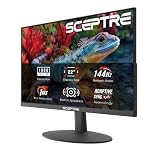
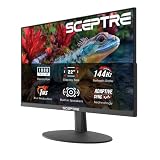
Sceptre C248W 24″ Curved
The compact 24-inch Sceptre offers a curved 1080p panel with 98% sRGB coverage, built-in speakers, and VESA mounting. It’s an affordable, no-fuss entry point for a first dedicated gaming setup.
Frequently Asked Questions
Is 1440p worth it over 1080p for gaming?
If your graphics card can sustain high frame rates at QHD, yes. The jump in sharpness is immediately visible, but 1080p remains the smarter choice for older or entry-level GPUs.
How much refresh rate do I actually need?
Casual and story-focused players are well served by 100 to 120Hz. Competitive shooter fans should aim for 165Hz or higher to gain a real edge in reaction time.
Are curved monitors better for gaming?
Curved panels enhance immersion and reduce edge distortion on larger screens, which is fantastic for single-player and racing games. For twitch competitive play, a flat panel is often preferred.
Do I need FreeSync or G-Sync?
Adaptive sync of some kind is highly recommended to eliminate tearing. Match the technology to your GPU brand, though many modern monitors support both standards.
Final Thoughts
For most gamers, the Samsung Odyssey G5 27″ QHD strikes the ideal balance of speed, resolution, and value. Immersion seekers should splurge on the curved Odyssey G55C 32″, while budget competitors will be thrilled with the fast, affordable Odyssey G3.