Shopping for a graphics card under $500 in 2026 means walking a tightrope. Push too cheap and you end up with 8GB of VRAM that already struggles with texture packs in modern titles; stretch too far and you blow past a budget that was supposed to leave room for a decent CPU and monitor. Add in the fact that NVIDIA’s RTX 50-series and AMD’s RDNA 4 cards now overlap heavily in price while differing sharply in memory capacity, upscaling tech, and driver maturity, and the “obvious” pick stops being obvious.
This guide cuts through that. We’ve focused on cards that genuinely land under the $500 mark at typical street pricing — not MSRP fantasies — and evaluated them on what actually matters for 1080p and 1440p gaming: frame rates in demanding titles, VRAM headroom for the next three years, cooling and acoustics, and raw value per dollar. Below you’ll find our top picks, a buying checklist, and answers to the questions we get asked most.
Our top picks
 GIGABYTE GeForce RTX 5060 WINDFORCE OC 8G
- Powered by the NVIDIA Blackwell architecture and DLSS…
- Powered by GeForce RTX 5060
- Integrated with 8GB GDDR7 128bit memory interface
 ASUS Dual NVIDIA GeForce RTX 5060 Ti
- AI Performance: 767 AI TOPS
- OC mode: 2632 MHz (OC mode)/ 2602 MHz…
- Powered by the NVIDIA Blackwell architecture and DLSS…
 XFX Swift AMD Radeon RX 9060 XT
- Chipset: AMD RX 9060 XT
- Memory: 16 GB GDDR6
- XFX SWFT Triple Fan Cooling Solution
| Product | Key specs | |
|---|---|---|
| GIGABYTE GeForce RTX 5060 WINDFORCE OC 8G | Powered by the NVIDIA Blackwell architecture and DLSS… Powered by GeForce RTX 5060 Integrated with 8GB GDDR7 128bit memory interface | Check price |
| ASUS Dual NVIDIA GeForce RTX 5060 Ti | AI Performance: 767 AI TOPS OC mode: 2632 MHz (OC mode)/ 2602 MHz… Powered by the NVIDIA Blackwell architecture and DLSS… | Check price |
| XFX Swift AMD Radeon RX 9060 XT | Chipset: AMD RX 9060 XT Memory: 16 GB GDDR6 XFX SWFT Triple Fan Cooling Solution | Check price |
 GIGABYTE Radeon™ RX 9060 XT Gaming OC GIGABYTE Radeon™ RX 9060 XT Gaming OC | Powered by Radeon RX 9060 XT - Built… WINDFORCE Cooling System - The WINDFORCE cooling system… RGB Lighting - With 16.7M customizable color options… | Check price |
 GIGABYTE GeForce RTX 3050 WINDFORCE OC V2 GIGABYTE GeForce RTX 3050 WINDFORCE OC V2 | NVIDIA Ampere Streaming Multiprocessors 2nd Generation RT Cores 3rd Generation Tensor Cores | Check price |
As an Amazon Associate we earn from qualifying purchases at no extra cost to you.
⚡ Save on Your Next PC — Amazon Prime
Prime members get fast free shipping on the systems above, plus early access to Prime Day & Black Friday PC deals. New members get a 30-day free trial.
Watch: Best Graphics Card Under $500 — Video Review
How to Choose Graphics Card Under $500
- VRAM capacity: 8GB is now the bare minimum for 1080p and is already a bottleneck in some 2026 titles at high textures. If you play at 1440p or want longevity, prioritise a 16GB card — it’s the single biggest upgrade you can make within this budget.
- Target resolution and refresh rate: Match the card to your monitor, not your ambitions. A 1080p 144Hz panel is well served by an RTX 5060, while 1440p high-refresh gaming really wants an RTX 5060 Ti 16GB or RX 9060 XT 16GB.
- Upscaling and frame generation: NVIDIA’s DLSS 4 remains the more widely supported and generally cleaner-looking option, while AMD’s FSR 4 has closed much of the gap on RDNA 4 hardware. If you rely on upscaling to hit your frame target, this matters more than raw raster performance.
- Cooling, size and power: Check your case clearance before you buy. Compact 2- and 2.5-slot dual-fan designs fit almost anywhere; triple-fan cards run cooler and quieter but need room. All the cards here are modest on power, so a quality 550W–650W PSU is typically sufficient.
- Warranty and brand support: A three-year warranty and a manufacturer with a solid RMA record is worth a small price premium. Cheap out here and a dead fan in year two becomes your problem, not theirs.
The Best Picks Reviewed
ASUS Dual GeForce RTX 5060 Ti 16GB OC
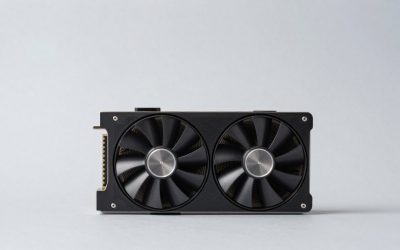
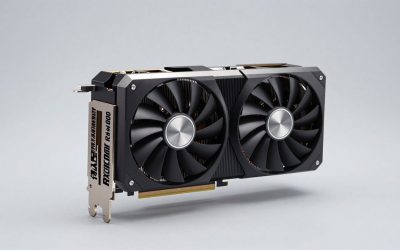
This is the sweet spot of the sub-$500 market and our overall pick. The 16GB of GDDR7 gives you genuine 1440p headroom that the 8GB cards simply can’t match, and ASUS’s Dual cooler keeps it quiet under load with 0dB idle silence — all in a 2.5-slot form factor that fits most mid-tower builds without drama.
XFX Swift Radeon RX 9060 XT 16GB OC
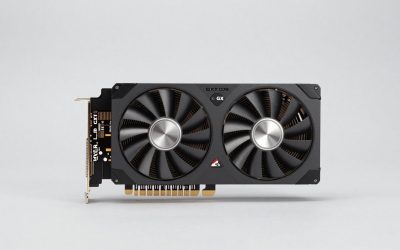
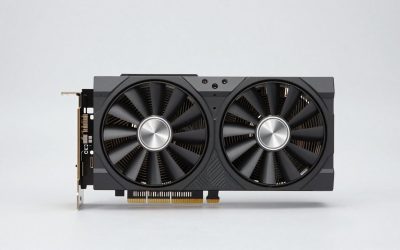
AMD’s answer to the 5060 Ti, and a genuinely compelling one: 16GB of GDDR6 and RDNA 4 architecture deliver excellent raster performance per dollar, often undercutting the NVIDIA equivalent by a meaningful margin. The triple-fan cooler is overkill for the card’s modest power draw, which translates to impressively low temperatures and noise.
GIGABYTE Radeon RX 9060 XT Gaming OC ICE 16G
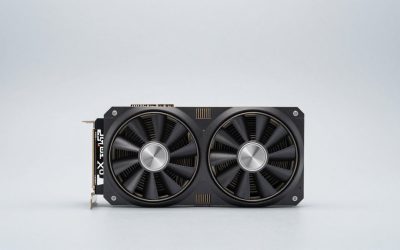
The same strong RDNA 4 silicon in a more compact 2-slot package, making this the pick for small-form-factor builds or cases with limited clearance. Server-grade thermal gel and a reinforced backplate are unusually premium touches at this price, and the white ICE finish suits lighter-themed builds.
ASUS Dual GeForce RTX 5060 8GB OC
If your budget is closer to $300 than $500 and you game at 1080p, this is the most sensible entry point into the RTX 50-series. DLSS 4 support does a lot of heavy lifting here, and the Axial-tech cooling with 0dB technology means it’s effectively silent during light workloads — just be realistic about the 8GB VRAM ceiling.
GIGABYTE GeForce RTX 5060 WINDFORCE OC 8G
The value alternative to the ASUS Dual, usually sitting a little cheaper while delivering near-identical performance thanks to the same underlying GPU and a competent WINDFORCE dual-fan cooler. It’s a straightforward, no-nonsense 1080p card — buy it if it’s on sale and put the savings toward more system RAM or faster storage.
Frequently Asked Questions
Is 8GB of VRAM still enough in 2026?
For 1080p at medium-to-high settings, yes — with the caveat that you’ll occasionally need to dial back texture quality in the most demanding new releases. For 1440p or if you want the card to last four-plus years, we’d strongly recommend stretching to a 16GB option.
Should I choose NVIDIA or AMD in this price range?
Pick NVIDIA if you value DLSS 4’s broader game support, stronger ray tracing, or use CUDA-accelerated creative and AI applications. Pick AMD if you want the most raster performance per dollar and more VRAM for the money — RDNA 4 is genuinely competitive here.
What power supply do I need for these cards?
A good-quality 550W unit will comfortably handle the RTX 5060 and RX 9060 XT, while 600W–650W gives you headroom for the RTX 5060 Ti and any future CPU upgrade. Wattage matters less than build quality — a reputable 550W unit beats a no-name 750W every time.
Will these cards bottleneck my older CPU?
At 1440p, most modern GPUs are the limiting factor, so a mid-range CPU from the last four or five generations will be fine. At 1080p high refresh rates the CPU matters much more, so if you’re chasing 144fps+ with an older processor, budget for a platform upgrade too.
Final Thoughts
If you want one recommendation and no further deliberation, the ASUS Dual RTX 5060 Ti 16GB is the card to buy — it’s the most future-proof option that reliably lands under $500 and handles 1440p with room to spare. The XFX Swift RX 9060 XT 16GB is the value counterpunch, typically costing less for comparable raster performance and the same generous VRAM, making it our pick for pure frames-per-dollar. And if your budget won’t stretch that far, the ASUS Dual RTX 5060 8GB remains a capable, quiet, well-supported 1080p card that leaves money in the bank for the rest of your build.