Key takeaways
- Bandwidth: SATA III is hard-capped at about 550 MB/s. Gen3 NVMe drives such as the Silicon Power 2TB or WD Green SN350 reach 3,200 MB/s, while Gen4 models like the Samsung 990 PRO hit 7,450 MB/s — over thirteen times the SATA ceiling.
- Random performance: The gap is even wider in the small, scattered reads that game loading actually consists of. NVMe handles hundreds of thousands of IOPS at high queue depths; SATA’s protocol was designed around spinning disks and chokes long before that.
- Installation: M.2 is one screw and no cables. SATA needs a data cable, a power lead from the PSU, and a drive bay — a real constraint in small-form-factor cases.
- Cost per terabyte: SATA remains cheaper, but the premium on entry-level NVMe has collapsed. A Gen3 drive like the Silicon Power 2TB often lands within a few dollars of a comparable SATA model.
- Heat and power: Fast Gen4 drives can hit 70 °C under sustained writes and benefit from a heatsink. SATA SSDs run cool and draw less power, which occasionally matters in older laptops.
- Console and handheld support: The PS5 accepts only M.2 NVMe drives rated above 5,500 MB/s read. SATA is not an option there at all.
Every gaming build eventually runs into the same storage question: do you drop a stick-shaped M.2 drive straight onto the motherboard, or run a 2.5-inch SATA SSD off a pair of cables? A few years ago this was a coin flip decided mostly by price. In 2026 it isn’t. DirectStorage-style asset streaming is baked into the major engines, open-world titles routinely push 150 GB installs with aggressive texture streaming, and both current-gen consoles and handhelds expect an NVMe drive when you expand them. The interface you choose now shapes how the machine feels for the next five years.
One point of clarification before the comparison, because the naming is genuinely confusing: M.2 is a form factor, SATA is an interface. There are M.2 drives that run on the old SATA protocol and are no faster than a 2.5-inch model. In practice, though, when gamers say “M.2 vs SATA” they mean M.2 NVMe (PCIe) versus a 2.5-inch SATA SSD — and that’s the comparison we’re making here, using drives like the WD_Black SN7100, Samsung 990 PRO, and Crucial P310 as reference points for the NVMe side.
Our top picks
 WD_Black SN7100 2TB NVMe SSD
- This product has been replaced by our latest…
- OCTANE GAMING
- BUILT
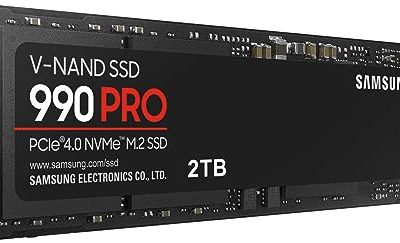
 Samsung SSD 990 PRO 2TB
- Consider this a cheat code
- Gen4 steps up with faster transfer speeds and…
- The speed you need for any occasion
 Silicon Power 2TB NVMe M.2 PCIe Gen3x4
- PCIe Gen 3x4 interface with read speeds up…
- TBW=1200
- The warranty terms on all of its SSDs…
| Product | Key specs | |
|---|---|---|
| WD_Black SN7100 2TB NVMe SSD | This product has been replaced by our latest… OCTANE GAMING BUILT | Check price |
| Samsung SSD 990 PRO 2TB | Consider this a cheat code Gen4 steps up with faster transfer speeds and… The speed you need for any occasion | Check price |
| Silicon Power 2TB NVMe M.2 PCIe Gen3x4 | PCIe Gen 3x4 interface with read speeds up… TBW=1200 The warranty terms on all of its SSDs… | Check price |
 Crucial P310 M.2 2280 2TB PCI-Express 4.0 Crucial P310 M.2 2280 2TB PCI-Express 4.0 | M.2 2280 2TB PCI-Express 4.0 x4 NVMe | Check price |
 Western Digital 2TB WD Green SN350 NVMe Western Digital 2TB WD Green SN350 NVMe | Fast NVMe performance for daily computing needs SSDs offer shock-resistance against accidental bumps and drops The slim M.2 2280 form factor is ideal… | Check price |
 Crucial P310 2TB SSD Crucial P310 2TB SSD | PCIe 4.0 Performance: Delivers up to 7,100 MB/s… Spacious 2TB SSD: Provides space for AAA games,… Broad Compatibility: Works seamlessly with laptops, desktops, and… | Check price |
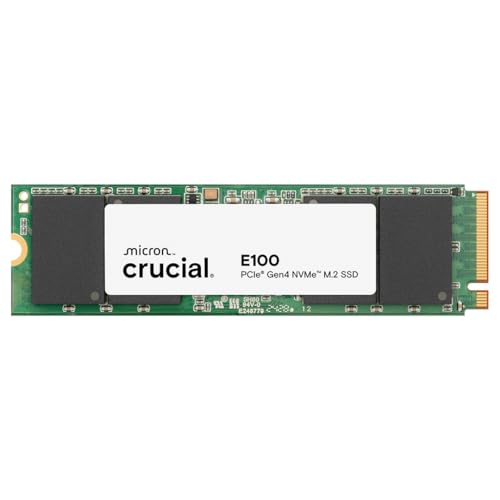 Crucial E100 2TB M.2 NVMe PCIe Gen4 Crucial E100 2TB M.2 NVMe PCIe Gen4 | Gen4 performance at 5,000MB/s is 8x faster4 than… SAVE MORE PHOTOS, VIDEOS AND MORE: Get up… Follow step-by-step instructions for easy installation and cloning | Check price |
 Acer Predator GM7 2TB SSD: M.2 2280 Acer Predator GM7 2TB SSD: M.2 2280 | PCIe 4.0 Gen4: The high-performance Predator GM7 delivers… HMB+SLC Cache: Predator GM7 supports HMB (Host Memory… Powerful controller and NAND Flash: Equipped with the… | Check price |
As an Amazon Associate we earn from qualifying purchases at no extra cost to you.
⚡ Save on Your Next PC — Amazon Prime
Prime members get fast free shipping on the systems above, plus early access to Prime Day & Black Friday PC deals. New members get a 30-day free trial.
Watch: M.2 vs SATA SSD: Which to Choose in 2026? — Video Review
Quick Verdict
M.2 NVMe is the correct default for any gaming system built or bought in the last six years: it’s roughly ten times faster on paper, needs no cables, and is the only option for PS5 and handheld expansion. Pick a Gen4 drive like the WD_Black SN7100, Samsung 990 PRO, or Crucial P310 for your boot drive and primary game library. SATA still earns its place as cheap bulk storage, as a second drive for older or already-full builds, and as the only choice on motherboards and laptops that predate M.2 entirely.
Key Differences
- Bandwidth: SATA III is hard-capped at about 550 MB/s. Gen3 NVMe drives such as the Silicon Power 2TB or WD Green SN350 reach 3,200 MB/s, while Gen4 models like the Samsung 990 PRO hit 7,450 MB/s — over thirteen times the SATA ceiling.
- Random performance: The gap is even wider in the small, scattered reads that game loading actually consists of. NVMe handles hundreds of thousands of IOPS at high queue depths; SATA’s protocol was designed around spinning disks and chokes long before that.
- Installation: M.2 is one screw and no cables. SATA needs a data cable, a power lead from the PSU, and a drive bay — a real constraint in small-form-factor cases.
- Cost per terabyte: SATA remains cheaper, but the premium on entry-level NVMe has collapsed. A Gen3 drive like the Silicon Power 2TB often lands within a few dollars of a comparable SATA model.
- Heat and power: Fast Gen4 drives can hit 70 °C under sustained writes and benefit from a heatsink. SATA SSDs run cool and draw less power, which occasionally matters in older laptops.
- Console and handheld support: The PS5 accepts only M.2 NVMe drives rated above 5,500 MB/s read. SATA is not an option there at all.
M.2 NVMe SSDs
NVMe drives talk directly to the CPU over PCIe lanes, skipping the legacy AHCI layer that SATA still carries. That architectural difference is why a Gen4 drive doesn’t just win benchmarks — it changes how the system behaves. Shader compilation, fast travel in open worlds, and Windows updates all shrink noticeably. The Samsung 990 PRO sits at the top of the mainstream Gen4 stack with 7,450 MB/s reads and excellent sustained write behaviour, while the WD_Black SN7100 pushes 7,250 MB/s reads with unusually low power draw, making it a strong pick for laptops and handhelds where battery life matters.
Value has improved sharply at the middle of the range. The Crucial P310 delivers 7,100 MB/s reads in a standard M.2 2280 package and bundles Acronis cloning software, which removes most of the friction from migrating an existing install. Further down, the WD Green SN350 and Silicon Power Gen3x4 drives trade peak throughput for price — still six times faster than SATA, and perfectly adequate as a secondary library drive. One caveat worth checking before you order: all six drives above are 2280 length, and several handhelds, including the Steam Deck, use the shorter 2230 size.
SATA SSDs
SATA’s advantages in 2026 are practical rather than technical. Most motherboards ship with four to six SATA ports but only two or three M.2 slots, so once those slots are full, SATA is how you keep expanding. It’s also the fallback for pre-2016 desktops and laptops that have no M.2 connector, where a SATA SSD upgrade over a mechanical drive is still the single most transformative thing you can do to an ageing machine.
For gaming specifically, the honest position is that SATA is adequate rather than good. Older and less demanding titles — competitive shooters, indies, anything from the pre-DirectStorage era — load acceptably from SATA, and once a game is running, frame rates are governed by your GPU and CPU, not your drive. But newer engines that stream assets continuously will show occasional texture pop-in and longer hitches on SATA that simply don’t occur on NVMe. Treat it as archive storage, not your primary install target.
Which Should You Buy?
- For a new gaming PC: pick a Gen4 M.2 NVMe drive — the Samsung 990 PRO or WD_Black SN7100 as a boot and primary game drive.
- For PS5 expansion: pick M.2 NVMe only, Gen4 rated above 5,500 MB/s, with a heatsink fitted. The Crucial P310 and SN7100 both qualify.
- For a laptop or handheld: pick a low-power Gen4 drive like the SN7100, and confirm whether your device takes 2230 or 2280.
- For a large budget library: pick a Gen3 NVMe such as the Silicon Power 2TB or WD Green SN350 if you have a free slot; use SATA only when you don’t.
- For a pre-M.2 system: pick SATA — it’s the only upgrade path, and it’s still a massive improvement over a hard drive.
Frequently Asked Questions
Is every M.2 drive faster than SATA?
No. M.2 SATA drives exist and are limited to the same 550 MB/s as a 2.5-inch model. Check the listing for “NVMe” and “PCIe” — every drive featured above is NVMe.
Will an NVMe SSD increase my frame rate?
Not directly. Average FPS is determined by your GPU and CPU. What NVMe improves is load times, fast travel, shader compilation, and streaming-related stutter in open-world games — which affects perceived smoothness considerably.
Do I need a heatsink?
For Gen4 drives under sustained load, yes. Most modern motherboards include M.2 heatsinks; use them. PS5 installations require one. SATA drives never need cooling.
Can I mix both in one system?
Yes, and it’s a sensible setup: NVMe for Windows and your current rotation, SATA for the backlog and media files.
Final Verdict
M.2 NVMe wins this comparison decisively for gaming in 2026 — the price gap has narrowed to near-irrelevance, the performance gap has widened, and console and handheld compatibility makes it the only forward-compatible choice. Buy a Gen4 drive like the Sam