PCIe 5.0 SSDs sit at the cutting edge of consumer storage, doubling the bandwidth of Gen 4 and pushing sequential read speeds toward a staggering 15,000 MB/s. For anyone working with massive files, editing high-resolution video, training AI models, or simply wanting the fastest possible game loads, a Gen 5 drive delivers performance that was pure fantasy just a few years ago. If your motherboard has a Gen 5 M.2 slot, this is how you fill it.
Not all Gen 5 drives are equal, though. Sustained write speeds, thermal management, endurance, and controller efficiency all separate the great from the merely fast. Below we cover the essentials of choosing a PCIe 5.0 SSD, then review the top performers of 2026, spanning flagship speed demons and more affordable Gen 5 options that make the leap accessible.
Our top picks
 Samsung SSD 9100 PRO 1TB
- BREAKTHROUGH PCIe 5.0 PERFORMANCE: Supercharge your workflow and…
- EVERY TASK, TURBOCHARGED: Speed past productivity limits
- THINK FAST, CREATE FASTER: With random read/write speeds…
 WD_Black SN8100 2TB NVMe SSD
- This product has been replaced by our latest…
- EXPERIENCE PCIe Gen 5: Drastically enhance your gaming…
- Your drive reaches sequential read speeds up to…
 Kingston FURY Renegade G5 2048GB NVMe SSD
- Blazing PCIe 5.0 Speeds
- Next-Gen Gaming & Content Creation
- Advanced Thermal Design
| Product | Key specs | |
|---|---|---|
| Samsung SSD 9100 PRO 1TB | BREAKTHROUGH PCIe 5.0 PERFORMANCE: Supercharge your workflow and… EVERY TASK, TURBOCHARGED: Speed past productivity limits THINK FAST, CREATE FASTER: With random read/write speeds… | Check price |
| WD_Black SN8100 2TB NVMe SSD | This product has been replaced by our latest… EXPERIENCE PCIe Gen 5: Drastically enhance your gaming… Your drive reaches sequential read speeds up to… | Check price |
| Kingston FURY Renegade G5 2048GB NVMe SSD | Blazing PCIe 5.0 Speeds Next-Gen Gaming & Content Creation Advanced Thermal Design | Check price |
 Crucial P510 PCIe Gen5 NVMe 1TB SSD Crucial P510 PCIe Gen5 NVMe 1TB SSD | PCIe 5.0 Performance: Delivers up to 11,000MB/s read… Spacious 1TB Capacity: Provides space for AAA games,… Broad Compatibility: Compatible with desktops and laptops | Check price |
 fanxiang 1TB PCIe 5.0 NVMe M.2 SSD fanxiang 1TB PCIe 5.0 NVMe M.2 SSD | Extreme PCIe 5.0 Performance:Utilizing the latest PCIe 5.0 interface, bandwidth… AI & Multi-Tasking Optimization: Perfectly optimized for AI… Intelligent Dynamic Cooling:Integrated dynamic thermal control algorithm monitors… | Check price |
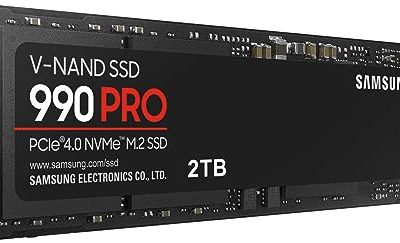
 SAMSUNG 990 PRO w/ Heatsink SSD 2TB SAMSUNG 990 PRO w/ Heatsink SSD 2TB | BLAZING SPEED Gen4 steps up with faster transfer speeds and… THE FASTEST SSD FROM THE WORLD'S #1 FLASH… | Check price |
 Corsair MP700 PRO 1TB M.2 PCIe Gen5 Corsair MP700 PRO 1TB M.2 PCIe Gen5 | Gen5 Performance Powered by NVMe 2.0: PCIe Gen5… Your PC Made Faster: Load games, boot Windows,… Wide Compatibility: Supports the latest PCIe 5.0 architecture… | Check price |
As an Amazon Associate we earn from qualifying purchases at no extra cost to you.
🎮 Get More From Your Setup — Free
Prime Gaming gives you free PC games every month, in-game loot, and a free Twitch channel sub — plus fast free shipping on all the gear above. New members get a 30-day free trial.
Watch: Best Pcie 5.0 Ssd — Video Review
How to Choose a PCIe 5.0 SSD
- Peak and sustained speeds: Top drives read around 14,000 to 14,900 MB/s. Check sustained write performance too, as budget drives can slow under heavy loads.
- Thermals: Gen 5 drives run hot and can throttle without cooling. Ensure your motherboard has an M.2 heatsink or choose a drive with one included.
- Capacity: 1TB suits most, but 2TB is better for large game libraries and creative projects, and often sustains higher speeds.
- Endurance (TBW): Heavy write workloads benefit from higher terabytes-written ratings, which indicate a longer usable lifespan.
- Motherboard compatibility: You need a PCIe 5.0 M.2 slot to reach full speeds. On Gen 4 boards the drive works but runs slower.
The Best PCIe 5.0 SSDs Reviewed
Samsung SSD 9100 PRO 1TB
The Samsung 9100 PRO reads up to 14,700 MB/s and carries Samsung’s trusted reliability and mature firmware. Built for AI computing, gaming, and heavy workstations, it delivers consistent, dependable performance, making it a premium pick for users who want proven quality in a 1TB package.
WD_Black SN8100 2TB
The WD_Black SN8100 is a top performer, hitting around 14,900 MB/s reads and 11,000 MB/s writes across a generous 2TB. WD aims it at AI applications, gaming, and video editing, and its balanced speed across workloads makes it one of the most well-rounded Gen 5 drives available.
Kingston FURY Renegade G5 2TB
The Kingston FURY Renegade G5 pushes toward 14,800 MB/s and targets gamers and enthusiasts with 2TB of high-speed storage. Kingston’s dependable support and aggressive performance make it a compelling flagship for demanding rigs and large libraries.
SABRENT Rocket 5 2TB
The SABRENT Rocket 5 delivers up to 14 GB/s across 2TB, offering excellent price-to-performance for creators handling big project files. Sabrent’s loyal following speaks to the brand’s value, and the Rocket 5 continues that reputation at the high end.
Crucial P510 1TB with Heatsink
The Crucial P510 is a more accessible Gen 5 option, delivering up to 11,000 MB/s writes with an included heatsink for cooler operation. Compatible with laptops and desktops, it is a smart pick for gamers and creatives who want Gen 5 speed without flagship pricing.
Frequently Asked Questions
Do I need a PCIe 5.0 SSD?
For pure gaming, Gen 4 is often sufficient. Gen 5 shines for DirectStorage titles, AI workloads, and heavy file transfers, and future-proofs your build.
Why do Gen 5 SSDs need heatsinks?
They generate significant heat and can throttle under sustained loads. A heatsink, whether from your board or included with the drive, maintains full speed.
Is 1TB or 2TB better?
1TB suits most gamers, while 2TB drives like the SN8100 and Rocket 5 offer more room and often sustain higher write speeds for demanding tasks.
Will it work in a Gen 4 slot?
Yes, but at reduced Gen 4 speeds. To hit advertised numbers, you need a motherboard with a genuine PCIe 5.0 M.2 slot.
Final Thoughts
The best PCIe 5.0 SSD depends on your workload and budget. The Samsung 9100 PRO is the reliability leader, the WD_Black SN8100 offers the best all-around performance with ample 2TB capacity, and the Crucial P510 makes Gen 5 more affordable. Pair the right drive with proper cooling and a Gen 5 slot to unlock blistering storage speeds.