Our Top Picks
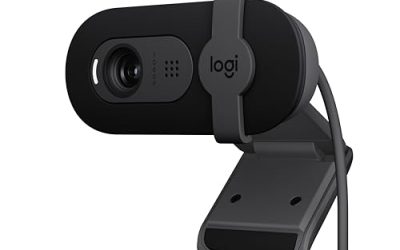
 Logitech C920x HD Pro PC Webcam with Microphone1 Pack2.8 x 1.7 x 3.7 inches0.4 poundsCheck on Amazon
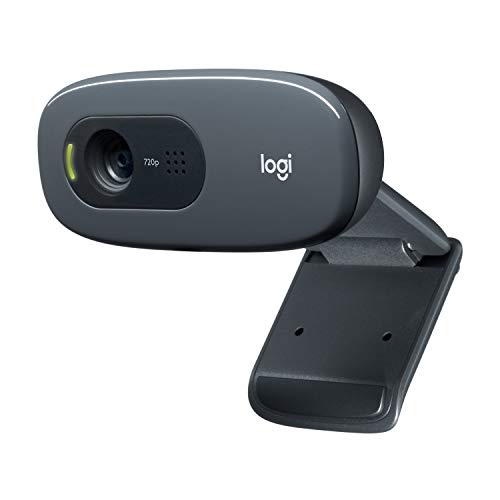 Logitech C270 720p Webcam Plug-and-Play Wide Screen Video1 Pack6 x 4 x 8 inches0.16 poundsCheck on Amazon

As an Amazon Associate I earn from qualifying purchases.
The Short Answer
For most students, the Logitech C920x HD Pro is the pick: full HD 1080p video at 30 frames per second, autofocus, and dual microphones,. On a tight budget, the NexiGo N60 gives you the same 1080p resolution, while the Logitech Brio 100 adds a privacy shutter and certification for Zoom and Microsoft Teams. Students in dim dorm rooms should consider the Anker PowerConf C200, which steps up to 2K resolution with low-light correction, and the Logitech C270 HD covers the basics at the lowest tier here. Every camera in this guide is a plug-and-play USB webcam.
Our Top Picks
- Best overall for most students: Logitech C920x HD Pro — reliable 1080p video, autofocus, and dual microphones for every major meeting platform.
- Best for dim dorm rooms: Anker PowerConf C200 — 2K resolution, adjustable field of view, and AI noise-canceling microphones with a privacy shutter.
- Best on a tight budget: NexiGo N60 — full HD 1080p video, a wide 110-degree field of view, and a privacy cover.
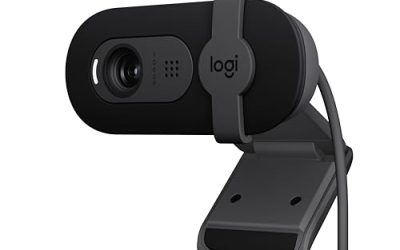
- Best for school meeting platforms: Logitech Brio 100 — 1080p video with a sliding privacy shutter and certification for Zoom and Microsoft Teams.
- Best basic backup camera: Logitech C270 HD — simple 720p video, a noise-reducing microphone, and a universal clip.
Quick Comparison
| Webcam | Resolution | Frame Rate | Field of View | Focus | Microphone | Privacy Shutter |
|---|---|---|---|---|---|---|
| Logitech C920x HD Pro | 1080p | 30 fps | 78 degrees | Autofocus | Dual stereo | No |
| Anker PowerConf C200 | 2K | 30 fps | 65, 78, or 95 degrees | Confirm on the listing | Dual AI noise-canceling | Yes |
| NexiGo N60 | 1080p | 30 fps | 110 degrees | Fixed | Built-in noise-reducing | Yes |
| Logitech Brio 100 | 1080p | 30 fps | 58 degrees diagonal | Fixed | Built-in | Yes |
| Logitech C270 HD | 720p | 30 fps | 55 degrees diagonal | Fixed | Noise-reducing | No |
How to Choose
Start with resolution, but do not overbuy it
For class calls, 1080p is the sweet spot: sharp enough that classmates can read your expression and any notes you hold up, without demanding much from your laptop or connection. A 720p camera such as the Logitech C270 HD is acceptable when money is tight or as a backup, but expect a softer image in a dim room.
Check the microphone before you check the megapixels
Most student calls fail on audio before they fail on video. A camera with two microphones, such as the Logitech C920x HD Pro or the Anker PowerConf C200, picks up your voice from a wider area and sounds clearer than a single microphone. If you study in a noisy dorm or a library common area, noise reduction matters even more than resolution.
Think about your room, not just the camera
A dorm room is small, often lit by a single overhead light, and shared with at least one other person. A wide field of view, such as the 110-degree view on the NexiGo N60 or the 95-degree setting on the Anker PowerConf C200, suits group presentations with two students sharing one camera, but it also pulls a messy bed into frame. A narrow view, such as the 58-degree diagonal view on the Logitech Brio 100, frames just your face and shoulders.
Privacy matters in shared housing
A physical privacy shutter matters a lot when you live with roommates. The Anker PowerConf C200, the NexiGo N60, and the Logitech Brio 100 all include one, so you can block the lens when class ends. The Logitech C920x HD Pro and the Logitech C270 HD do not include a shutter, so if that feature matters to you, plan on one of the other three cameras or a separate lens cover.
Confirm the connection and the software
Every camera here connects over USB and works as a plug-and-play device with Windows, macOS, and ChromeOS, which covers nearly every laptop a student carries. Check your laptop first: many newer laptops have only USB-C ports, so a USB-A camera such as the Logitech C920x HD Pro may need a small adapter.
The Picks in Detail
Logitech C920x HD Pro — Best Overall for Most Students
The Logitech C920x HD Pro has been the standard student and home-office webcam for years, and it covers every part of a class call without fuss. It records in full HD 1080p at 30 frames per second, drops to 720p at 60 frames per second for smoother motion, and uses a five-element glass lens with autofocus, so your face stays sharp whether you sit close or lean back. The 78-degree field of view frames your head and shoulders plus a little of the room. Two built-in microphones capture stereo audio, and Logitech RightLight 2 adjusts the image for dim or uneven lighting. The camera clips onto a laptop or monitor and has a tripod thread for presentations.
Pros:
– Sharp 1080p video with autofocus that holds up in everyday room lighting
– Dual stereo microphones sound clear without a separate headset
– Glass lens and RightLight 2 handle dim dorm rooms well
Cons:
– No built-in privacy shutter
– Limited to 30 frames per second at 1080p
– USB-A cable may need an adapter on laptops with only USB-C ports
View the Logitech C920x HD Pro on Amazon
Anker PowerConf C200 — Best for Dim Dorm Rooms

The Anker PowerConf C200 is the only camera here that records in 2K, meaning 2560 by 1440 resolution at 30 frames per second, with 1080p and 720p modes for a lighter load on your connection. The extra resolution shows in recorded assignments, where text on a held-up page stays readable. Its most useful student feature is the adjustable field of view: through the AnkerWork software you can switch between 65, 78, and 95 degrees, framing just yourself for a lecture or widening the shot when a classmate joins a group presentation. Two built-in microphones use AI noise cancellation to cut background sound from roommates and keyboard typing, and low-light correction brightens the image when your only light is a desk lamp. A built-in privacy shutter slides closed when class ends. Whether the focus is automatic or fixed is a detail where sources disagree, so confirm on the listing before you buy.
Pros:
– 2K resolution is visibly sharper than 1080p for recorded assignments
– Adjustable field of view suits solo calls and group presentations
– AI noise-canceling microphones handle noisy shared rooms well
Cons:
– 2K video is limited to 30 frames per second
– Changing the field of view requires the AnkerWork software
– Focus behavior is unclear, so confirm on the listing
View the Anker PowerConf C200 on Amazon
NexiGo N60 — Best on a Tight Budget

The NexiGo N60 is the most affordable full HD camera in this guide, and the right pick when you want 1080p video without spending more than you need to. It records at 1080p and 30 frames per second through a 2-megapixel CMOS sensor, and its 110-degree field of view is the widest here, making it a good fit for group study sessions where two or three students share one camera. The built-in microphone includes noise reduction, and the camera includes a privacy cover plus software control for adjusting the field of view and zoom. It clips onto a laptop or monitor, connects over USB, and works with Windows, Mac, Linux, and ChromeOS, so it suits nearly any laptop a student owns, including a Chromebook. Focus is fixed, so set your distance once and stay roughly in the same spot.
Pros:
– Full HD 1080p video at the lowest tier in this guide
– Wide 110-degree field of view suits group calls and shared desks
– Privacy cover included, which is rare at this tier
Cons:
– Fixed focus means the image softens if you move closer or farther away
– No autofocus and no advanced light correction for very dim rooms
– Wide view pulls in more of a messy room unless you adjust it
Logitech Brio 100 — Best for School Meeting Platforms

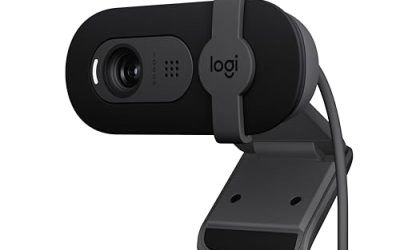
The Logitech Brio 100 is the camera to pick when your school runs on Zoom or Microsoft Teams. It is certified for both platforms, so it appears by name in the device picker and works with platform-level noise cancellation and echo reduction. It records in full HD 1080p at 30 frames per second, and RightLight auto-light balance brightens a dim face and reduces shadows, which helps when your desk light is weak or your room has one small window. The 58-degree diagonal field of view is narrow, so it frames your face and shoulders and keeps the rest of a shared room out of frame. A single built-in microphone captures your voice, and a built-in sliding privacy shutter covers the lens when you are done.
Pros:
– Certified for Zoom and Microsoft Teams, so setup is smooth
– Sliding privacy shutter is built in and easy to use
– RightLight auto-light balance helps in dim rooms
– Narrow field of view keeps a shared room out of frame
Cons:
– Narrow view is poor for group presentations with two people
– Fixed focus, so it does not adjust when you lean in or move back
– Single microphone rather than dual microphones
View the Logitech Brio 100 on Amazon
Logitech C270 HD — Best Basic Backup Camera
The Logitech C270 HD is the simplest camera in this guide, built for one job: giving a desktop without a camera, or a laptop with a broken one, a working picture for class. It records in HD 720p at 30 frames per second with a 55-degree diagonal field of view and fixed focus, which is enough for a lecture call where the professor mainly needs to see that you are present. The built-in microphone reduces background noise and picks up your voice from up to 1.5 meters away, and RightLight 2 adjusts the image for lighting conditions. A universal clip fits monitors, laptops, and tablets, and the attached USB-A cable is about 5 feet long. The warranty length is listed differently in different places, so confirm on the listing before you buy.
Pros:
– Simple plug-and-play setup with no software to install
– Noise-reducing microphone works well for everyday lecture calls
– Universal clip fits laptops, monitors, and tablets
– Light and easy to move between a dorm desk and a library computer
Cons:
– 720p resolution looks softer than the 1080p cameras here
– Fixed focus and a narrow field of view limit flexibility
– No privacy shutter, so you need a separate lens cover if you want one
View the Logitech C270 HD on Amazon
Who Should Choose What
- Most students, most classes: the Logitech C920x HD Pro, the safest all-round pick, with autofocus, dual microphones, and 1080p video for lectures, presentations, and recorded assignments.
- Students in dim or noisy dorms: the Anker PowerConf C200, with 2K resolution, low-light correction, and AI noise-canceling microphones.
- Students on a tight budget: the NexiGo N60, with full HD 1080p video and a wide view for group sessions at the lowest tier here, and a privacy cover included.
- Students whose school uses Zoom or Teams: the Logitech Brio 100, with certification for both platforms, a privacy shutter, and narrow framing for shared housing.
- Students who need a basic or spare camera: the Logitech C270 HD, covering lecture calls and everyday check-ins with the simplest setup here.
Common Mistakes
Buying a 4K camera for lecture calls
A 4K webcam sounds like an upgrade, but for a live class it mostly adds load to your laptop and your connection without making you easier to understand. Classmates see a small video tile, not a cinema screen.
Ignoring the light in your room
A webcam can only record the light that reaches it. Sitting with a bright window behind you turns your face into a silhouette, and sitting in a dark corner makes even a good camera look grainy. Face the light source, and keep the brightest light behind the camera rather than behind you.
Forgetting the microphone
Many students buy a camera and then speak through a laptop microphone that sits far from their mouth and picks up every keyboard click. The cameras here all have built-in microphones, and the dual-microphone models sound better than the single-microphone ones. Before a presentation, check that your meeting app is using the webcam microphone rather than the laptop microphone.
Choosing the widest field of view by default
A wide field of view is useful for group work, but it also shows your bed, your laundry, and your roommate walking past. A narrow field of view is better for solo calls in a shared room. The Anker PowerConf C200 lets you switch between wide and narrow; if you buy a fixed wide camera such as the NexiGo N60, check what sits behind you before your first class.
Assuming any USB port will do
Most webcams here use USB-A, while many newer laptops have only USB-C ports. Check the ports on your laptop before you order, and add a small adapter to your bag if you need one.
Skipping the privacy shutter
In shared housing, a camera that stays uncovered after class is a real concern. The Anker PowerConf C200, the NexiGo N60, and the Logitech Brio 100 include a physical shutter or cover. If you choose the Logitech C920x HD Pro or the Logitech C270 HD, which do not include one, add a separate lens cover or simply unplug the camera when class ends.
FAQ
Do I need a webcam if my laptop already has a built-in camera?
Not always, but a dedicated webcam usually looks and sounds better. Built-in laptop cameras are often 720p with a small sensor and a weak microphone, and they sit at a fixed angle that looks up at your face. An external webcam such as the Logitech C920x HD Pro gives you a sharper image, a better microphone, and the freedom to adjust the angle.
Which webcam is best for Zoom classes?
The Logitech Brio 100 is the most direct answer, because it is certified for Zoom and Microsoft Teams and appears by name in the device picker. The Logitech C920x HD Pro also works well with Zoom, with autofocus and dual microphones that hold up over long class sessions.
Is 720p enough for online classes?
For joining a lecture and being seen clearly, 720p is enough, and the Logitech C270 HD covers that job. For presenting, recording a video assignment, or holding up notes on camera, 1080p looks noticeably sharper, and the Logitech C920x HD Pro, the NexiGo N60, and the Logitech Brio 100 all record at that resolution.
Do these webcams work with a Chromebook?
Yes. The NexiGo N60 lists ChromeOS among its supported systems, and the Logitech cameras work as plug-and-play USB video devices with ChromeOS, so they appear in Google Meet and other browser-based meeting apps without extra software.
What is a privacy shutter, and do I need one?
A privacy shutter is a physical cover that slides over the lens, so the camera cannot record anything while it is closed. It is different from a software mute, because it blocks the lens itself. You need one if you live with roommates or study in a shared room. The Anker PowerConf C200, the NexiGo N60, and the Logitech Brio 100 include one.
Can I use one webcam for both classes and streaming?
Yes, with limits. The Logitech C920x HD Pro handles both class calls and casual streaming, since it records 1080p at 30 frames per second and 720p at 60 frames per second, and it works with common streaming software. The Anker PowerConf C200 also works for streaming, with sharper 2K video for recorded content.
Conclusion
The best webcams for students are the ones that make class simple: plug in, join the call, look clear, and sound clear. For most students, that camera is the Logitech C920x HD Pro, with reliable 1080p video, autofocus, and dual microphones for lectures, presentations, and recorded assignments. If your dorm is dim or noisy, the Anker PowerConf C200 adds 2K resolution, low-light correction, and AI noise-canceling microphones. If money is tight, the NexiGo N60 gives you full HD video and a wide view for group work, while the Logitech Brio 100 suits schools that run on Zoom or Teams and the Logitech C270 HD covers the basics as a backup.
FAQ
Do I need a webcam if my laptop already has a built-in camera?
Which webcam is best for Zoom classes?
Is 720p enough for online classes?
Do these webcams work with a Chromebook?
What is a privacy shutter, and do I need one?
Can I use one webcam for both classes and streaming?
More from Amazon
Programs that pair well with the guide above. Offers and eligibility are set by Amazon and may change.
Free shipping on eligible items, Prime Video and more. Eligible new members can start with a free trial.
Start a Prime free trialAd-free music streaming. Eligible new subscribers can start with a free trial.
Try Music Unlimited freeA Prime membership for ages 18-24 with a trial period. Eligibility is set by Amazon.
See Prime for Young AdultsAudiobooks and podcasts to listen to on the go. Eligible new members can start with a free trial.
Try Audible freeAs an Amazon Associate we earn from qualifying purchases.