Our Top Picks
A creator webcam is bought for what happens after the stream ends as much as during it: the same footage gets clipped, cropped and re-uploaded, so weak detail and smeared motion cannot be fixed later. The real decision is how much resolution and frame rate your format actually uses, whether the camera should follow you around the room or stay locked on a desk setup, and whether your lighting can feed a larger sensor. Buying past your format wastes money; buying under it shows in every crop.
This guide is for streamers, video podcasters and tutorial makers who record or broadcast from a desk or small studio. The picks below were chosen from the names and specifications printed on their Amazon listings: true 4K60 capture, larger sensors, gimbal tracking and listed platform features. Everyday meeting cameras are deliberately left out; every model here sits in the creator tier, and the differences that matter are sensor size, frame rate at each resolution, and how the camera frames a moving presenter.
Quick Picks
As an Amazon Associate we earn from qualifying purchases.
| Product | Best for | Key spec from title |
|---|---|---|
| Elgato Facecam Pro | Creators who publish 4K60 recordings | True 4K60 (2160p at 60 fps) |
| Elgato Facecam 4K | Streamers who want the newer 4K60 Elgato | 4K60 studio webcam |
| Insta360 Link 2 | Presenters who move around the frame | Two-axis gimbal with AI tracking |
| OBSBOT Tiny 2 | Hands-free PTZ framing while recording | 1/1.5-inch CMOS sensor, 60 FPS |
| Logitech MX Brio | Streamers who also present in meetings | 4K at 30 fps or 1080p at 60 fps |
How to Choose
Resolution and frame rate are one decision, not two
A camera’s headline resolution only helps if the frame rate at that resolution matches your content. Talking-head recordings and video podcasts sit comfortably at 4K and 30 fps, and the extra pixels pay off when you crop a vertical clip out of a horizontal frame. Fast hand movement, product demos and anything with quick pans look visibly smoother at 60 fps, which is why the true 4K60 models in this guide exist. Dropping to 1080p at 60 fps is a legitimate middle setting on several of these cameras, not a failure: choose the pairing your format uses most, not the biggest number on the box.
Sensor size decides your low-light ceiling
Webcam sensors are small, and the differences between them decide how your picture holds up away from a bright window. The larger sensors in this group, the 1/1.5-inch unit in the OBSBOT Tiny 2 and the 1/2-inch unit in the Insta360 Link 2, gather more light per frame than the sensors in everyday meeting cameras, which is what keeps skin tones and background detail intact under ordinary room lighting. Elgato’s Facecam Pro uses a Sony STARVIS CMOS sensor, a line built for low-light sensitivity. No sensor rescues a dark room entirely, so budget some thought for a basic key light alongside any of these picks.
Fixed lens or tracking gimbal
A fixed camera suits a seated, single-position setup: frame it once, and it never moves. A gimbal camera earns its place when you stand, walk to a whiteboard, hold products up close or move around a workbench while recording. The Insta360 Link 2 and OBSBOT Tiny 2 both use motorised movement with AI tracking to keep a moving presenter framed without a second person on camera duty. The trade-off is mechanical complexity and one more thing to configure before recording. Decide honestly how much you actually move on camera; many creators buy tracking and then sit still for three hours a day.
The unglamorous checks: audio, connection and variants
Creator cameras are image devices first, and audio is where buyers get caught out. The Facecam Pro’s listing-derived specification states it has no internal microphone, so its picture has to be paired with a separate microphone you already own or plan to buy. Check the connection each model lists, USB-C on the Facecam Pro and USB 3.0 on the Tiny 2, against the ports your computer actually has free. Finally, popular creator cameras circulate in bundle and regional variants under different listing codes; order by the exact ASIN printed in each section here, and confirm the listing title matches the model name before you check out.
The 5 Best Options
Elgato Facecam Pro

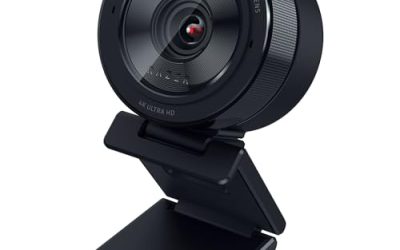
The Facecam Pro is the fixed-camera benchmark in this group: its listing states true 4K60 capture at 2160p and 60 fps, from a Sony STARVIS CMOS sensor behind an f/2.0 21mm lens with a 90-degree field of view. That combination suits creators who record once and publish everywhere, because 4K frames leave room to crop vertical and square versions without the softness that upscaled 1080p shows. It connects as UVC over USB-C, so it presents itself to streaming and recording software without a capture card. Plan your audio separately, because the listing-derived specification states there is no internal microphone.
Specs
- Resolution and frame rate: True 4K60 (2160p at 60 fps)
- Sensor: Sony STARVIS CMOS
- Lens: f/2.0, 21mm
- Field of view: 90 degrees
- Connection: UVC over USB-C
- Item model number: 20WAB9901
- Microphone: no internal microphone, per the listing-derived spec table
Best for: creators who record in 4K60 and crop multiple formats from one take.
Watch out for: one aggregator showed this model out of stock at its last check on 2026-11-24, so confirm the live listing has a buyable offer before planning a setup around it.
ASIN: B0BJL7Q3SR
Elgato Facecam 4K

The Facecam 4K is Elgato’s newer 4K60 studio webcam, listed as a distinct model from the Facecam Pro rather than a variant of it, with its own item model number and a first-available date of July 29, 2025 on the listing. It belongs on the shortlist of anyone who wants Elgato’s current-generation 4K60 camera and is comparing the two Elgato models side by side. Because the listing content captured for this model is brief, the honest way to choose between it and the Pro is to open both listings and compare the full specification tables, rather than assuming the newer name means the same sensor and lens package.
Specs
- Resolution and frame rate: 4K60 studio webcam
- Item model number: 20WAF9901
- Date first available: July 29, 2025, as listed
Best for: streamers who want the newer Elgato 4K60 model and will compare its full listing table against the Pro.
Watch out for: do not confuse this listing with the Facecam Pro above; they are separate models with separate model numbers, so order by the ASIN below.
ASIN: B0DVZG36J8
Insta360 Link 2

The Link 2 is the gimbal option for presenters who refuse to sit still. Its listing states a 1/2-inch sensor, 4K at 30 fps and 1080p at 60 fps, HDR, and a two-axis gimbal with AI tracking. That makes it the natural pick for teachers, coaches and demonstrators who step back from the desk, turn to a board or hold items up to the lens mid-recording. The 1080p60 mode covers faster movement when resolution can take second place, while 4K30 keeps maximum detail for slower, closer work. If your recording style is a fixed chair and a fixed backdrop, this camera’s moving head solves a problem you do not have.
Specs
- Sensor: 1/2-inch
- Resolution and frame rate: 4K at 30 fps; 1080p at 60 fps
- HDR: yes, as listed
- Movement: two-axis gimbal with AI tracking
- Model: CINSABNB
Best for: presenters, teachers and demonstrators who move around the frame while recording.
Watch out for: the gimbal only helps if you actually move on camera; seated streamers pay for tracking they will rarely use.
ASIN: B0DDTH3HX8
OBSBOT Tiny 2

The Tiny 2 pairs the largest sensor in this group, a 1/1.5-inch CMOS, with 4K capture at 60 FPS and PTZ movement with AI tracking. Its listing adds voice and gesture control, which matters more than it sounds: starting a recording, or telling the camera to follow you, without walking back to the keyboard keeps a solo production moving. It connects over USB 3.0. For creators filming alone in a room where they both present and operate, this is the most self-sufficient camera here. Buyers who always sit in one marked spot will get the same picture quality logic from the fixed models at less mechanical complexity.
Specs
- Resolution and frame rate: 4K, 60 FPS
- Sensor: 1/1.5-inch CMOS
- Movement: PTZ with AI tracking
- Control: voice and gesture control
- Connection: USB 3.0
Best for: solo creators who present and operate the camera at the same time.
Watch out for: bundle and regional variants of the Tiny 2 circulate under different listing codes; confirm the live listing matches this ASIN and the base model before ordering.
ASIN: B0C3B6ZR1V
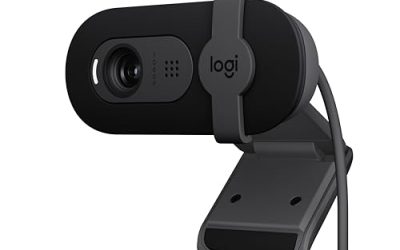
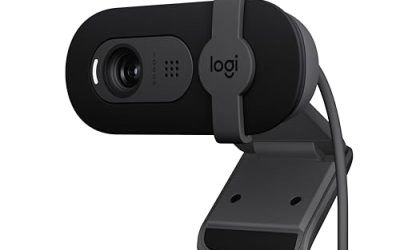
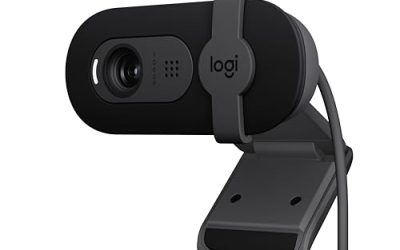
Logitech MX Brio

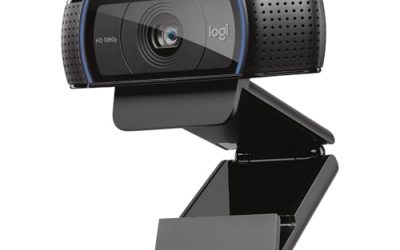
The MX Brio is the crossover pick: an Ultra HD 4K webcam listed at 4K at 30 fps or 1080p at 60 fps, with a Show Mode for presenting documents and objects on a desk, and listed for streaming and collaboration across Microsoft Teams, Zoom and Google Meet. That suits creators whose camera also has to carry client calls and team meetings, where the same device gets judged by colleagues all week. The two frame-rate modes map neatly onto that double life: 4K30 for recorded detail, 1080p60 when motion matters more. Its graphite finish and 960-001545 model number identify the exact listing to order.
Specs
- Resolution and frame rate: Ultra HD 4K at 30 fps, or 1080p at 60 fps
- Feature: Show Mode
- Listed uses: streaming and collaboration (Microsoft Teams, Zoom, Google Meet)
- Model: 960-001545 (Graphite)
Best for: creators whose webcam doubles as their meeting camera for work calls.
Watch out for: this ASIN was tied via listing-derived records naming the model number rather than captured listing text, so confirm the model and specification on the live listing before ordering.
ASIN: B0BFJ4CRKD
Which One Fits Your Situation
You record tutorials and crop clips for other platforms
Start with the Facecam Pro. True 4K60 capture gives you the pixels to pull vertical and square edits out of a horizontal master without the image falling apart, and the fixed lens suits a desk that never changes. Remember the listing states there is no internal microphone, so your existing microphone setup carries the audio. The Facecam 4K is the alternative if you prefer Elgato’s newer model after comparing both listings.
You teach, coach or demonstrate standing up
Choose between the two gimbal cameras. The Insta360 Link 2 tracks you on a two-axis gimbal with 4K at 30 fps and an HDR mode, while the OBSBOT Tiny 2 adds the bigger 1/1.5-inch sensor, 60 FPS and voice and gesture control. If you run sessions alone and hate walking back to the desk to manage the camera, the Tiny 2’s hands-free control is the deciding feature.
Your camera works meetings all week and content at night
Take the MX Brio. It is listed for streaming and collaboration across the main meeting platforms, its Show Mode handles the desk-presenting side of a workday, and 1080p at 60 fps keeps motion smooth when you switch to content. Confirm the live listing matches model 960-001545 before ordering, since this code was tied through listing-derived records.
You want one Elgato and cannot decide which
Open both Elgato listings and compare the full specification tables directly. The Facecam Pro’s captured listing is detailed: STARVIS sensor, f/2.0 21mm lens, 90-degree field of view, no internal microphone. The Facecam 4K is the newer, distinct 4K60 model, but its captured listing content is brief, so the live table is the only fair basis for the decision. Order by the ASIN of the one you choose, not by name alone.
Common Mistakes
- Buying 4K60 for a format that never leaves 1080p, then blaming the camera when files get huge and nothing looks different.
- Assuming every creator webcam has a usable microphone; the Facecam Pro’s listing states it has no internal microphone at all.
- Paying for a tracking gimbal and then recording seated in one position for every video.
- Ordering a bundle or regional variant under a different listing code when the base model was the one reviewed and intended.
- Judging a larger-sensor camera in a dark room and concluding the sensor is at fault, when the room needed a basic light first.
Frequently Asked Questions
Is 4K60 worth it if most viewers watch at lower resolutions?
It can be, because the benefit is often in production rather than playback. Recording at 4K lets you crop vertical and reframed versions from one take without obvious softness, and 60 fps keeps fast hand movement clean. If you publish one fixed frame exactly as recorded, the same money usually works harder spent on lighting and audio instead.
Do these cameras include microphones?
Not always, and the listings are the authority. The Facecam Pro’s listing-derived specification states it has no internal microphone, so it must be paired with a separate microphone. For the other models here, check the live listing’s specification table before assuming a built-in microphone exists, and plan your audio setup around what the listing actually states.
Should I choose a gimbal camera or a fixed camera?
Choose a gimbal camera if you stand, move to a board, or demonstrate objects at arm’s length; the Link 2 and Tiny 2 exist to keep a moving presenter framed automatically. Choose a fixed camera if you record from one seated position, where a gimbal adds cost and configuration without changing the picture. Your recording posture, not the feature list, decides this one.
Why do similar versions of the same camera appear under different codes?
Popular creator cameras are sold as base units, bundles and regional variants, and each version carries its own listing code. The specifications in this guide belong to the exact ASIN printed under each model. Before ordering, confirm the listing title and model number match the camera described here, especially for the OBSBOT Tiny 2, whose family includes several variant listings.
FAQ
Is 4K60 worth it if most viewers watch at lower resolutions?
Do these cameras include microphones?
Should I choose a gimbal camera or a fixed camera?
Why do similar versions of the same camera appear under different codes?
More from Amazon
Programs that pair well with the guide above. Offers and eligibility are set by Amazon and may change.
Free shipping on eligible items, Prime Video and more. Eligible new members can start with a free trial.
Start a Prime free trialAd-free music streaming. Eligible new subscribers can start with a free trial.
Try Music Unlimited freeA Prime membership for ages 18-24 with a trial period. Eligibility is set by Amazon.
See Prime for Young AdultsAudiobooks and podcasts to listen to on the go. Eligible new members can start with a free trial.
Try Audible freeAs an Amazon Associate we earn from qualifying purchases.