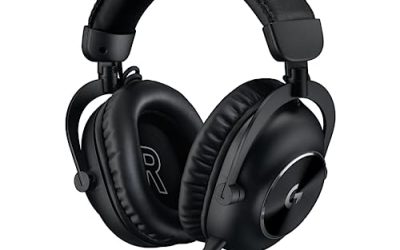
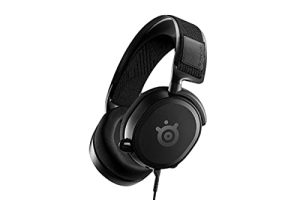
Key takeaways
- Find the best gaming headsets for footsteps with this guide to imaging, tuning, connection types and setup, so enemy movement stays clear in every FPS match.
As an Amazon Associate we earn from qualifying purchases.
In a competitive shooter, the first warning of an enemy is usually sound rather than sight. A footstep on a metal staircase, a reload behind a wall, a slow walk creeping toward a bombsite — each cue arrives before the player model appears, and the headset decides whether that warning is clear enough to act on or lost in the mix. Choosing a headset for footsteps means choosing for information rather than spectacle: the model that serves you best keeps quiet sounds distinct, places them in a direction, and stays comfortable through a long session.
This guide is written for ranked FPS players who want to hear rotations earlier, casual shooter fans who keep getting caught from behind, console players who need one headset for several games, and anyone moving from earbuds or television speakers to a dedicated headset. It explains how footstep audio works, which headset traits matter most, and how to set everything up, without recommending a single model, so the advice holds whatever you buy.
How Footstep Audio Works in FPS Games
Every modern shooter builds its soundscape from the same basic ingredients, and understanding them makes headset shopping far simpler. Footsteps are short, mid-frequency sounds that the game engine places in a three-dimensional space around your character. When an enemy moves, the engine changes the volume, timing, and tonal character of each step according to distance, direction, surface, and whatever walls sit between you. A step on wood sounds different from a step on gravel, and a step above you sounds different from a step on the same floor. Your headset receives all of this as an ordinary stereo signal, and its job is to reproduce those small differences faithfully enough for your brain to read them.
Imaging is the word for how precisely a headset places sounds in that space. A headset with strong imaging lets you tell whether a footstep came from the left corridor or the right doorway, and whether it was close or two rooms away. Soundstage describes how wide and open that space feels. A narrow stage crowds sounds together, so a footstep and a gunshot can blur into one event; a wider stage gives each sound room to breathe, which makes it easier to pick a quiet step out of a busy firefight. Open-back headsets usually offer the widest stage, because their earcups let air and sound pass through, but they leak noise in both directions, so they suit quiet rooms far better than shared ones.
Games add their own processing on top. Many shooters include a head-related transfer function, often labelled HRTF, which shapes the stereo signal to mimic how your ears and head filter sound in real life. This processing is designed to work with a clean stereo headset, and it is one reason a plain, well-tuned pair of headphones can outperform a headset that piles on extra virtual surround effects. When two layers of spatial processing run at once, the result is often a smeared image rather than a sharper one, so the general rule is to let the game do the positioning and let the headset deliver it cleanly.
Distance matters too. Shooters reduce footstep volume with range, and most games make crouch-walking and slow movement much quieter than sprinting. A headset that reproduces low-volume detail well therefore gives you more warning than one that only sounds good at high volume. This is where driver quality and tuning come in: a driver that stays clean at quiet levels reveals the faint step of an enemy who is trying to be silent, while a muddy driver buries that step under the rumble of your own movement and gunfire.
How to Choose
Imaging and Soundstage
Imaging decides whether you can act on a footstep or only notice it after the fact. Look for headsets described as having a wide soundstage or precise stereo imaging, and favour designs where the drivers sit at a slight angle toward the ear, since angled drivers present direction more naturally than flat ones. Open-back models widen the stage further, but they leak sound, so they belong in a quiet room. Closed-back models keep game audio in and household noise out, which protects imaging in a shared space. Test direction once it arrives: load a practice map, have a teammate walk in a circle around you, and check whether left, right, front, and behind feel distinct.
Tuning That Keeps Quiet Cues Audible
A headset tuned for cinema pushes bass hard, and that emphasis is the enemy of footstep clarity, because low-frequency energy from explosions and gunfire swallows the mid-frequency band where footsteps live. The tuning you want is balanced or slightly lifted in the upper mids, where the click and scuff of a step sit, with restrained bass that stays in its place. Many gaming headsets include companion software with an equaliser or an FPS preset, and that control is useful: a preset that trims the lowest frequencies and lifts the presence range can turn a boomy headset into a competitive one. If the headset has no software, make the same adjustment in your operating system or in the game itself.
Connection Type and Latency
Wired connections remain the simplest route to footstep audio, because a cable adds no delay and needs no charging, pairing, or dongle. A single 3.5 mm jack works on almost every PC and console, while a USB connection usually unlocks the headset’s own sound card, surround processing, and equaliser. Wireless headsets have closed the gap: a 2.4 GHz dongle connection is fast enough for competitive play and frees you from the cable entirely. Bluetooth, by contrast, adds noticeable delay and suits music or calls better than your main gaming link. Whichever route you choose, confirm the headset connects to your platform without an adapter you do not own, and check that a wireless model keeps playing while it charges.
Comfort, Isolation, and Microphone
Footsteps only help if you are still wearing the headset in the final round, so comfort is a competitive feature rather than a luxury. Weight under 300 grams, soft memory foam cushions, and a headband that spreads pressure evenly will carry you through long sessions without a sore spot, and glasses wearers should look for cushions that do not press frames into the temples. Isolation works against soundstage: a closed-back design with a good seal keeps keyboard clatter, fans, and household noise from masking quiet steps. The microphone deserves attention too, since clear callouts are half of competitive play; a detachable or flip-to-mute boom mic with noise reduction keeps your voice intelligible without broadcasting key presses to the squad.
Settings and Setup That Sharpen Footsteps
A good headset still needs the right settings, and the adjustments below cost nothing. Start inside the game: set the audio preset to headphones or stereo if that option exists, and turn on the game’s HRTF or 3D audio setting where one is offered. Then turn off any virtual surround processing on the headset itself, so the game’s positioning is not processed twice. Set the master volume high enough that faint steps are audible, but low enough that gunfire does not fatigue your ears, and resist the urge to push everything to maximum, since distortion at high volume destroys exactly the detail you are trying to hear.
Next, look at equalisation. If your headset software offers an FPS or footsteps preset, try it first and give yourself several matches to adapt before judging it. If it does not, a gentle manual curve works well: trim the lowest bass slightly, leave the mids flat, and add a small lift in the upper midrange where footsteps sit. Keep the changes modest, because an aggressive curve makes everything sound thin and tiring. On a PC, check that Windows spatial sound is set to off or to the same format the game expects, and disable any loudness equalisation or bass boost in the sound control panel, since those features compress the dynamic range that makes quiet steps stand out from loud effects.
Finally, check the physical setup. A loose earcup seal leaks bass and lets room noise in, so adjust the headband until both cushions sit flat against your head. Keep the microphone boom close to your mouth but out of your breathing path, and turn off sidetone or mic monitoring if it distracts you. If you play on console, plug the headset directly into the controller or the console’s USB port rather than through a television, since television audio processing adds delay and often applies its own compression. Small as each of these steps seems, together they can make a mid-range headset reveal footsteps that a far more expensive one would hide when set up badly.
Which One Fits Your Situation
Ranked PC Players Who Play One Shooter Most Nights
A wired closed-back headset with a balanced tuning and a companion equaliser suits this routine best. The cable removes latency and charging from the equation, the closed cups keep household noise out of late-night matches, and the equaliser lets you build a footsteps preset for your main game and leave it alone. Pair it with the game’s own HRTF setting and keep virtual surround switched off, and you will hear rotations early enough to reposition before the push arrives.
Console Players Who Switch Between Games
A multi-platform headset that connects by USB dongle or controller jack covers the most ground here. Look for one that works on your console without extra hardware, with a microphone that mutes quickly between rounds and cushions that stay comfortable when a session stretches past the plan. A balanced tuning matters more than a game-specific preset in this role, since the same headset has to carry footsteps, dialogue, and lobby music without constant adjustment.
Players in Noisy Rooms or Shared Spaces
Closed-back isolation is the priority when the room itself is loud. A headset with a firm seal and thick cushions blocks keyboard clatter, fans, and conversation, which protects the quiet band where footsteps live. Skip open-back designs entirely in this setting, since they let room noise straight in and leak your game audio out. A detachable microphone helps too, because it lets you step away from the desk without the boom catching on anything.
Players on a Tight Budget Upgrading from Earbuds
A simple wired headset with a 3.5 mm connection is the smartest first step. It needs no software, no charging, and no dongle, and even a modest model will image better than earbuds, which sit too close to the ear to create a believable soundstage. Spend your attention on fit and tuning rather than extra features: a comfortable seal and a balanced sound signature will reveal more footsteps than a feature list on a headset that hurts after an hour.
Common Mistakes
- Buying for bass first. Heavy low-end emphasis makes explosions impressive and footsteps invisible, because the frequencies that carry a step get buried under rumble.
- Running two layers of spatial audio at once. Virtual surround on the headset plus HRTF in the game usually smears direction instead of sharpening it, so pick one and switch the other off.
- Judging a headset in the first ten minutes. Your ears need several matches to learn a new soundstage, and a preset that feels thin on day one often becomes the clearest option by day three.
- Ignoring the seal. Earcups that sit loose or press unevenly against glasses leak bass and let room noise in, which costs more footstep detail than any driver upgrade can recover.
- Chasing driver size alone. A larger driver number on the box says nothing about tuning, imaging, or comfort, and a well-tuned smaller driver will place footsteps more accurately than a boomy larger one.
Frequently Asked Questions
Do I need virtual surround sound to hear footsteps?
No. Most modern shooters already position audio themselves through stereo and HRTF processing, so a clean stereo signal is usually enough. Virtual surround can help on headsets with a narrow stage, but it can also blur direction when it stacks on top of the game’s own processing. Start with stereo plus the game’s HRTF setting, and only add virtual surround if footsteps still feel vague after a few matches.
Are open-back headsets better for hearing footsteps?
They often image better, because the open earcups create a wider, more natural soundstage that separates quiet steps from loud effects. The trade-off is that they leak sound in both directions, so they suit quiet rooms and solo play far better than shared spaces, streaming, or late-night sessions where other people are sleeping nearby. In a noisy room, a closed-back headset usually reveals more.
Should I use a wired or wireless headset for competitive shooters?
Both can work. A wired connection is the simplest choice, with no latency, no battery, and no dongle to lose. A 2.4 GHz wireless connection is fast enough for competitive play and frees you from the cable, though you will need to keep it charged. Bluetooth adds noticeable delay and is best kept as a secondary connection for music or calls rather than your main link in a ranked match.
Can an equaliser really make footsteps easier to hear?
Yes, within limits. A gentle lift in the upper midrange, where the click and scuff of a step sit, combined with a small cut to the lowest bass, can bring quiet cues forward without making the whole game sound thin. Keep the changes modest and give yourself several matches to adapt, since an aggressive curve causes fatigue and can mask other useful sounds such as reloads and ability cues.
FAQ
Do I need virtual surround sound to hear footsteps?
Are open-back headsets better for hearing footsteps?
Should I use a wired or wireless headset for competitive shooters?
Can an equaliser really make footsteps easier to hear?
More from Amazon
Programs that pair well with the guide above. Offers and eligibility are set by Amazon and may change.
Free shipping on eligible items, Prime Video and more. Eligible new members can start with a free trial.
Start a Prime free trialAd-free music streaming. Eligible new subscribers can start with a free trial.
Try Music Unlimited freeA Prime membership for ages 18-24 with a trial period. Eligibility is set by Amazon.
See Prime for Young AdultsAudiobooks and podcasts to listen to on the go. Eligible new members can start with a free trial.
Try Audible freeAs an Amazon Associate we earn from qualifying purchases.